











 : Every guest, one folio
Front desk, folios, housekeeping and the restaurant till on one guest record. Charges post the second they happen, the night audit closes the day for real, and the board in housekeeping is the inventory the desk sells.
Free instant access. No credit card required. Priced per room.
 Hotel Foundation
 Billing, Folios & Night Audit
 Housekeeping & Maintenance
 Restaurant & Bar POS
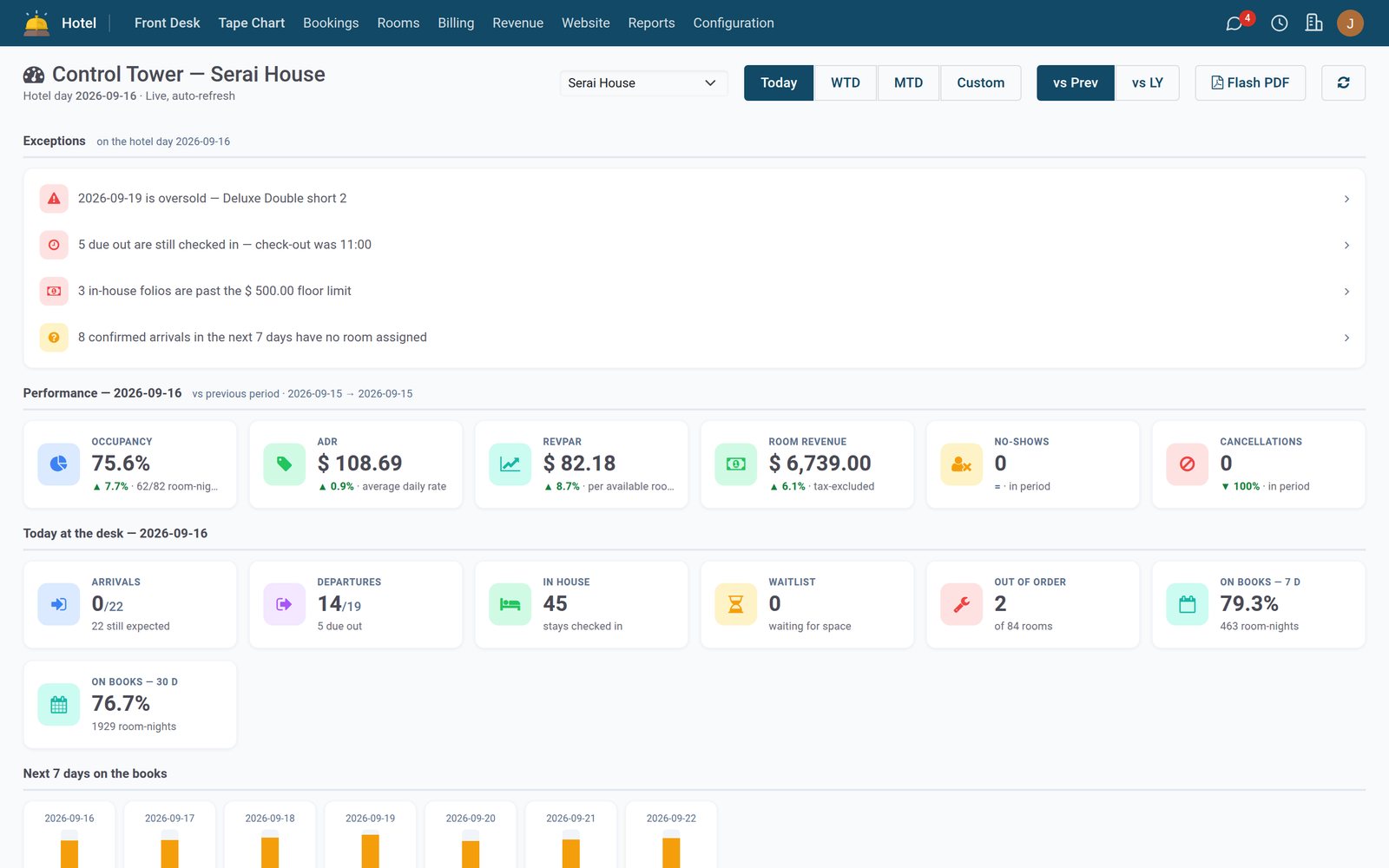
The front desk knows the house
Properties, rooms, rates, seasons, groups and every guest profile live in Hotel Foundation. Reservations arrive direct or from a channel and sit in one list until the check-in wizard turns them into a stay.
- Hotel Foundation
The tape chart, week by week
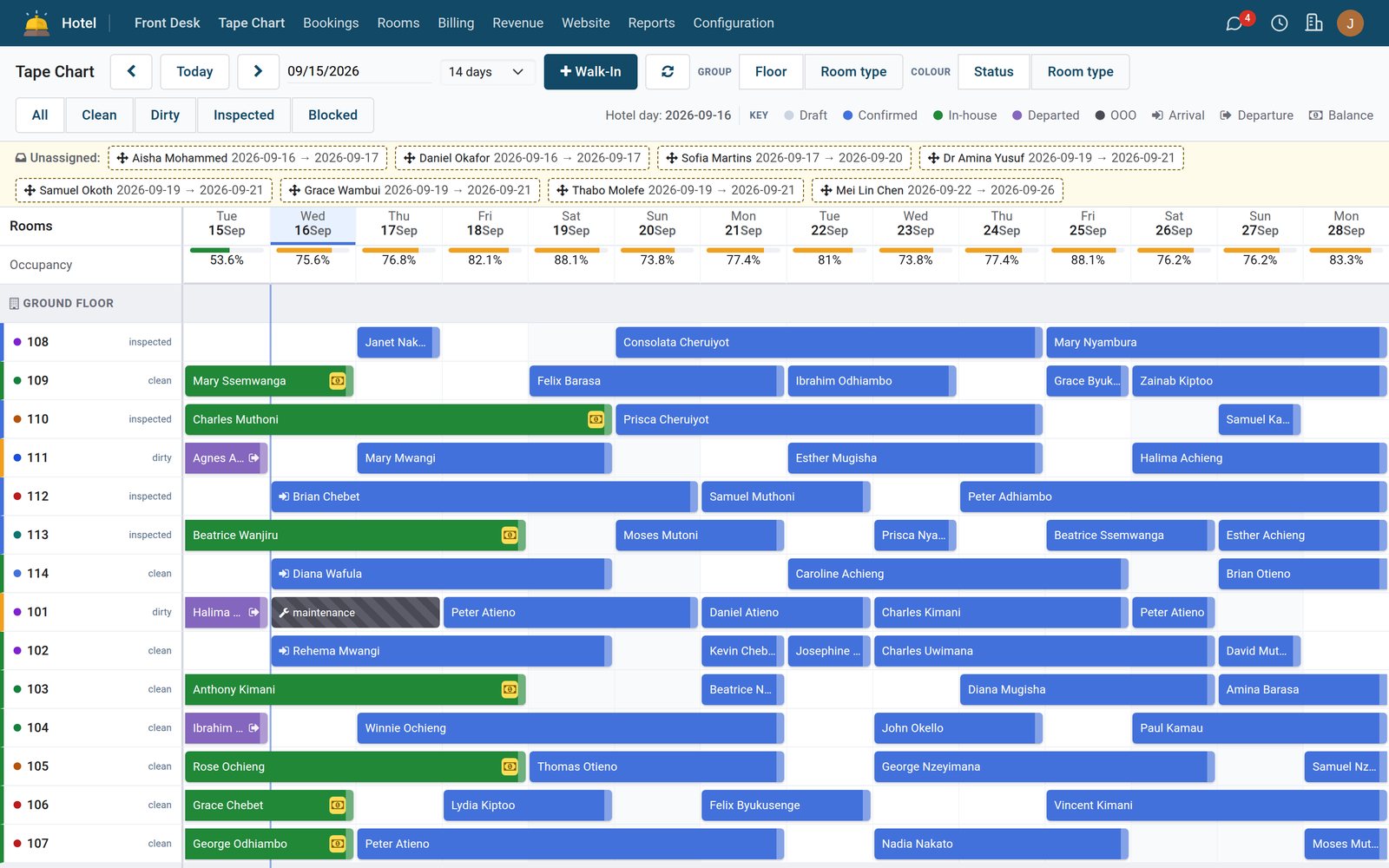
Every room by every day: who is in, who arrives, what is blocked and what each night sells for. Drag a stay to move it, colour by status or room type, and see occupancy per night above the grid.
Explore Hotel Foundation →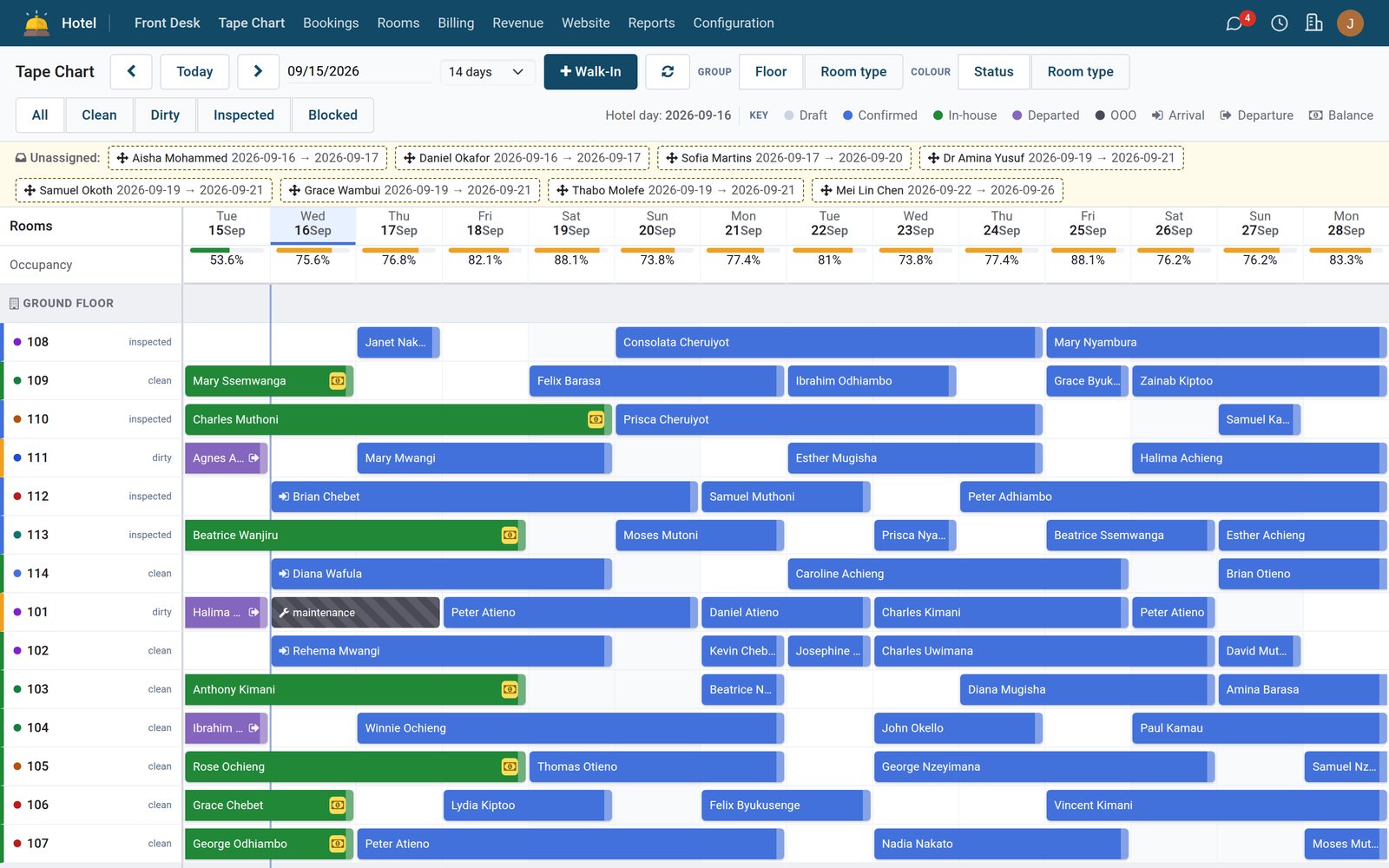
- Hotel Foundation
One pass through the whole check-in
The Check-in Wizard validates registration card, ID capture and room assignment before it writes a single record. Walk-ins get their own wizard.
Explore Hotel Foundation →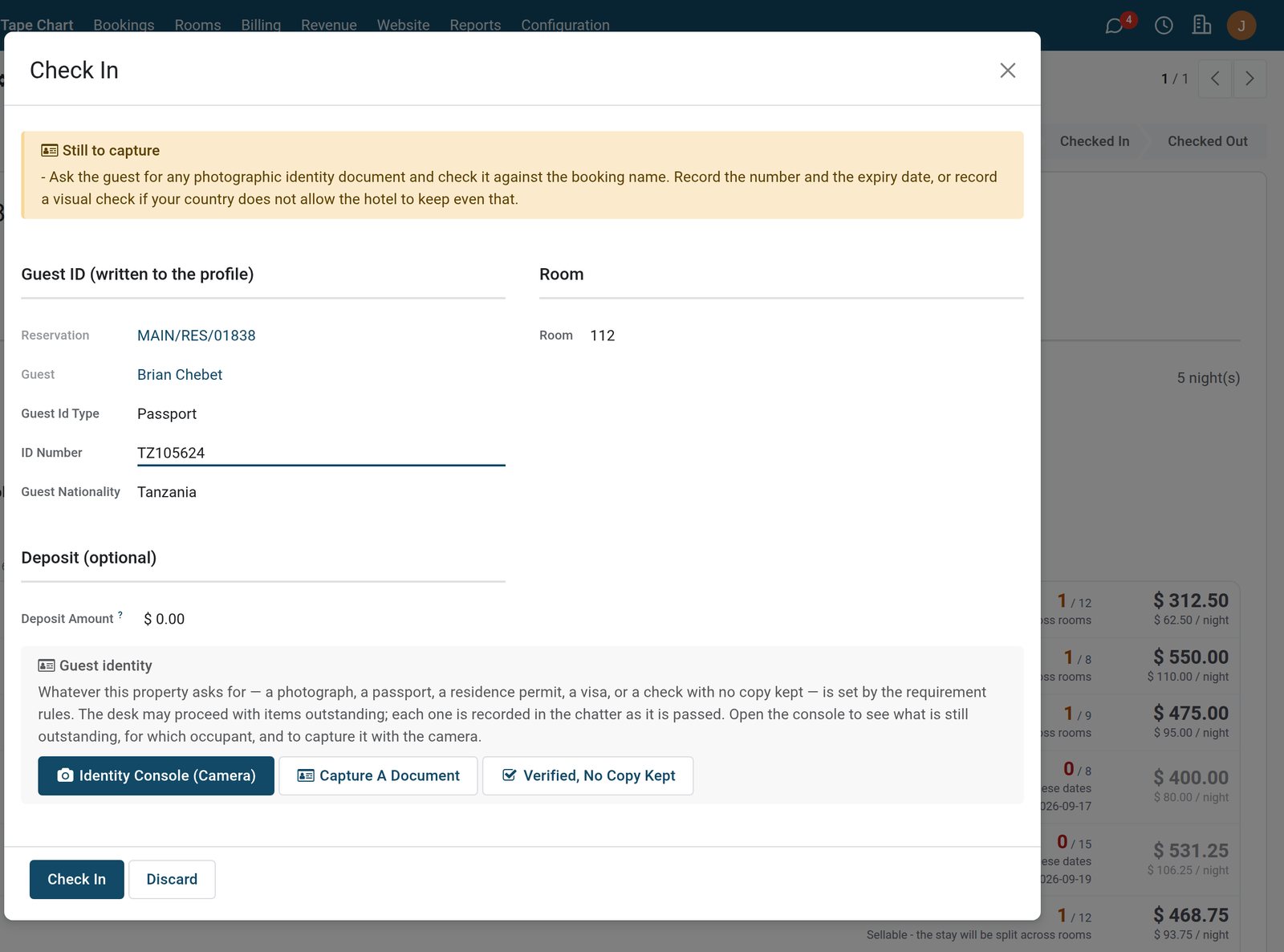
- Hotel Foundation
Reservations in one list
Every booking with state, guest, booked-by, dates and room type. Filter Arrivals today, group by state, open the tape chart to see the week room by room.
Explore Hotel Foundation →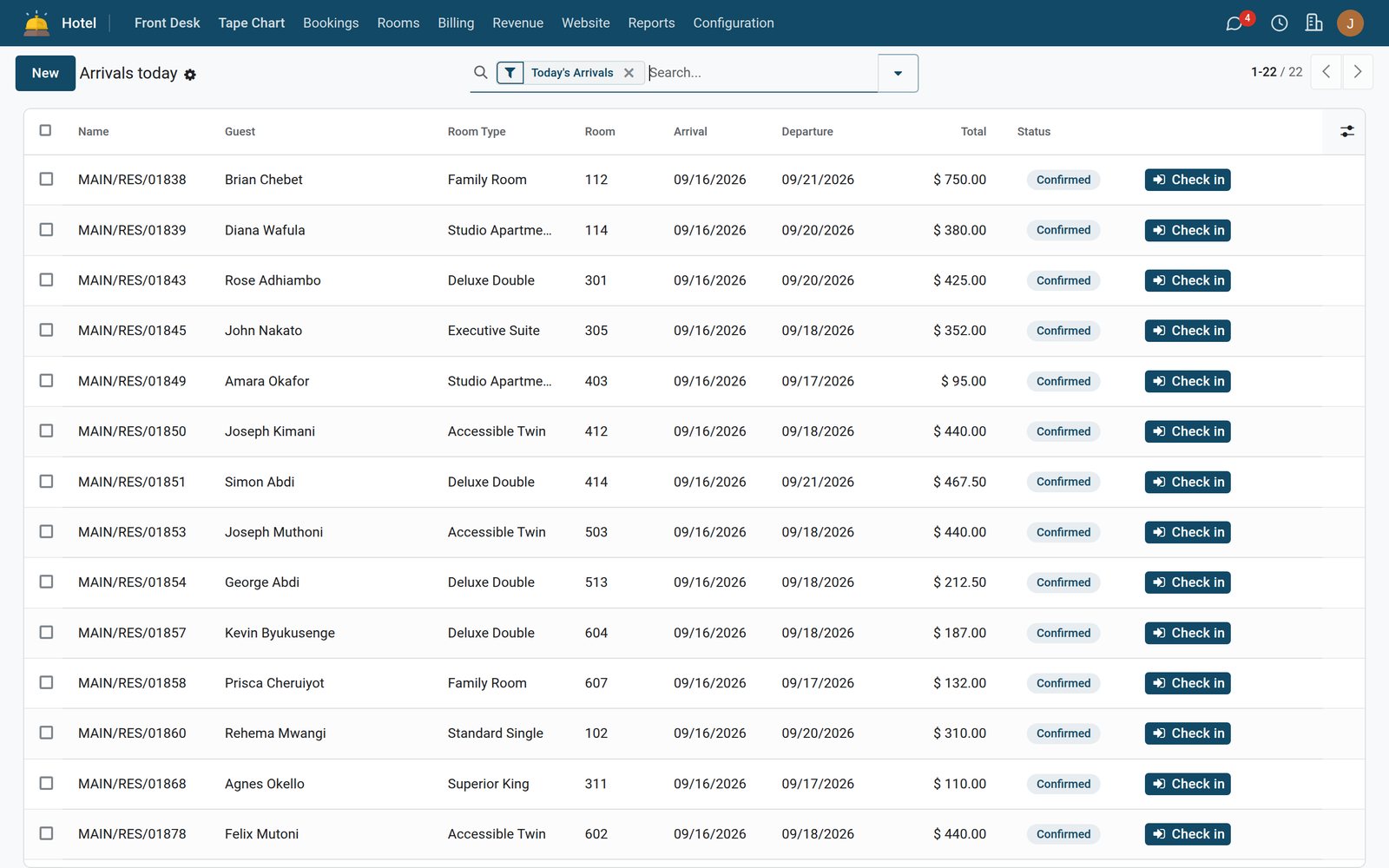
What is inside Folios
Billing, Folios & Night Audit is the ledger of the property. Six things it does that a spreadsheet never will.
One folio per stay, or several
Room, extras and outlet charges post to the guest folio; the Transfer / Split wizard moves lines to a second folio or a company bill-to.
N0–N7 night audit
Eight audit steps close the business date, post room charges and lock the day. The Night Audit Reminder fires every 30 minutes until it is done.
Posted means posted
A closed hotel day stays closed. Posted charges are immutable; corrections are adjustments and every amendment is written to the Audit Journal.
A true city ledger
Corporate and travel-agent credit ages in the City Ledger with its own sequence, and the Corporate Statement prints on your letterhead.
Payments that find their folio
Payment Requests with deposit policies per property; Unmatched Receipts catch a transfer that arrives without a reference so nothing is posted twice.
Move rooms, keep the bill
The Room Move wizard reassigns the stay and carries the folio with it; the Guest Register wizard produces the police / immigration register in one click.

Front desk
Every room on one tape chart
- Every booking by room and day, with occupancy on top
- Walk-ins checked in from the same screen
- Clean, dirty or inspected on every room
The night closes on numbers
Every business date is closed by a night auditor with their own role, and every step leaves a journal line. The Manager Daily Flash is on the owner's desk before breakfast.
- Billing, Folios & Night Audit
Audit History
One record per business date: state, steps completed, room charges posted, variance and who ran it.
Explore Billing, Folios & Night Audit →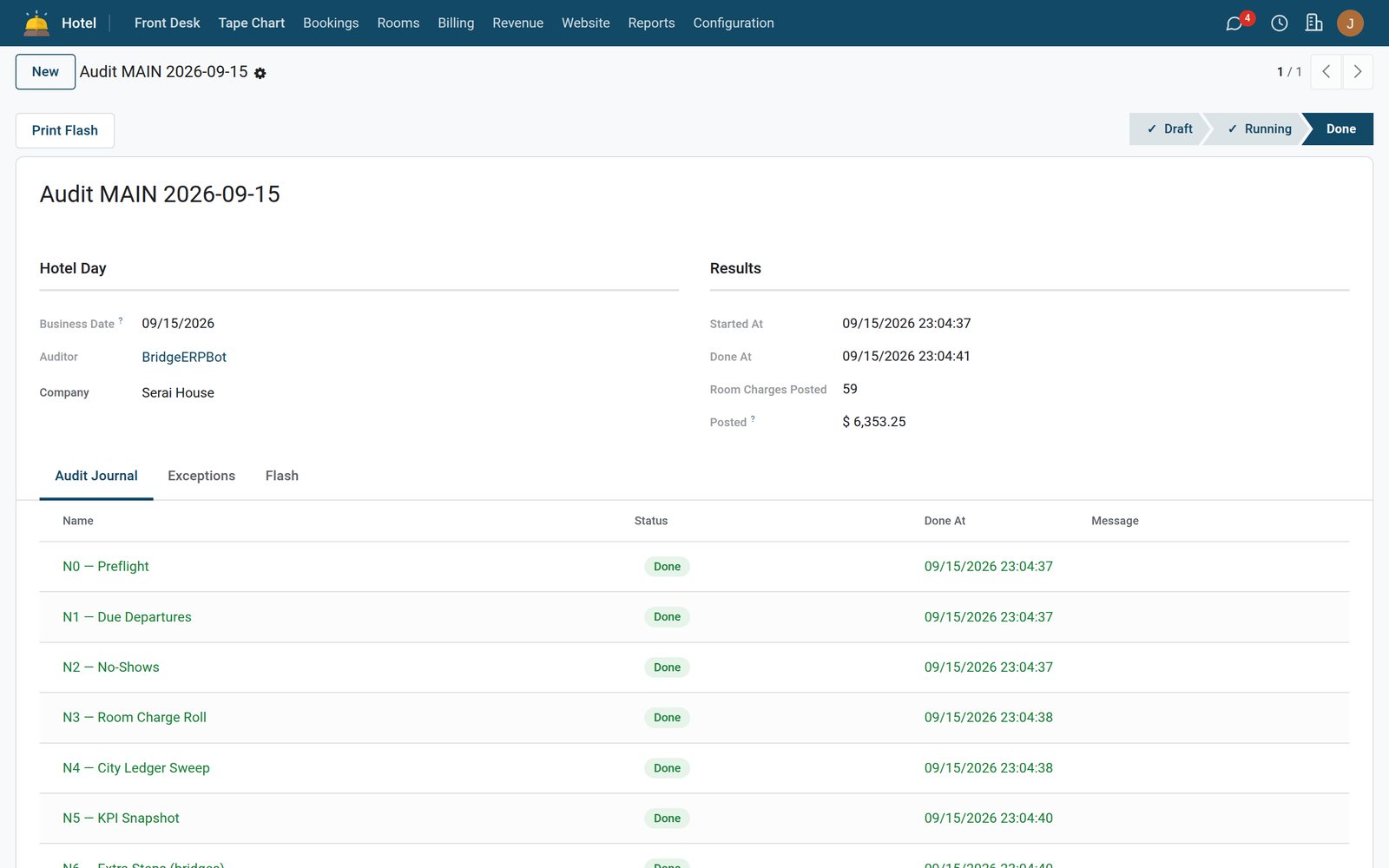
- Billing, Folios & Night Audit
Audit Journal
Every posting, reversal and adjustment with its code, business date and the user behind it.
Explore Billing, Folios & Night Audit →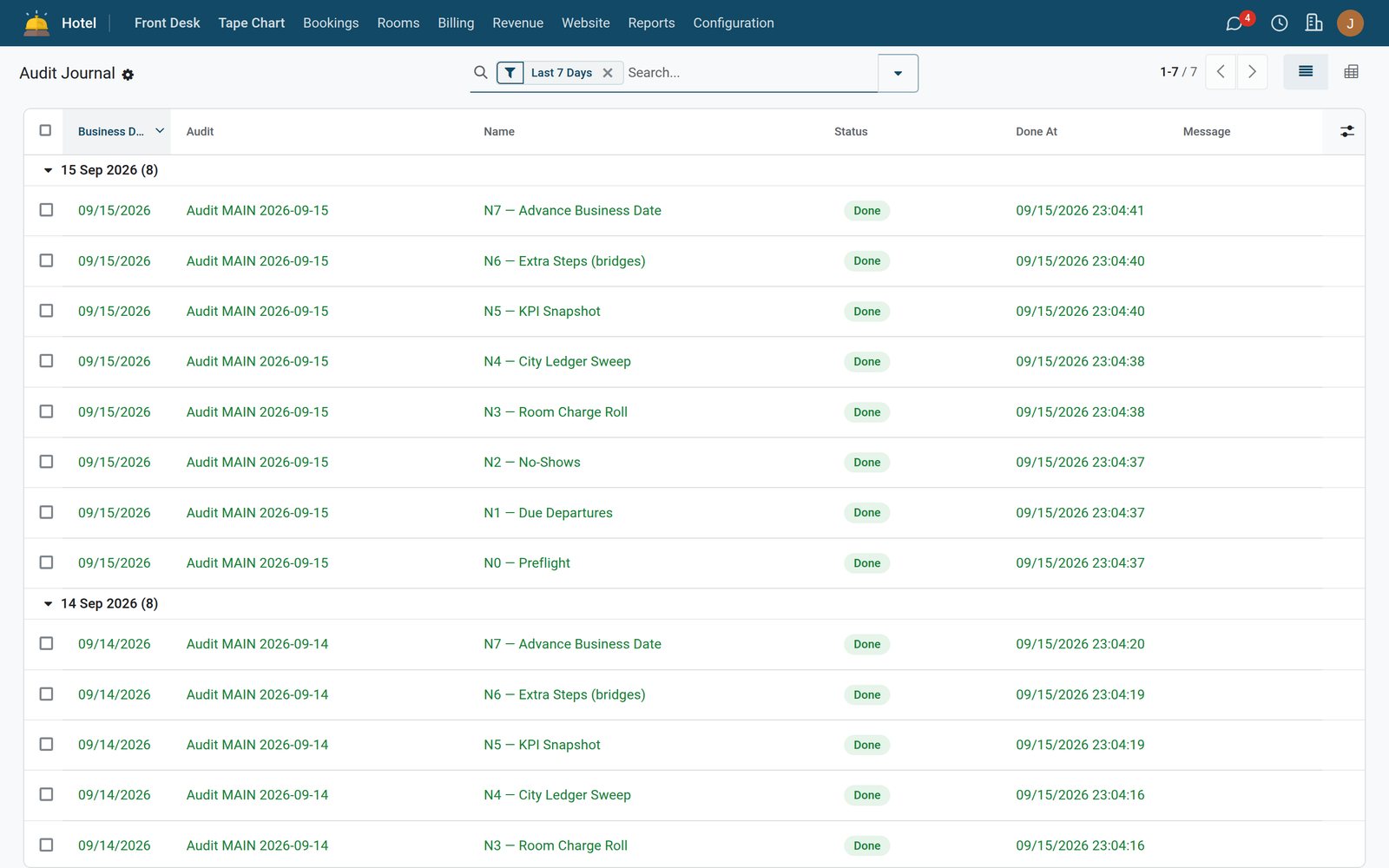
- Billing, Folios & Night Audit
Manager Daily Flash
Occupancy, ADR, revenue by department and outstanding balances printed as a PDF on your letterhead.
Explore Billing, Folios & Night Audit →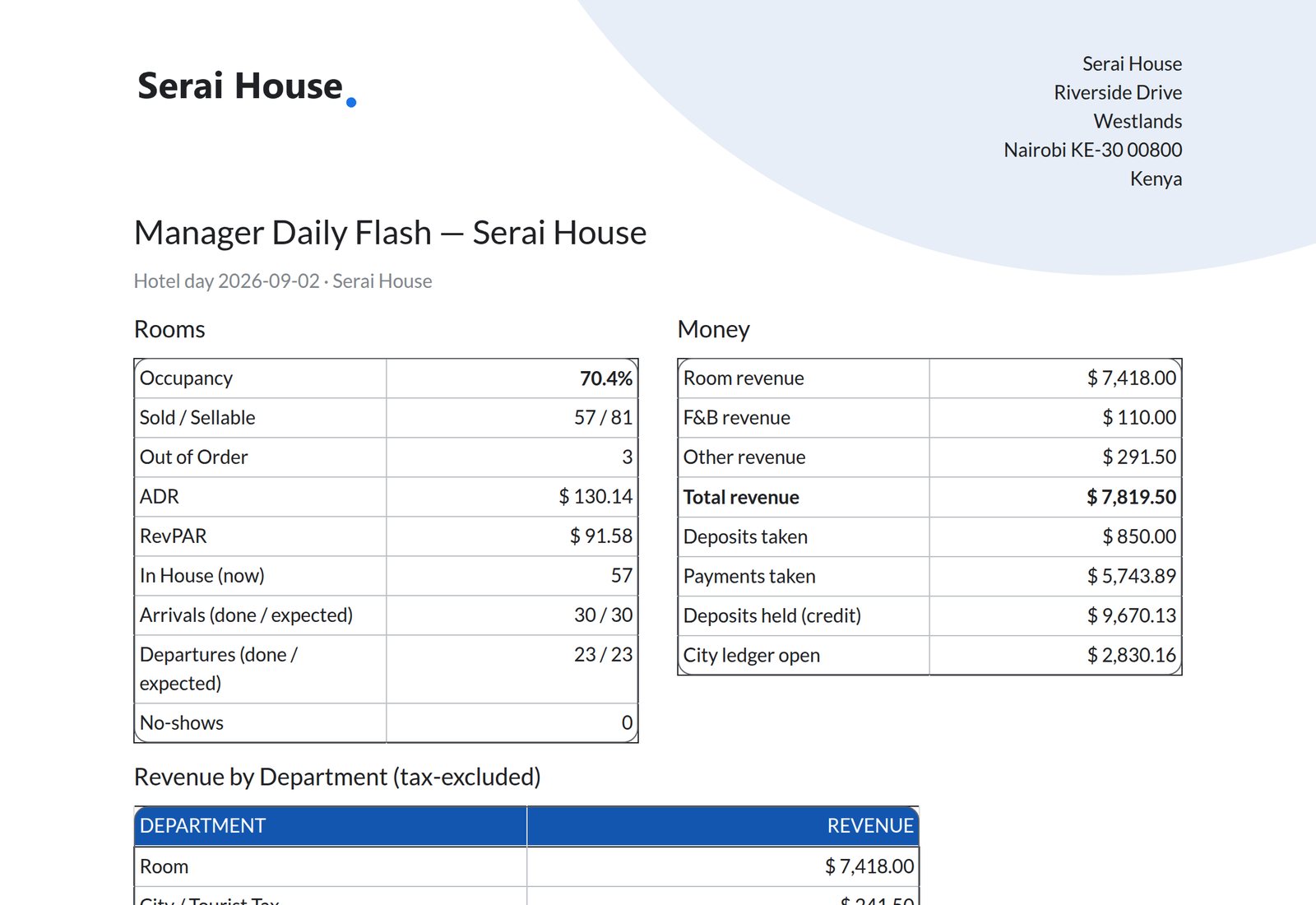
Step by step
One stay, six steps
A booking lands at 2am from a channel. Nobody retypes anything; each step below is one of the four apps doing its job.
- Step 1
Booking received
Rooms, rates and availability held in one place, direct or channel. Waitlist promotes itself every 30 minutes.
Hotel Foundation - Step 2
Guest checks in
Registration card, ID capture, room assignment and key issue in the Check-in Wizard.
Hotel Foundation - Step 3
Folio opens
Room charges post nightly at audit; splits, transfers and city-ledger bill-to are ready from minute one.
Billing, Folios & Night Audit - Step 4
Dinner on the room
Bar, restaurant and shop tickets post straight to the folio, once, with the till receipt as the fiscal document.
Restaurant & Bar POS - Step 5
Room turned around
The day rolls, tasks generate themselves, the attendant clears the room from a phone, the desk can sell it.
Housekeeping & Maintenance - Step 6
Check out and settle
One statement or a split bill, payment through the Folio Payment wizard, and the room is released for sale.
Billing, Folios & Night Audit
Housekeeping
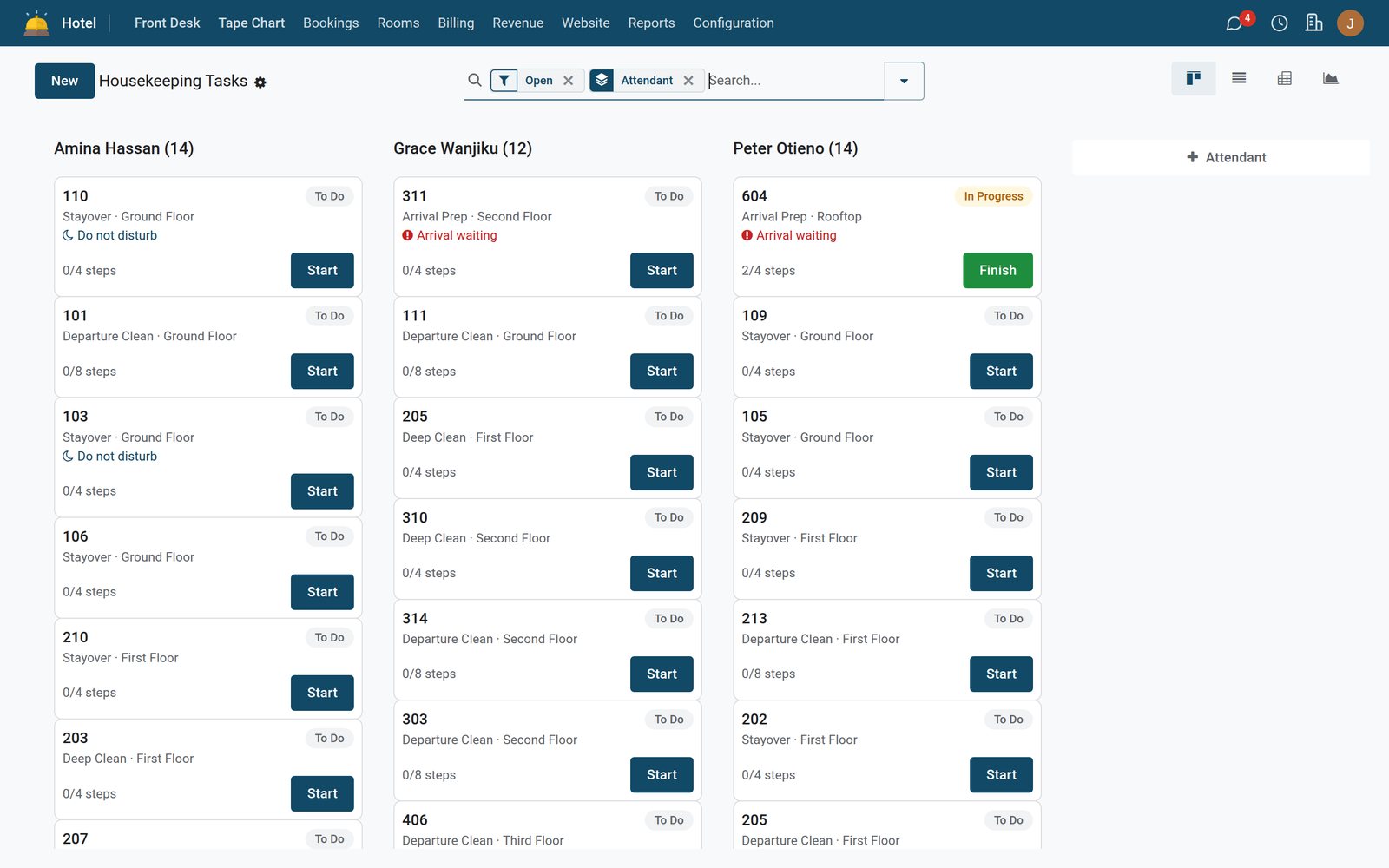
Rooms turned in the right order
- Tasks assigned per attendant and floor
- Step checklists for departure, stay-over and deep cleans
- Rooms with an arrival waiting flagged first
Rooms ready when sold
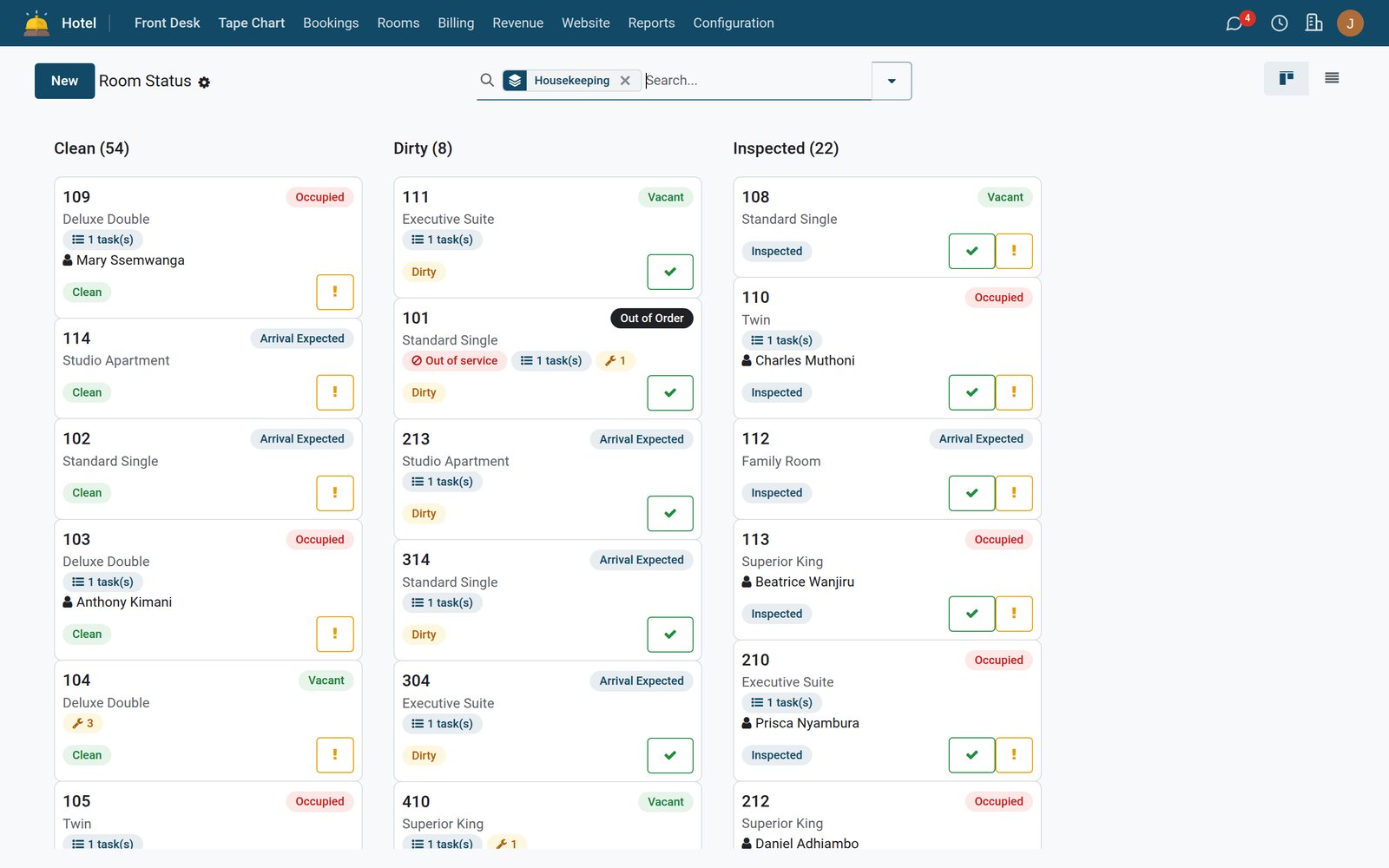
What the board says a room is, is what the front desk can sell. Tasks generate themselves when the hotel day rolls; attendants work from a phone; an out-of-service room leaves inventory the same second.
 Housekeeping & Maintenance
Room Status board
84 rooms by floor and type, coloured by housekeeping status, with the attendant assigned and the due-out flag from the desk.
Explore Housekeeping & Maintenance →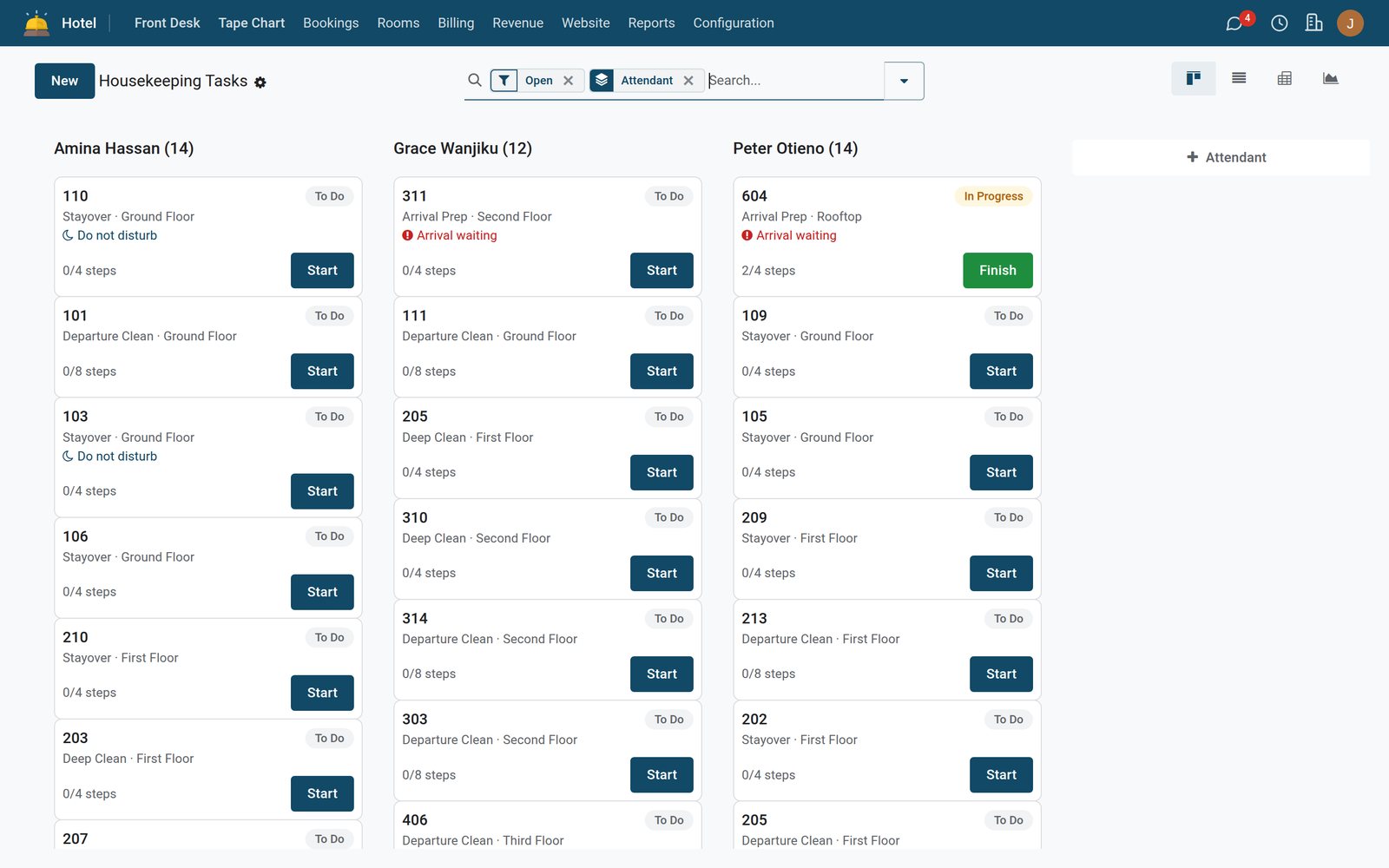 Housekeeping & Maintenance
Tasks that write themselves
Every task in the demo comes from the day roll, none typed by hand: departure cleans, stay-overs, arrival preps and deep cleans, each one tracked to attendant productivity.
Explore Housekeeping & Maintenance →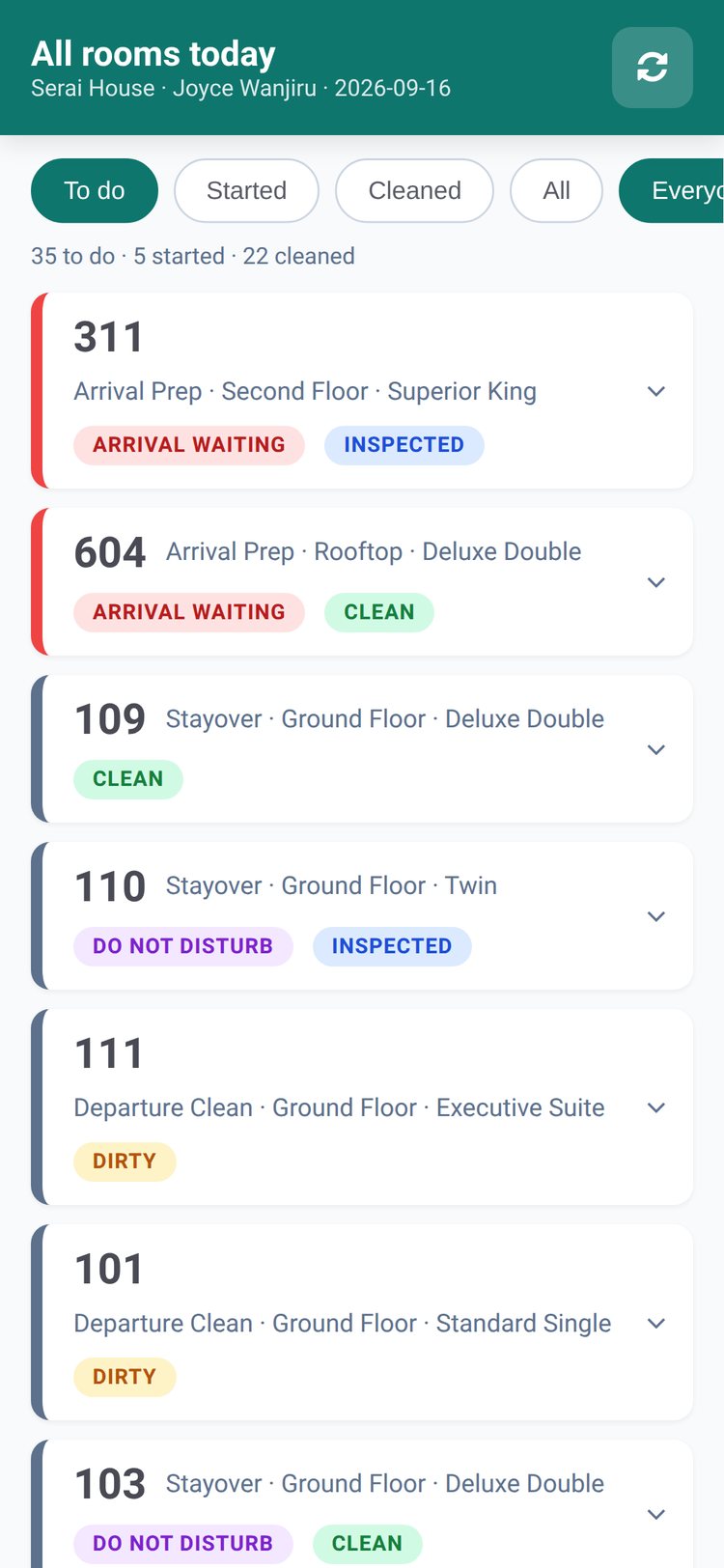 Housekeeping & Maintenance
My Cleaning on a phone
Attendants see only their own rooms and supervisors see every room. Tick the checklist, report a problem or a lost item, and the board updates for the desk.
Explore Housekeeping & Maintenance →What is inside Housekeeping
More than a cleaning list. Maintenance, linen and lost property live on the same room record.
Room Maintenance
Faults raised from a task or the desk, tracked with request date and requester, in list, kanban, pivot and graph.
Put a Room Out of Service
A guided wizard blocks the room and removes it from sellable inventory the same second, with a return date.
HK Checklists
Steps per task type, so a departure clean and a stay-over are inspected against the same standard every day.
Linen Counts
Par per room for every linen item and dated counts, so shortfalls show up before the weekend.
Lost & Found
Description, room and found-by on a record the desk can search when the guest calls back.
Productivity and aging
Attendant Productivity and Room Status Aging reports as pivot or graph; the Housekeeping Worksheet prints for the morning briefing.

Bar and restaurant
Charge the tab to the room
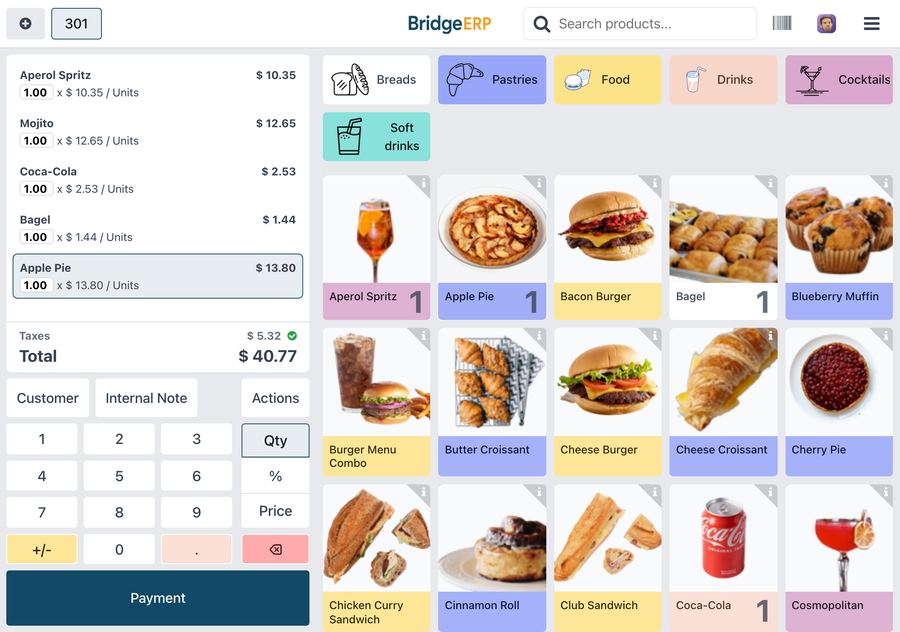
- Charge to Room is a payment method on the bar and restaurant till
- The cashier picks the in-house guest and the ticket posts to the folio
- Each ticket can post only once
Dinner lands on the folio once
Restaurant & Bar POS bills the room in one tap. The charge reaches the guest folio the same second, never twice, and the till receipt stays the fiscal document, so nothing is taxed twice.
 Restaurant & Bar POS
Charge to Room Analysis
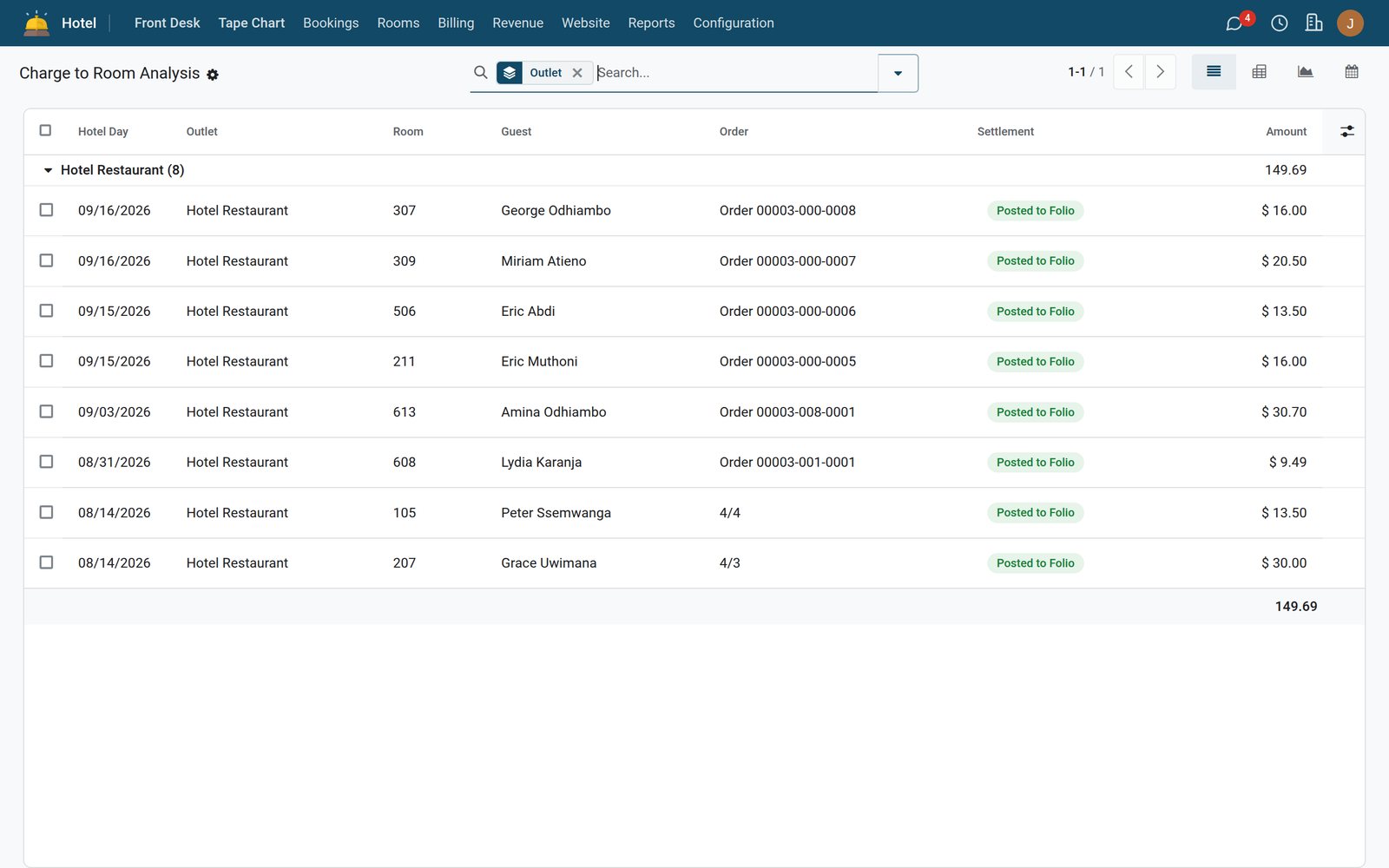
Every outlet posting with its hotel day, room, guest, POS order and settlement, totalled by outlet; pivot it by outlet and business date, or see it by day on the calendar.
Explore Restaurant & Bar POS →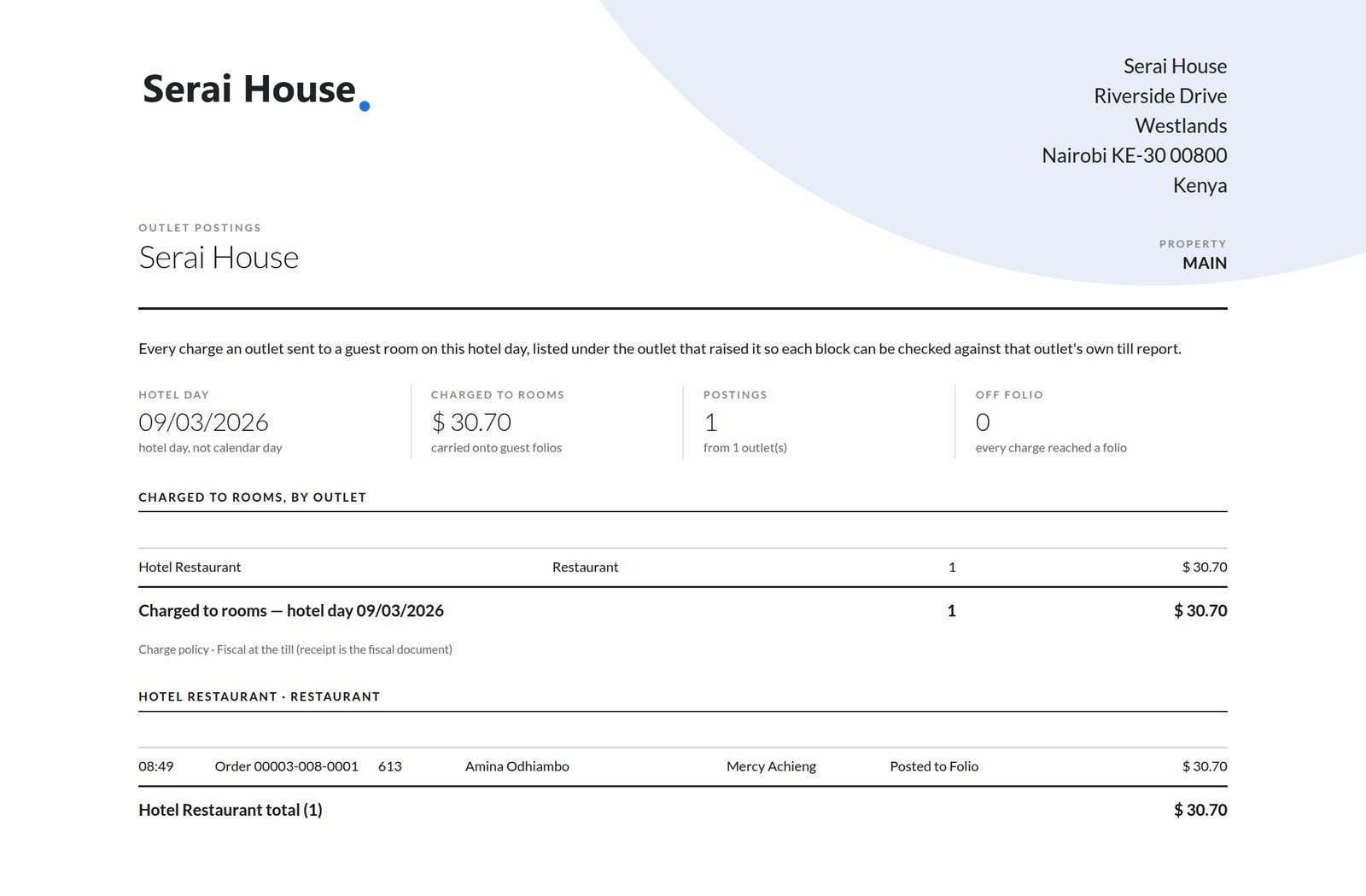 Restaurant & Bar POS
Charges Off Folio
Postings that could not reach a folio are listed, not lost, and the Outlet Postings wizard reconciles the night.
Explore Restaurant & Bar POS →Reports and control
Reports the owner asks for
All built on the same folio and reservation records, all pivot, graph or list, all filtered by property and business date.
Occupancy Report
Date by room type with rooms total, sold and occupancy; 5,848 rows in the demo.
Revenue by Department
Folio, business date and charge type; rooms, F&B, shop and extras side by side.
Rate Analysis
Reservations by rate plan, season and channel; see which rate actually sells.
Reservation Analysis
Pick-up, lead time and cancellations across 1,859 demo reservations.
Corporate Statement
City-ledger aging per company printed on letterhead from a wizard.
Police / Immigration Register
The guest register in the format the authorities ask for, printed straight from the record.

Management
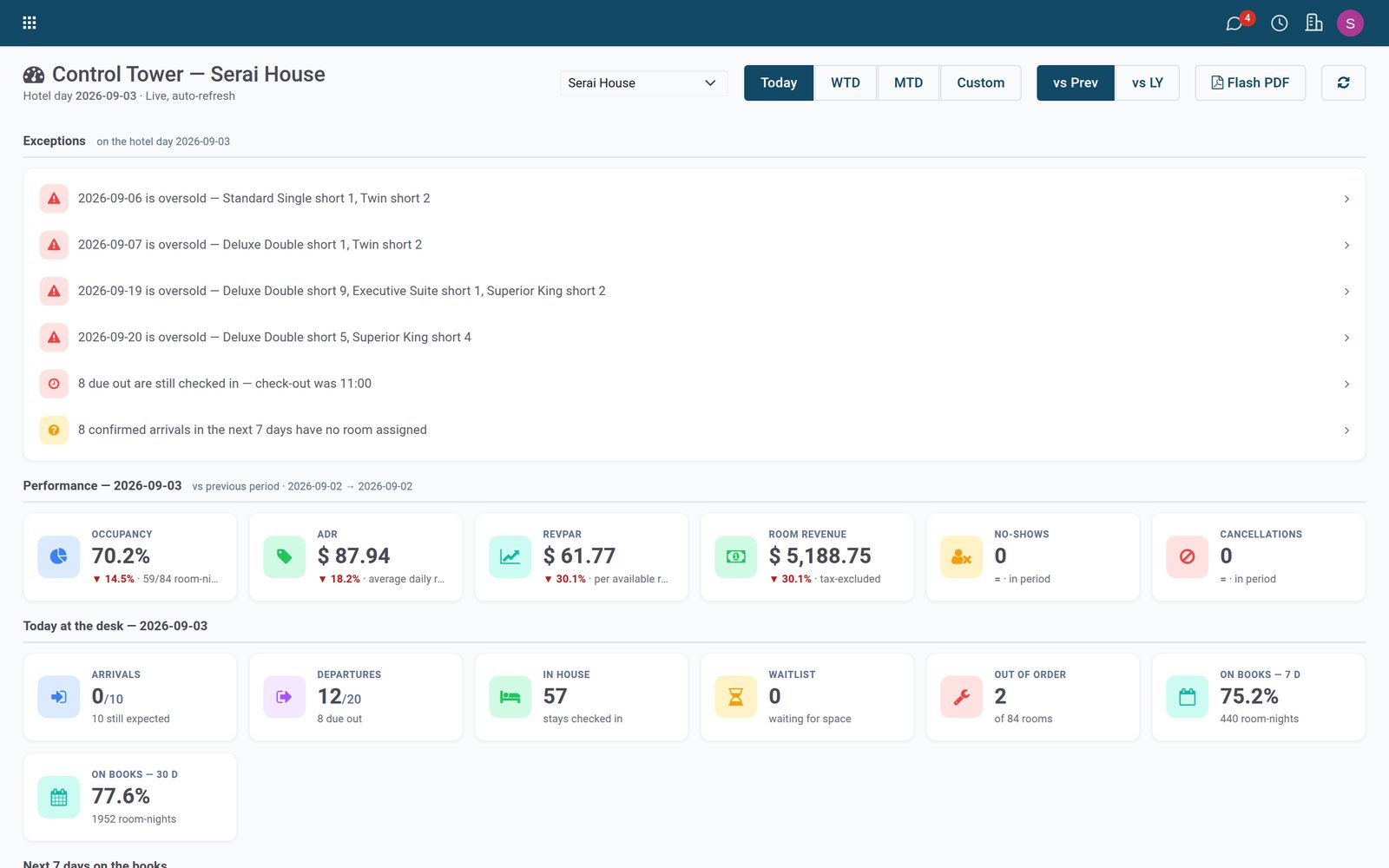
Tonight's numbers before breakfast
- Occupancy, ADR and RevPAR against the previous period
- Exceptions flagged: oversold nights, late check-outs, arrivals with no room
- Today, week to date and month to date
By the numbers
Built for the audit, not the demo
Counted from the four apps as shipped, not from a brochure.
- 4
- apps: Foundation, Folios & Night Audit, Housekeeping & Maintenance, Restaurant & Bar POS
- N0–N7
- night-audit steps that close each business date and lock posted charges
- 12
- guided wizards: check-in, check-out, walk-in, room move, folio payment, transfer/
split, guest register, corporate statement, out-of-service, HK problem, HK worksheet, outlet postings - 6
- roles enforced by the database: Front Desk, Hotel Manager, Owner (read-only), Night Auditor, Housekeeping Attendant, Guest Data Protection Officer
- 6
- printed documents on your letterhead: guest register, daily flash, folio statement, corporate statement, HK worksheet, outlet postings
- 6
- unattended jobs: advance business date, promote waitlist, release group blocks, night-audit reminder, guest document purge, guest photo purge

One system across the property
Front desk, housekeeping, the restaurant and the back office read from the same guest record - so the room the board says is clean is the room the desk sells, and the dinner on the bill is the dinner that was served.
Getting started
From first look to go-live
Foundation is required; Folios needs Foundation; POS needs Foundation and Folios. Take what the property needs.
Pick your apps
Take the apps the property needs. The pricing page prices them on the rooms you sell, never on staff logins.
See it live
Book a session and walk the suite on a live hotel with real rooms, folios and a running night audit.
Go live
Data import of rooms, rates and guests, role-by-role training and support from our team.
A stay, from booking to folio
Channels, front desk, housekeeping and the outlets — one guest record.
The booking arrives at 2am from an OTA and everything downstream just happens.
- Guest
- Front desk
- Housekeeping
- Finance
Booking received
Rooms, rates and availability held in one place — direct or channel.
Hotel Foundation →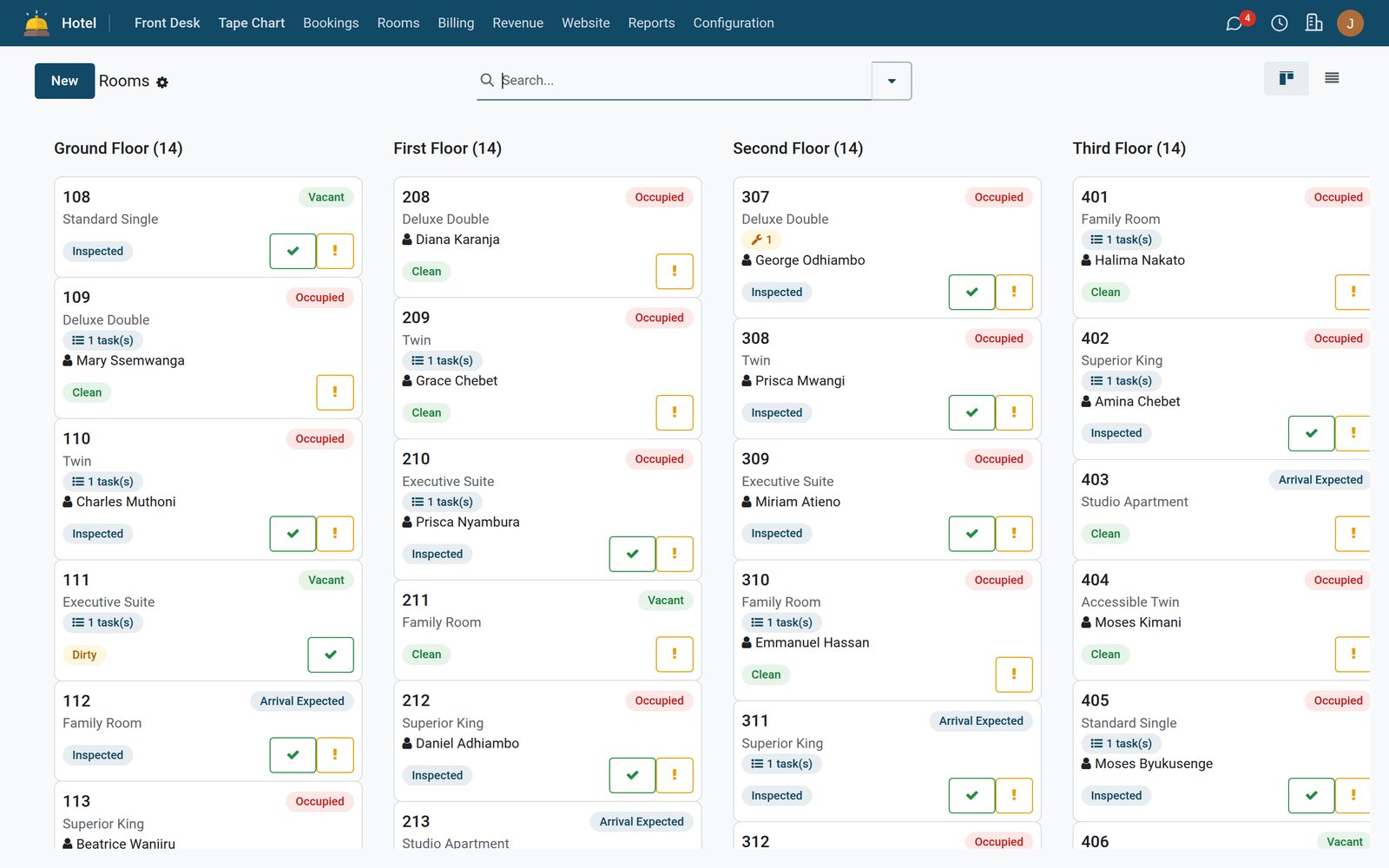
In the suite
The apps that run the property
Front-desk foundation, billing and night audit, housekeeping and the restaurant POS — each one below is real and shipping.
- Hotel FoundationProperties, rooms, guests, rates, the tape chart and the control tower — the shared foundation every hotel app runs on.Included in every plan
- Billing, Folios & Night AuditEvery charge lands on a folio, every night is closed by a real N0–N7 audit, and corporate credit ages in a true city ledger. A closed hotel day stays closed: posted charges are immutable, corrections are adjustments, and every amendment is written to the audit trail.Included in Hotel Management
- Housekeeping & MaintenanceWhat the board says a room is, is what the front desk can sell and check into. Tasks generate themselves when the hotel day rolls, attendants work from a phone, and a room put out of service leaves sellable inventory the same second.+$7.08/mo at 40 rooms
- Restaurant & Bar POSThe bar, the restaurant and the shop bill the room in one tap, and it lands on the guest folio the same second — never twice. The till receipt stays the fiscal document at point of sale, so nothing is ever taxed twice.+$10.62/mo at 40 rooms
Plus the whole BridgeERP platform
The same plan can carry any of these: one login, one database, no integrations to buy. Pick them app by app on the pricing page; every plan already includes BridgeERP Core.
 BridgeERP Core
 Accounting
 Expenses
 Invoicing
 Sign
Sign Subscriptions
 CRM
CRM Point of Sale
 Rental
 Restaurant & Bar
 Sales
Sales Advanced Warehouse
 Inventory
 Purchase
 Repairs
 Employees
 Fleet
Fleet Frontdesk
 Payroll
 Recruitment
 Shift Planning
 Time Off
 Appointments
 Field Service
 Helpdesk
 Projects
 Timesheets
 Email Marketing
 Events
 Marketing Automation
 SMS Marketing
 Surveys
 eCommerce
 eLearning
 Live Chat
 Website Builder
 Approvals
 Discuss
 Documents
 Internet of Things
 Knowledge
 Meeting Rooms
 VoIP
VoIP
Questions
Questions about Hotel Suite
Not covered here? Contact us.
How is the Hotel Suite priced?
Per room, per month, never per staff login: every plan carries unlimited users. The price is a $12 monthly platform base plus a room rate that falls as the property grows, from $2.00 a room for the first 10 rooms to $0.55 a room above 200, and each hotel app you add is a share of that room charge. The pricing page shows the exact total for your room count before you commit.
Can we bring our existing rooms, rates and guest list?
Yes. Rooms, room types, floors, amenities, rate plans, seasons and guests are standard lists that accept imports, and go-live includes data import by our team. Open reservations and folio balances are loaded before the first night audit so the city ledger starts at the right balance.
Does the night audit really lock the day?
Yes. Each business date is closed by the N0–N7 audit under the Night Auditor role. Once closed, posted charges cannot be edited; a correction is an adjustment with its own Audit Journal line. The Night Audit Reminder fires every 30 minutes until the audit is done, and Advance Business Date runs daily.
How do restaurant and bar charges reach the guest bill?
The till in Restaurant & Bar POS has a Charge to Room payment method. The cashier picks the in-house guest, the ticket posts to the folio the same second, and it can only post once. The till receipt remains the fiscal document, so the sale is not taxed again on the folio. Postings that cannot reach a folio appear in Charges Off Folio for the auditor.
Does the POS keep working if the internet drops?
The till is built on the BridgeERP Point of Sale, which carries an offline mode for taking orders and cash or card payments. Charge to Room reads the live guest folio, so use it while connected; the Outlet Postings wizard reconciles the night either way.
How do we take mobile money and bank transfers on a folio?
Payments post to the folio through the Folio Payment wizard against any payment method configured in Accounting. Transfers that arrive without a reference land in Unmatched Receipts to be matched later, and Payment Requests apply per-property deposit policies. Mobile-money rails such as M-Pesa are platform add-ons; ask us which are available for your country.
Can we run several properties on one system?
Yes. Each property has its own code, time zone, check-in time, city taxes and payment policies, and rooms, reservations, folios and reports are filtered by property. Roles such as Front Desk, Hotel Manager and Owner (read-only) are enforced on every screen and report, not just hidden from the menu.
What about guest-register and data-protection obligations?
The Police / Immigration Guest Register prints from the Guest Register wizard on your letterhead. A Guest Data Protection Officer role ships with the suite, and two daily jobs purge guest documents and photographs after the retention period you set. Country fiscal connectors are separate platform modules.
The whole property, on one system
Front desk, folios, housekeeping and the restaurant till — one guest record from check-in to checkout.