












 Member Charges
Bill the whole SACCO in one run
The annual management fee for every active member, with a due date, in a single step.
Explore Member Charges → : Run your SACCO on one member ledger.
Members and shares, savings and fixed deposits, loans with guarantors and a credit committee, member charges, paybill collections and a member portal, all posting to one set of books.
Free instant access. No credit card required. Priced per member.
 Members & Shares
 Savings
 Loans
Loans Bank Collections
 Member PortalMember Charges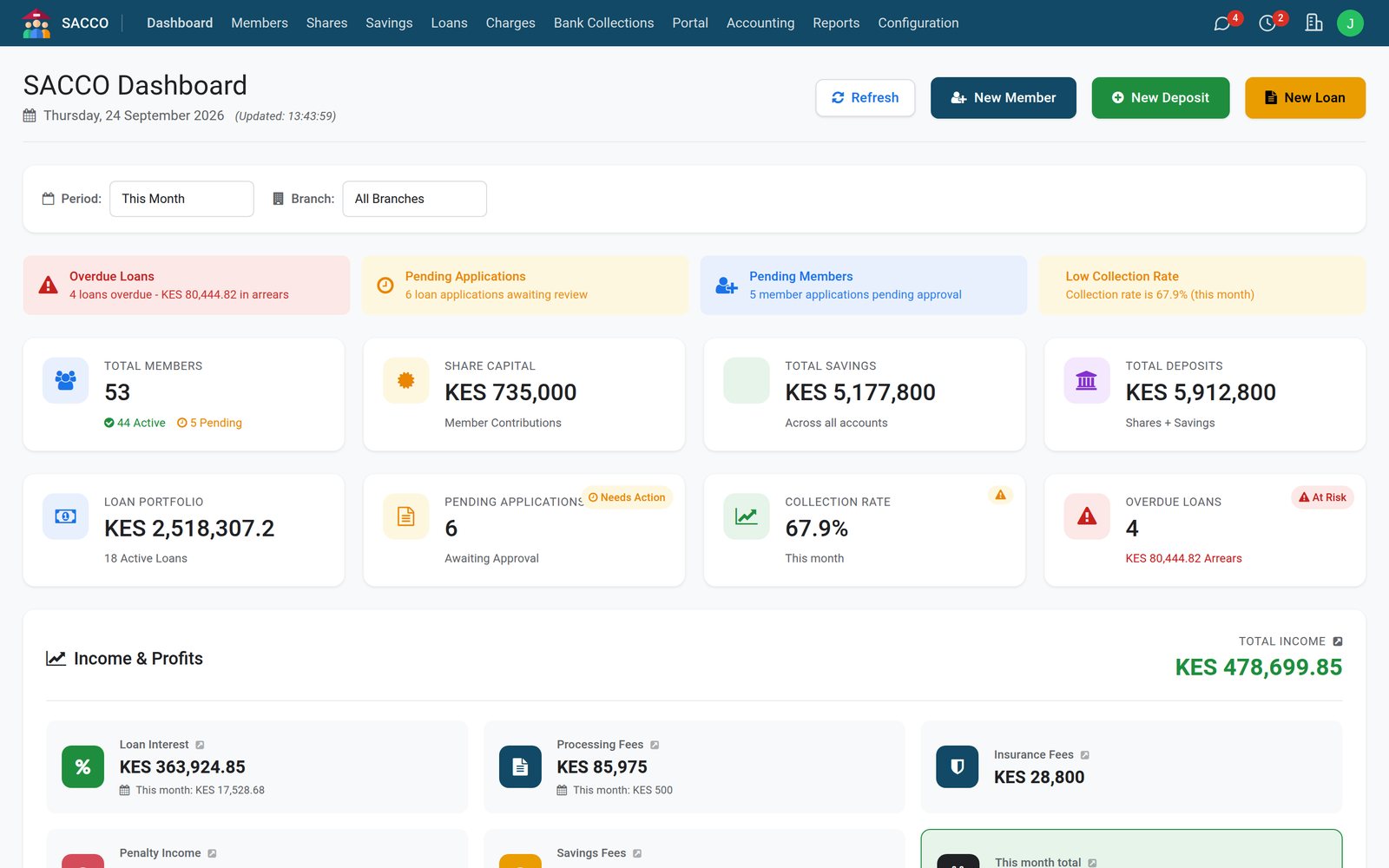
The register the whole SACCO works from: applications, documents, next of kin, employment and check-off, groups and share capital.
Members & SharesMember number, branch, category and phone at a glance, with the member's own photo, for every member from applicant to active.
Explore Members & Shares →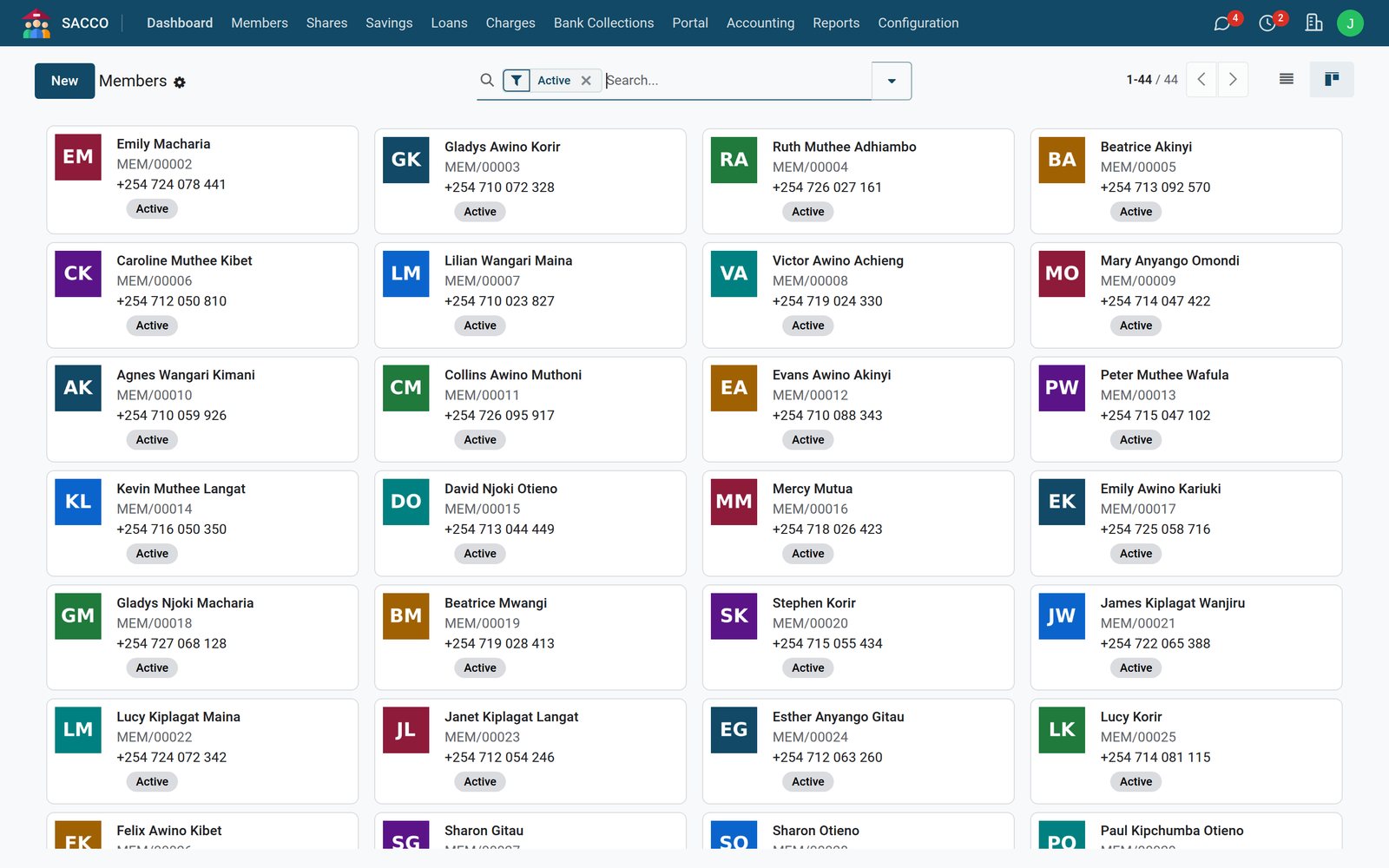 Member Portal
The joining form arrives with the applicant's ID and photo, and the registration fee shows as unpaid, claimed or confirmed by the bank before anyone approves it.
Explore Member Portal →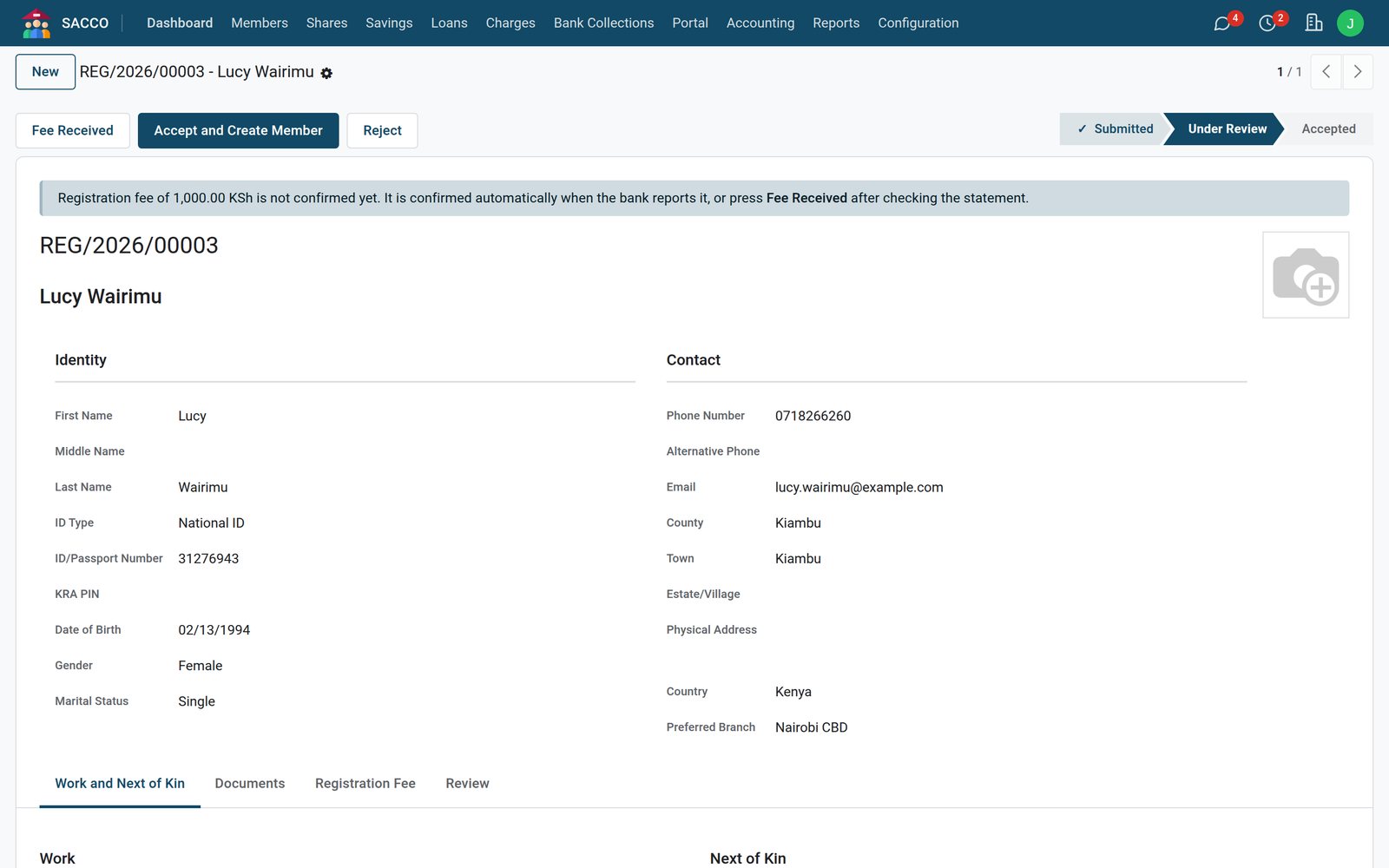 Members & Shares
Every share purchase is a confirmed transaction with its receipt and payment method, and a member only goes active once the minimum holding is paid.
Explore Members & Shares →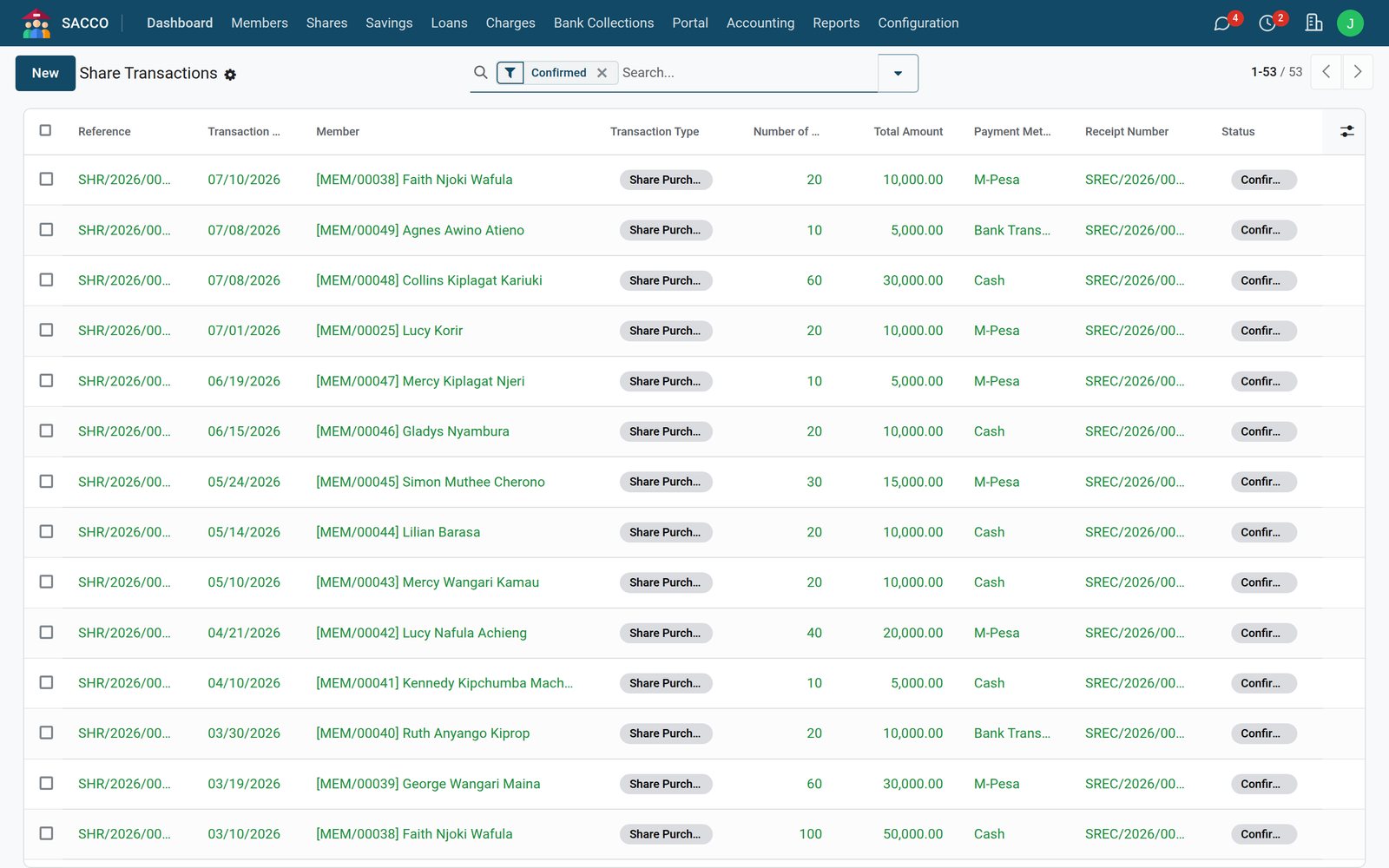
Step by step
The same record from the application to the last repayment, with the rules checked at every step.
On the portal or at the counter. The limit shown is the product's multiple of the member's deposits.
Member PortalThe loans office checks the application against the member's record and savings.
LoansMembers pledge part of the loan against their own savings, and accept on the portal.
LoansFees, the net disbursement and the monthly instalment are worked out before approval.
LoansLoans above the product's threshold wait for the credit committee.
Reports & DashboardBy mobile money, bank or to savings, and posted to the loans journal.
SACCO AccountingCheck-off or paybill repayments, each split into principal and interest.
Bank CollectionsSix loan products come set up, each with its own limits, term, rate, guarantors and committee threshold.
LoansSubmitted, under review, waiting on guarantors, in appraisal, at the committee and disbursed: the loans office sees where every application stands.
Explore Loans →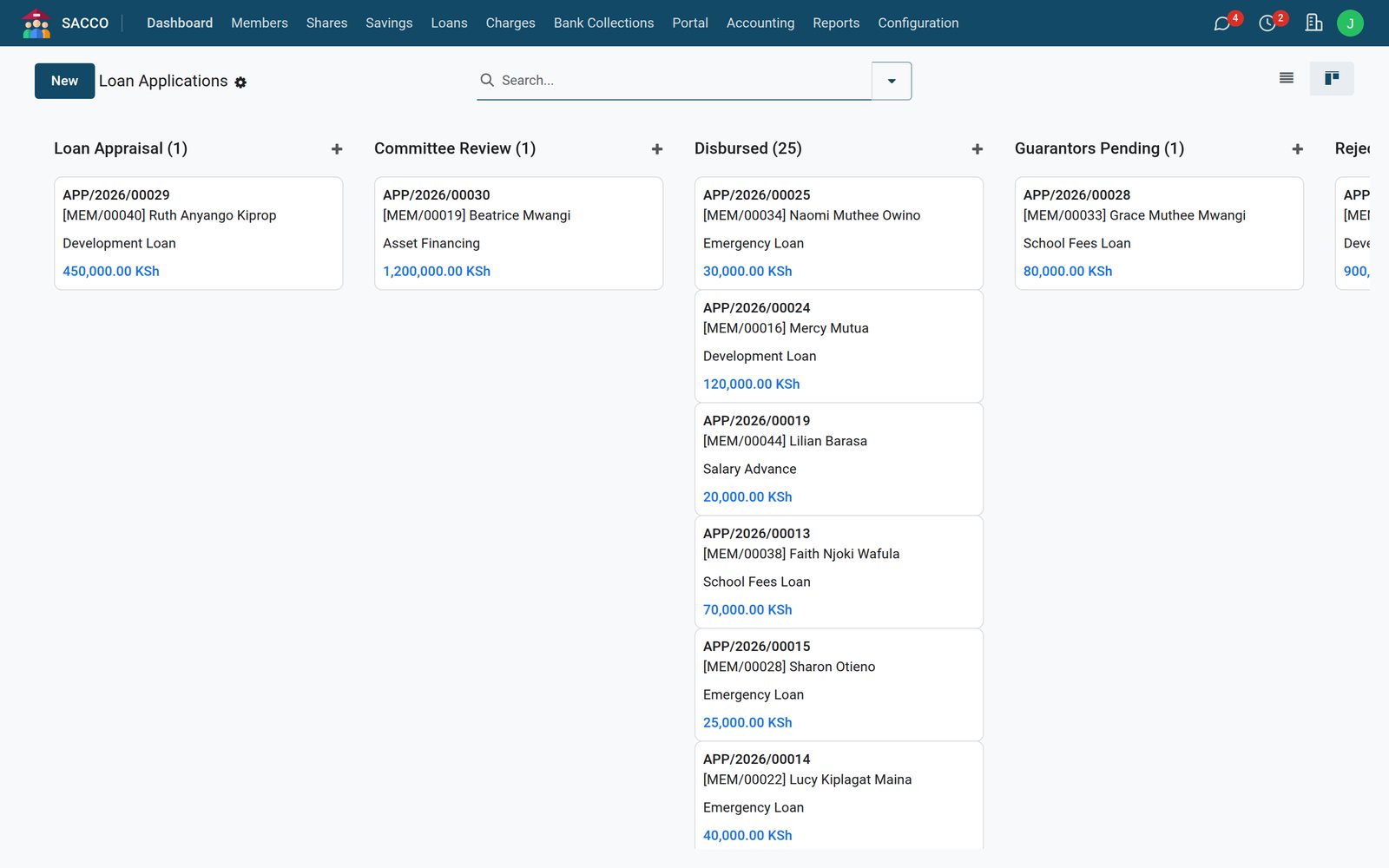 Loans
LoansThe requested amount against the member's eligible limit, the processing and insurance fees, the net disbursement and the monthly instalment, before anyone approves.
Explore Loans →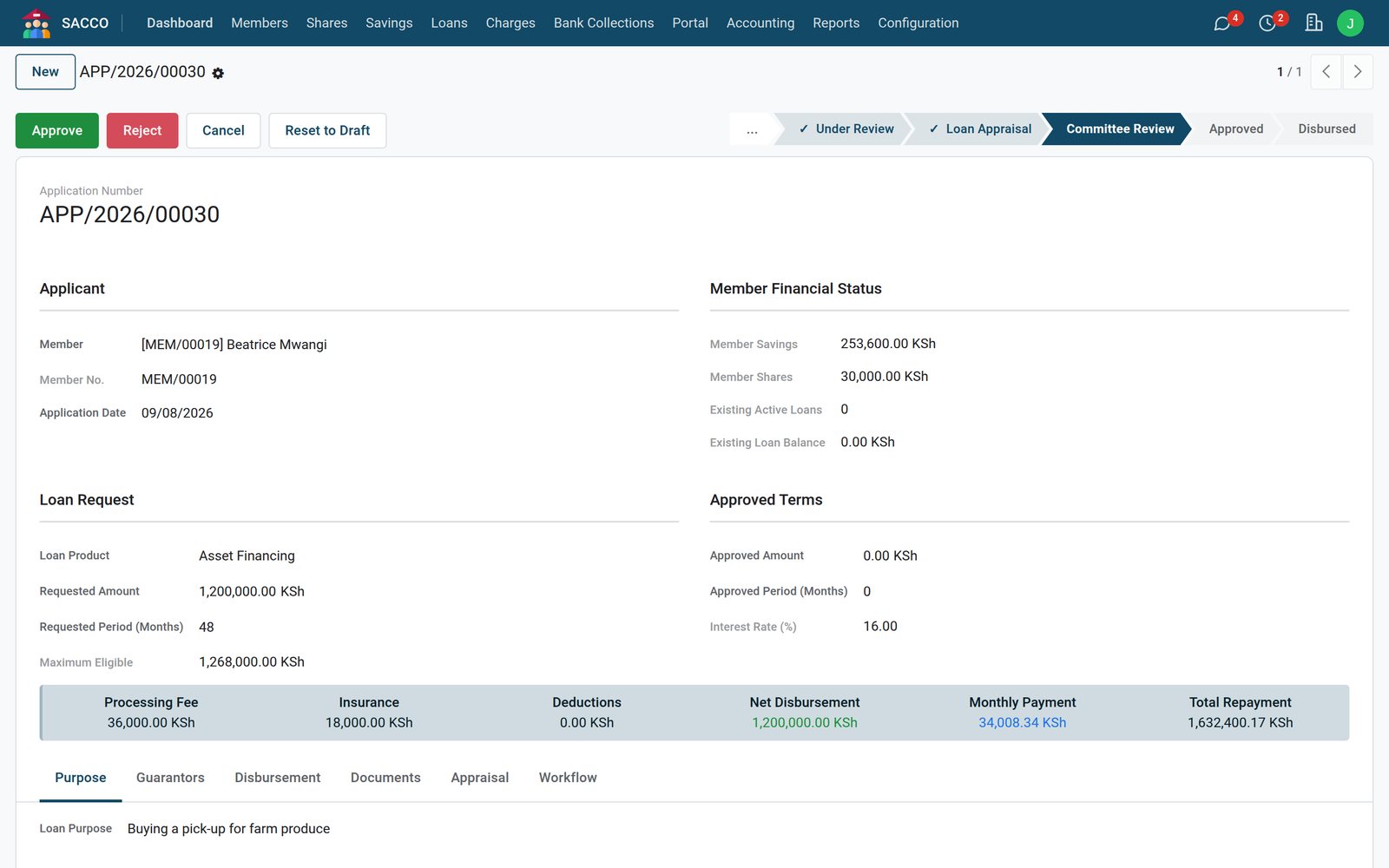 Loans
LoansPrincipal, interest, what is paid and what is outstanding, with every instalment of the schedule and what was paid against it.
Explore Loans →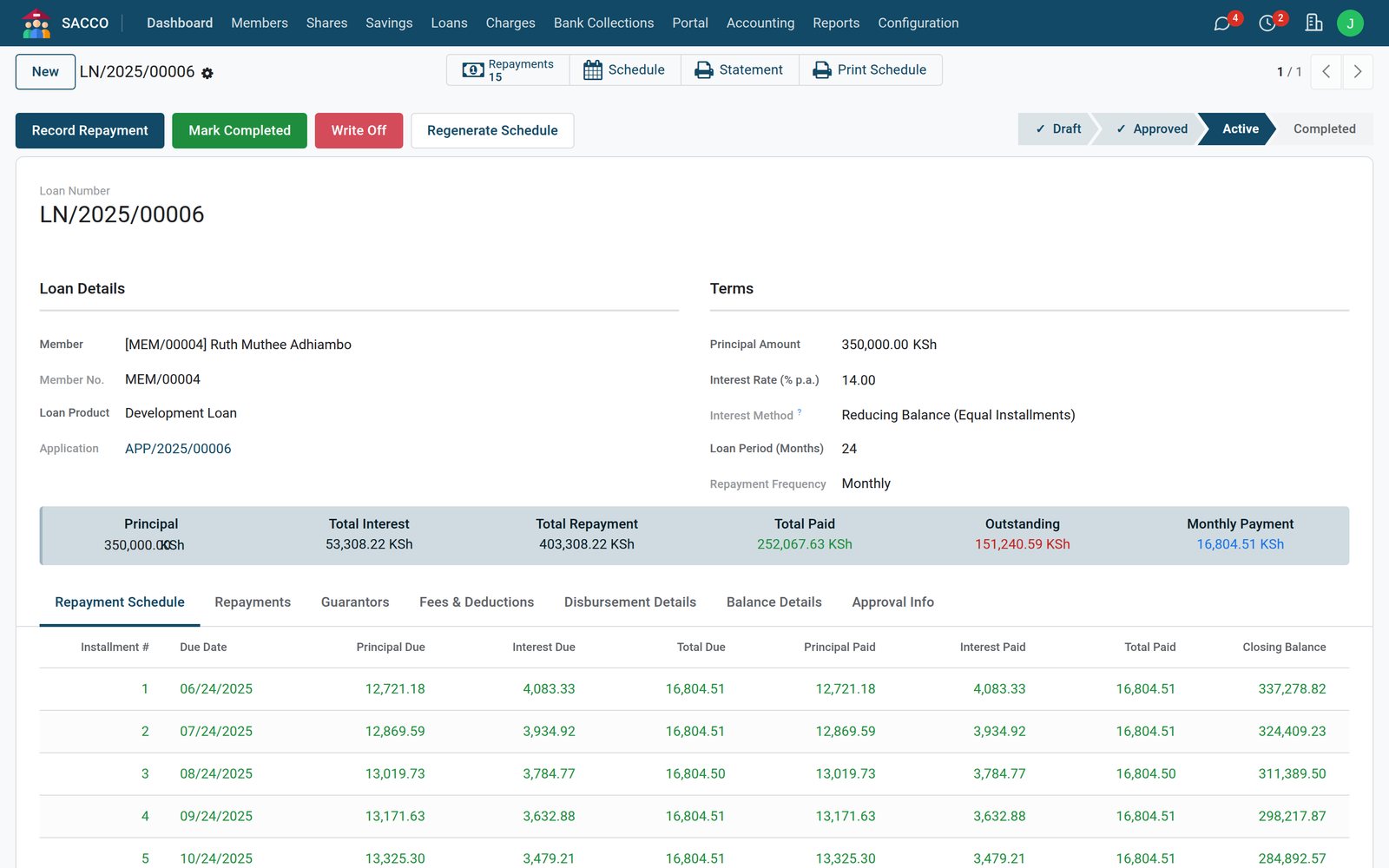 Loans
LoansA guarantor can pledge up to their savings times the product's guarantor factor, less what they already guarantee on running loans.
Explore Loans →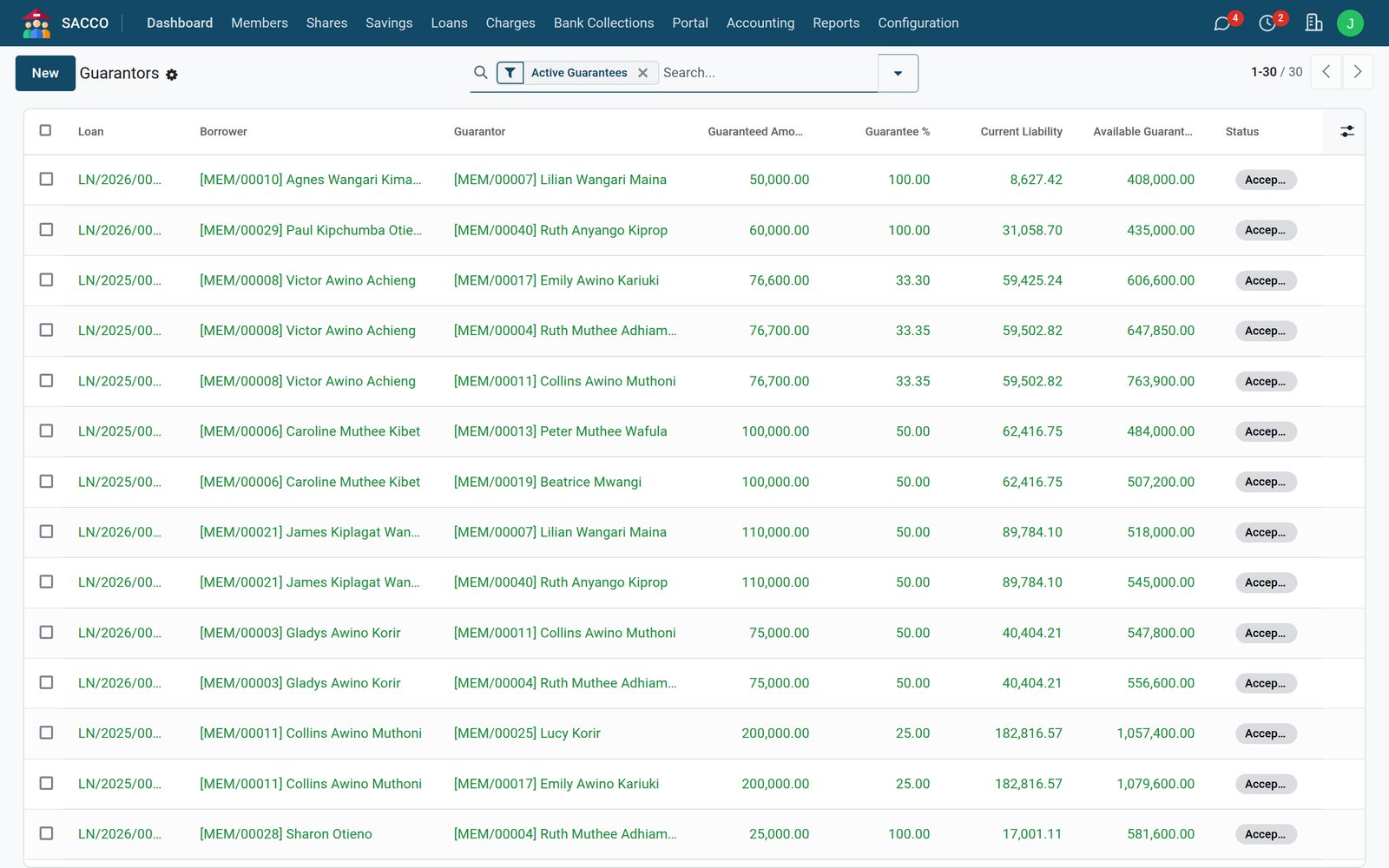
Regular, fixed-deposit, holiday, education and junior accounts, fed by check-off, mobile money, bank transfer and cash.
SavingsAvailable, ledger and held balances and the interest earned, with every transaction beneath them and its running balance.
Explore Savings →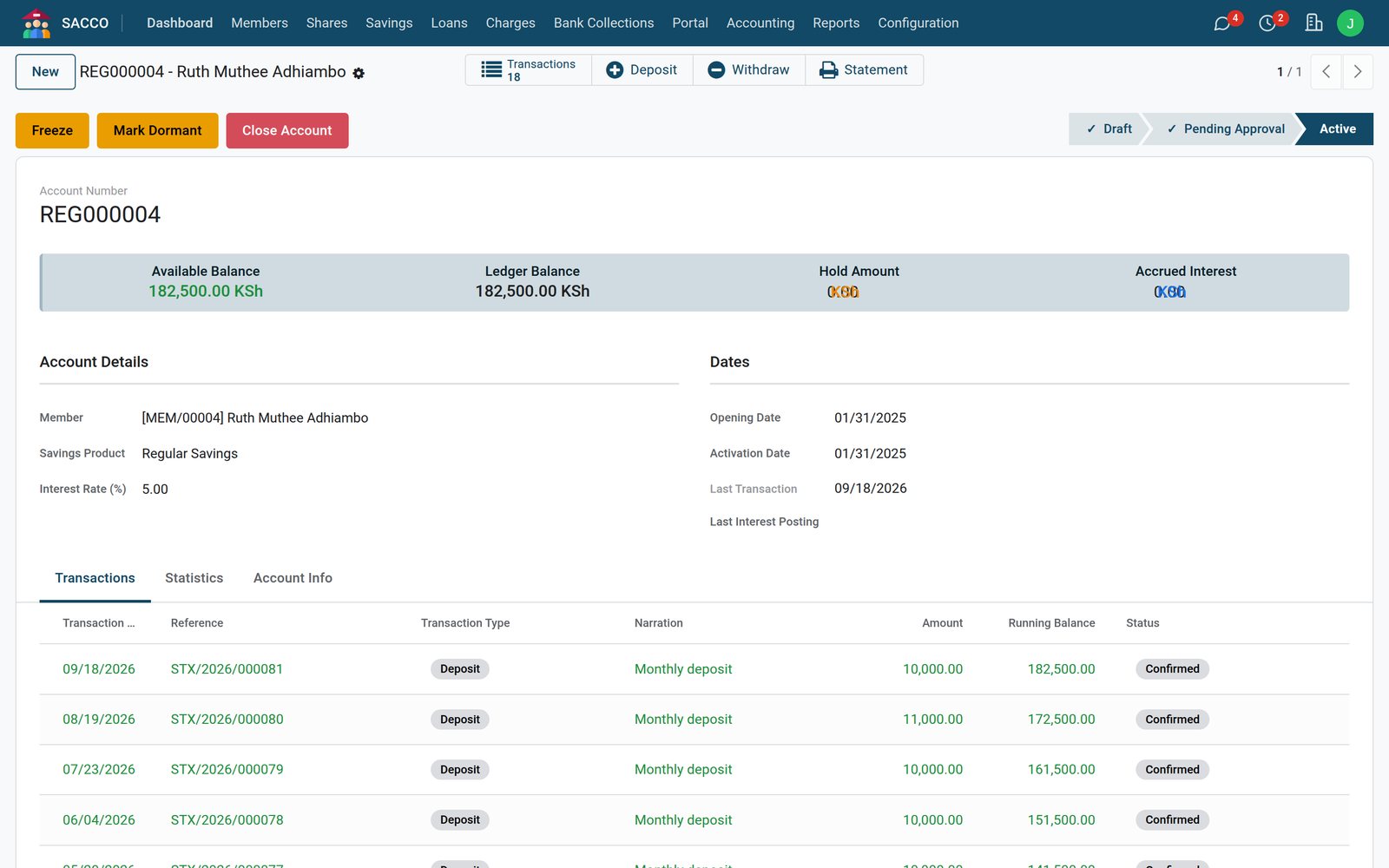 Savings
Check-off, mobile money, bank and cash deposits in one list, each with its reference and the entry it posted.
Explore Savings →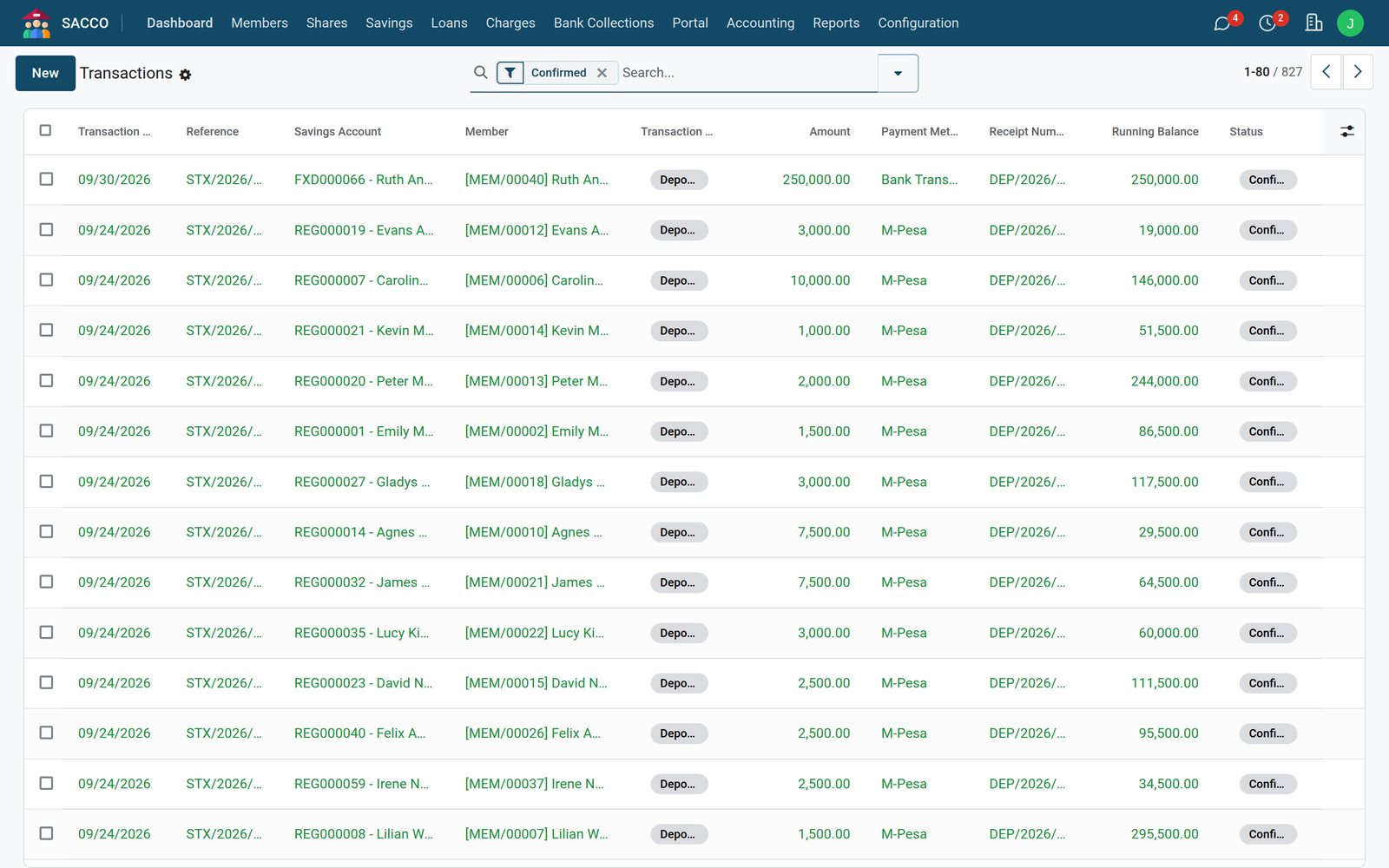 Savings
A sum placed for a term at its own rate, with the principal, the maturity date and the interest due on the account.
Explore Savings →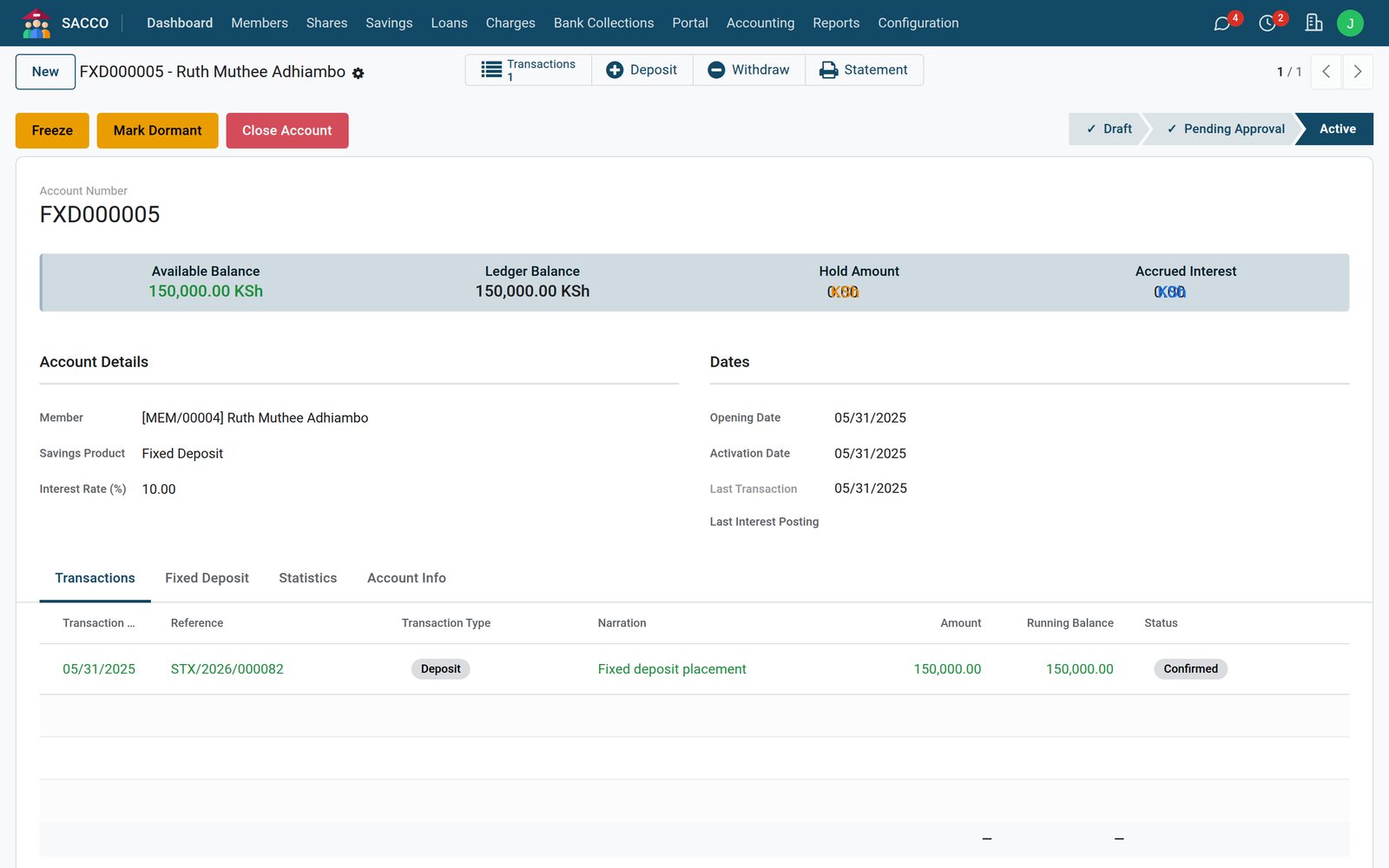
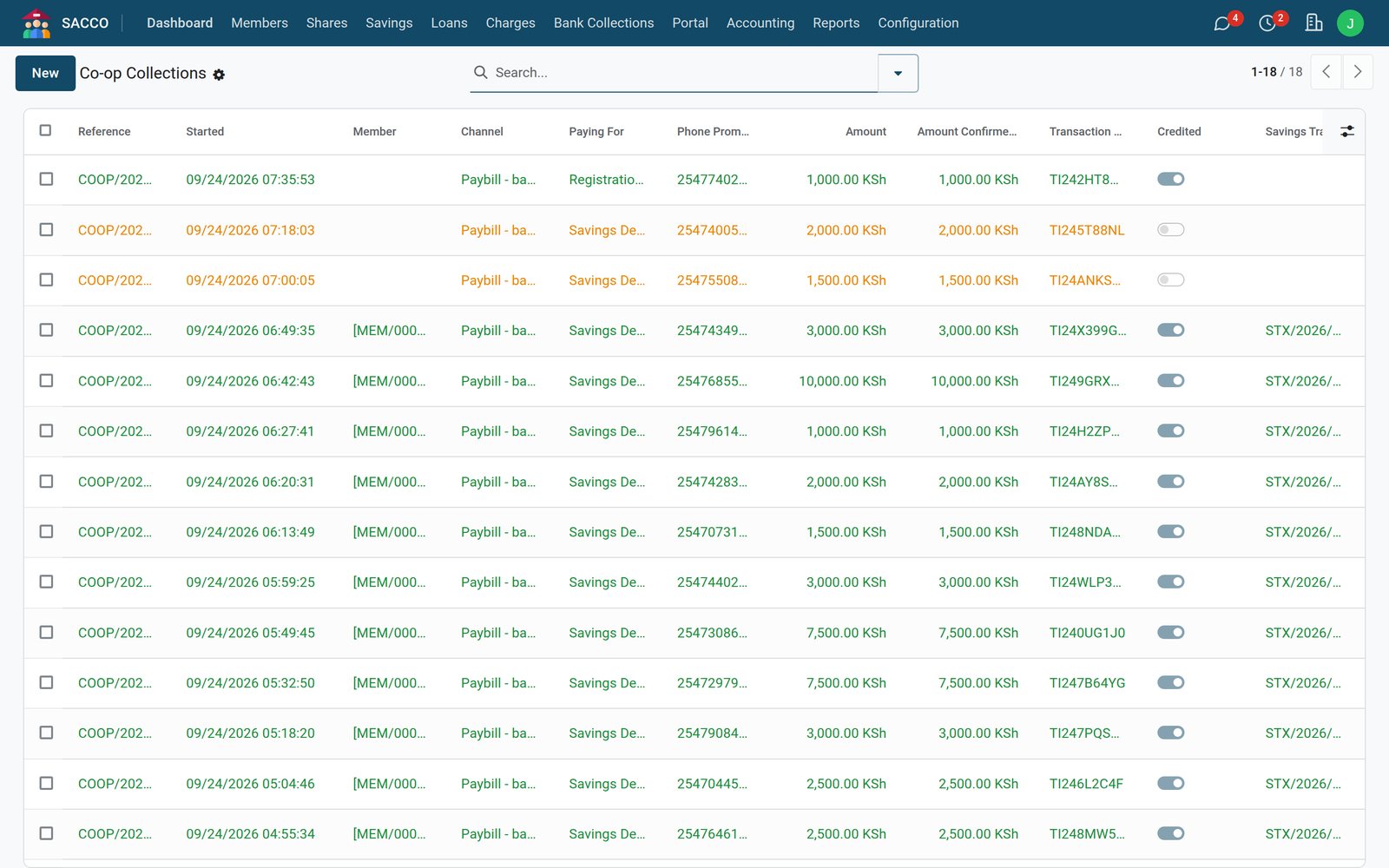
Members pay to the SACCO's Co-operative Bank of Kenya paybill with their member number as the account. The bank's notification credits them the moment it arrives.
 Bank Collections
Each payment shows the member it matched, what it paid for, the bank's transaction code and the savings entry it created.
Explore Bank Collections →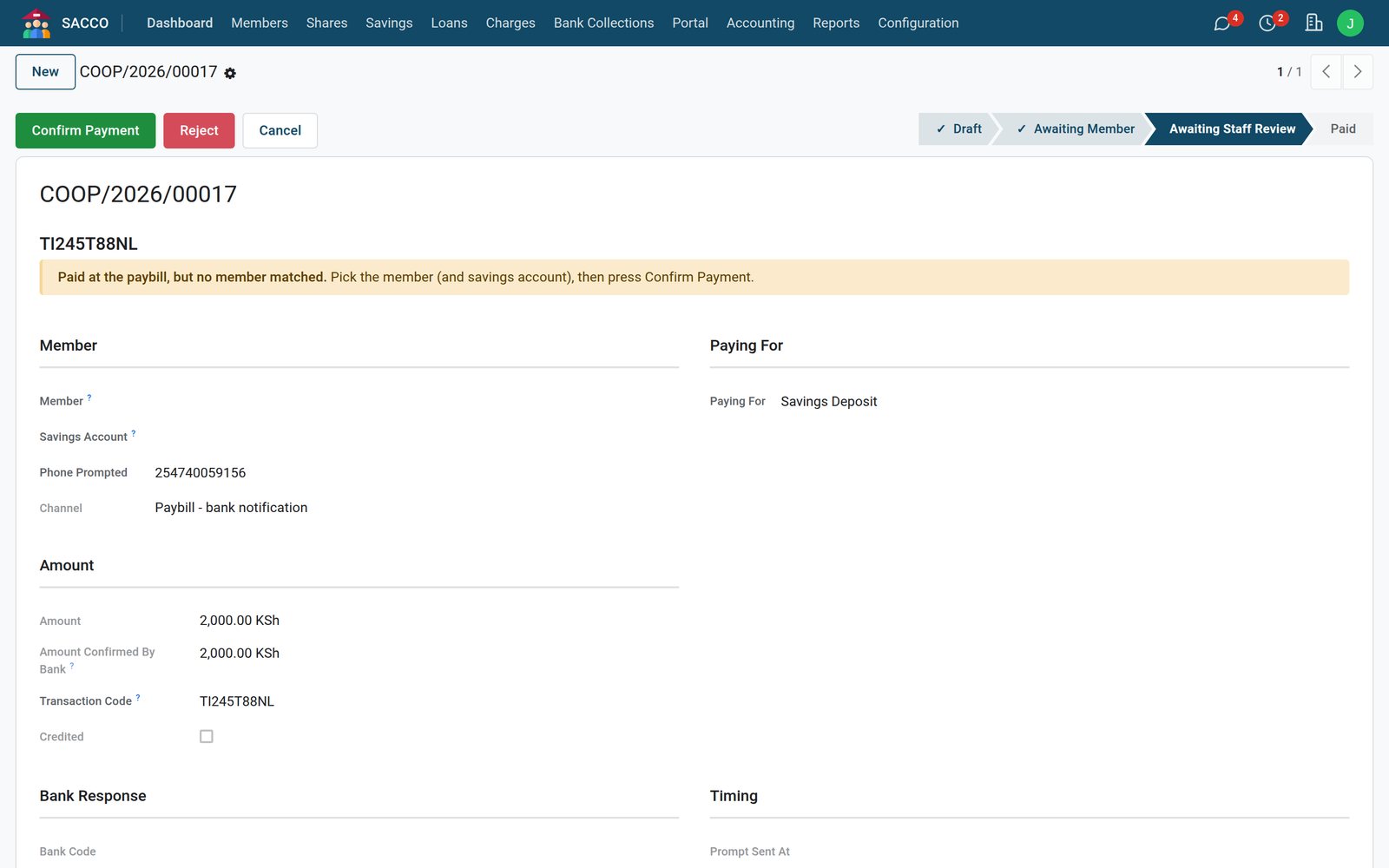 Bank Collections
A payment whose account number matches no member stops in a review queue with a to-do, instead of vanishing into suspense. The teller picks the member and confirms.
Explore Bank Collections →By the numbers
Balances, deposits, repayments, loan applications and guarantor requests, without a visit to the office.
Member PortalTotal savings, share capital, the loan balance and the charges due, with the next instalment and recent activity.
Explore Member Portal →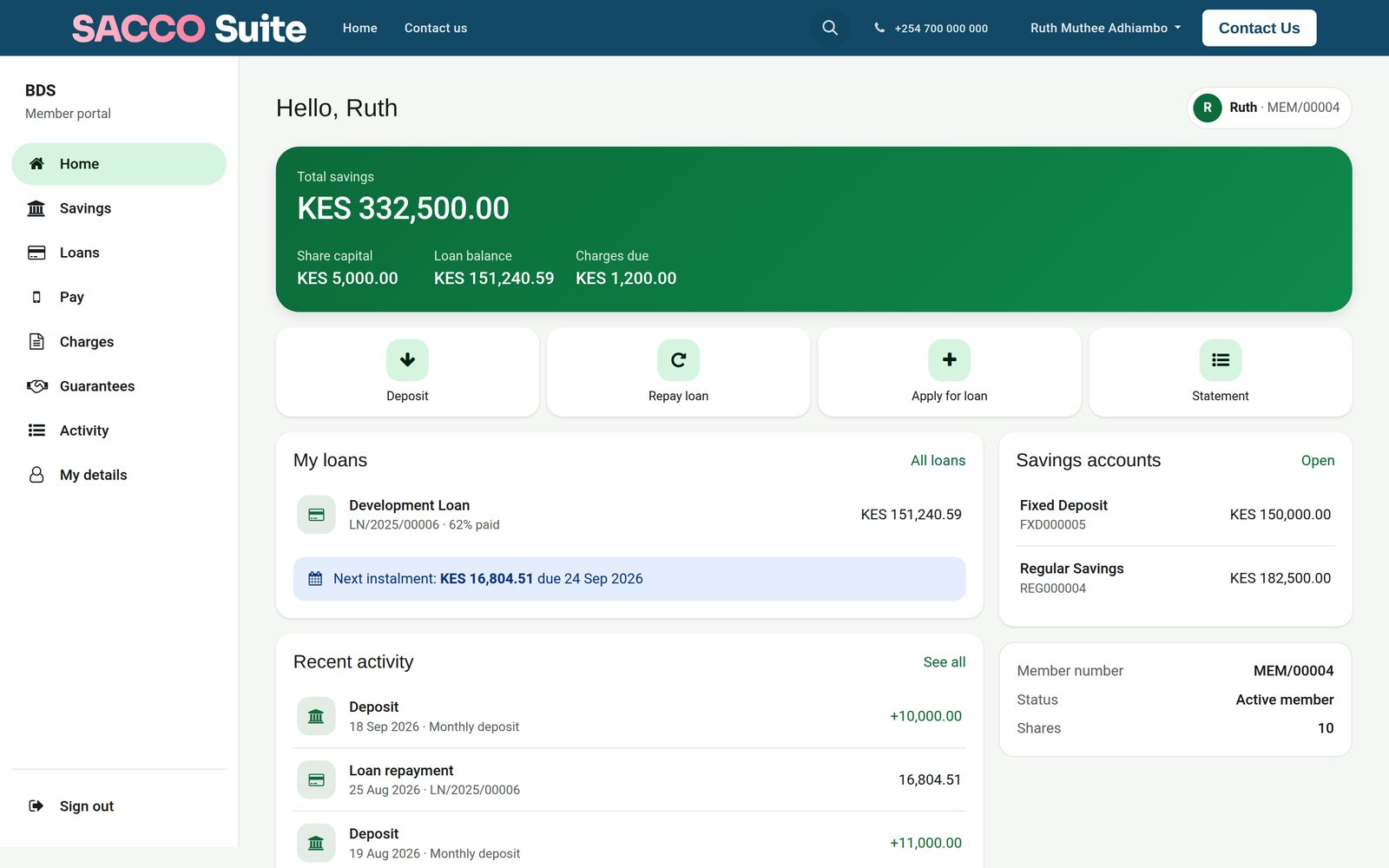 Member Portal
Each loan product shows its rate, term, guarantors and the most the member can borrow on it today, and says so when a product is not open to them yet.
Explore Member Portal →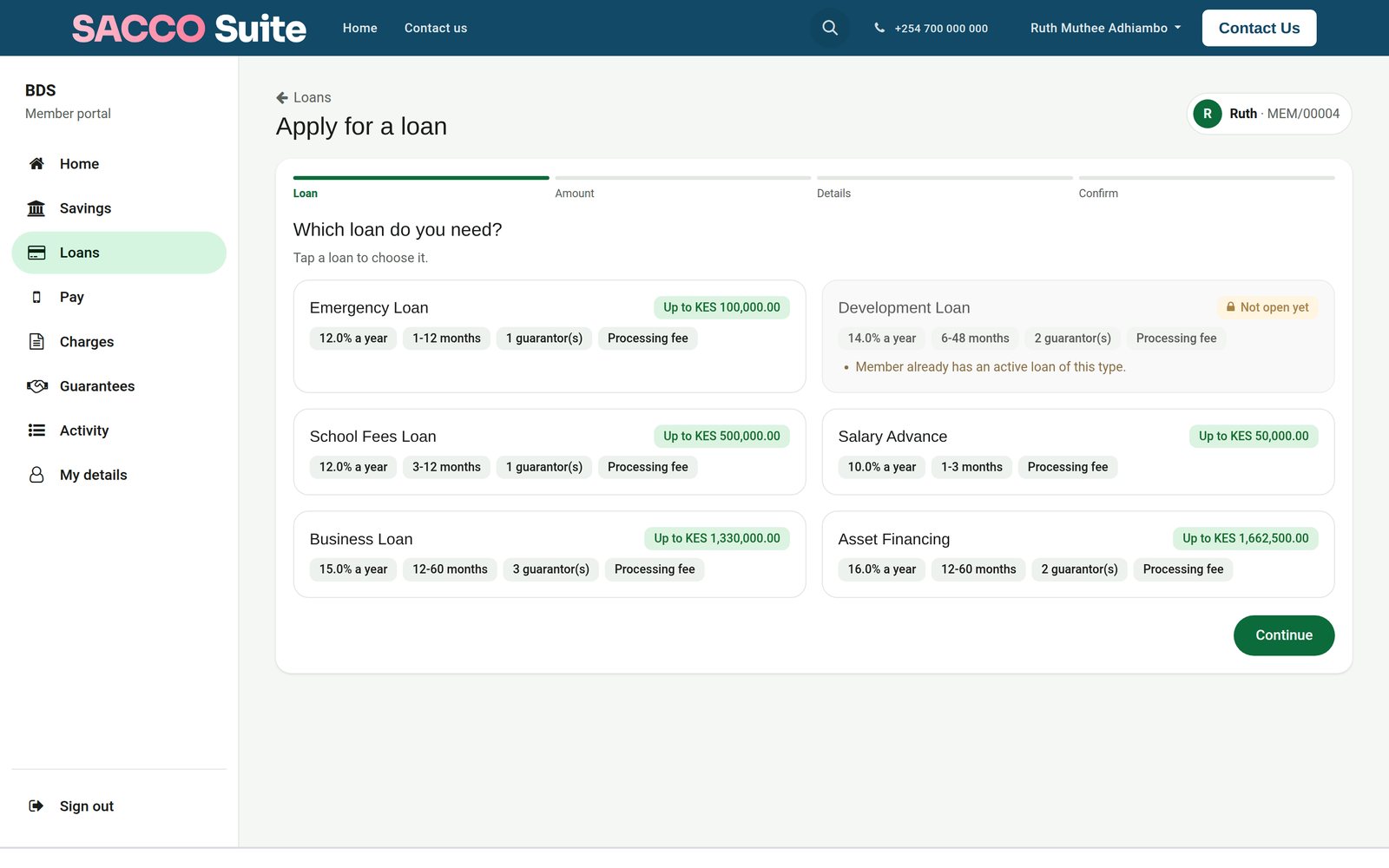 Member Portal
A member asked to guarantee a loan accepts or declines on the portal, and sees every loan they already guarantee.
Explore Member Portal →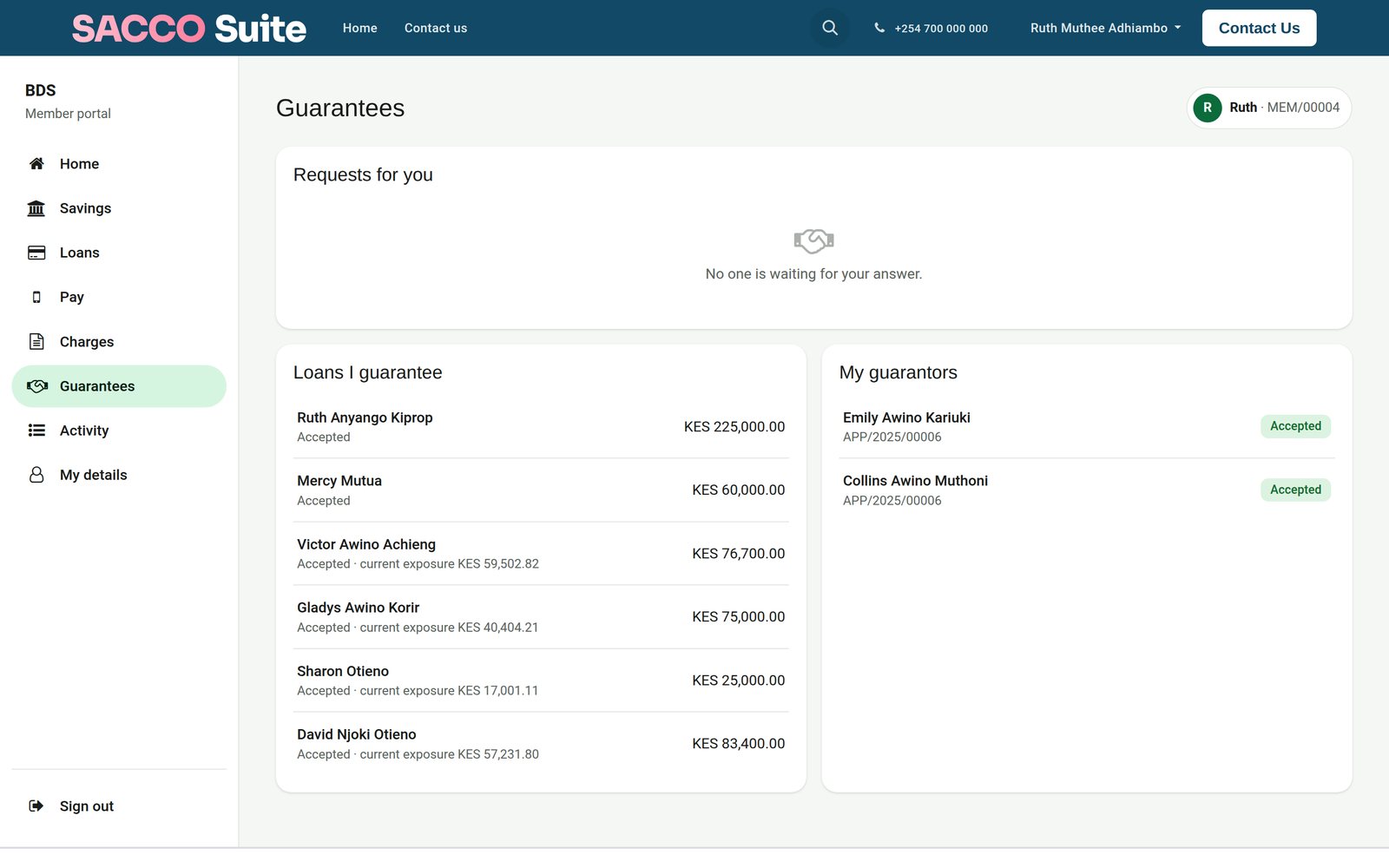
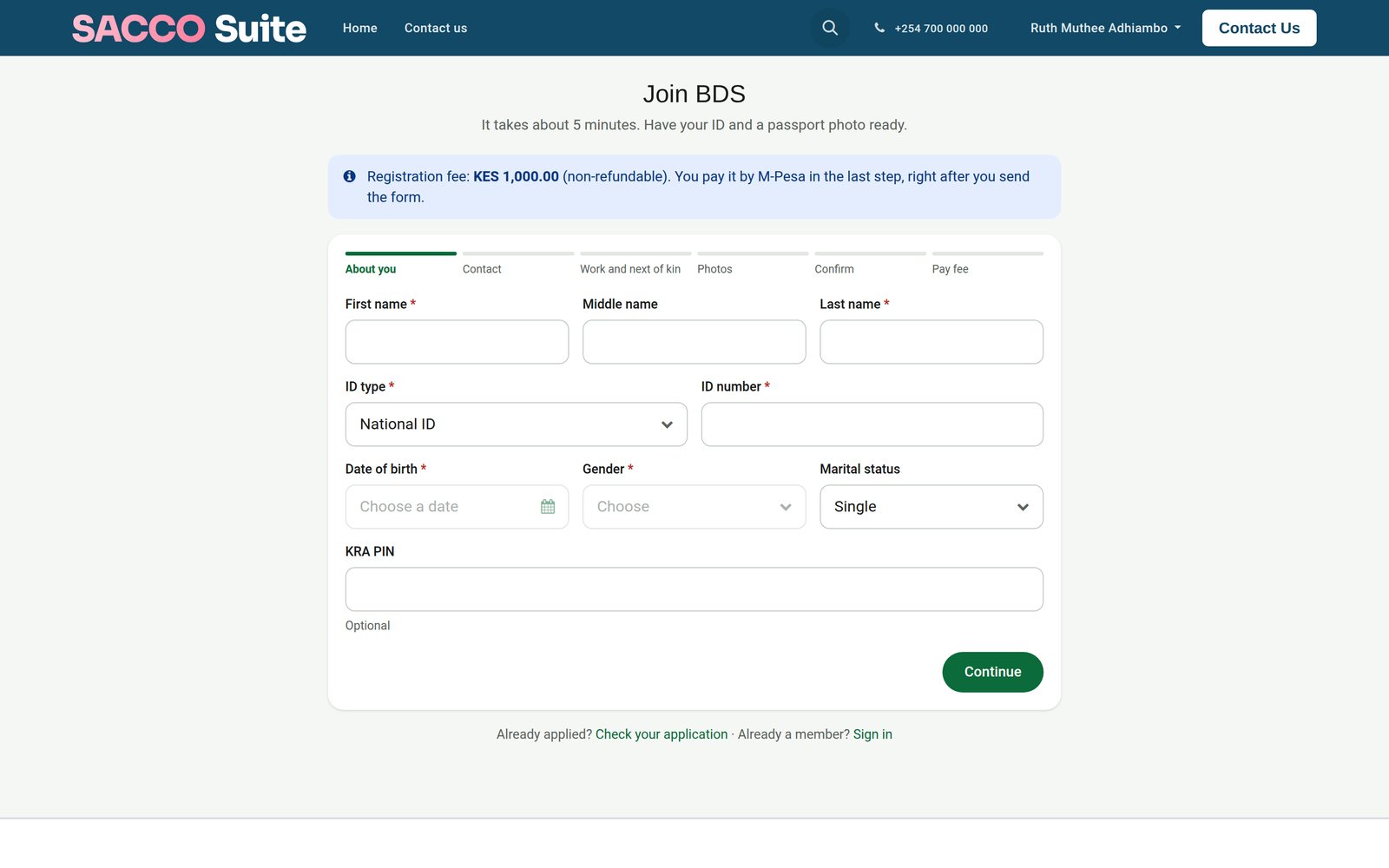
The joining form lives on the SACCO's own website and hands every application to the office.
 Member Portal
Personal details, contact, work and next of kin, photos of the ID, then the registration fee by mobile money in the last step.
Explore Member Portal →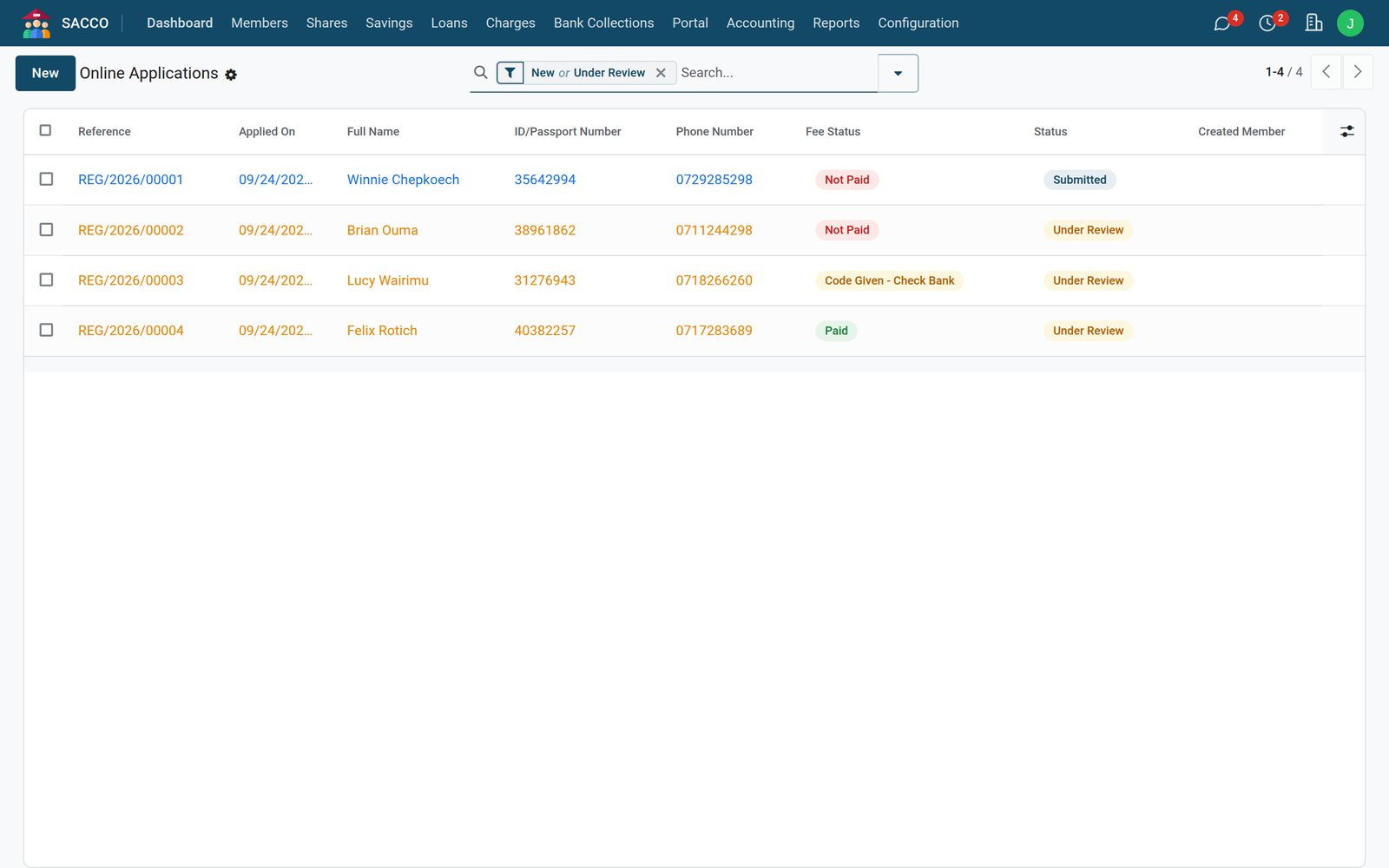 Member Portal
The office sees each application with its fee state, reviews it, and approving it creates the member.
Explore Member Portal →Management fees, fines, passbooks and uniforms, billed one member at a time or all at once.
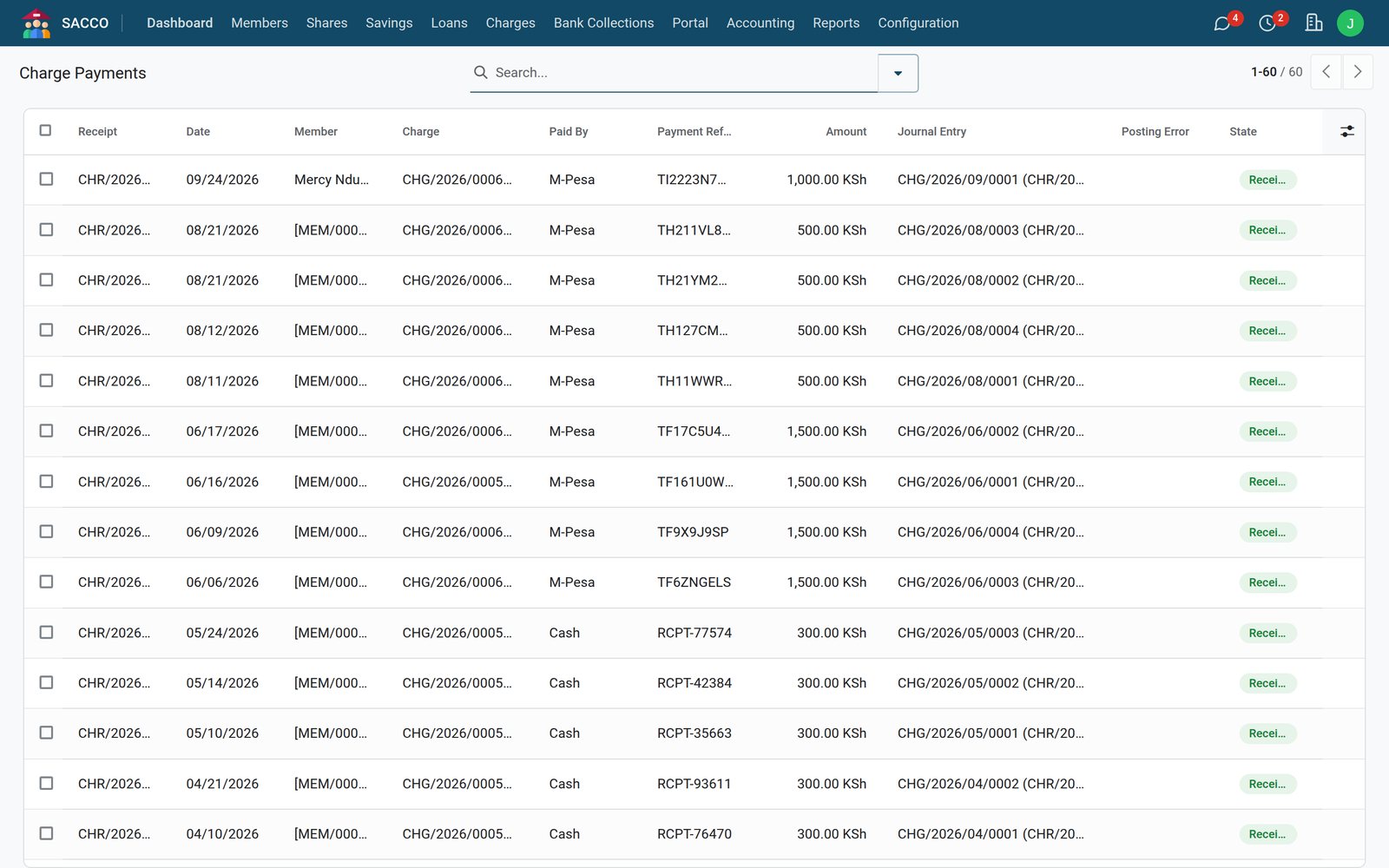
Every payment against its charge
Member ChargesThe annual management fee for every active member, with a due date, in a single step.
Explore Member Charges →Member ChargesThe committee can waive a charge; the reason and who waived it stay on the record.
Explore Member Charges →Every deposit, withdrawal, disbursement, repayment, share purchase and fee posts to BridgeERP Accounting the moment it is confirmed.
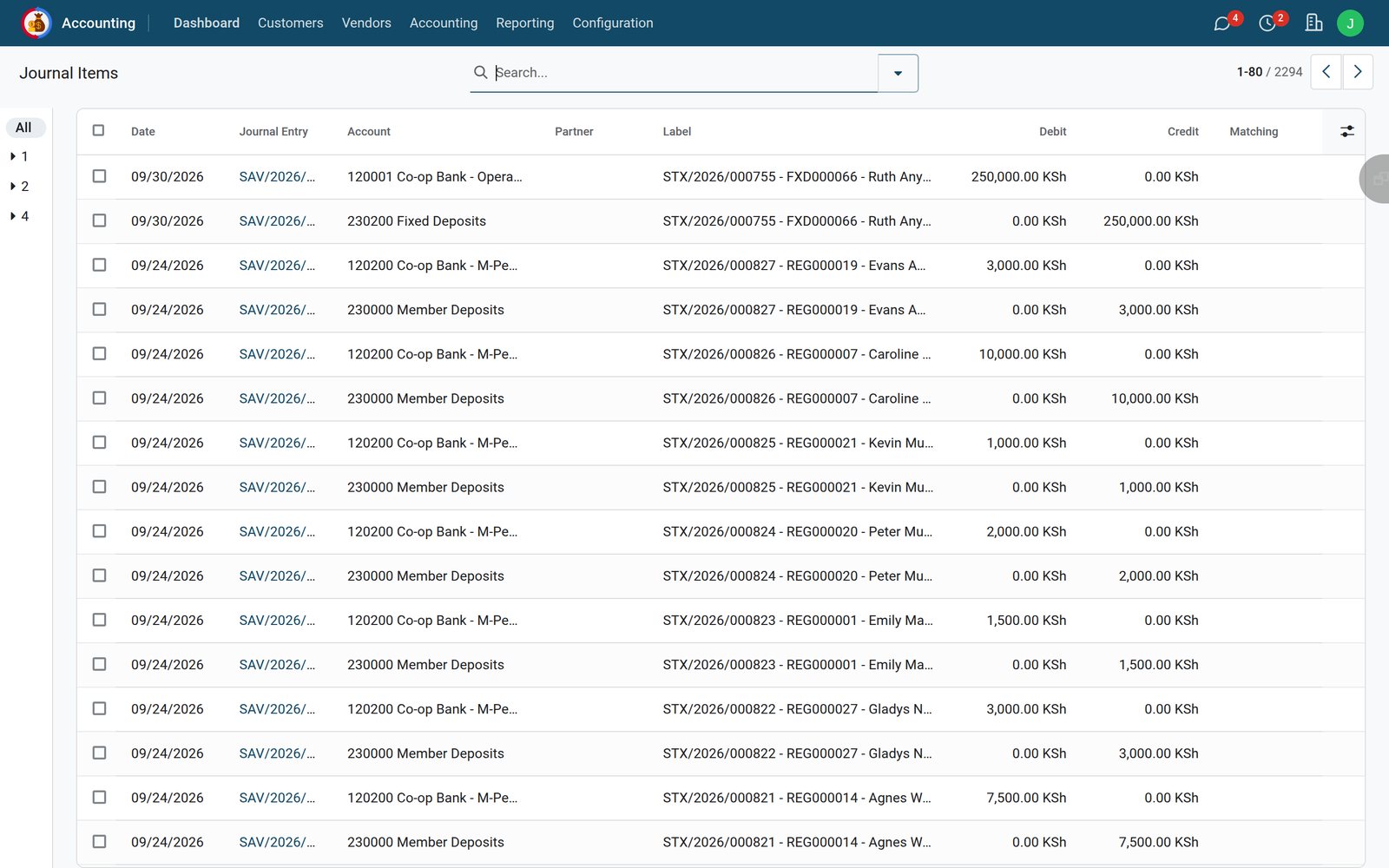
Both sides of every posting
 SACCO Accounting
Savings, loans, shares and charges keep their own journals, apart from the rest of the books.
Explore SACCO Accounting →SACCO AccountingEach savings product, loan product and charge type points at its own accounts, set up once in the SACCO account settings.
Explore SACCO Accounting →The dashboard and reports are read from the same records the tellers and the loans office work on.
 Reports & Dashboard
Outstanding balances across emergency, development, school fees, business, asset and salary advance loans.
Explore Reports & Dashboard →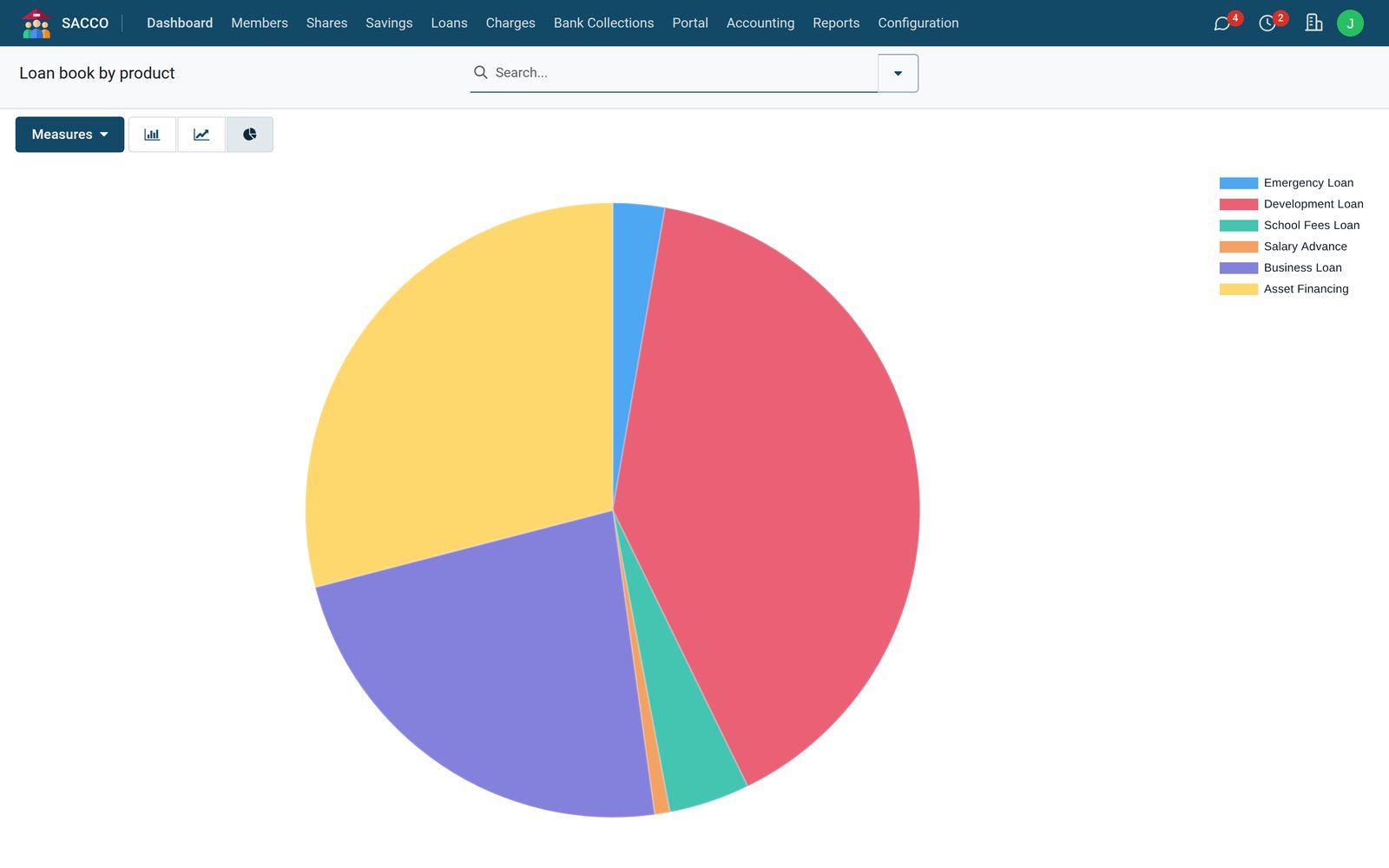 Reports & Dashboard
Check-off, mobile money, bank and cash deposits month by month.
Explore Reports & Dashboard →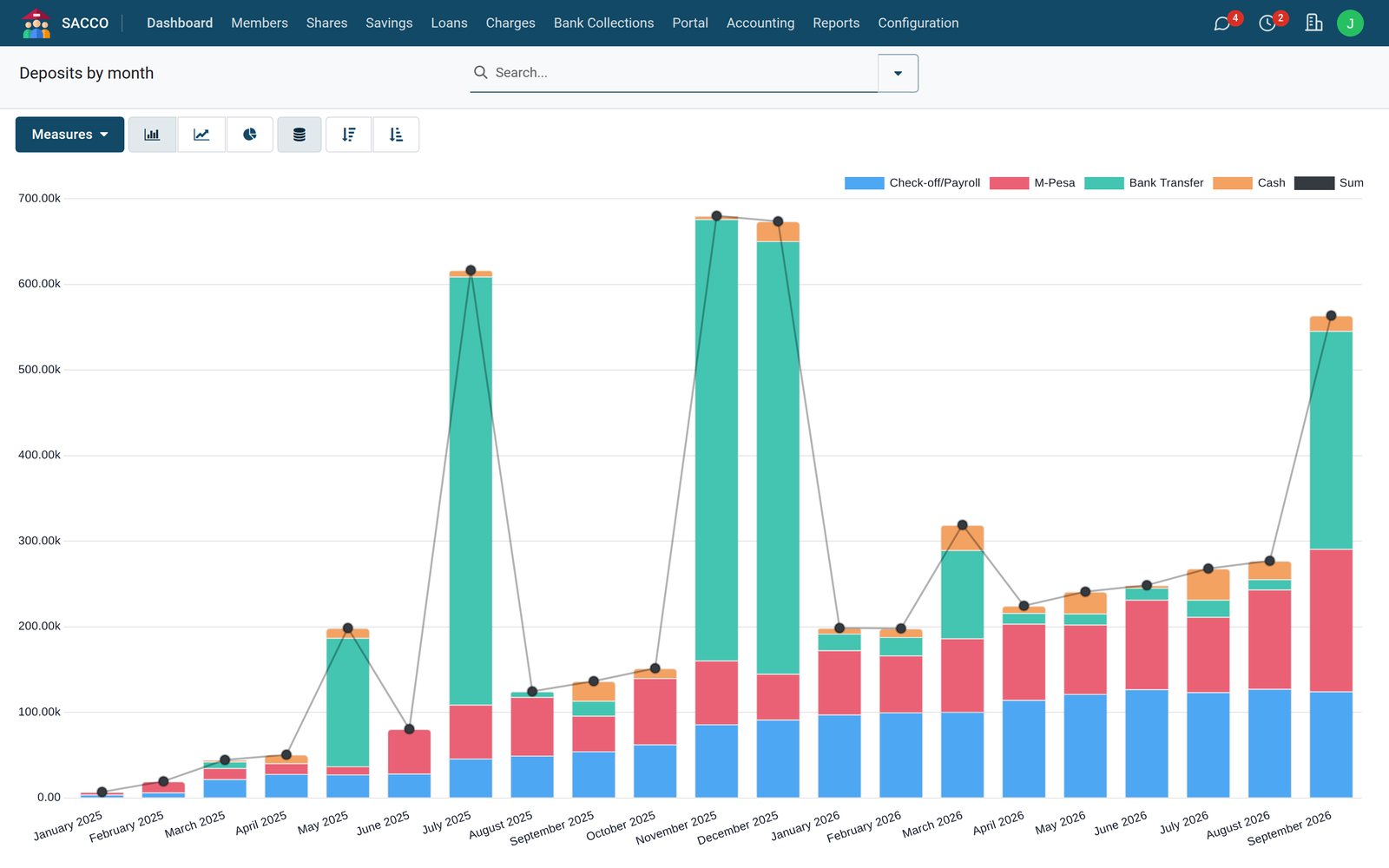 Reports & Dashboard
Principal and outstanding balance by product for running and repaid loans, ready to export.
Explore Reports & Dashboard →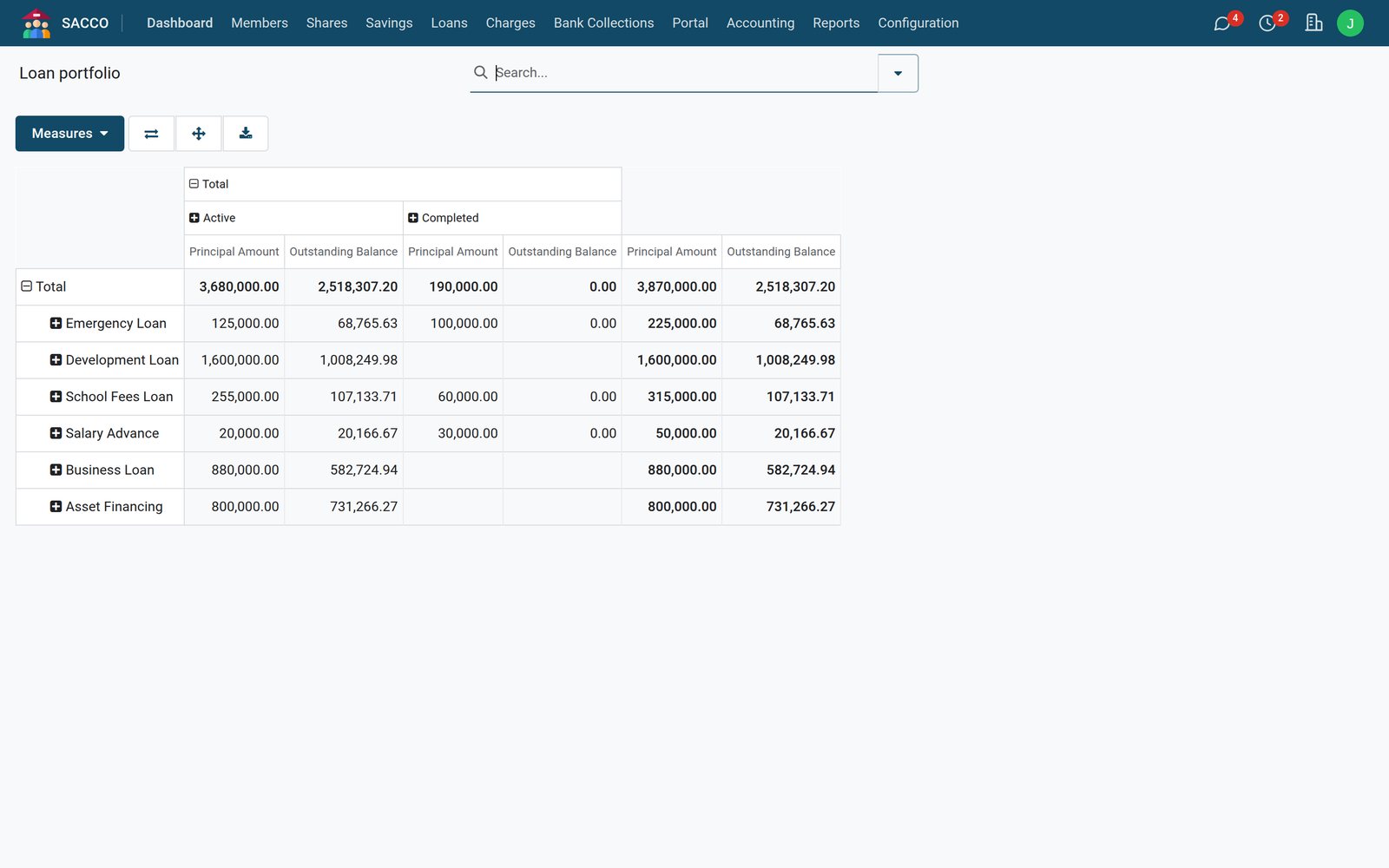
Who uses it
Deposits, withdrawals and fee payments at the counter, and the unmatched paybill payments that need a member picked.
Applications from review to appraisal, guarantors followed up, arrears chased from the overdue list.
The applications above the threshold, with the appraisal figures in front of them.
The SACCO journals, the collection accounts and the monthly figures, already posted.
The dashboard: members, share capital, savings, the loan book, arrears and income.
Balances, deposits, repayments, loan applications and guarantor requests on the portal.
The member, the office, the credit committee and the treasurer work on the same record all the way through.
Joining, saving, borrowing and repaying, with guarantors and the committee in the loop.
Fills in the form, uploads the ID and photo, and pays the registration fee to the paybill.
Member Portal →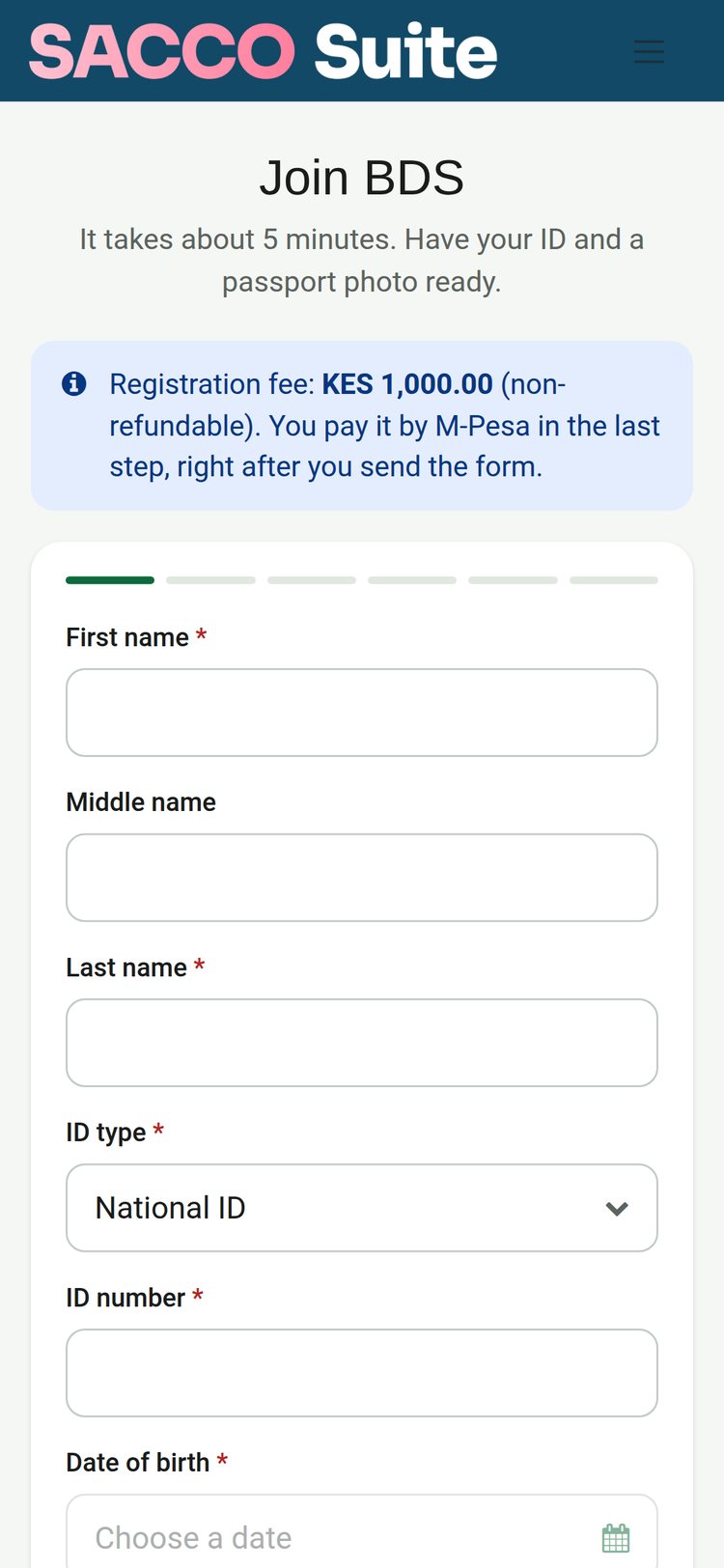
In the suite
Each app is part of the SACCO Suite and shares the same members, products and general ledger, so a paybill deposit, a check-off deduction or a repayment at the counter lands in the same books.
Members & SharesThe member register: applications, KYC documents, next of kin, employment and check-off, groups, branches and share capital.Included in every planSavingsRegular, fixed-deposit, holiday, education and junior savings, with deposits and withdrawals from every channel.No extra chargeLoansLoan products with their own limits, guarantors, appraisal, the credit committee, schedules, repayments and arrears.No extra chargeBank CollectionsPaybill deposits credited to the member as the bank reports them, STK push prompts, and a review queue for anything unmatched.+$13.56/mo at 1,000 membersMember PortalMembers join online, check balances, deposit, repay, apply for loans and answer guarantor requests from any phone.+$13.56/mo at 1,000 membersMember ChargesManagement fees, fines, passbooks and uniforms, billed one by one or in bulk and paid by mobile money, cash, bank or from savings.No extra chargeSACCO AccountingEvery deposit, disbursement, repayment, share purchase and fee posted to the general ledger through the SACCO journals.Included in every planReports & DashboardThe SACCO dashboard, member statements, the loan portfolio report and savings, loans and income analysis.No extra chargeThe same plan can carry any of these: one login, one database, no integrations to buy. Pick them app by app on the pricing page; every plan already includes BridgeERP Core.
 BridgeERP Core
 Accounting
 Expenses
 Invoicing
 Sign
Sign Subscriptions
 Employees
 Fleet
Fleet Frontdesk
 Payroll
 Recruitment
 Shift Planning
 Time Off
 Appointments
 Field Service
 Helpdesk
 Projects
 Timesheets
 Email Marketing
 Events
 Marketing Automation
 SMS Marketing
 Surveys
 eCommerce
 eLearning
 Live Chat
 Website Builder
 Approvals
 Discuss
 Documents
 Internet of Things
 Knowledge
 Meeting Rooms
 VoIP
VoIPGetting started
Pick the apps your SACCO needs. The pricing page shows what the plan costs for your member count before you commit.
Your BridgeERP environment is provisioned instantly, with no credit card required.
Bring your member register, share and savings balances and running loans across with guided import, then lean on training and support from our team.
Questions
Not covered here? Contact us.
Savings and credit co-operatives, credit unions and member-owned savings groups that take deposits from their members and lend to them. A microfinance institution or a lender that serves customers rather than members is better served by the Bridge MFI Suite.
Per member, per month, never per staff login: every plan carries unlimited users. Members & Shares, Savings, Loans, Member Charges, SACCO Accounting and Reports & Dashboard come in every plan; Bank Collections and Member Portal each add a share of the member charge. The pricing page builds the exact monthly figure for your member count before you commit.
Yes. Bank Collections works with the Co-operative Bank of Kenya paybill: members pay with their member number as the account, and the bank's notification credits their savings as it arrives. STK push prompts can be sent from the portal or the counter, and anything that does not match waits in a review queue for a teller.
Yes. Each member's employment record says whether deductions come through the employer's check-off, and savings deposits and loan repayments are recorded with check-off as their payment method.
Every loan product carries its own amount and term limits, interest rate and method, borrowing multiple of deposits, minimum membership period, number of guarantors and the share of the loan they must cover, fees, and the amount above which the credit committee has to approve.
A guarantor pledges part of the loan against their own savings: up to their savings times the product's guarantor factor, less what they already guarantee on running loans. They are asked on the portal and accept or decline there, and a repaid loan stops counting against them.
Yes. The joining page on your website takes the applicant's details, ID and photo, and the registration fee by mobile money. The office reviews the application and confirms the fee, and approving it creates the member.
Yes. Your member register, share and savings balances and running loans come across with guided import during go-live, with training and support from our team.
It posts into BridgeERP Accounting through four SACCO journals, one entry for every deposit, disbursement, repayment, share purchase and fee. Bank reconciliation, financial statements and the rest of the finance work happen in the same ledger.
From the membership form to the audited books, every payment a member makes is traced to the account it landed in, with an audit trail behind every posting.