

 Expenses: Staff expenses claimed, approved and paid back without paper
BridgeERP Expenses lets staff record what they spent, group it in a report for approval, and get it back through accounting or payroll.
Free instant access. No credit card required.
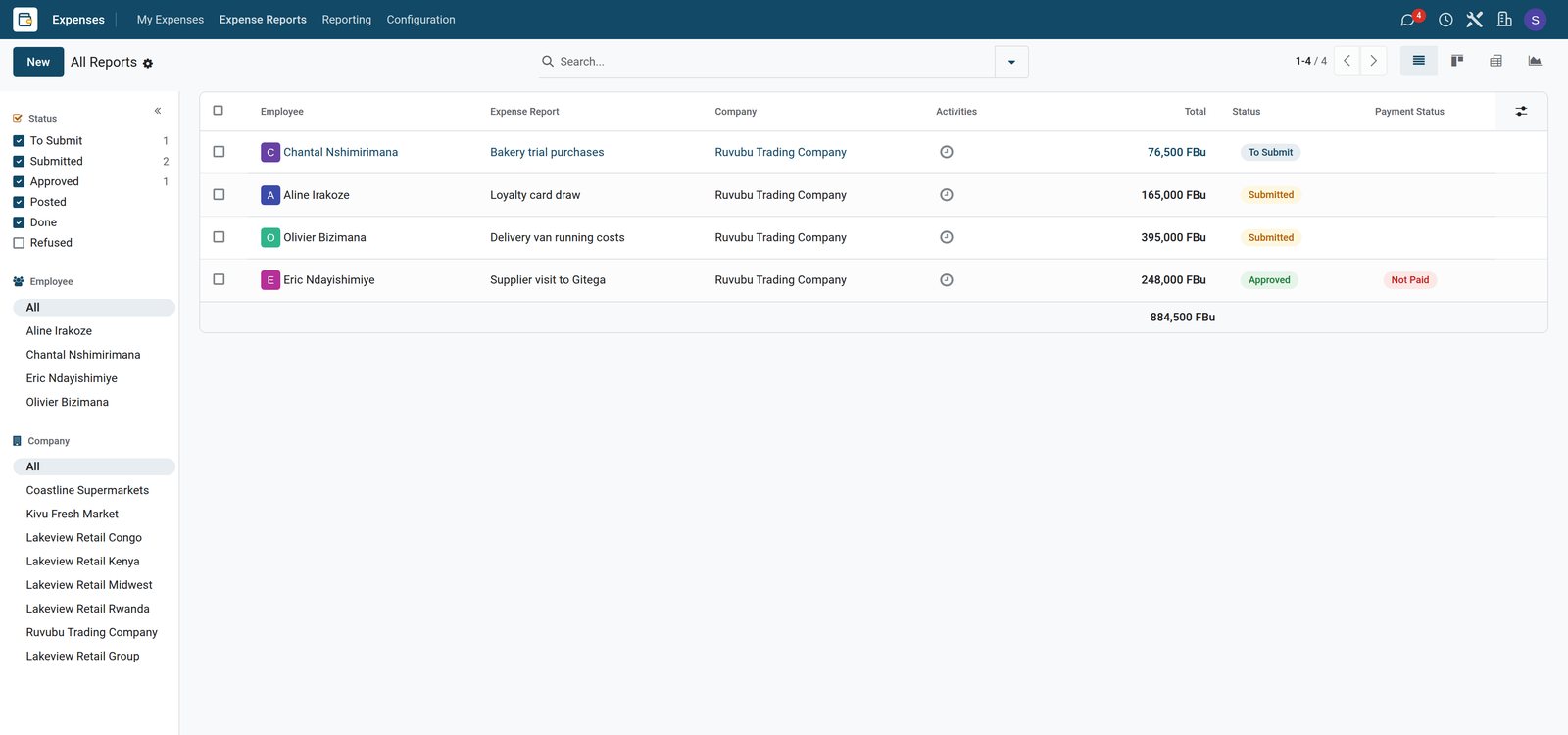
One report per trip or purpose
An expense report groups the costs of one trip or task, so the manager approves them together.
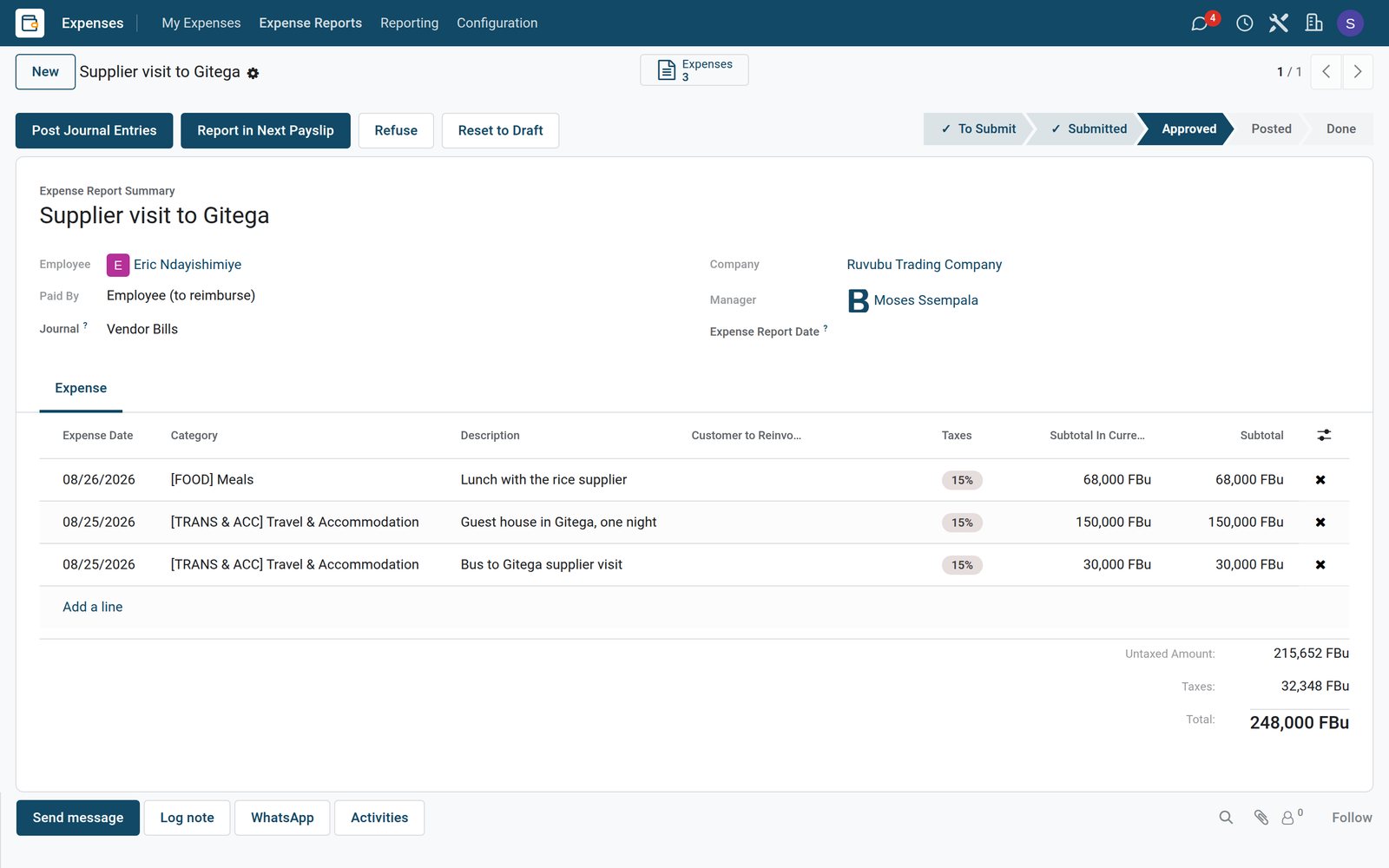 Expenses
An approved expense report
The stock controller's supplier visit to Gitega groups the bus fare, one night in a guest house and a supplier lunch, approved for payment.
Explore Expenses →By the numbers
What ships inside the Expenses app
Counted in the product and on the demo database.
- 6
- stages of an expense report, from draft and submitted to approved, posted, paid or refused
- 6
- expense categories on the demo, from meals and travel to communication, gifts and mileage
- 14
- expenses on the demo supermarket, recorded in Burundian francs by ten members of staff
Inside the app
What is inside
The parts of the Expenses app, grouped by what they do for staff and managers.
Record an expense
Staff enter the date, category, amount and a note, in the currency they paid in.
Categories
Categories such as meals, travel or communication set the account and the taxes for each expense.
Expense reports
Group the expenses of a trip or purpose into one report the manager approves at once.
Approval
Reports go to the manager to approve or refuse, and each decision is kept on the report.
Paid by employee or company
Mark whether the employee paid and must be reimbursed, or the company card paid.
Posting to accounting
Approved reports are posted to the accounts, with a journal entry per report.
Reimburse in payroll
Pay approved expenses back with the next payslip instead of a separate transfer.
Cost analysis
See spending by employee, category or department to spot costs that keep growing.
Step by step
From receipt to reimbursement
How an expense travels through BridgeERP, and which app does each step.
- Step 1
Record
The employee records the expense with its category, amount and note on the day.
Expenses - Step 2
Report
Expenses of the same trip or task are grouped in one report and submitted.
Expenses - Step 3
Approve
The manager checks the report and approves or refuses it.
Expenses - Step 4
Post
Accounting posts the approved report with the right accounts and taxes.
Accounting - Step 5
Reimburse
The employee is paid back by transfer or in the next payslip.
Payroll


Every cost with its reason
Each expense keeps its category, amount, who paid, and a note on why it was needed.
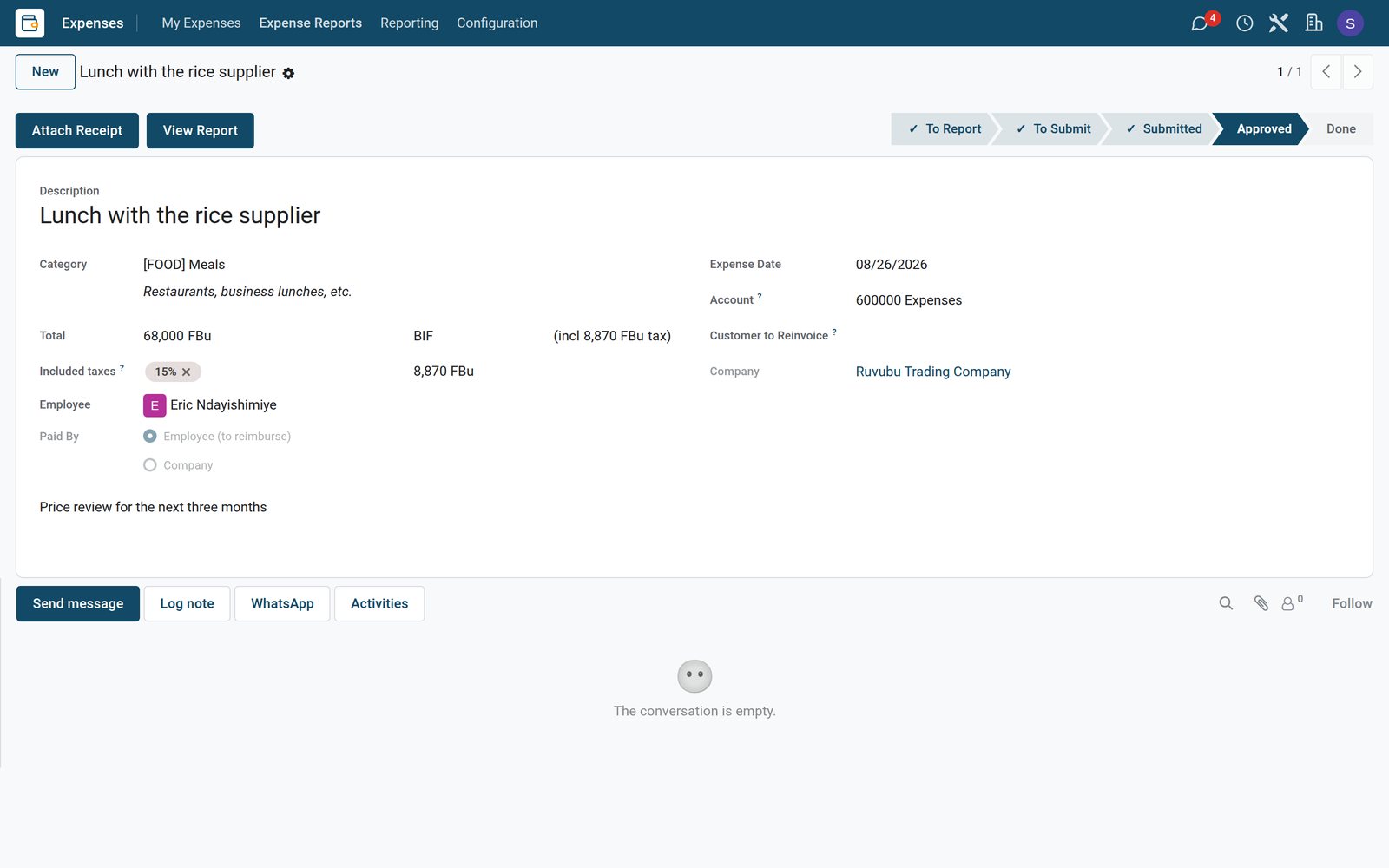 Expenses
An expense with its note
A supplier lunch is recorded as a meal in Burundian francs, paid by the employee, with the reason for the meeting.
Explore Expenses →See where the money goes
The analysis shows spending by employee and category, ready to compare month by month.
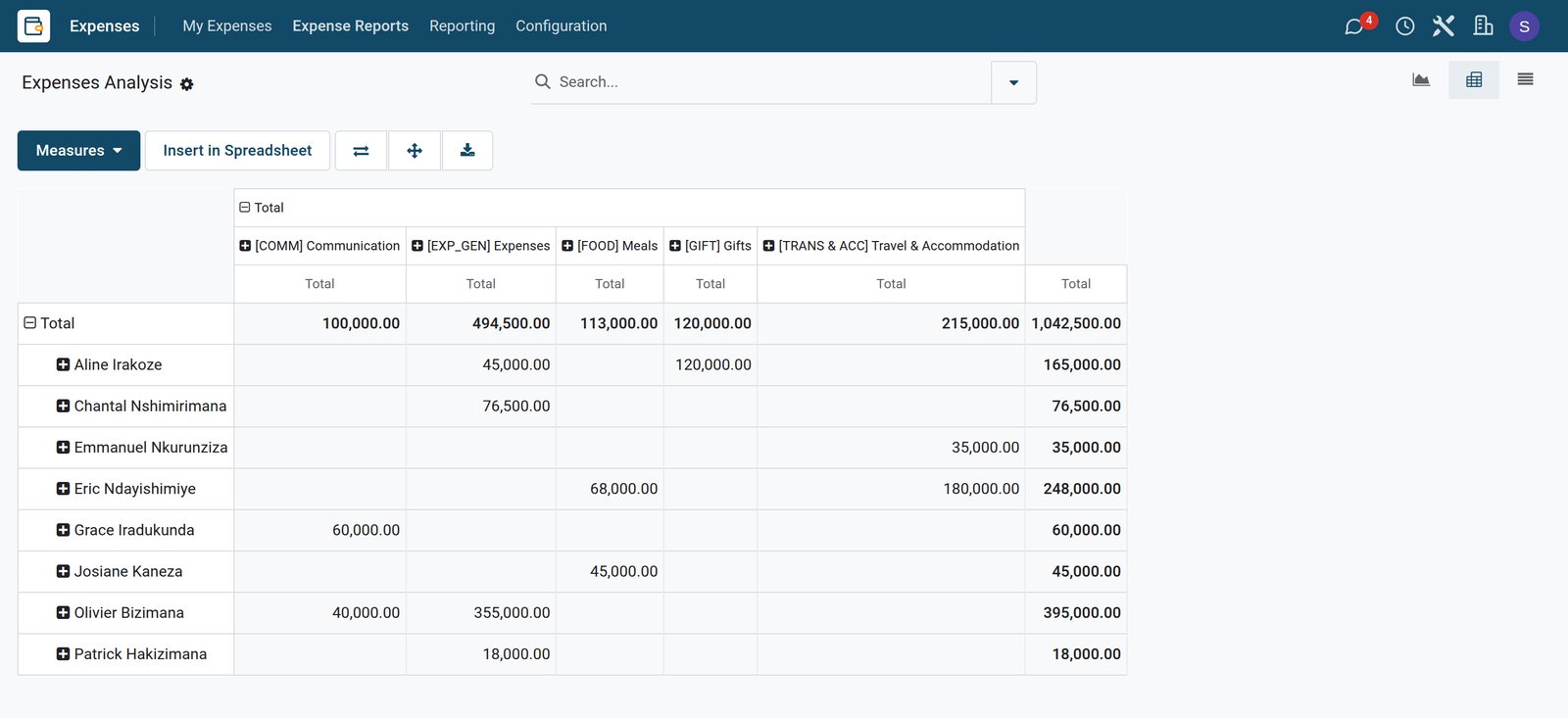 Expenses
Spending by employee and category
The analysis puts each employee's expenses by category side by side, in Burundian francs.
Explore Expenses →Who uses it
Who uses it, and what they see
Expenses is used by staff who spend and the people who approve and pay.
Employee
Records what they spent on the day and submits a report at the end of the trip.
Manager
Approves or refuses the reports of the team, with the lines and notes in front of them.
Accountant
Posts approved reports to the accounts and follows what is still to be paid back.
Owner
Reads spending by category and employee to keep running costs under control.
Works with
Runs with the rest of BridgeERP
Apps that expenses feed or come from.


In your country
Built for businesses in any country
What changes when claims stop arriving as loose receipts at month end.
Your own currency
Expenses are recorded in the currency paid, such as Burundian francs, and the report totals in the company currency.
Cash-heavy spending
Taxis, market purchases and airtime paid in cash are claimed the same day, not remembered weeks later.
Paid with the salary
Where transfers cost money, approved expenses are paid back with the monthly payslip.
Getting started
Getting started
How a business moves its expense claims onto BridgeERP.
Set your categories
Keep a short list such as travel, meals, fuel and communication, each with its account.
Name the approvers
Give each team a manager who approves its expense reports.
Agree the rule
Claims are recorded within a week and grouped by trip or purpose.
Try it on the demo
The demo supermarket has fourteen expenses and four reports in different stages to open.
Questions
Questions about Expenses
Not covered here? Contact us.
Can staff claim expenses paid in cash?
Yes. They record the amount, category and date, and mark that they paid so they are reimbursed.
Who approves expense reports?
The employee's manager approves or refuses each report, and the decision stays on the report.
Can expenses be paid back with the salary?
Yes. Approved expenses can be reimbursed in the next payslip.
Do expenses reach the accounts?
Yes. Approved reports are posted as journal entries with their accounts and taxes.
Can I record expenses in another currency?
Yes. Each expense keeps the currency it was paid in.
Can I see spending by category?
Yes. The expenses analysis groups spending by employee, category or period.
Put Expenses to work
Add it to your plan and pay only for what you use, or see it running on your own demo first.