

 Email Marketing: Newsletters your clients open, and results you can read
BridgeERP Email Marketing designs and sends newsletters to your mailing lists, tracks every open, reply and click, and keeps opt-outs off your lists.
Free instant access. No credit card required.
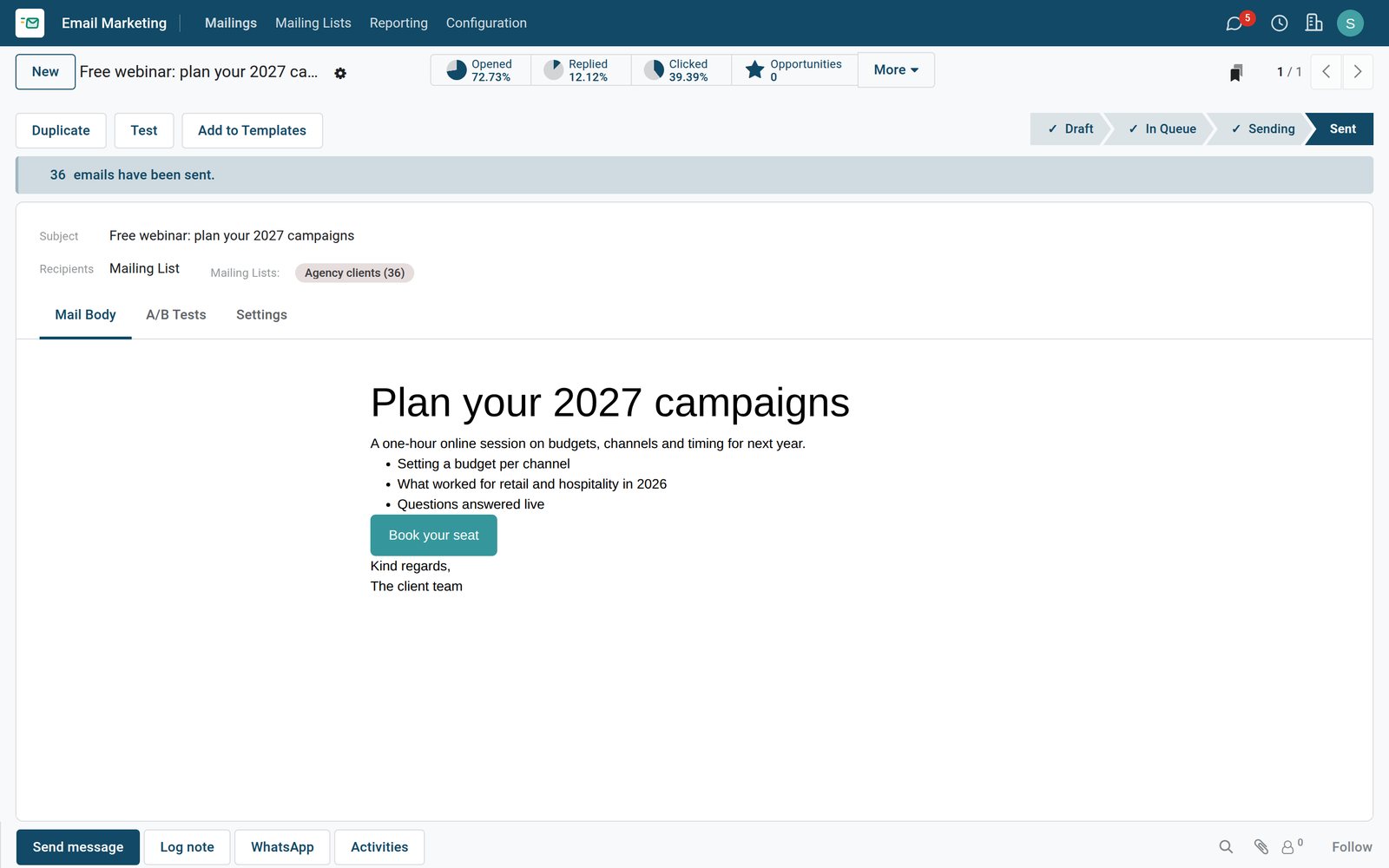
Every newsletter and how it did
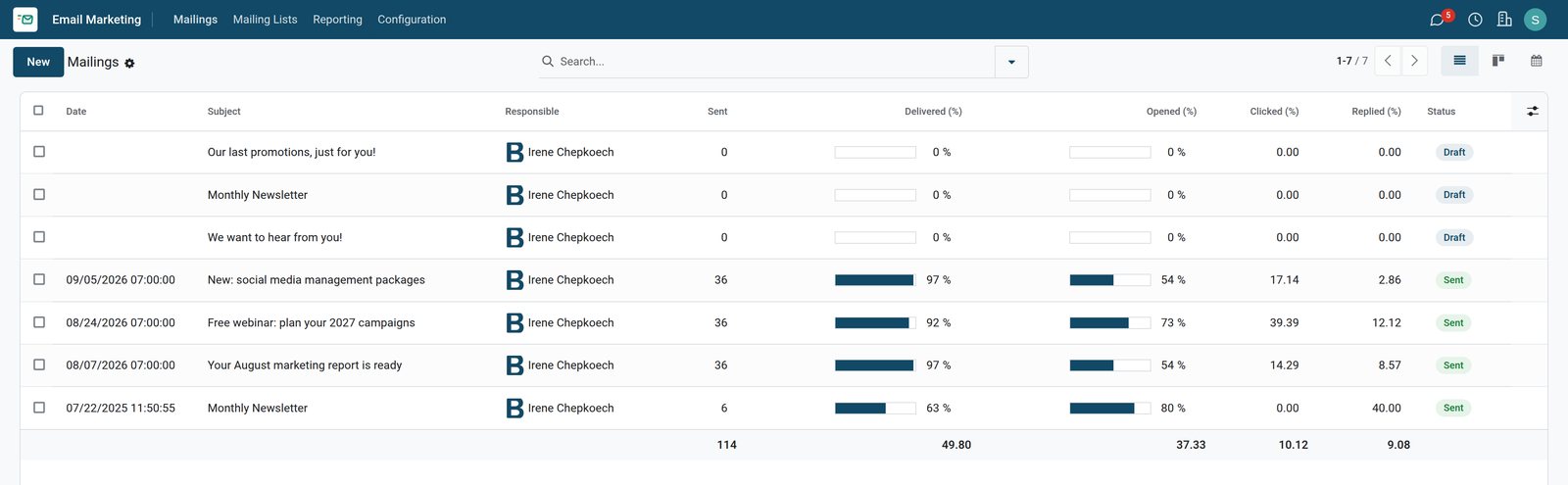
The mailings list shows what was sent, when, and how each newsletter performed.
 Email Marketing
Sent newsletters with their results
Each mailing shows its send date and its delivered, opened, replied and clicked rates, so the best one stands out at once.
Explore Email Marketing →By the numbers
What ships inside Email Marketing
Counted in the product and on the demo database.
- 36
- agency clients on the demo mailing list, each with their company and email
- 3
- newsletters sent to that list on the demo, with every open, reply and click recorded
- 8
- delivery states tracked per recipient, from queued and sent to opened, replied and bounced
Inside the app
What is inside
The parts of Email Marketing, grouped by what they do for the marketing team.
Email designer
Build a newsletter from ready blocks, text, pictures and buttons, without writing any code.
Mailing lists
Keep lists of subscribers, import contacts, and let people choose the lists they belong to.
Any audience
Send to a list, or to customers, leads or event attendees picked with a filter.
A/B testing
Send two versions to part of the audience, then the better one to everyone else.
Send now or later
Send straight away or schedule the newsletter for the morning your clients read email.
Tracked links
Every link is tracked, so you know which offer people clicked and from which campaign.
Opt-out and blacklist
Unsubscribed and blacklisted addresses are skipped, with the reasons people give for leaving.
Results per mailing
Received, opened, replied, clicked and bounced rates for every newsletter, and a report across them.
Step by step
From list to leads
How a newsletter runs in BridgeERP, and which app does each step.
- Step 1
Build the audience
Import clients into a mailing list, or filter customers and leads.
Email Marketing - Step 2
Design
Write the newsletter with blocks and a clear button, and send yourself a test.
Email Marketing - Step 3
Send
Send now or at a set time; opted-out and blacklisted addresses are left out.
Email Marketing - Step 4
Measure
Opens, replies, clicks and bounces come in per recipient and per mailing.
Email Marketing - Step 5
Follow up
People who replied or clicked are followed up by sales as leads or quotations.
CRM

Lists your clients subscribed to
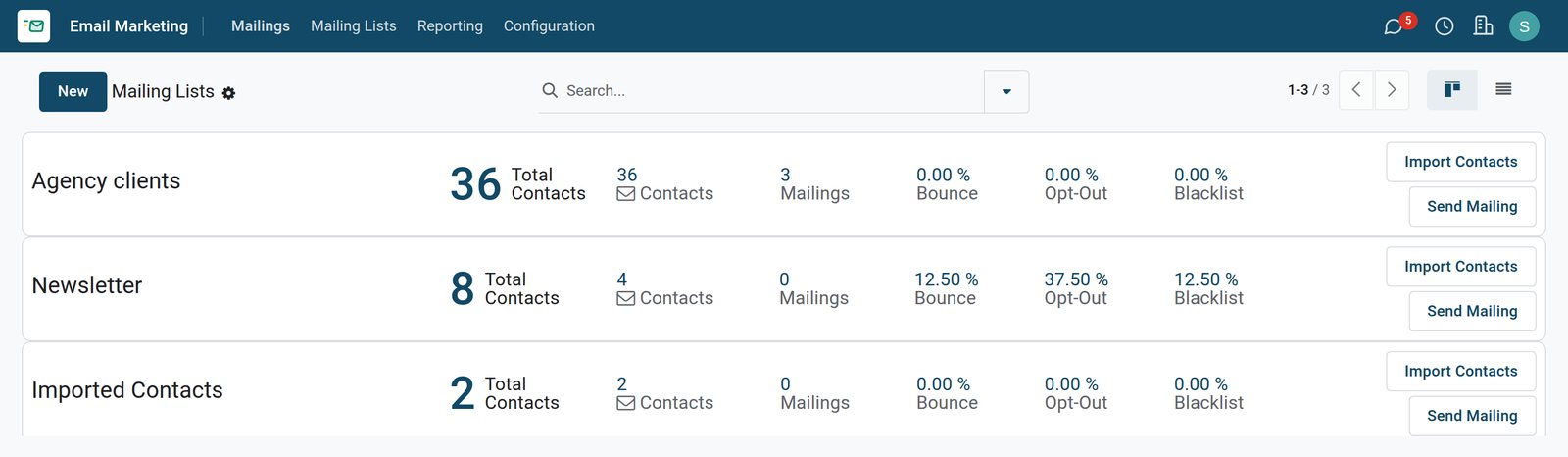
Mailing lists show their subscribers and how healthy each list is.
 Email Marketing
Mailing lists and their health
Each list shows its contacts, mailings sent, and its bounce, opt-out and blacklist rates, with buttons to import and send.
Explore Email Marketing →Compare newsletters side by side
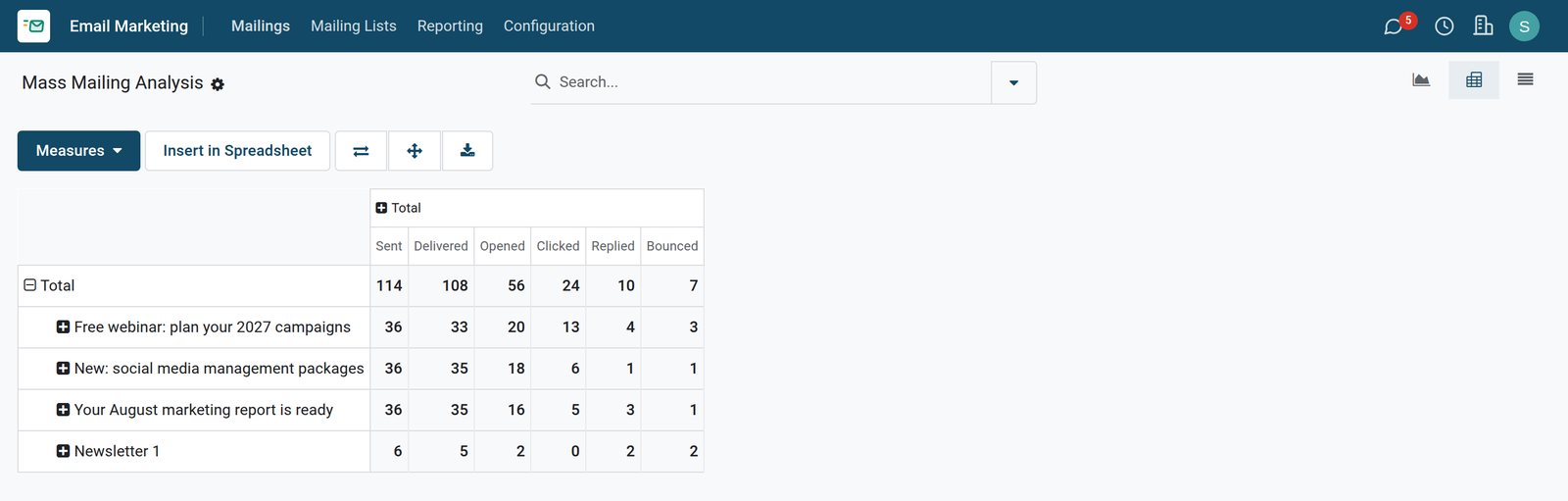
The analysis puts every mailing's delivery, opens, clicks and replies in one table.
 Email Marketing
Delivery, opens, clicks and replies per mailing
The analysis compares the demo newsletters on emails sent, delivered, opened, clicked, replied and bounced.
Explore Email Marketing →Who uses it
Who uses it, and what they see
Email Marketing is used by the people who keep clients informed.
Marketing officer
Designs and schedules the newsletters, and compares their results the week after.
Sales team
Calls the clients who replied or clicked an offer, while their interest is fresh.
Account manager
Keeps the client list clean, imports new contacts and removes those who left.
Subscriber
Receives the newsletter, clicks what interests them, and can unsubscribe in one click.
Works with
Runs with the rest of BridgeERP
Apps whose contacts and results meet in Email Marketing.


In your country
Built for businesses in any market
What changes when clients hear from you by email, not only by phone calls and flyers.
Reach clients across towns
One newsletter reaches clients in every town at once, for less than a round of printed flyers.
Prices in your currency
Offers are written in your own words and priced in your own currency.
Clean lists, better delivery
Bounced and opted-out addresses are kept out, so newsletters keep landing in the inbox.
Getting started
Getting started
How a team sends its first newsletter.
Import your clients
Put the clients who agreed to hear from you into one mailing list.
One message, one button
Say one thing clearly and end with a single button to click.
Test, then send
Send yourself a test, check it on a phone, then schedule the real send.
Try it on the demo
The demo has an agency client list and three sent newsletters with their opens, replies and clicks.
Questions
Questions about Email Marketing
Not covered here? Contact us.
Do I need to know HTML to design a newsletter?
No. Newsletters are built from blocks of text, pictures and buttons in the email designer.
Can I send to people who are not on a mailing list?
Yes. Pick customers, leads or event attendees with a filter instead of a list.
Can I test two subject lines?
Yes. A/B testing sends versions to part of the audience and the better one to the rest.
Do unsubscribed contacts keep receiving newsletters?
No. Opted-out and blacklisted addresses are skipped when a mailing is sent.
What results can I see?
Received, opened, replied, clicked and bounced rates per mailing, and tracked link clicks.
Can sales follow up on who clicked?
Yes. Each recipient's opens, replies and clicks are recorded, so the sales team knows who to call.
Where Email Marketing fits
Nothing here is a silo: the apps around it read and write the same records, so the hand-offs happen on their own.
What feeds it, and what it feeds — these are real app connections, not a diagram.
- Customers & sales
Email Marketing
Mailing lists, campaign designer and open/click statistics.
Email Marketing →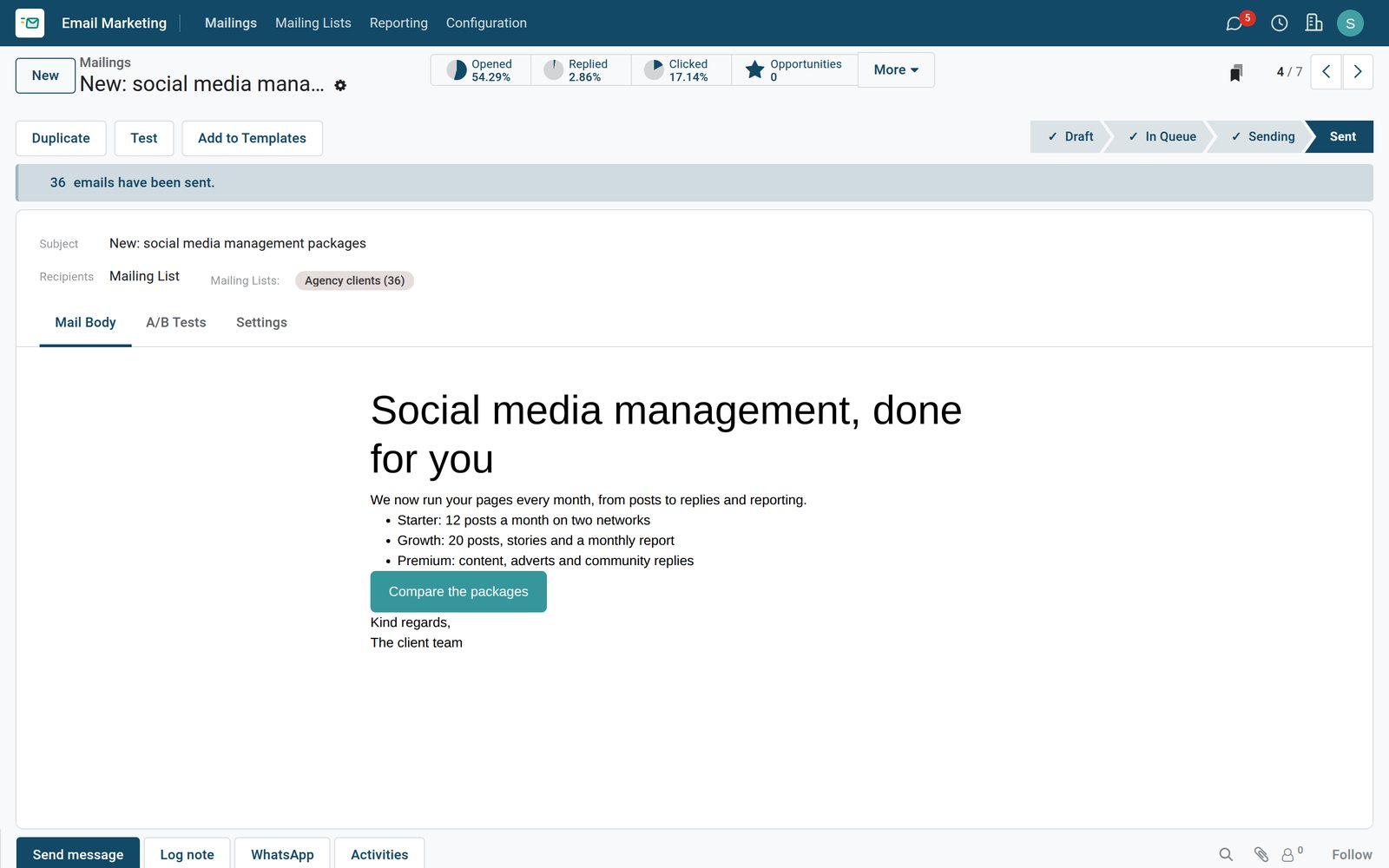
Put Email Marketing to work
Add it to your plan and pay only for what you use, or see it running on your own demo first.