













 Wards & Inpatient: Admissions, bed management, transfers, rounds and discharge summaries
+$57.60/mo at 20 practitioners. Free instant access, no credit card required.
Works with
 HMS Core
See it running
Wards & Inpatient, screen by screen
Real screens from the running product.
What's inside
Everything in Wards & Inpatient
74 items in 14 areas, every one shipping with the app today.
Ward Topology & Setup
- Ward RegisterCreate and manage hospital wards with unique code, floor, wing, department and facility assignment.
- Nine Ward TypesClassify each ward as General, Private, Semi-Private, ICU, HDU, Maternity, Pediatric, Psychiatric or Isolation.
- Ward In-Charge AssignmentNominate a nurse or doctor as the responsible in-charge for each ward, defaulting to the current user's staff record.
- Nursing Station ContactStore a nursing-station phone number on each ward for quick contact.
- Unique Ward Code Per FacilitySQL constraint blocks duplicate ward codes within the same facility.
- Multi-Facility & Multi-Company ScopeWards, beds and admissions are scoped by facility and company via related fields and record rules.
Bed Management
- Bed CatalogRegister individual beds with label, code, number and parent ward, each code globally unique.
- Seven-State Bed LifecycleTrack every bed as Available, Occupied, Reserved, Cleaning, Maintenance, Out of Service or Isolation Hold.
- One-Click Bed State ButtonsMark a bed Available, Cleaning, Maintenance, Out of Service or Isolation Hold directly from the form header.
- Bed Class OverrideAssign each bed a class independent of its ward type for mixed-use wards, with a chatter note when it differs.
- Bed Feature CatalogTag beds with seeded capabilities: Oxygen, Suction, Cardiac Monitor, Ventilator, Dialysis, Isolation Curtain, Negative Pressure, Electric-Reclining.
- Bed-Night RateSet a per-night monetary charge and currency on each bed to drive automatic bed-night billing.
Visual Bed Map
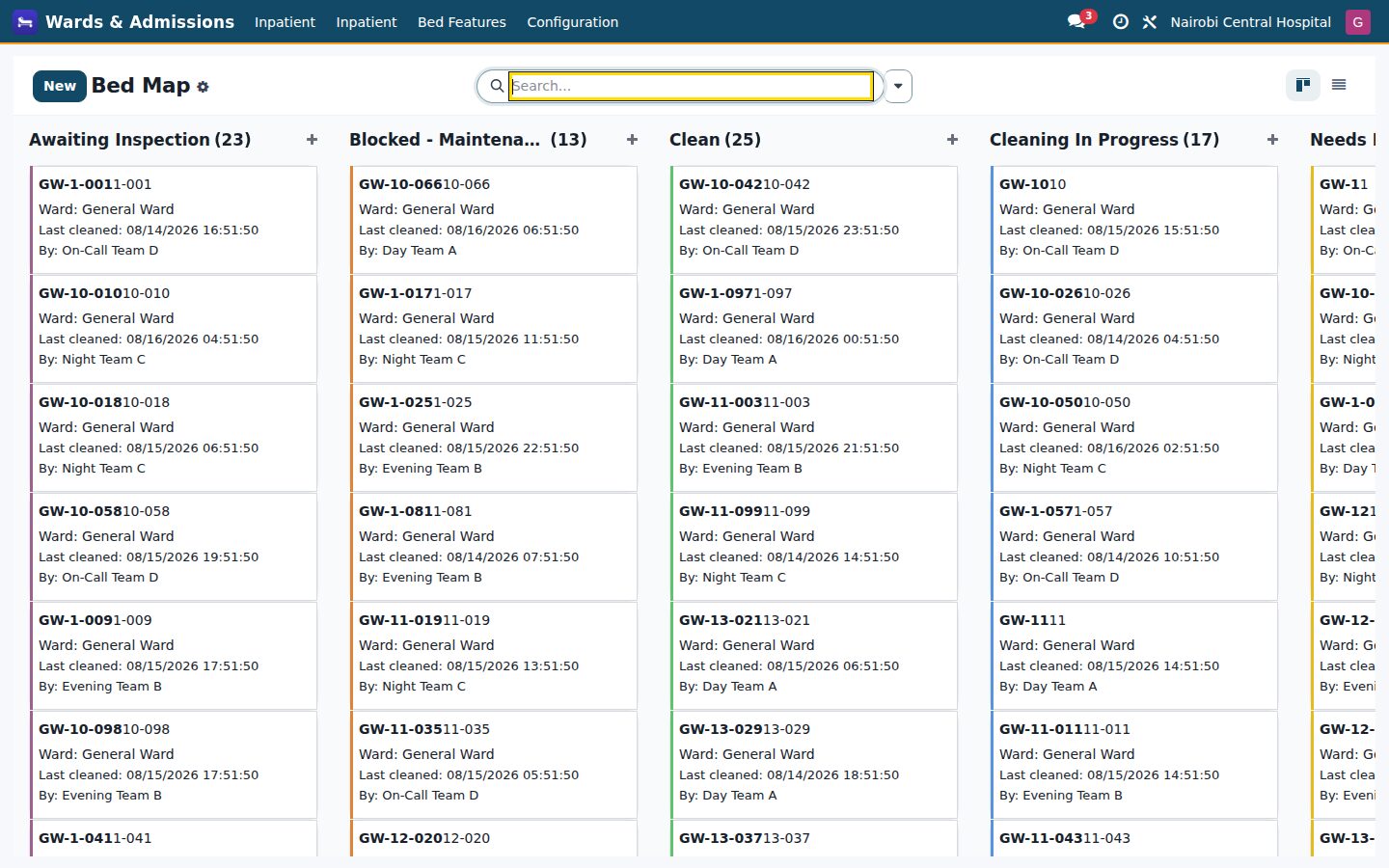
- Bed Map KanbanColor-coded kanban of all beds grouped by ward showing state badge, patient and admit date at a glance.
- Ward-Grouped Bed Map ActionDedicated Bed Map menu opens beds pre-grouped by ward for the whole facility.
- Bed List with State DecorationsList view color-decorates rows green/
red/ amber/ blue by bed state. - Bed Search & FiltersFilter beds by Available, Occupied, Cleaning, Maintenance and group by ward, state or class.
- Cleaning Queue ViewOne menu showing only beds currently in the cleaning state awaiting turnaround.
- Maintenance ViewDedicated list of beds in Maintenance or Out of Service.
Admission Lifecycle
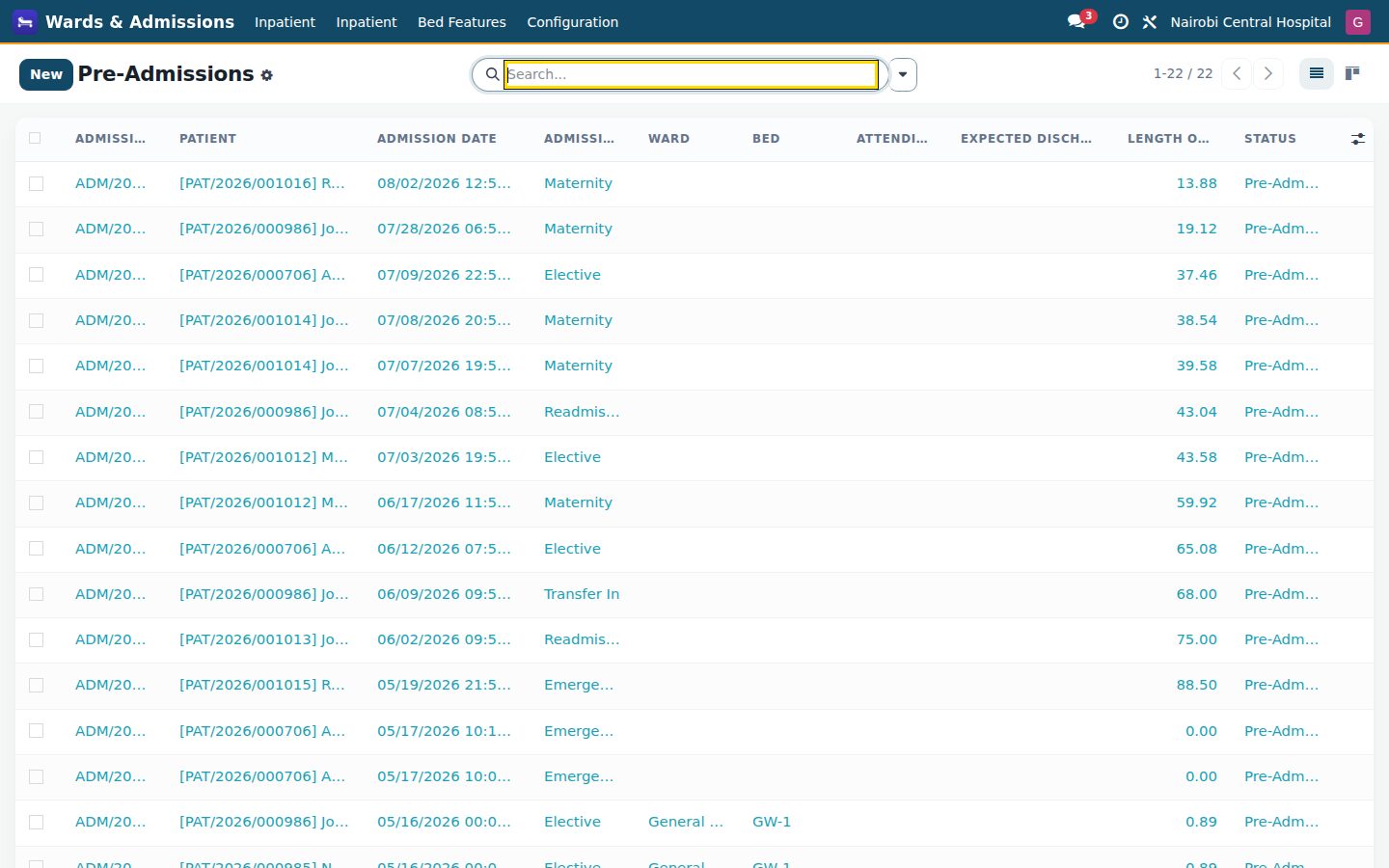
- Auto-Numbered AdmissionsEach admission gets a sequenced number (ADM/
year/000000) unique per company. - Nine-State Admission WorkflowDrive admissions through Pre-Admission, Admitted, On Leave, Pending Discharge, Discharged, Transferred, Canceled, Deceased and LAMA.
- Admit Patient ActionAdmitting validates and occupies the assigned bed, advances the linked visit and stamps the admission date.
- Admission Types & RoutesCapture admission type (Elective, Emergency, Maternity, Transfer-In, Readmission) and route (OPD, A&E, Direct, Referral, Inter-Facility).
- On-Leave / Return HandlingMark admitted patients on leave and return them, preserving the bed occupancy.
- Request DischargeFlag an admission as pending discharge so the ward team can prepare paperwork.
- Auto-Numbered AdmissionsEach admission gets a sequenced number (ADM/
Transfers
- Guided Transfer WizardA wizard moves a patient to an available destination bed, validating availability and blocking same-bed transfers.
- Automatic Bed HandoverOn transfer the old bed goes to cleaning (with a cleaning record) and the new bed is set occupied.
- Transfer Reason CodingRecord why the transfer happened: clinical upgrade, downgrade, patient request, bed maintenance, infection control, staffing or other.
- Inter-Ward Transfer LogEvery transfer is logged with from/
to bed and ward, timestamp, performing staff and clinical notes. - Transfer History & CountAdmission form shows a transfer smart-button count and an embedded transfer history tab.
Discharge
- Guided Discharge WizardA wizard captures discharge date, type, destination, discharging doctor and final data in one step.
- Seven Discharge TypesClassify discharge as Routine, Against Medical Advice, LAMA, Transferred, Referred, Deceased or Absconded.
- Six Discharge DestinationsRecord destination as Home, Nursing Facility, Mortuary, Other Hospital, Hospice or Other.
- Mandatory Medication ReconciliationDischarge is blocked until medication reconciliation is confirmed.
- Consent EnforcementRequires patient or next-of-kin consent unless the discharge type is death, LAMA, AMA or absconded.
- Final Diagnoses & SummaryAttach multiple final ICD-10 diagnoses, an HTML discharge summary and discharge medications.
Housekeeping / Turnaround
- Bed Cleaning RecordsTrack each cleaning with auto-generated reference, type, requested/
started/ completed times and personnel. - Five Cleaning TypesDistinguish Routine, Post-Discharge, Terminal (Isolation), Deep Clean and Bio-Hazard turnarounds.
- Cleaning State MachineMove cleanings through Pending, In Progress, Completed and Re-Clean, syncing the bed's state each step.
- Cleaning Checklist LinesAttach an ordered, tickable step-by-step cleaning checklist with per-step notes.
- Cleaning Duration TrackingAutomatically computes turnaround duration in minutes from start and completion times.
- Verified-By Sign-OffRecord the nurse or doctor who verifies a completed cleaning.
- Bed Cleaning RecordsTrack each cleaning with auto-generated reference, type, requested/
Mortuary
- Auto Mortuary Intake on DeathA deceased discharge auto-creates a mortuary intake stub linked back to the admission.
- Mortuary Intake RecordSequenced (MOR/
year) intake capturing deceased, date/ time of death, pronouncing doctor and cause of death. - Body Tag & Cold StorageRecord body tag number and cold-storage location for tracking.
- ICD-10 Cause of DeathCode the cause of death against the ICD-10 catalog.
- Next-of-Kin NotificationTrack whether next of kin were notified plus their name and phone.
- Body Release WorkflowRelease the body with a one-click action recording released-to, release time and authorising staff.
Configuration
- Settings
Inpatient
- Bed Map
- Active
- All Beds
- Occupancy
- Pre-Admission
- Maintenance
- Length of Stay
- Discharged
- Wards
- Cleaning Queue
- 30-Day Readmissions
- All
- Cleaning Log
- Bed Turnover
- Transfers
- Mortuary
Wards & Admissions
- Bed Features
Documents it prints
- Admission Sheet
- Discharge Summary
- Bed Occupancy (Daily Census)
- Length of Stay (ALOS)
It runs by itself
- HMS: Flag projected discharges (72h)Runs every 6 hours
- HMS: Release cleaned beds to availableRuns every 30 minutes
Guided assistants
- Admission Transfer Wizard
- Admission Discharge Wizard
- Config Settings
Works with
What Wards & Inpatient works with
Wards & Inpatient shares one database with the rest of the Bridge HMS Suite and BridgeERP: these are the apps it already talks to, with nothing to buy in between.
Builds on
Wards & Inpatient needs these to run; they come with it in the same plan.
Feeds
Records created here flow straight into these apps, with no export and no import.
 NursingVitals charting, medication administration with barcode checks and nursing notes.
 Operating TheatreSurgery scheduling, checklists, anaesthesia records and theatre consumables.
 Intensive CareICU flowsheets, scoring, ventilator and infusion documentation.
 MaternityAntenatal care, labour and delivery, postnatal and newborn records.
 DietaryTherapeutic diets, meal orders and ward catering.
 HousekeepingBed turnaround, cleaning schedules and linen management.
And the wider platform
Any BridgeERP app can join the same database.
 AccountingFull double-entry accounting, bank reconciliation, assets, budgets and statutory reports.
 ExpensesEmployee expense claims with receipt capture and reimbursement.
 InvoicingCustomer invoices, vendor bills, payments and tax handling.
 SignSend documents for legally binding electronic signature.
 SubscriptionsRecurring contracts, automatic renewals and MRR reporting.
 EmployeesEmployee records, contracts, attendance, skills, appraisals and referrals.
In the suite
More Bridge HMS Suite apps
- HMS Core
 Reception
 Appointments
 Consultation / OPD
 Electronic Health Record
 Laboratory
 Pathology
 Radiology & PACS
 Pharmacy
 Billing & Cashiering
 Insurance & Claims
- Nursing
- Operating Theatre
- Intensive Care
 Emergency
 Blood Bank
 Dialysis
- Maternity
 Paediatrics
 Dental
 Ophthalmology
 Specialty Packs
 Telehealth
 Patient Portal
 Ambulance
 Mortuary
 Medical Stores
- Dietary
 CSSD
CSSD Infection Control
 Quality & Accreditation
 Health Analytics
 Bria Clinical AI
 Interoperability
 Public Health
 Country Compliance
 Biomedical Engineering
 Facility Helpdesk
- Housekeeping
Put Wards & Inpatient to work
Add it to your Bridge HMS Suite plan, priced per practitioner, or start a free trial and see it running first.