












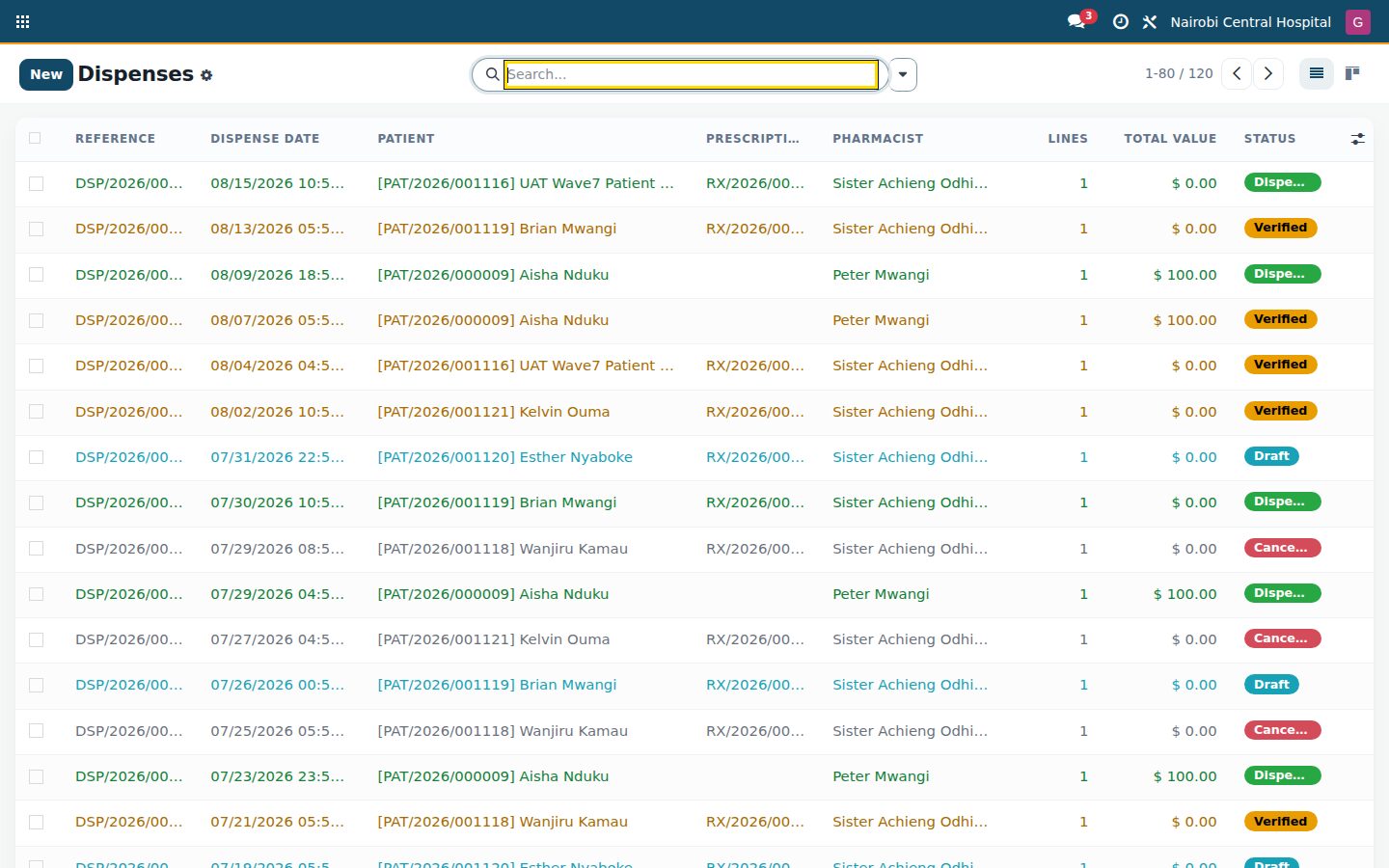
 Pharmacy: Dispensing, stock by batch and expiry, interaction checks and pharmacy till
No extra charge. Free instant access, no credit card required.
Works with
 HMS Core
 Inventory
What's inside
Everything in Pharmacy
76 items in 14 areas, every one shipping with the app today.
Drug Catalog & Formulary
- Medication Product FlagMarks any product as a medication so it appears in the pharmacy catalog and can be dispensed or sold OTC.
- Drug Schedule ClassificationClassifies each drug as OTC, Rx-only, Schedule III/
IV/ V, narcotic or psychotropic to drive controls. - Controlled-Substance FlagTags a product as controlled so it triggers register entries and enhanced audit on dispense.
- Generic (INN) NameRecords the International Non-proprietary Name of the active ingredient for each medication.
- Dose Strength & FormCaptures strength (e.g. 500mg) and one of 14 dose forms (tablet, syrup, injection, inhaler, patch, etc.).
- ATC CodeStores the WHO Anatomical Therapeutic Chemical code on every product for standardized classification.
Therapeutic Class Management
- ATC Anatomical GroupingOrganizes therapeutic classes under the 14 WHO ATC anatomical groups (A through V).
- Hierarchical Class TreeSupports parent/
child therapeutic class hierarchies with recursion protection against circular ancestry. - Products-in-Class CounterComputes and displays how many products belong to each therapeutic class.
- Jump to Class ProductsA button opens the filtered product list for all medications in a selected therapeutic class.
- ATC-Coded Display NamesRenders class names prefixed with their ATC code for quick regulatory reference.
Dispensing Workflow
- Prescription-to-Dispense LoaderBuilds a draft dispense pre-populated from a prescription's outstanding line quantities in one click.
- Ad-hoc DispenseAllows dispensing without a linked prescription for over-the-counter or emergency scenarios.
- Dispense State MachineEnforces a draft to verified to dispensed lifecycle with cancellation available before completion.
- Safety Verification StepA Verify action runs allergy and interaction checks and blocks progression on unresolved risks.
- Allergy GuardMatches patient recorded allergies against product and generic names and hard-blocks the dispense on any hit.
- Drug-Drug Interaction GuardCross-checks all dispensed products for interactions and lists severity-ranked warnings.
Controlled Substances & Compliance
- Two-Witness Double AuthenticationForces a second authorized user to approve controlled dispenses via a witness wizard before stock moves.
- Witness Password VerificationValidates the witness's login credentials against the auth backend and forbids the same user as dispenser.
- Immutable Controlled LogWrites append-only controlled-substance dispense entries that cannot be deleted, even by uninstall.
- Controlled Log Register ViewA dedicated menu lists every controlled dispense with dispenser, witness, lot and quantity.
- Controlled-Drugs Register (PPB)Aggregates controlled dispenses for a period into the national register, in Kenya's Pharmacy and Poisons Board format.
- Opening/Closing Balance ComputationComputes per-drug opening balance, dispensed quantity and running closing balance across the period.
OTC Walk-in Sales
- Walk-in OTC SaleRecords over-the-counter sales to walk-in customers capturing name and phone without a patient record.
- Rx-Only Block at CounterRejects any non-OTC or Rx-only product from being sold through the OTC counter.
- Multiple Payment MethodsSupports cash, M-Pesa, card and insurance payment methods with a payment reference field.
- Invoice GenerationCreates and posts a customer invoice from the sale lines on payment confirmation.
- Auto Partner CreationCreates a walk-in customer partner automatically when none is linked for invoicing.
- OTC Stock-Out PickingGenerates and validates an outgoing stock picking for the sold items on payment.
Expiry Management
- Daily Expiry Scanner CronA daily scheduled job scans all medication lots and populates the near-expiry alert list.
- 30/60/90-Day Expiry BandsClassifies each lot into expired or 30/60/90-day bands with days-to-expiry computed automatically.
- Pharmacist Expiry ActivitiesSchedules a warning activity on the pharmacist for any lot expiring within 30 days.
- Alert AcknowledgementLets pharmacists acknowledge expiry alerts, recording who acknowledged and when.
- Self-Cleaning Alert ListRemoves alerts whose lots are consumed or pushed beyond the 90-day horizon on each scan.
- Expiry Loss ReportA PDF report quantifying stock value at risk from near-expiry and expired medication lots.
Inventory & Reordering
- Pharmacy Location RolesMaps stock locations to main store, dispensary or ward-pharmacy roles within a facility.
- Default Dispensary ResolutionAuto-selects the best dispensary for the current user based on their staff facility.
- Location Integrity ConstraintsEnforces internal-only stock locations and one pharmacy role per stock location.
- Medication Reorder HelperA database view surfacing only medications below their orderpoint minimum with computed shortfall.
- Low-Stock Nudge CronA daily job emails the pharmacist a summarized list of medications that crossed their minimum stock.
- Low-Stock ReportA PDF report listing medications under their reorder point for purchasing action.
Dashboard & Reports
- Pharmacy KPI DashboardDisplays tiles for dispenses today, pending Rx, near-expiry, low-stock, OTC sales and controlled dispenses.
- Top-10 Dispensed WidgetAggregates the ten most-dispensed medications over the last 30 days via a SQL rollup.
- Drill-Down Tile ActionsDashboard tiles open filtered lists of today's dispenses, pending Rx, near-expiry and low-stock items.
- Drug Consumption WizardGenerates a period consumption report grouped by product with quantity, event count and value.
- PDF & CSV Consumption OutputOutputs the consumption report as a formatted PDF or a downloadable CSV export.
- OTC-Inclusive ConsumptionOptionally folds OTC sale quantities into the consumption aggregation alongside dispenses.
Configuration
- Settings
Documents it prints
- Dispense Label
- Dispense Receipt
- Controlled-Drugs Register (PPB)
- Drug Consumption Report
- Pharmacy Low-Stock Report
- Pharmacy Expiry Loss Report
It runs by itself
- HMS Pharmacy: Scan near-expiry drug lotsRuns daily
- HMS Pharmacy: Nudge pharmacist on low-stock medicationsRuns daily
Guided assistants
- BridgeERP HMS Pharmacy - Dashboard
- BridgeERP HMS Pharmacy - Double Authentication Wizard
- BridgeERP HMS Pharmacy - Drug Consumption Report Wizard
- BridgeERP HMS Pharmacy - Drug Consumption Report Line
- Config Settings
What it sends
- HMS Pharmacy: Low-Stock Alert
- HMS Pharmacy: Near-Expiry Alert
- HMS Pharmacy: Controlled-Drugs Register Submission Notice (PPB)
Also in the app
- Pharmacy Dashboard
- Consumption Report
- Dispense
- Controlled Substances
- OTC Sales
- Drug Catalog
- Therapeutic Classes
- Formulary
- Controlled-Drugs Register (PPB)
- Expiry Alerts
- Reorder Helper
- Pharmacy Locations
Works with
What Pharmacy works with
Pharmacy shares one database with the rest of the Bridge HMS Suite and BridgeERP: these are the apps it already talks to, with nothing to buy in between.
Builds on
Pharmacy needs these to run; they come with it in the same plan.
And the wider platform
Any BridgeERP app can join the same database.
 AccountingFull double-entry accounting, bank reconciliation, assets, budgets and statutory reports.
 ExpensesEmployee expense claims with receipt capture and reimbursement.
 InvoicingCustomer invoices, vendor bills, payments and tax handling.
 SignSend documents for legally binding electronic signature.
 SubscriptionsRecurring contracts, automatic renewals and MRR reporting.
 EmployeesEmployee records, contracts, attendance, skills, appraisals and referrals.
In the suite
More Bridge HMS Suite apps
- HMS Core
 Reception
 Appointments
 Consultation / OPD
 Electronic Health Record
 Laboratory
 Pathology
 Radiology & PACS
 Billing & Cashiering
 Insurance & Claims
 Wards & Inpatient
 Nursing
 Operating Theatre
 Intensive Care
 Emergency
 Blood Bank
 Dialysis
 Maternity
 Paediatrics
 Dental
 Ophthalmology
 Specialty Packs
 Telehealth
 Patient Portal
 Ambulance
 Mortuary
 Medical Stores
 Dietary
 CSSD
CSSD Infection Control
 Quality & Accreditation
 Health Analytics
 Bria Clinical AI
 Interoperability
 Public Health
 Country Compliance
 Biomedical Engineering
 Facility Helpdesk
 Housekeeping
Put Pharmacy to work
Add it to your Bridge HMS Suite plan, priced per practitioner, or start a free trial and see it running first.