





PBX, TV & Minibar: Phones, TVs and minibars that follow every stay

Your phone system, TVs, minibars and room controls follow every stay by themselves. Check-in opens the room's phone with the guest's name and language, a room move follows the guest, and check-out closes the room. Calls, minibar articles, pay TV and internet land on the guest's bill, once. Wake-up calls, room statuses and Do Not Disturb come and go on their own, and the TV shows the guest their bill. It all runs over Oracle FIAS, through a small bridge program on the hotel network.

Included: no integration fee. Free instant access, no credit card required.

Works with
  • Hotel Foundation
PBX, TV & Minibar in the Hotel Suite: Phones, TVs and minibars that follow every stay
01

Every System Follows the Stay

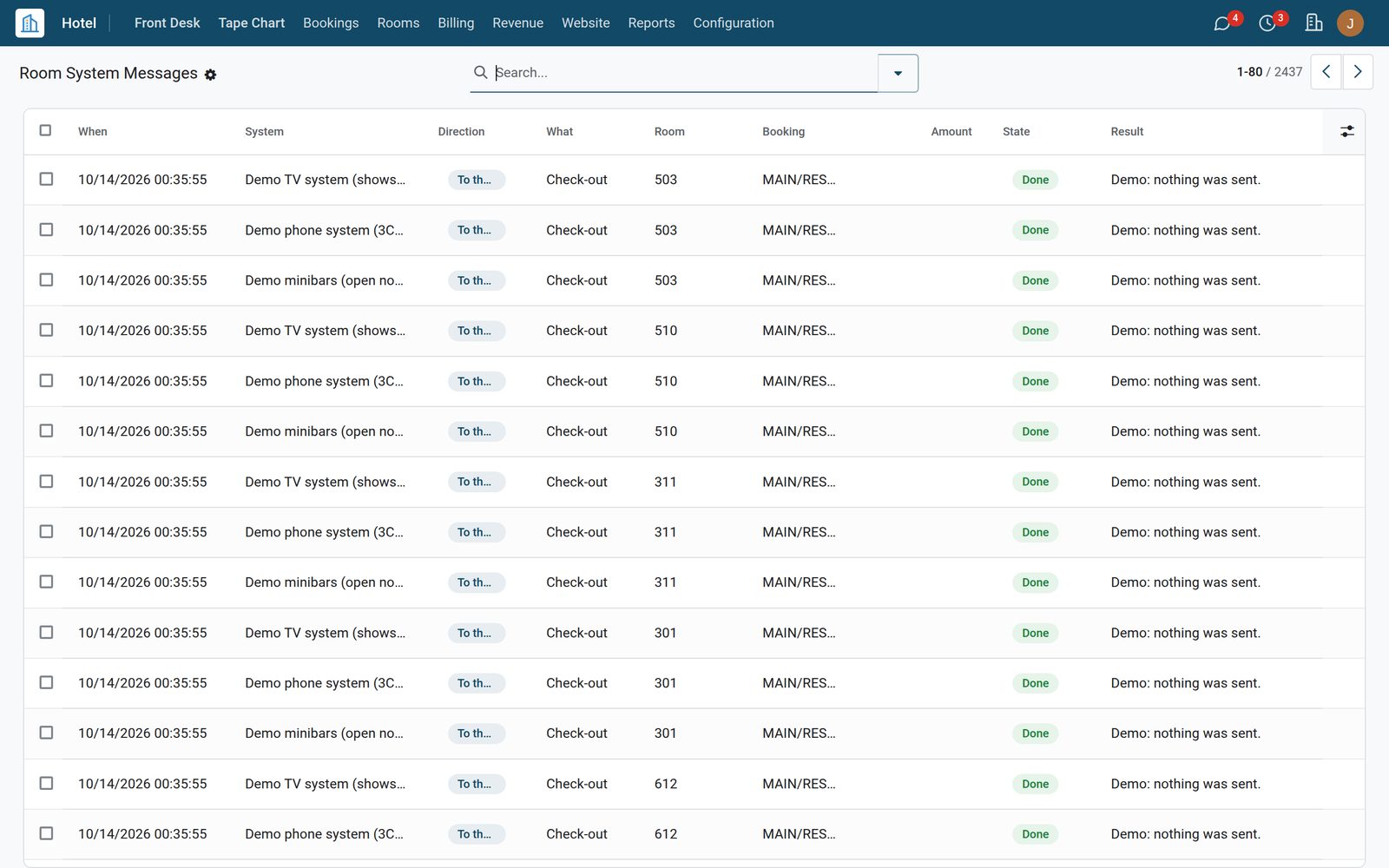
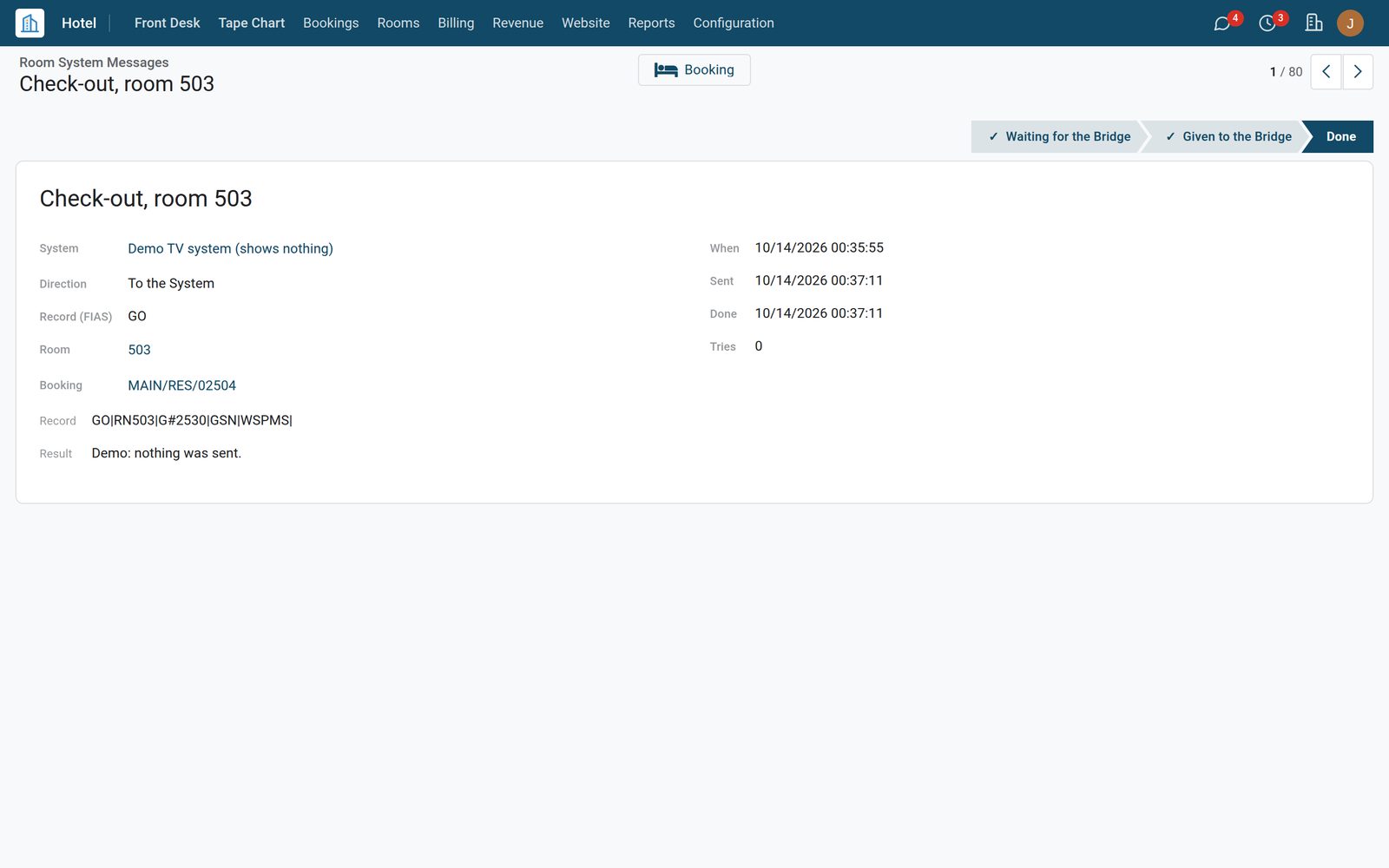
Name each system once: its kind, its make and what it takes. Eight kinds are listed, from the phone system and call accounting to the TV, the minibars, the room controls, voice mail and in-room Wi-Fi. At check-in each system gets the room, the booking number and, if you choose, the guest's name and language; room moves and check-out follow by themselves. The demo hotel runs a phone system, a TV system and minibars that send nothing.
PBX, TV & Minibar: Every System Follows the Stay
02

Wake-up Calls, Answered or Not

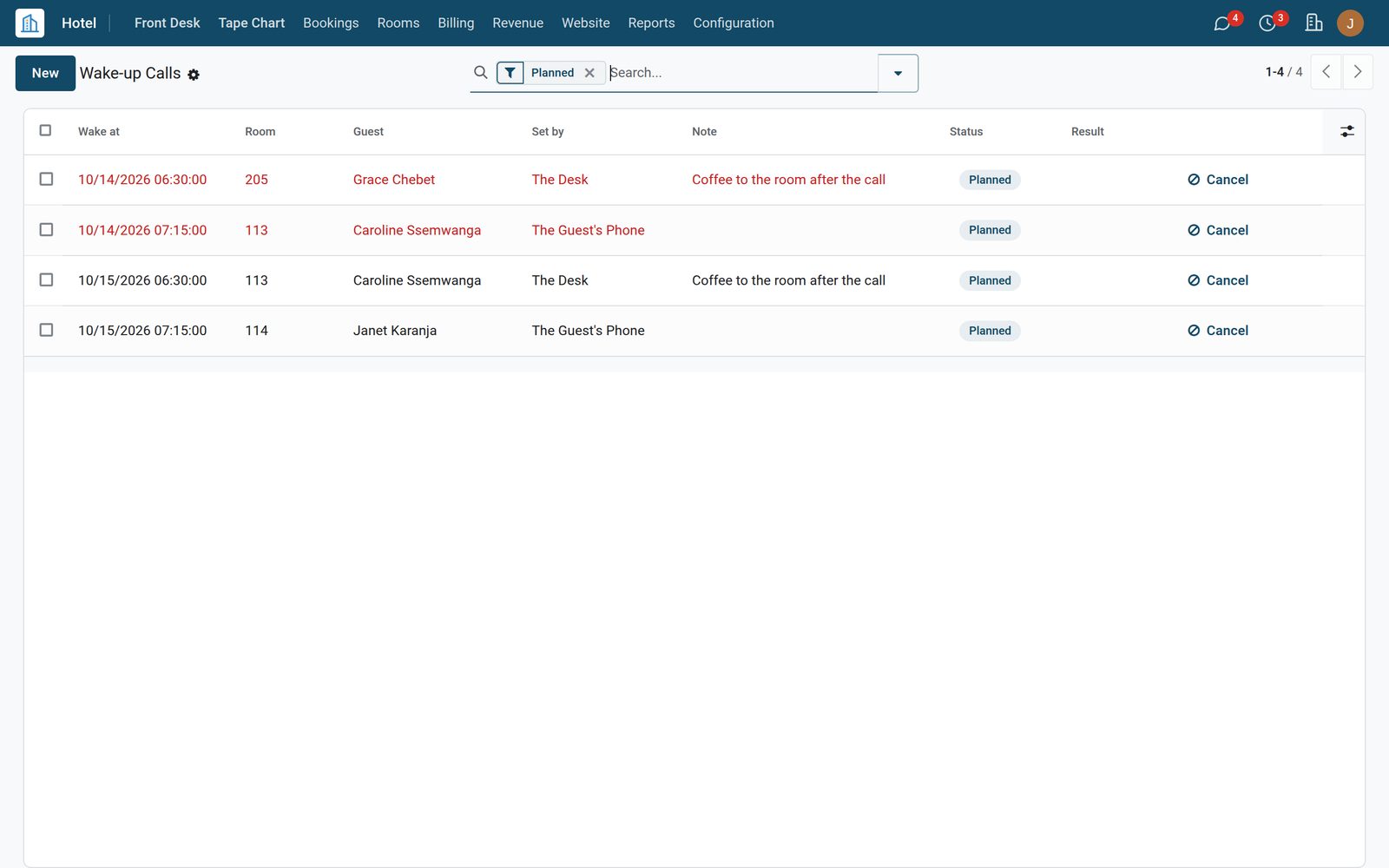
The desk sets a wake-up call from the guest's booking, or the guest sets one on the room phone. The phone system rings the room and reports back. A call the guest did not answer shows a red alert and is written on the booking for the desk. Without a phone system the list is the operator's: due calls in red, marked Answered or No Answer by hand. Outside calls are barred from the booking in one click.

PBX, TV & Minibar: Wake-up Calls, Answered or Not
03

Room Status and Do Not Disturb from the Room

A room attendant keys the room status on the room phone and the room changes here: clean, dirty or inspected, with the attendant's code in the log. Do Not Disturb and Make Up Room come from the room's panel or are set at the desk, and show on the room with the time they started. A Do Not Disturb set at the desk reaches the phone system; with Hotel Housekeeping it also marks the room's open task.

PBX, TV & Minibar: Room Status and Do Not Disturb from the Room

What's inside

Everything in PBX, TV & Minibar

38 items in 5 areas, every one shipping with the app today.

  • What follows the stay

    • Check-in, room move, check-outEach system gets the room, the booking number, the dates and the class of service at check-in; a move and a check-out follow by themselves.
    • The guest's name and languageSent so the phone shows the name and the TV greets the guest in their language; each can be switched off per system.
    • Calls allowed at check-inBarred, local, national or no restrictions, set per phone system.
    • Room moves your wayAs a check-out and a check-in, or as one room move for systems that carry voice mail and wake-up calls along.
    • Only what the system asked forWhen the link starts the system lists the records it wants; only those are sent to it.
    • Send the Guests AgainEvery guest in house, the empty rooms and the planned wake-up calls sent again, from the desk or when the system asks.
  • Charges on the bill

    • Calls on the guest's billPriced by the phone system, or by meter pulses at your price per pulse.
    • Number masked, length shownThe number called ends in stars (three digits by default) with how long the call lasted.
    • Minibar article listEach 4-digit article number linked to a product and a price; one charge can carry several articles.
    • Pay TV and internetCharges from the TV and in-room internet systems go on the same bill.
    • Folio or invoiceWith Hotel Management on the guest folio under the charge type you choose; without it, on the booking's invoice.
    • Amounts with or without taxesTell it whether the system's amounts include taxes; the bill line is priced to match.
    • Posted onceA charge the system sends again is answered without a second line.
    • Refused with the reasonNo guest in the room, or an article not in the list: the system is told and the charge waits for Post Again.
  • Wake-up calls

    • Set at the desk or on the phoneFrom the booking's Wake-up Call button, from the list, or by the guest on the room phone.
    • The answer comes backAnswered, no answer or busy, from the phone system.
    • A missed call is flaggedA red alert on the call, and a note on the booking for the desk.
    • Operator modeWithout a phone system the operator calls the room and marks Answered or No Answer.
    • Plan AgainA missed or cancelled call planned again in one click while the guest is in house.
    • Follows the guestPlanned calls move with a room move and are cancelled at check-out.
    • Filters for the morningPlanned, Due Now, Not Answered and Today, grouped by status or day.
  • Rooms, the desk and the TV

    • Room status from the room phoneClean, dirty or inspected keyed by the attendant changes the room, with the code in the log.
    • Do Not Disturb and Make Up RoomFrom the room's panel or the desk, with a badge and the time it started; Guest Signs Off clears it.
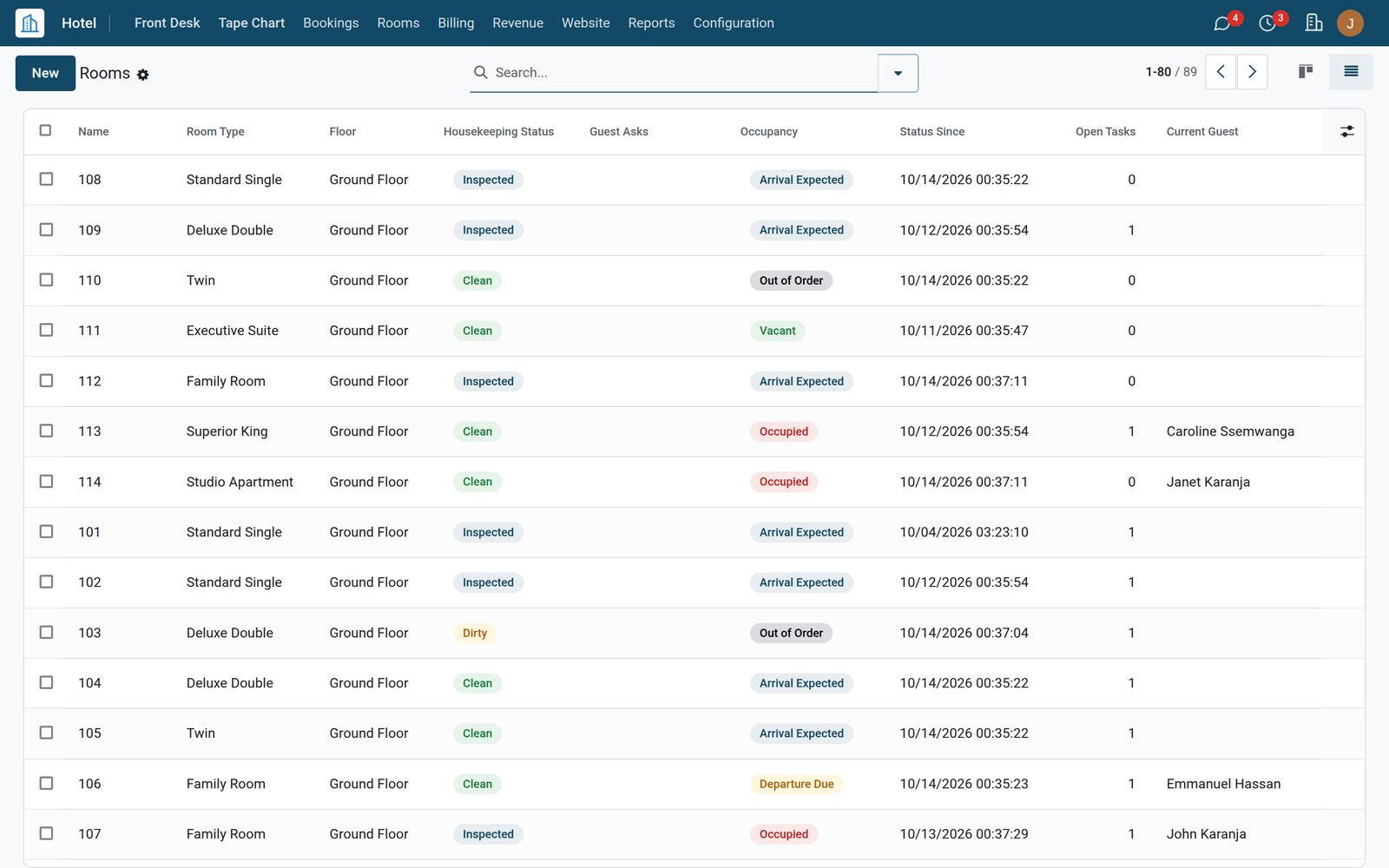
    • Guest Asks columnThe rooms list shows which rooms are on Do Not Disturb or Make Up Room.
    • Do Not Disturb to the phoneA sign set at the desk reaches the phone system; with Hotel Housekeeping it also marks the room's open task.
    • Bar Outside CallsOne click on a checked-in booking; Allow Outside Calls turns it back.
    • The bill on the TVThe guest asks the TV for the bill: its lines and the balance go back to the screen.
    • Express check-out from the TVA guest leaving today with nothing left to pay checks out from the room's TV. With a balance, or before the departure day, the TV sends the guest to the desk. On or off per TV system.
  • Systems and the link

    • Eight kinds of systemPhone system, call accounting, TV, minibar, room controls, voice mail, in-room Wi-Fi and other, each with its default jobs.
    • Named makes3CX Hotel Module, Yeastar P-Series, Grandstream UCM, Wildix, Mitel MiVoice Business, Avaya, Aurenz alwinPro, Nomadix, or another FIAS system.
    • Oracle FIAS 2.25Check-ins, check-outs, guest changes, charges and their answers, room equipment, wake-up calls, resync and TV bill records.
    • A small bridge programA small connector on a computer on the hotel network holds the FIAS link and talks to the hotel system over a secure connection.
    • A key shown onceNew Bridge Key shows the key and the command to run; only a fingerprint of the key is kept.
    • Bridge status and set-up stepsConnected or not, last seen, version, what the system says it is, and five set-up steps on the Bridge tab.
    • Test the ConnectionChecks that the bridge is running and the system is linked.
    • A log the desk can readEvery record both ways with its room, booking, amount, state and result; filters and group-bys.
    • Tried again, then FailedA record the bridge could not deliver goes back in the queue; after five tries it is Failed, with Send Again.
    • Demo systemsA Demo ribbon, and nothing is sent anywhere.

Put PBX, TV & Minibar to work

Add it to your Hotel Suite plan, priced per room, or start a free trial and see it running first.