

Manufacturinglesson 2 of 2
Written lesson
Follow a manufacturing order from confirmation to done, through its work orders.
Read the lesson →Run a manufacturing order
Course contentslesson 2 of 2
MRP Basics6 min
Manufacturing Orders7 min
What Manufacturing Orders gets you to
- Run a manufacturing order and its work orders from confirmation to done
A manufacturing order (MO) makes a quantity of a product from its bill of materials. It is created by a sales order for a product made to order, by a reordering rule, or by hand with New.
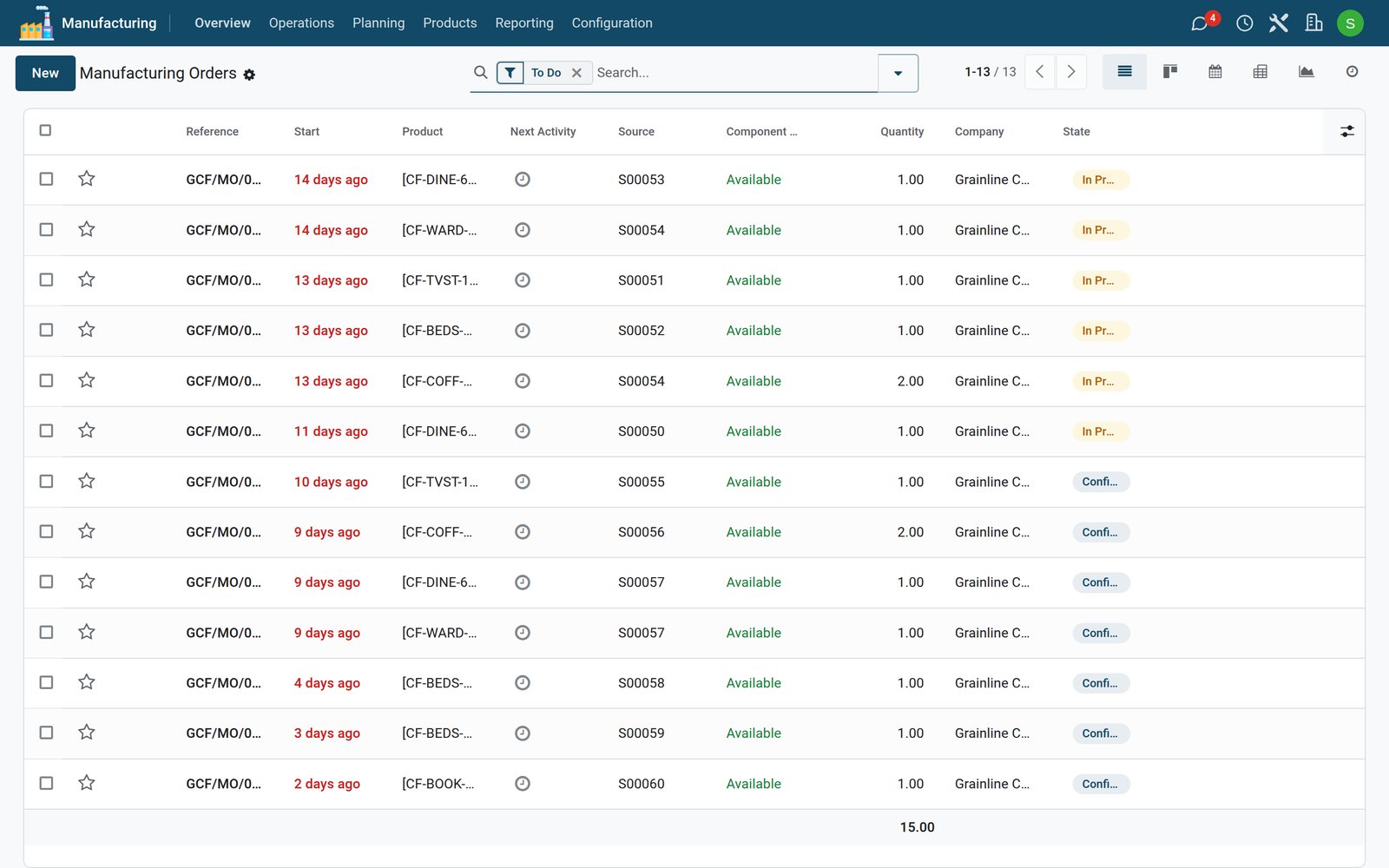
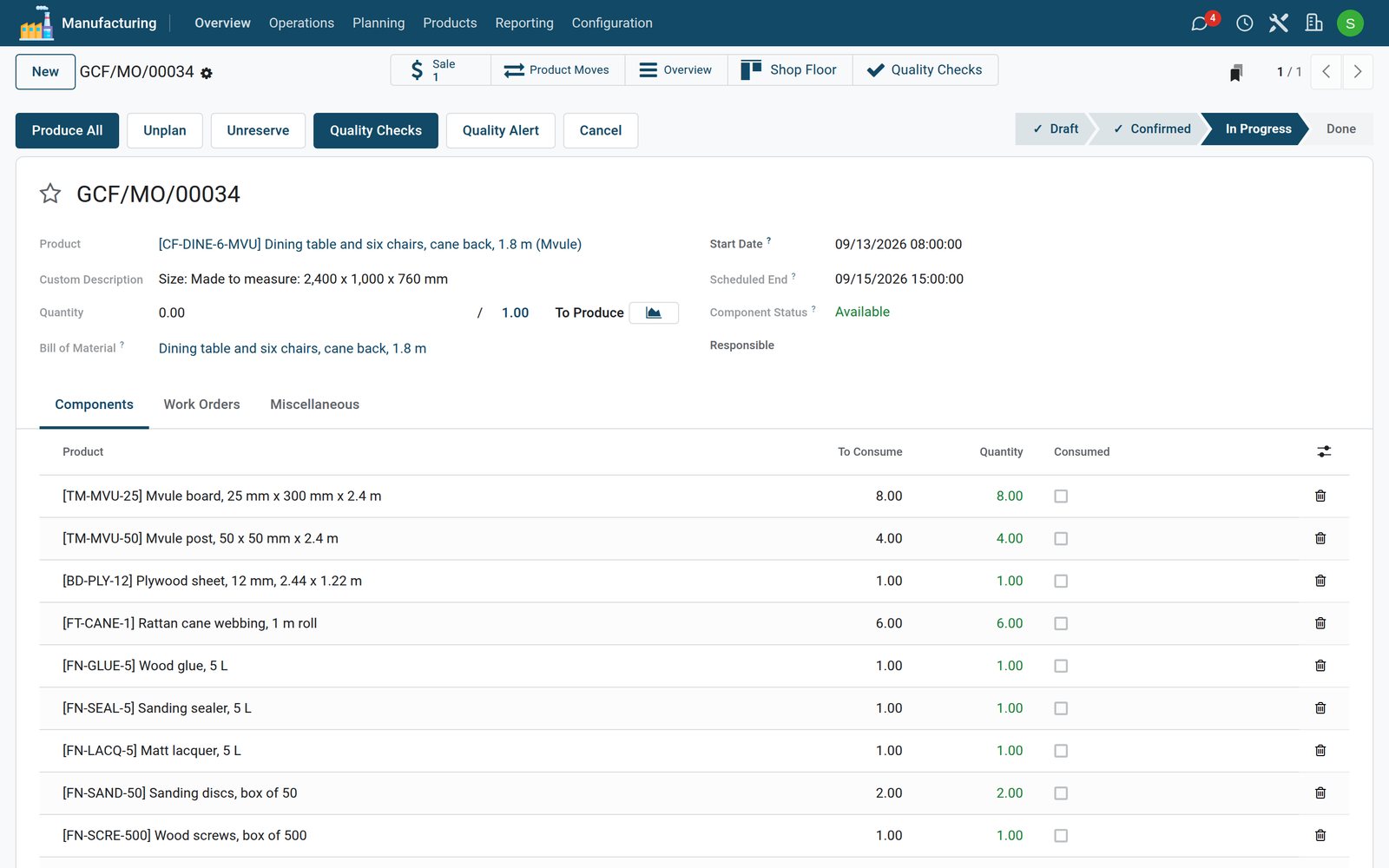
- Confirm the order: the components are reserved, and Component Status shows whether everything is there.
- Work through the Work Orders tab. Each operation of the bill of materials becomes a work order at its work centre, with its expected and its real duration. Start one with the play button; its timer runs until you pause it or finish it.
- When the product is finished, click Produce All. The components are taken out of stock, the finished product goes in, and the order is done.
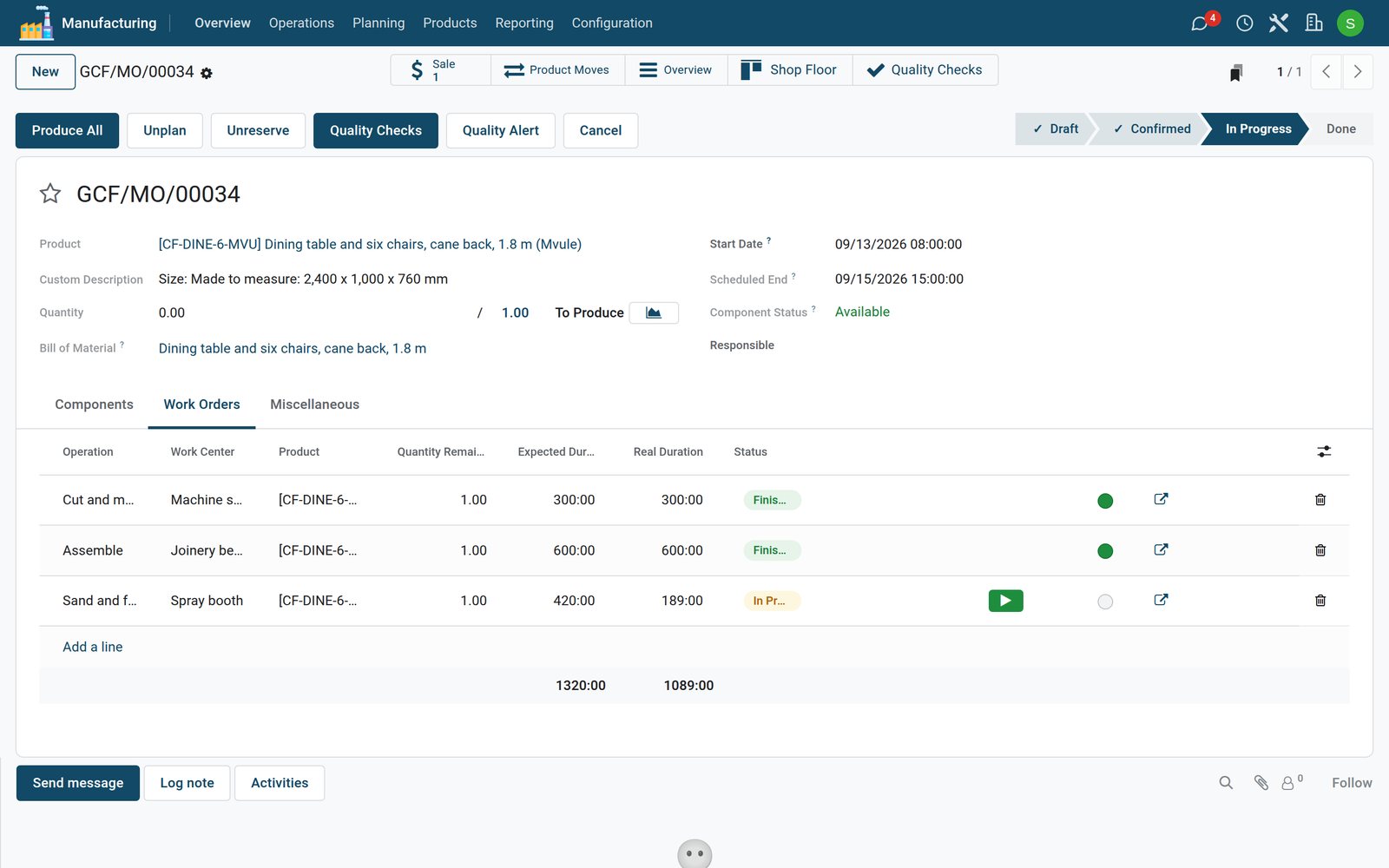
Operators usually run their work orders from the Shop Floor app: large buttons, one work centre at a time, on a tablet next to the machine.
Check what you learned
Loading the quiz…
These lessons were recorded on a working BridgeERP. Start a free trial and follow them on your own.