

Inventorylesson 1 of 4
Written lesson
One card per type of operation: what is ready, what is waiting and what is late.
Read the lesson →The inventory overview
Course contentslesson 1 of 4
Inventory basics4 min
Replenishment6 min
Warehouse transfers5 min
Daily operations5 min
What Inventory basics gets you to
- Read the inventory overview: what is ready, waiting and late
Inventory opens on the overview: one card for each type of operation in your warehouse, such as receipts from vendors, delivery orders to customers and, if you make things, manufacturing.
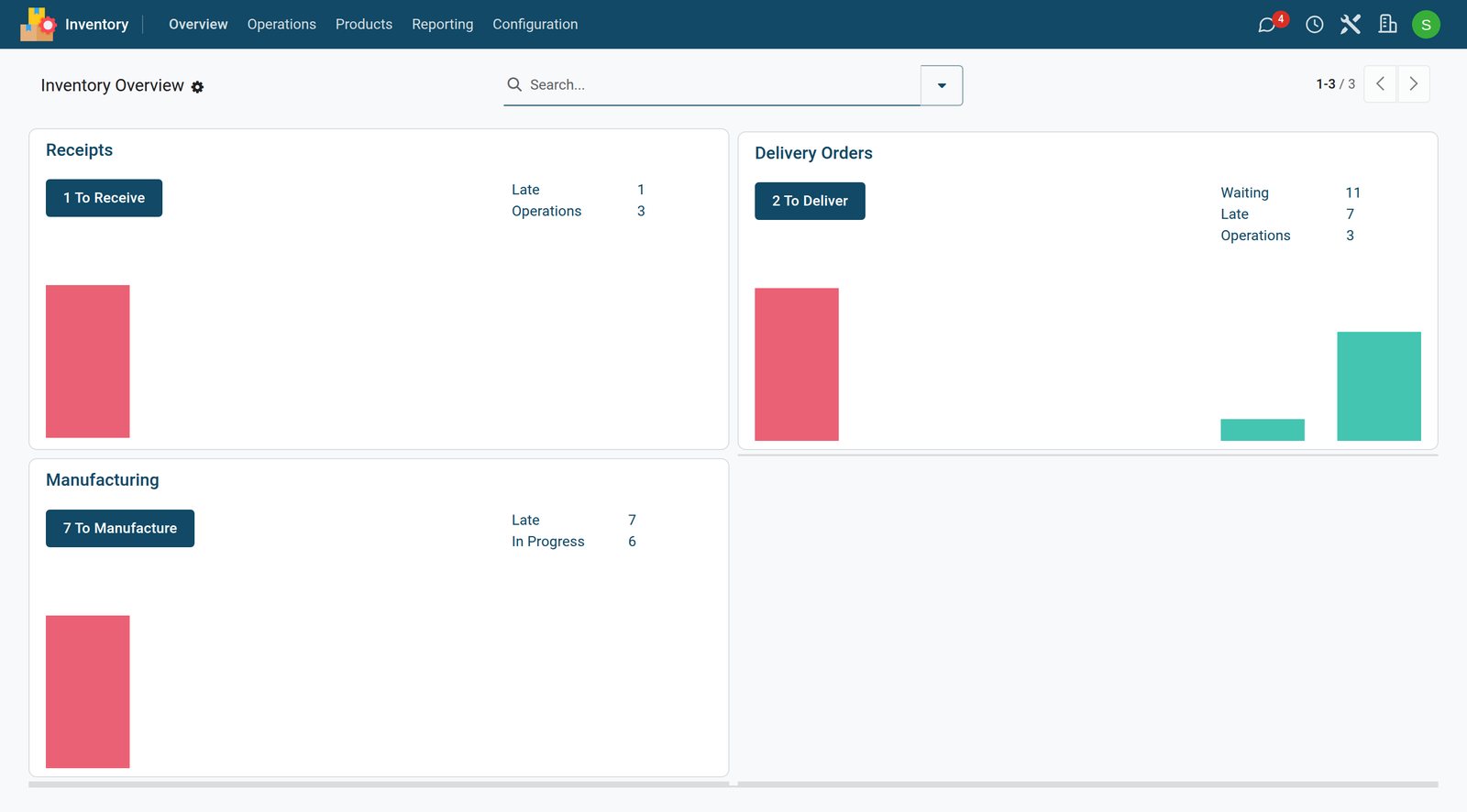
- The big button (1 To Receive, 2 To Deliver) opens the operations ready to process now.
- Waiting operations are waiting for something, usually stock that has not arrived yet.
- Late ones are past their scheduled date.
Each operation is a transfer: a document that moves products from one location to another, from the vendor into your stock or from your stock to the customer. The next lessons open one of each.
Check what you learned
Loading the quiz…
These lessons were recorded on a working BridgeERP. Start a free trial and follow them on your own.