

Faith-Based School Management: Run your faith-based school from one record: classes, fees, boarding and families
Religious education is taught and graded like any other subject, bursaries and scholarship funds sit beside the fee ledger, and parents hear from you by SMS, WhatsApp or email.
Free instant access. No credit card required.
 Academics
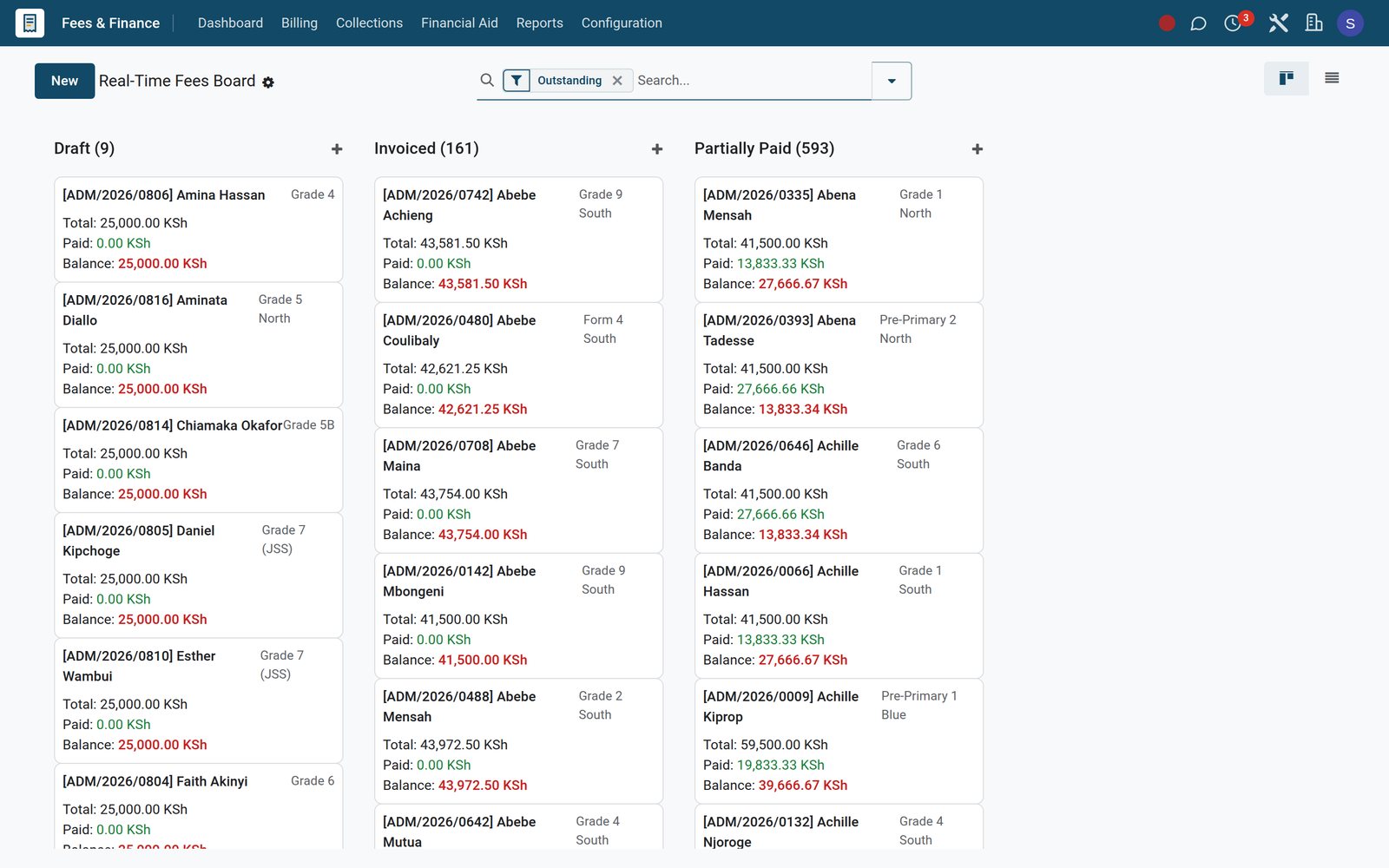
 Fees & Billing
 Assessment Engine
 Boarding & Hostel
 Parent Portal
 Payments & Mobile Money
Religious education on the timetable, in the gradebook and on the report
Christian, Islamic and Hindu religious education and Religious Studies are ordinary subjects in the Academic app, so they are planned, enrolled, marked and reported like mathematics.
 Academics
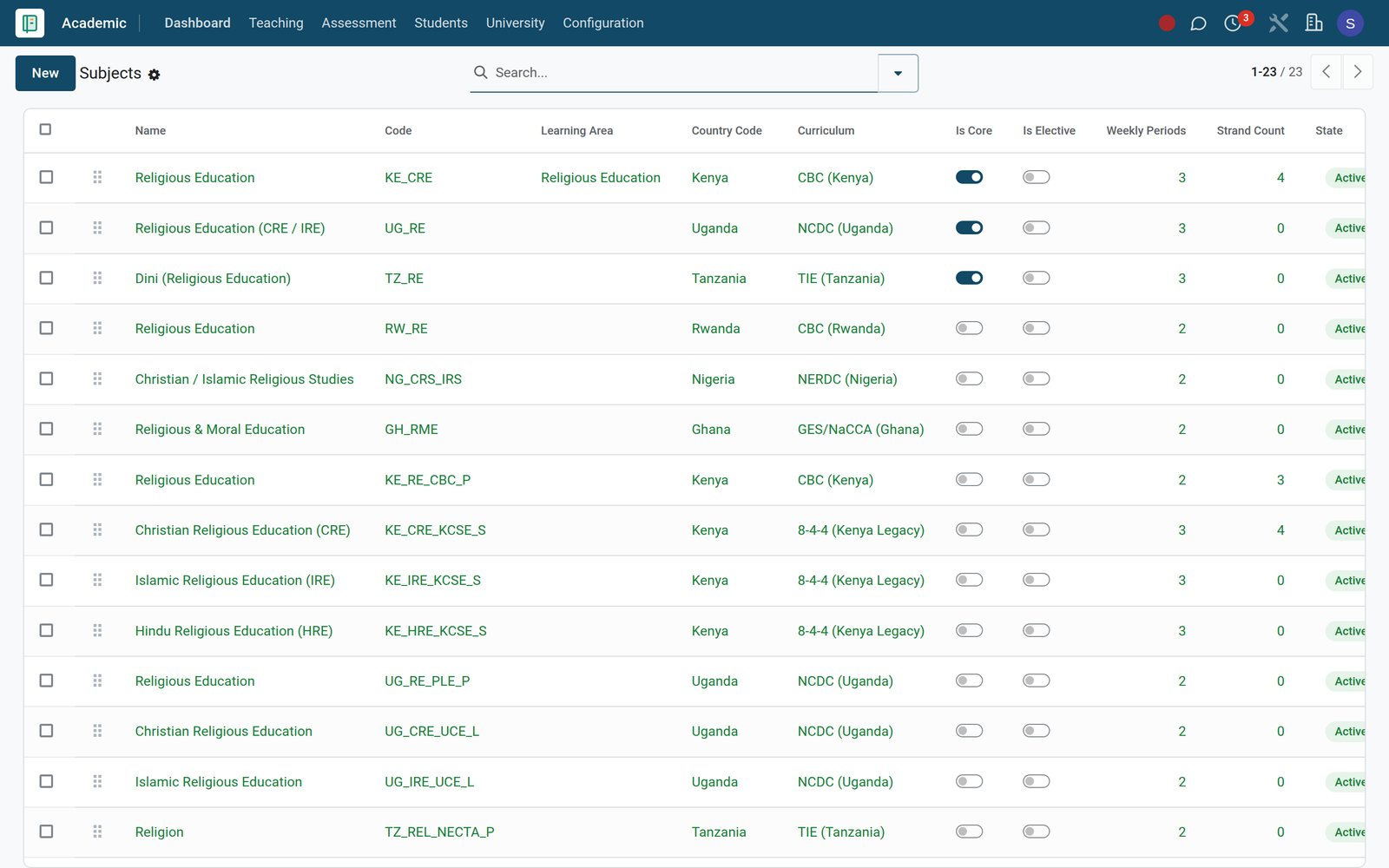
Every RE option in one subject list
Subjects holds Christian, Islamic and Hindu religious education beside Religious Studies, each with its learning area, curriculum and weekly periods, ready to timetable.
Explore Academics →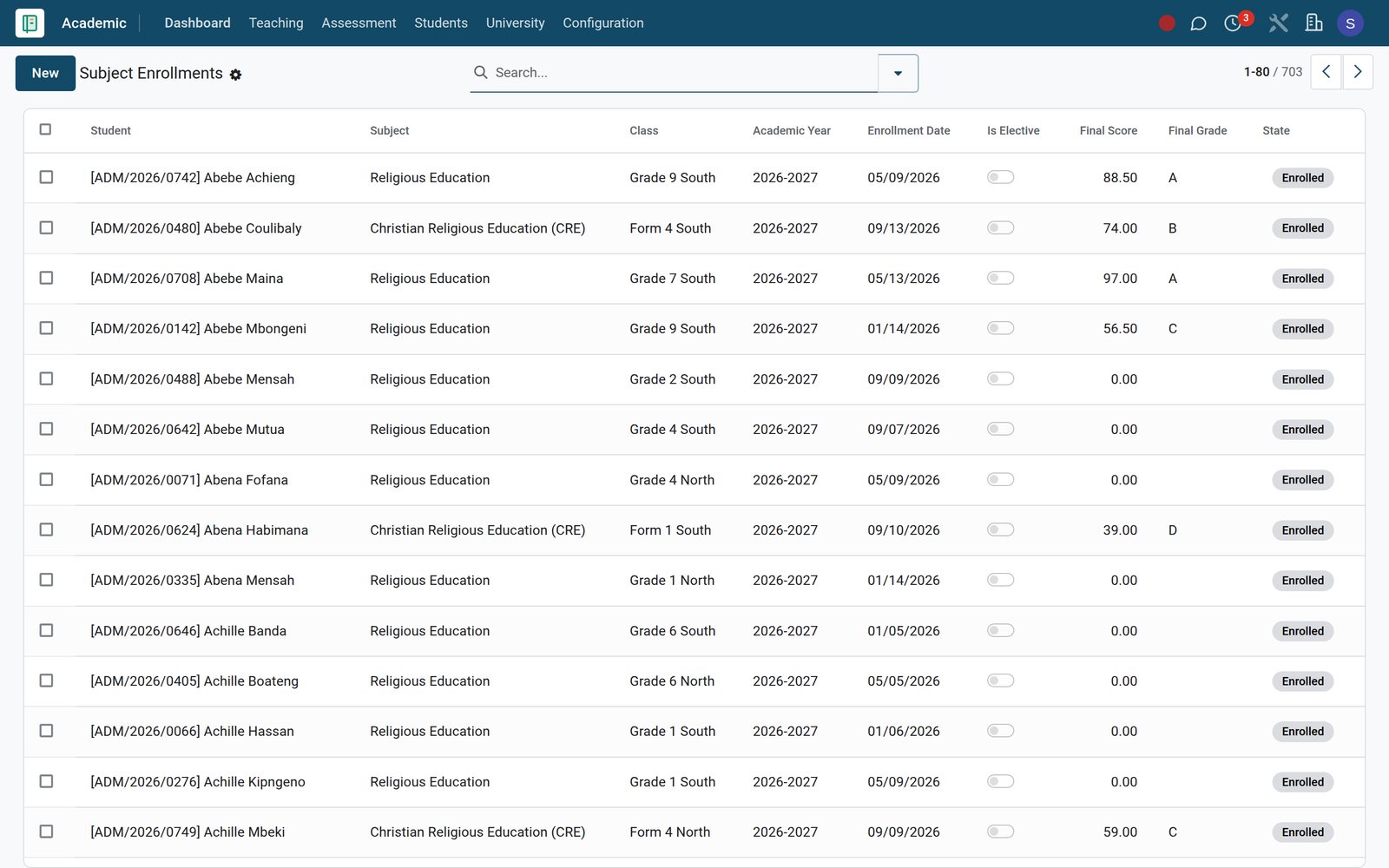 Academics
Who takes which RE option, class by class
Subject enrolments list which learners take each religious education option, by class and term, with final score and grade; the student file also records religion.
Explore Academics →By the numbers
Set up for mixed-faith classrooms and fee-funded places
Product facts counted on the live demo school.
- 23
- religious education and religious studies subjects already set up in the Academic curriculum library
- 5
- delivery channels on every parent announcement and alert rule: email, SMS, WhatsApp, push notification and portal
- 16
- fee categories in Fees & Finance, each flagged as mandatory or optional and as recurring or one-off
- 9
- interface languages switched on, including Kiswahili, French and Arabic, so each staff member works in their own language
Inside the app
Everything a faith school runs, in one set of apps
Every capability below is a live menu on the demo school, and the same learner record feeds teaching, finance, boarding and family communication.
Curriculum and lesson planning
Learning areas, strands, syllabi and lesson plans hold religious education beside every other subject, with syllabus coverage tracked chapter by chapter.
Assessment and report cards
Mark Entry, Bulk Mark Entry and Mark Sheets feed report cards that carry a class-teacher comment, a principal's comment and the class rank.
Attendance by day and by lesson
Daily Attendance registers and Per-Period Attendance lines show who missed a whole day or a single lesson, with Attendance Analytics across the term.
Fees, instalments and family billing
Fee structures, instalment plans and family groups with a sibling discount turn each learner's place into invoices that parents can pay in parts.
Bursaries, scholarships and subsidies
Bursary applications with a household-income assessment, scholarship funds with eligibility criteria and a remaining balance, and external subsidy schemes each run their own approval queue.
Boarding houses and dormitories
Buildings, rooms, beds, allocations, roll call, leave passes, the visitor log, laundry and medical stays cover every boarder in the Hostel app.
Parent partnership
Announcements, parent-teacher meetings, automatic alert rules and engagement scores keep home and school working on the same learner, term after term.
Pastoral care, conduct and giving
Counselling sessions and referrals, discipline incidents with parent notification, merit and demerit points, and alumni donations with receipts each have their own records.
Step by step
From application to end-of-term report, one record follows the learner
Each step happens in the app named, and each one reads what the step before it saved.
- Step 1
Admit the family
Admission applications capture guardians, previous school, boarding preference and interview notes, and the Admission Pipeline report analyses the whole intake.
- Step 2
Bill the place
Fees & Finance applies the fee structure to a whole class with Bulk Assign Structure, then Generate Invoices raises each family's term bill.
Fees & Billing - Step 3
Apply financial aid
Fees & Finance assesses bursary applications on household income and dependants, and an approved bursary is applied to the learner's fee assignment as a discount.
Fees & Billing - Step 4
Allocate a bed
Hostel's Bulk Allocate places boarders into rooms and beds, using roommate preferences, and records a security deposit on each allocation.
Boarding & Hostel - Step 5
Teach and assess
Teachers take attendance, set homework and enter marks in the Academic app, and Grade Results roll up per subject, religious education included.
Academics - Step 6
Report and meet
The Academic app publishes the term's report cards, and Parent Engagement books the parent-teacher meeting with an agenda, action items and a video link.
Parent Portal
Know every family's balance before the bursary committee meets
Fees & Finance turns fee structures into invoices, shows what is still owed learner by learner, and keeps a dunning trail when reminders go out.
 Fees & Billing
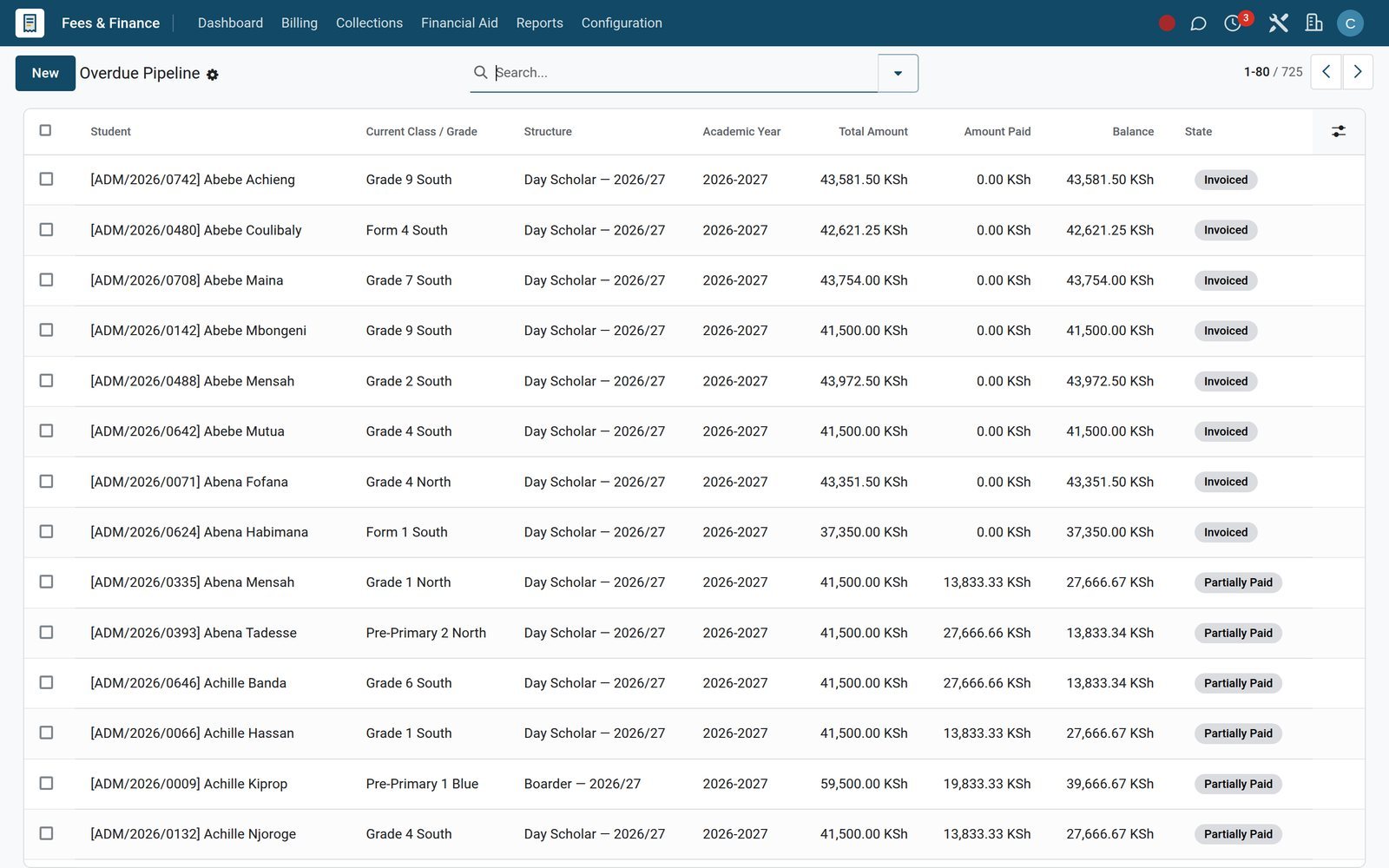
Overdue Pipeline: every unpaid balance in one list
Overdue Pipeline lists each invoiced or part-paid fee assignment that still carries a balance, by learner, class and term, ready for a Bulk Reminder.
Explore Fees & Billing →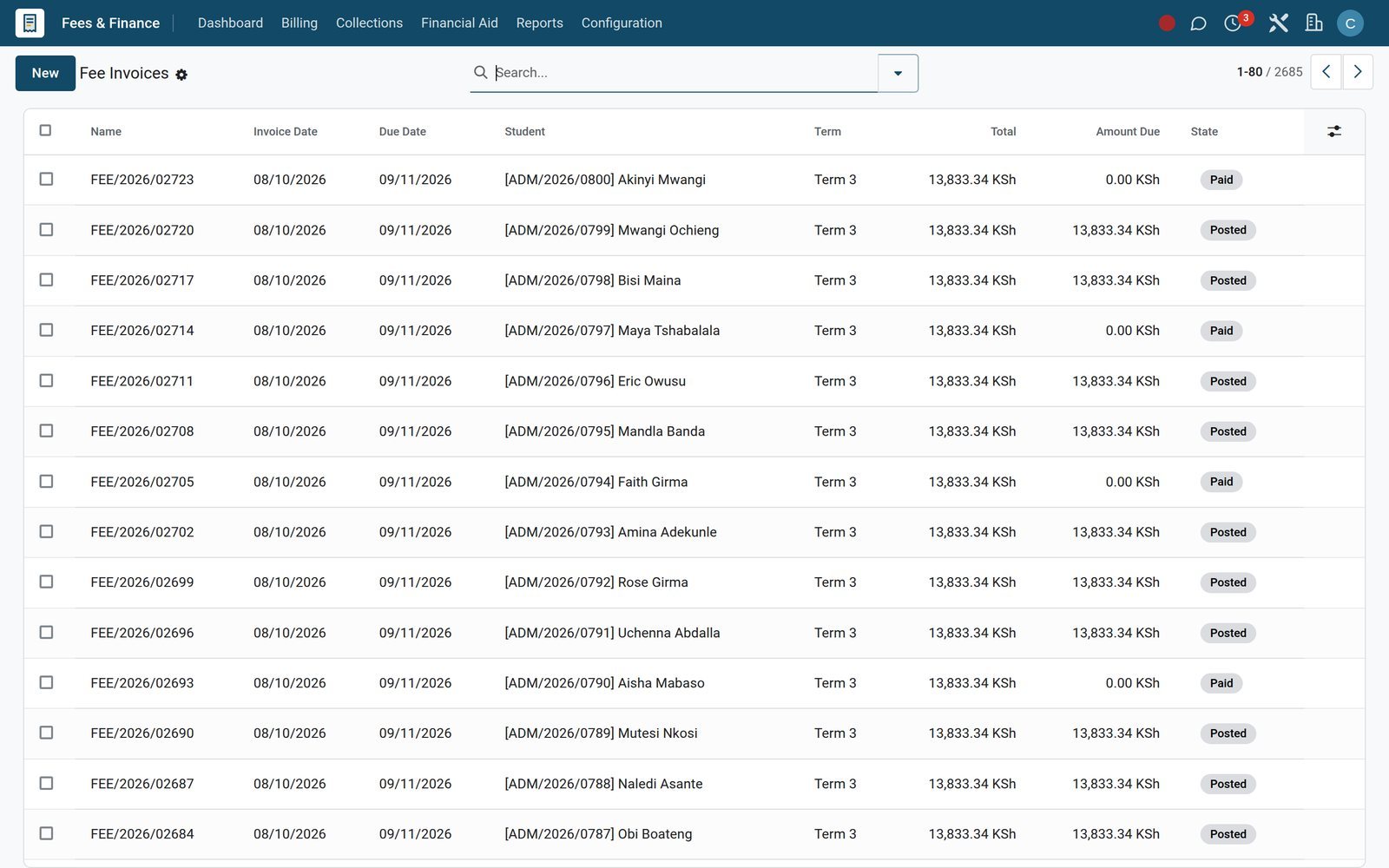 Fees & Billing
Fee invoices tied to the ledger
Invoices shows each fee bill with learner, term, instalment label, due date, total and amount still due, and links it to its accounting entry.
Explore Fees & Billing →Keep places affordable with bursaries and scholarships you can account for
Each aid route has its own menu, approval state and report in Fees & Finance, so all support can be traced to a learner.
Needs-based bursaries
Each bursary application records household income, dependants, parents' occupations and home county, then carries an assessed need score and a recommended amount.
Queues that match your committee
Open Applications, Under Review and Approved This Year split the bursary queue, so the committee sees exactly which families still await a decision.
Scholarship funds with a running balance
Each scholarship fund holds its total, awarded amount, remaining balance, eligibility criteria and renewal rule, while new awards wait in Pending Approval.
Government and sponsor subsidies
Subsidy schemes record the funding agency, eligibility rules, maximum amount and yearly renewal, and Student Links show which learners each scheme covers.
One statement for brothers and sisters
Family groups gather siblings under one guardian with a consolidated balance, and Sibling Discount Runs show where the family discount has been applied.
Waivers, instalments and late-fee terms
Fee waivers, instalment plans and late-fee policies give families room to pay while the school keeps every concession and charge on record.
Know where every boarder is, from dormitory bed to weekend exeat
For boarding schools, the Hostel app tracks beds, roll call, leave passes with parent consent, visitors and sick-bay stays in one place.
 Boarding & Hostel
Allocations by building, room and bed
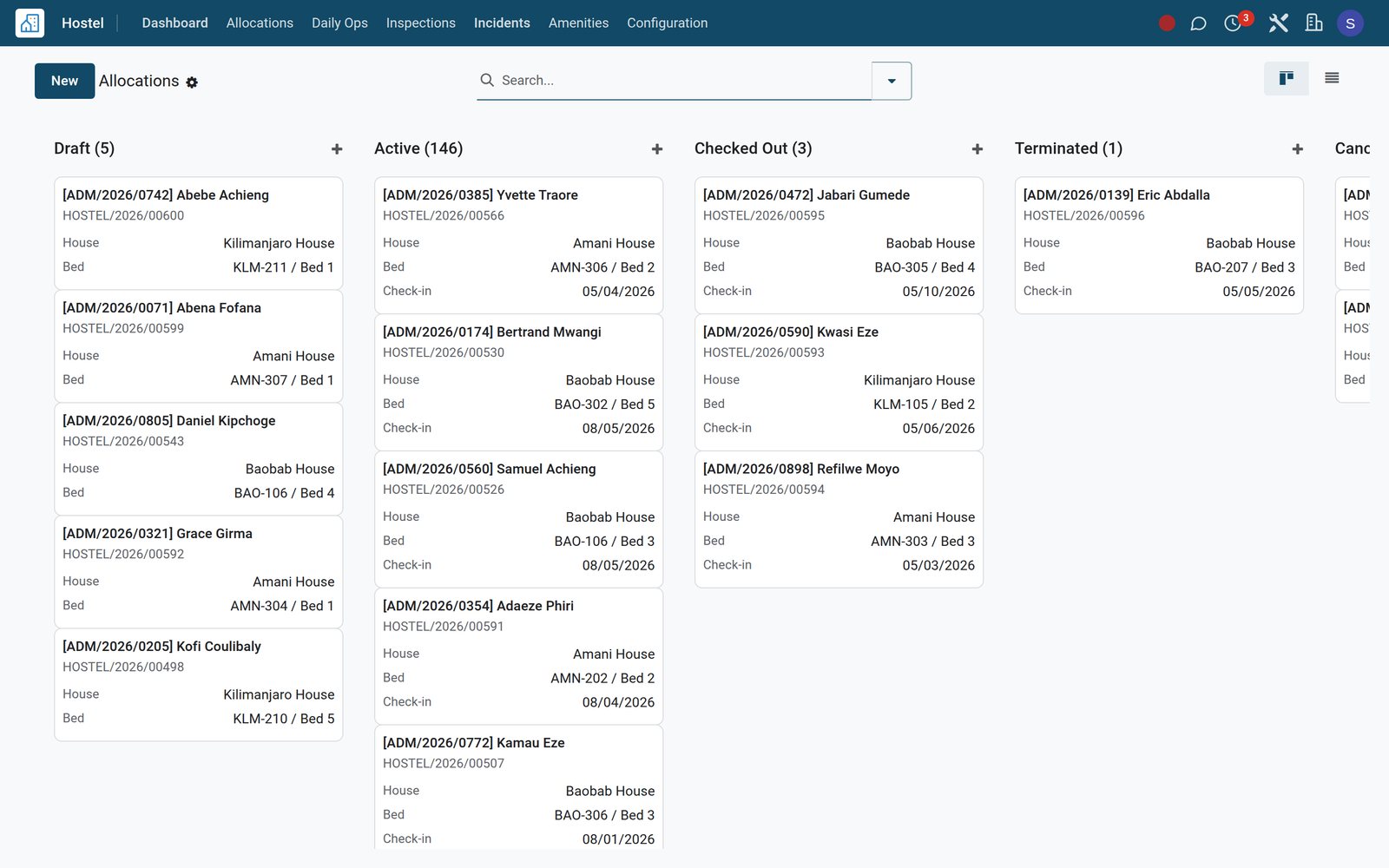
All Allocations shows each boarder's building, room and bed with check-in date, security deposit and state, and Bulk Allocate fills a dormitory in one pass.
Explore Boarding & Hostel →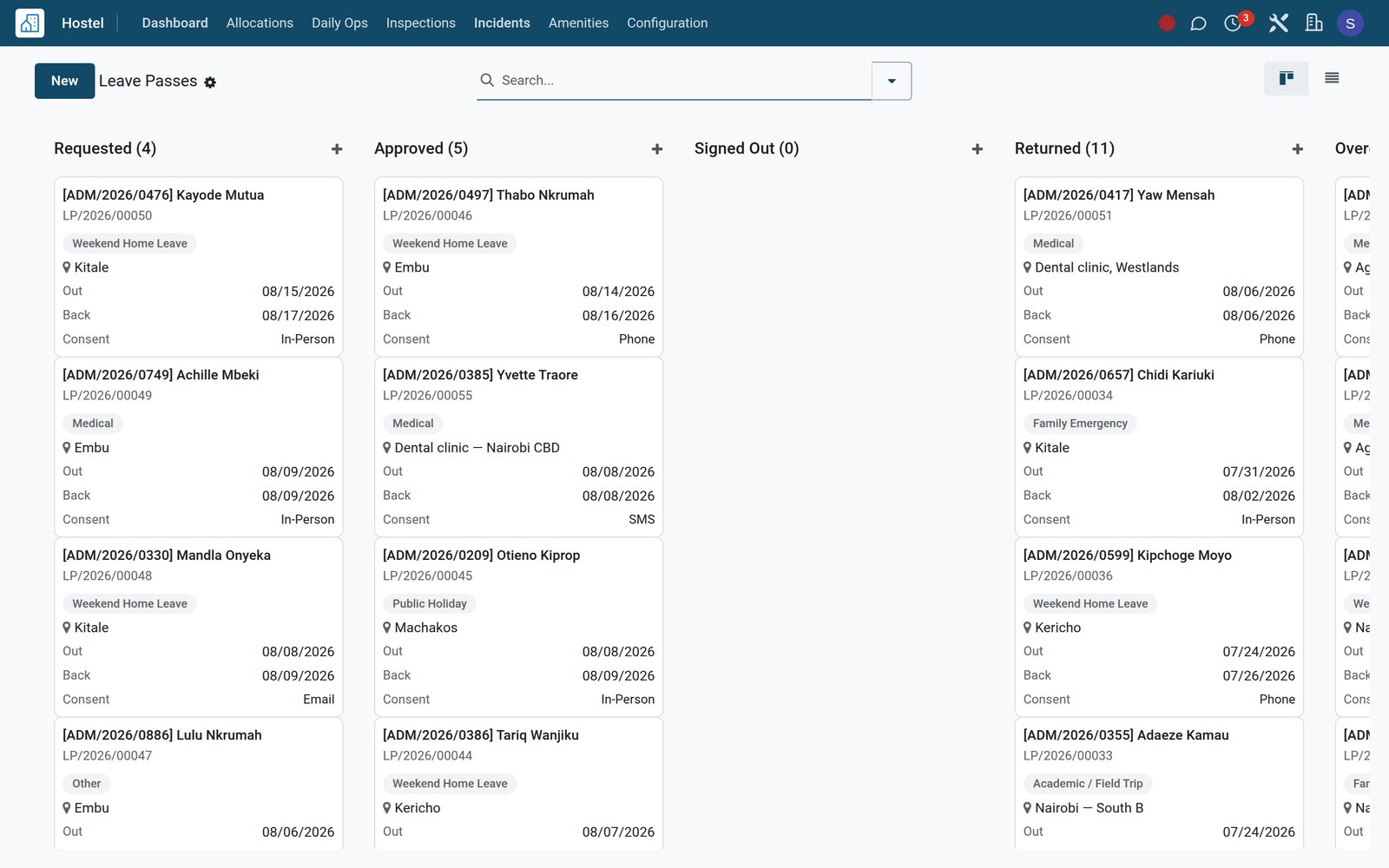 Boarding & Hostel
Leave passes with parent consent on record
Every leave pass records destination, accompanying adult, how and when the parent consented, a QR code, and the actual departure and return times.
Explore Boarding & Hostel →Keep parents close with messages they actually receive
Parent Engagement sends announcements and automatic alerts on the channels families use, and logs each one so staff can show who was told what.
 Parent Portal
Every automatic alert on record
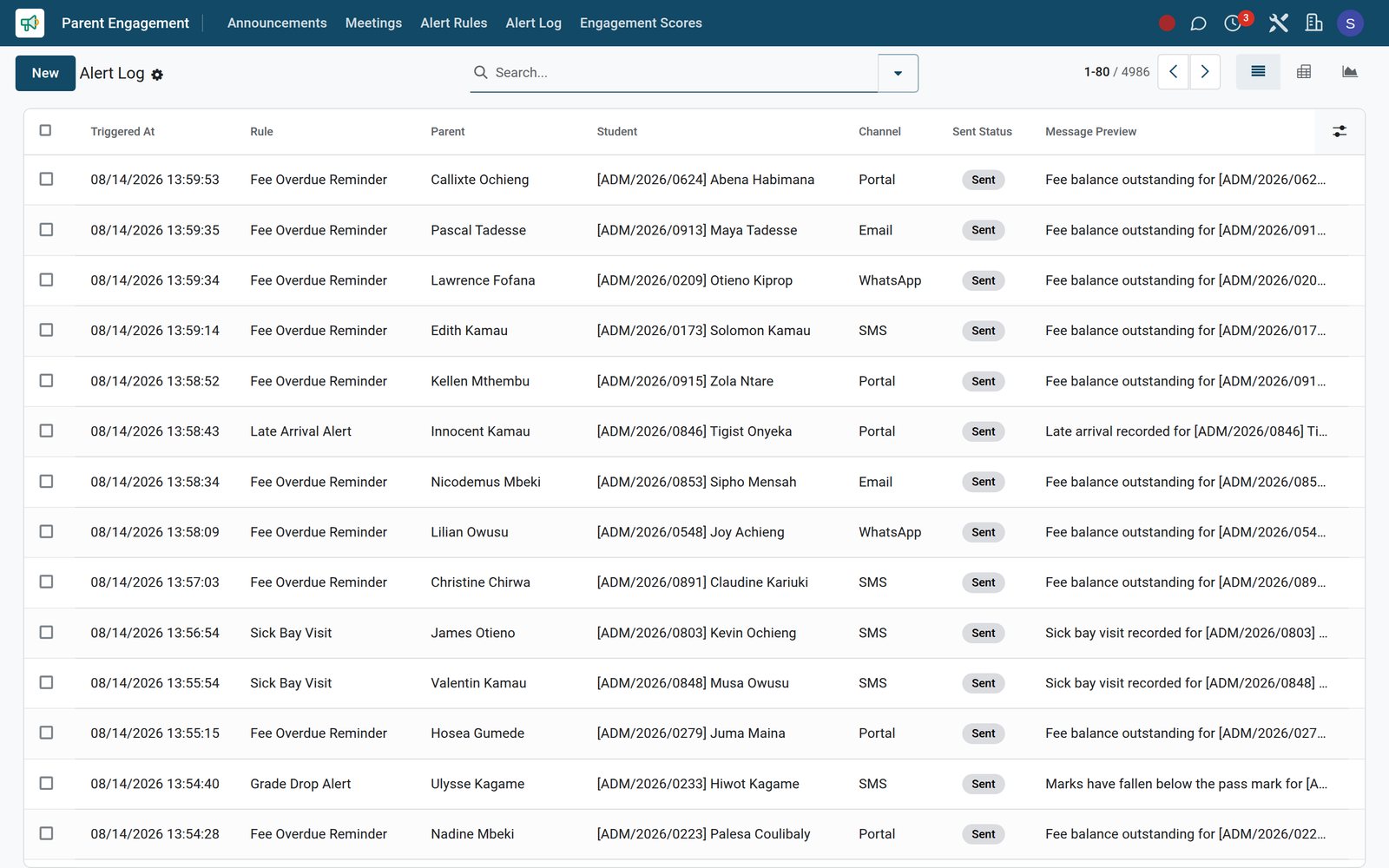
Alert Log records each automatic parent message with the rule that fired, the learner, the parent, the channel used and its send status.
Explore Parent Portal →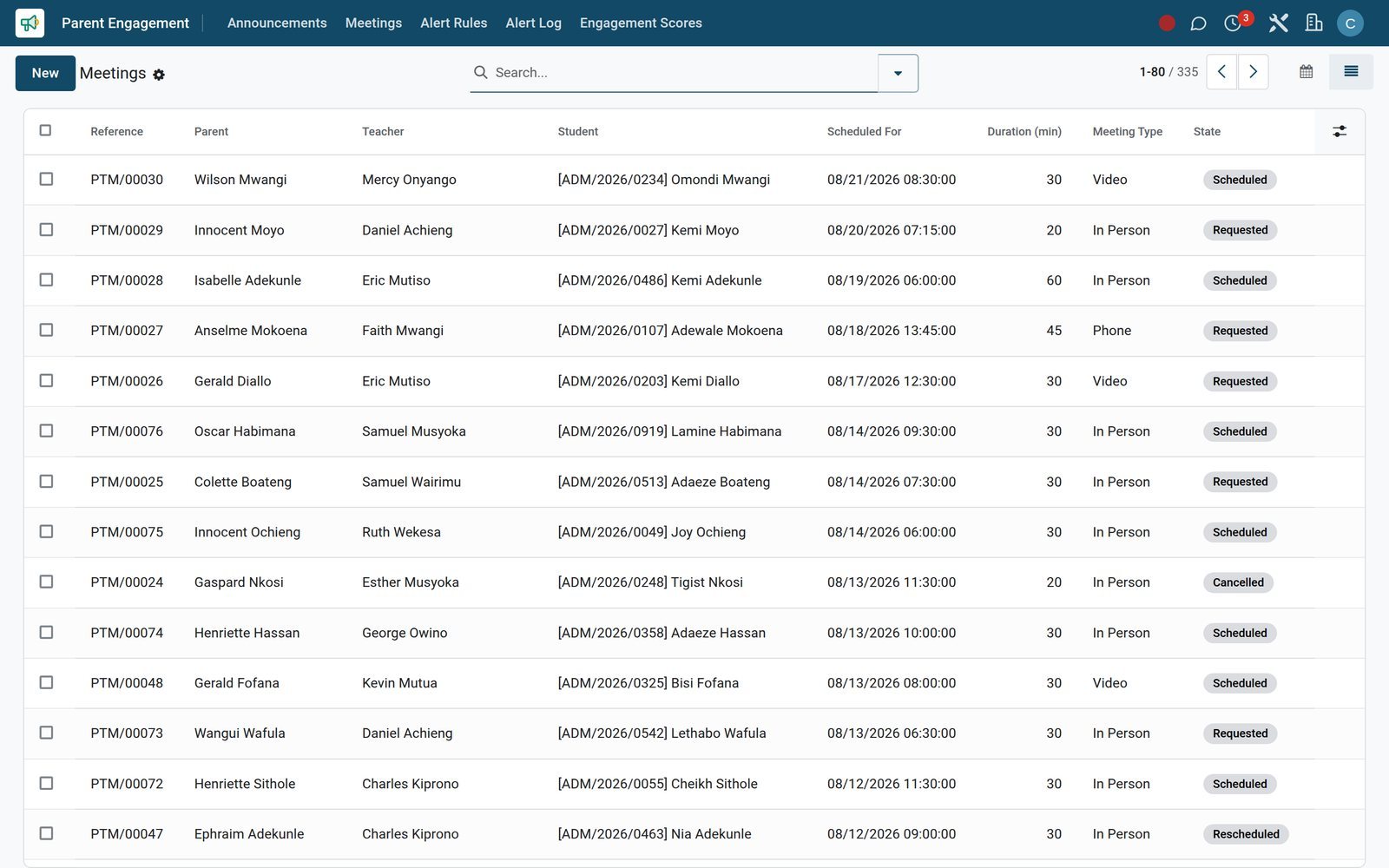 Parent Portal
Parent-teacher meetings with an agenda
Meetings lists every parent-teacher conversation with its type, topic, agenda, action items and video link, so promised follow-ups are not forgotten.
Explore Parent Portal →Report on character and community life, not only on marks
Report cards carry the teacher's and principal's words, clubs give every learner a place to belong and serve, and conduct is recorded with parents informed.
- Academics
Report cards with a principal's comment
Report cards show each learner's average, total marks, attendance percentage and class rank, with a class-teacher comment and a principal's comment on each card.
Explore Academics →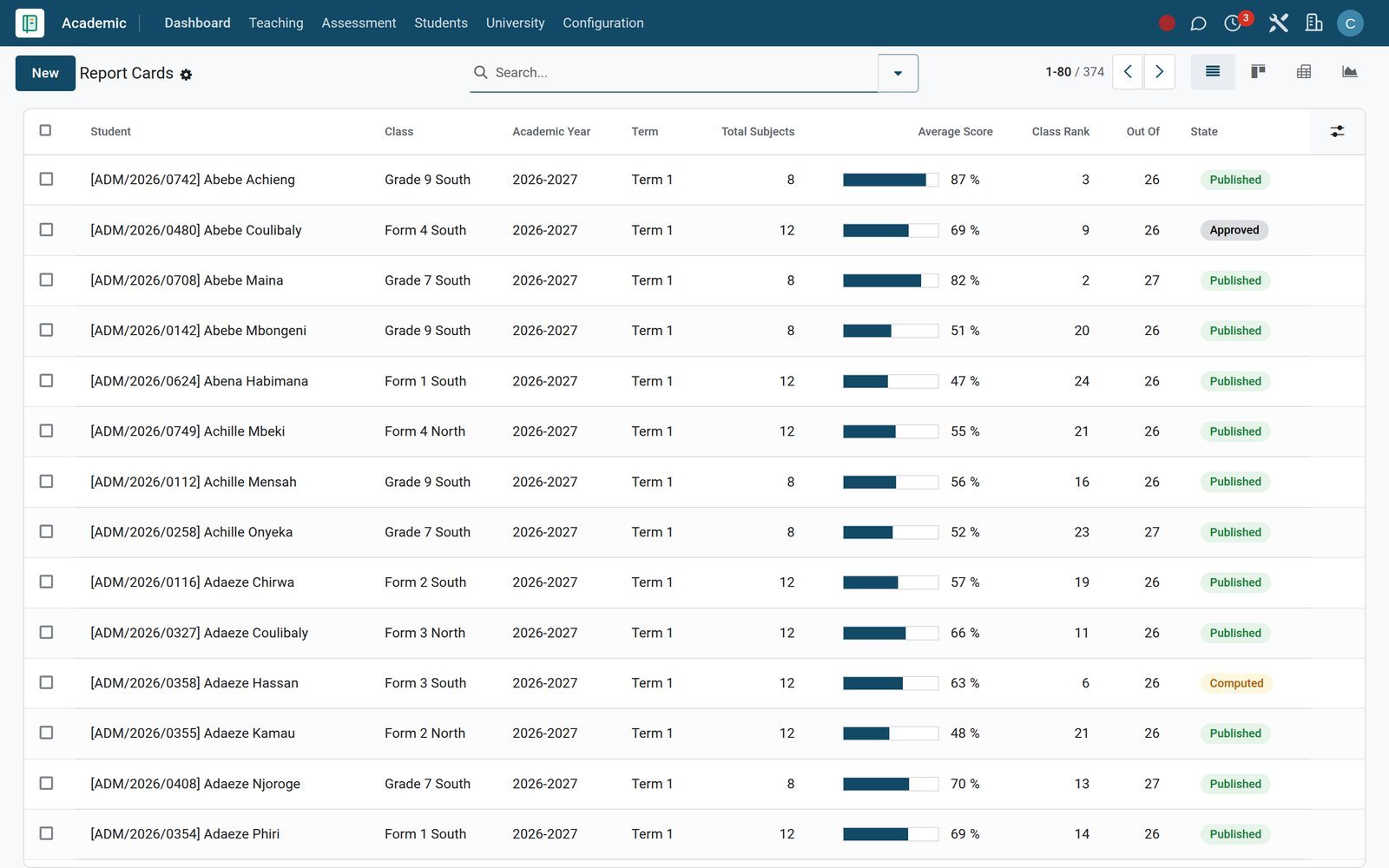
 Clubs & Activities
Clubs and faith societies, each with a patron
The clubs list covers faith societies, the choir and scouts, each with its patron, category, meeting day and venue, and members with their roles.
Explore Clubs & Activities →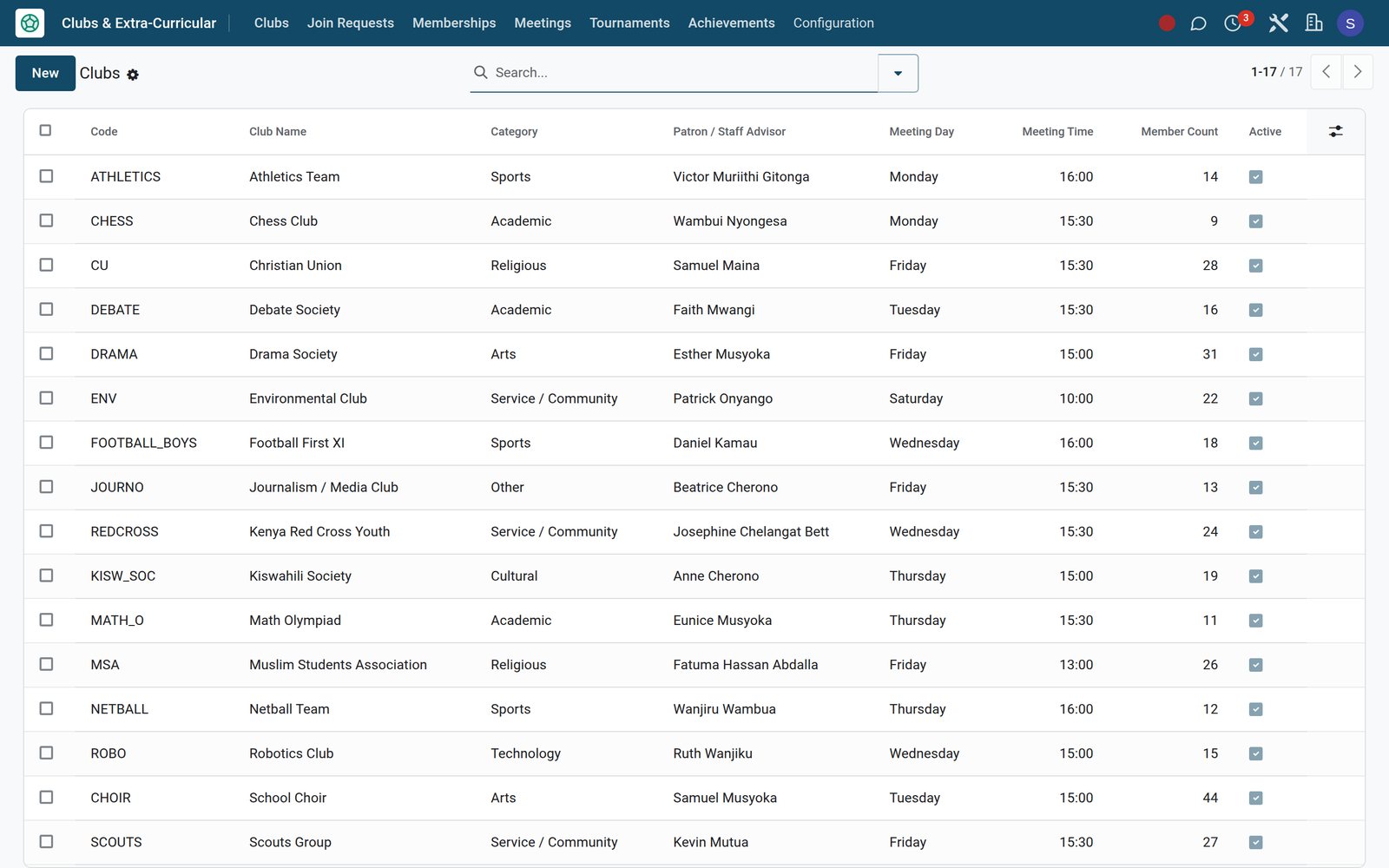
 Discipline
Conduct recorded, parents told
Discipline incidents record category, severity, location, witnesses and the action taken, with a flag and timestamp showing when parents were notified.
Explore Discipline →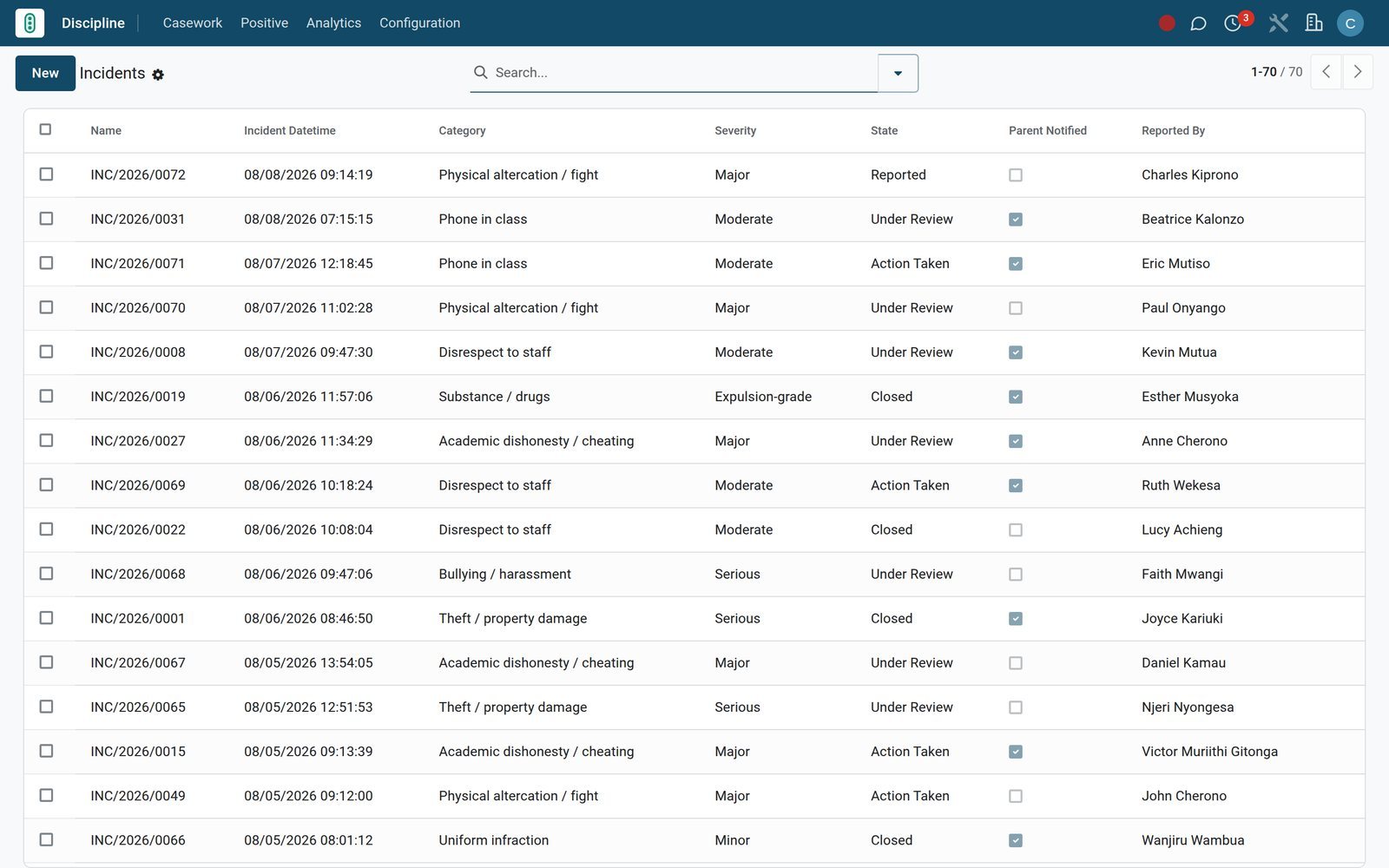
Who uses it
What each person in the school sees
One system, with each role opening straight onto the screens it needs.
Head teacher or principal
Class Rankings, Academic Performance and Attendance Analytics show how each class is doing, and the principal's comment is written straight onto report cards.
Bursar
The Revenue Board, Outstanding Aging and Overdue Pipeline show what is owed and by whom, while Payment Audit and the Dunning Log record every follow-up.
Class and subject teacher
Today's Timetable, the Attendance Register, Lesson Plans Due and Assessments Due open the day; Mark Entry and homework submissions close it.
Boarding master or matron
Roll Call (Today), Leave Passes, Visitor Log, Laundry and Medical Stays cover the boarding day, with incidents and inspections logged per building.
Chaplain or school counsellor
Counselling sessions record the presenting concern, goals set and next session date, and each referral carries an urgency level and who made it.
Governors, sponsor or proprietor
Profit and Loss, Balance Sheet, Cash Flow Statement and the Scholarship Detail report show how fees and financial aid fund the school's mission.
Works with
Runs with the rest of BridgeERP
Add the apps the school needs; they share the same learners, families and ledger.
 AccountingLedger, bank reconciliation and financial statements for the school
 Point of SaleTuck shop and school shop tills that can charge to fees
 CRMAdmission enquiries followed up before they apply
 WebsiteThe school's public website on the same system
 eLearningOnline courses linked to academic courses
 EventsOpen days and school days with registrations
 Email MarketingNewsletters to parents, alumni and supporters
 SurveysFeedback forms and quizzes for parents and learners
 DocumentsLearner documents filed against each student record
 SignEnrolment contracts and admission offers signed online
 EmployeesRecords for teachers, matrons and support staff
 FleetSchool buses behind the Transport app
In your country
Built for how faith schools collect, teach and report
Payments, curriculum, languages and identifiers that match where the school operates, shown on the demo's Kenyan school.
Mobile-money fee payments
On the demo, M-Pesa STK Push, Airtel Money and Pesapal are configured as online payment providers, so parents can settle fee invoices from a phone.
Tuck shop charged to the fee account
The school shop till offers a Charge to Student Fees payment method beside cash and card, so learners can buy without carrying cash.
National curricula such as Kenya's CBC
Learning areas, strands, sub-strands and competency levels follow CBC, and KPSEA Readiness scores core competencies with an intervention plan per learner.
Two currencies on one ledger
On the demo, Kenyan shillings and US dollars are both active, and the Unrealized Currency Gains/Losses report revalues balances held in a foreign currency.
SMS and WhatsApp, not only email
Announcements and alert rules can go out by SMS and WhatsApp as well as email, push and portal, reaching parents who rarely open email.
Screens in each user's language
On the demo, nine interface languages are active, including Kiswahili, French and Arabic, and each user picks their own, from bursar to boarding staff.
National identifiers on the student file
Each student record has fields for birth certificate number, a national learner number such as NEMIS UPI, national ID and passport number, so identity documents live on one record.
Country compliance packs
The Compliance & Returns app is installed with packs for Kenya, Nigeria and South Africa, covering country-specific school reporting in the same system.
Reports and control
Reports the governors and the bursar will ask for
Every report below opens from a menu on the demo school, in graph, pivot or list form.
Collection Rate and Fee Statement
Collection Rate and Fee Statement analyse billed, paid and outstanding fees by class, section, programme and fee category, in graph, pivot or list views.
Outstanding Aging
Outstanding Aging groups unpaid fee lines into ageing buckets with days overdue, so the bursar chases the oldest balances first.
Bursary Summary and Scholarship Detail
Bursary Summary and Scholarship Detail list every application and award with its amounts and state, ready for a sponsor or board report.
Class Rankings
Class Rankings give each learner's rank out of the class total, with average score and overall grade for the term.
Attendance Analytics
Attendance Analytics turns every register line into graph and pivot views by class, learner, term and date, so persistent absence shows early.
Engagement Scores
Engagement Scores combine each parent's portal logins, meetings and form responses into a total score and an engagement level for the year.
Payment Audit
Payment Audit logs each online fee payment event with the provider, provider reference, amount and the invoice state before and after.
Aged Receivable and Partner Ledger
Aged Receivable, Partner Ledger and Profit and Loss in Accounting give governors and auditors the formal statements behind the fee figures.
Getting started
Getting your school onto BridgeERP
Set the school up from its own lists and rules, then run the first term on real records.
Import learners and families
Import students, guardians and opening balances from Excel or CSV, map each column to a field, and test the file before anything is saved.
Price the year once
Set fee categories, fee structures, discounts and late-fee policies in Fees & Finance configuration, then bulk-assign the structure to each class.
Load your own curriculum
Curriculum Versions, Learning Areas, Subjects and Syllabi hold your own syllabus, including the religious education syllabus your sponsor or diocese sets.
Grade your way
Grading Scales, Grade Lines, Rubrics, Competency Levels and Promotion Rules encode your own grading, whether CBC competency levels or percentage grades.
Model the boarding estate
Add buildings, rooms and beds once, then Bulk Allocate and Roommate Matching place each new intake of boarders into the right dormitory.
Switch on the payment rails
Enable your payment providers, such as M-Pesa, Airtel Money or Pesapal, under Payment Providers, then set payment terms and follow-up levels for overdue fee reminders.
Questions
Questions about Faith-Based School Management
Not covered here? Contact us.
Can we teach and grade religious education like any other subject?
Yes. Christian, Islamic and Hindu religious education and Religious Studies are subjects in the Academic app, with enrolments, mark entry, grade results and report cards like every other subject.
Does it suit a school that admits learners of different faiths?
Yes. Each student record has a religion field, and each religious education option is its own subject, so every learner is enrolled in the option their family chooses.
Can we run bursaries, scholarships and sponsored places?
Yes. Fees & Finance has bursary applications with a household-income assessment and review queues, scholarship funds with a remaining balance, subsidy schemes by funding agency, and waivers.
We are a boarding school. Is boarding covered?
Yes. The Hostel app handles buildings, rooms and beds, allocations, roll call, leave passes with recorded parent consent, visitors, laundry, medical stays, incidents and inspections.
Can parents pay fees by mobile money?
Mobile-money and card providers such as M-Pesa STK Push, Airtel Money and Pesapal are available as online payment providers, and each fee invoice carries a payment link. Every online payment event is logged in Payment Audit.
Where do pastoral and counselling records live?
Counselling sessions and referrals are kept in their own app, apart from marks and fees, with the presenting concern, goals, next session date and referral urgency.
Can alumni and supporters give to the school?
Yes. Alumni & Giving keeps alumni records and donations, including campaign, recurring gifts, receipts and thank-you tracking, and notes whether each former student is available to mentor.
How do we move our existing records across?
Students, guardians, fee balances and other lists import from Excel or CSV: map the columns to fields, test the file, then import. Adding an External ID column lets you update records later without duplicates.
Tax compliance
Invoices your tax authority accepts
In Kenya, Uganda, Rwanda, Burundi and Zambia, each invoice, receipt and stock movement goes to the tax authority's own system when you post it. Ghana and Pakistan come next, and we connect 73 more countries on request.
- KenyaReady
eTIMS KRA
Invoices, credit notes, POS receipts and stock movements
- UgandaReady
EFRIS URA
Invoices, POS receipts and stock
- RwandaReady
EBM RRA
Invoices, POS receipts, stock and imports
- BurundiReady
EBMS OBR
Invoices, POS receipts, stock and manufacturing
- ZambiaReady
Smart Invoice ZRA
Invoices, POS receipts, stock and imports
Faith-Based School Management, app by app
One connected flow instead of separate systems — the work moves from one team to the next without re-typing anything.
Every stop is a real app in your plan, and the hand-offs between them are the product.
- Operations
- Finance
Academics
Courses, batches, subjects, enrolment, attendance and gradebook.
Academics →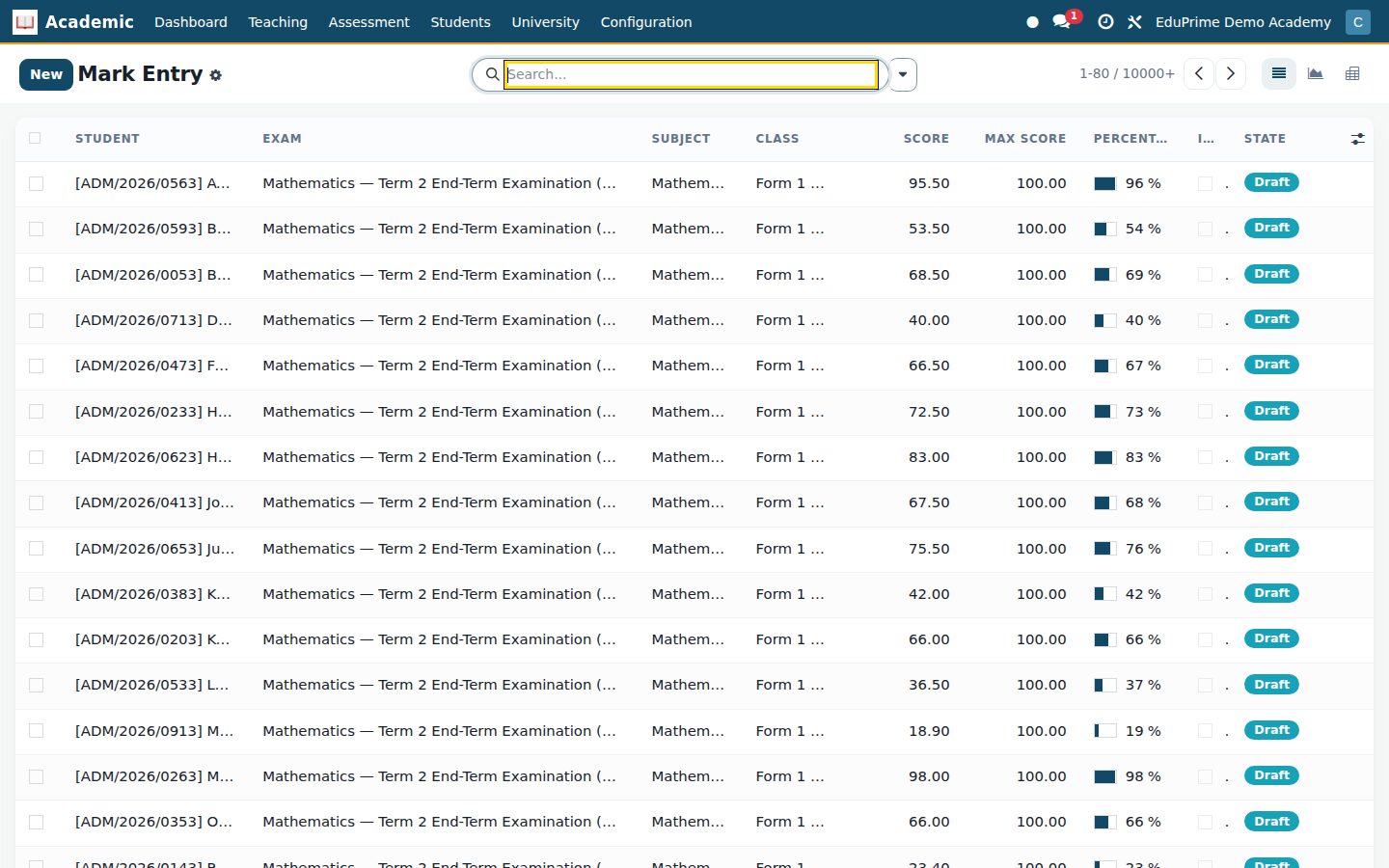
Ready when you are
Open the plan builder with the right apps for this industry already selected, or see it running first.