

Accounting and Invoicinglesson 5 of 5
Written lesson
Read the two statements every owner asks for, change the period, compare with last year and export them.
Read the lesson →Profit and loss, balance sheet
Course contentslesson 5 of 5
Accounting Basics4 min
Invoicing6 min
Bank and Cash6 min
What Reporting gets you to
- Read the profit and loss and the balance sheet, compare periods and export them
Both reports are under Reporting. They are built live from your posted entries, so they are always up to date.
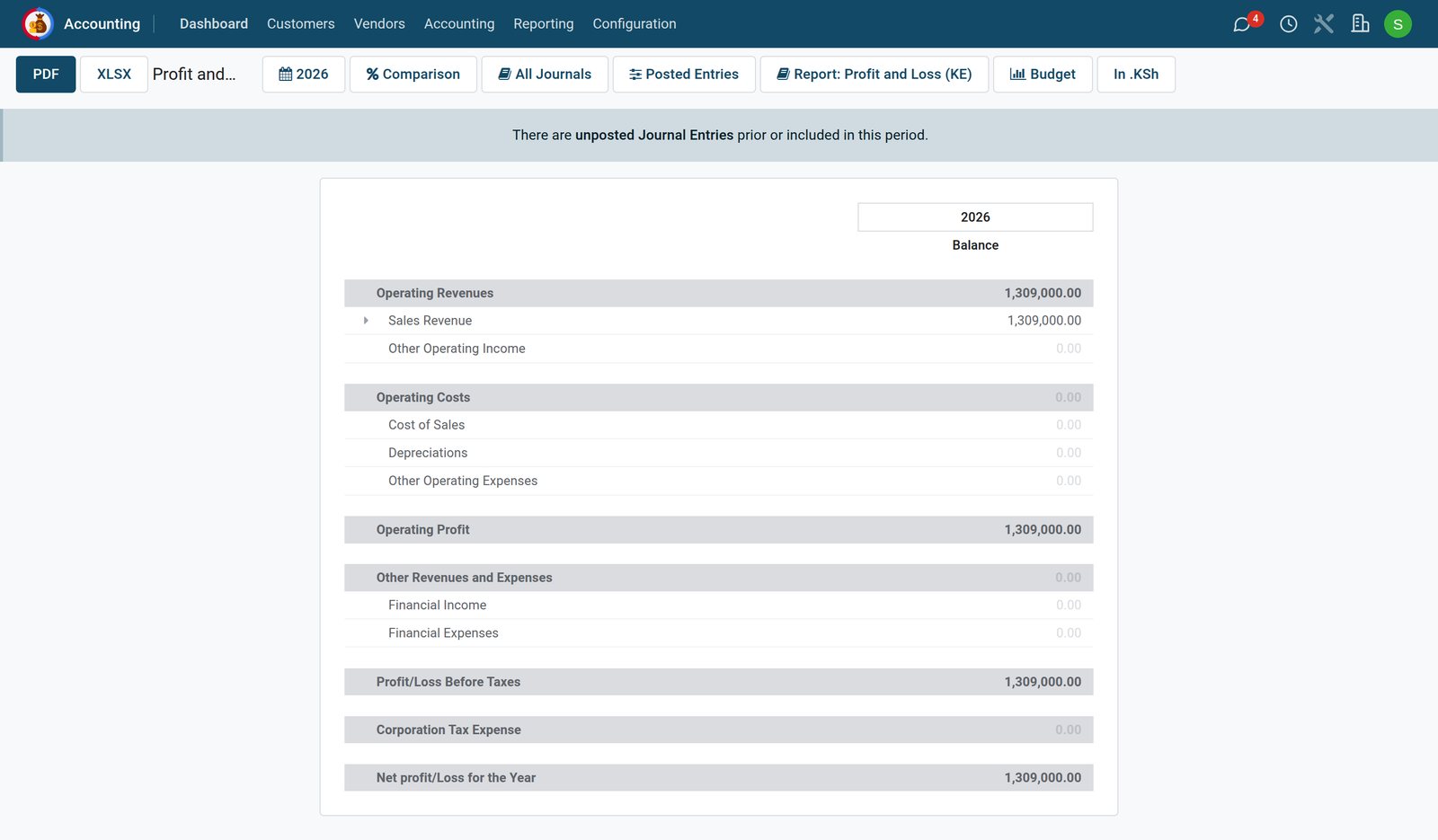
Profit and loss
The profit and loss covers a period: revenue at the top, then costs, down to the net profit. The period button (here 2026) picks a month, a quarter, a year or your own dates; Comparison sets it against the previous period or last year. Click the arrow beside a line to open it into accounts, and then into the entries behind them.
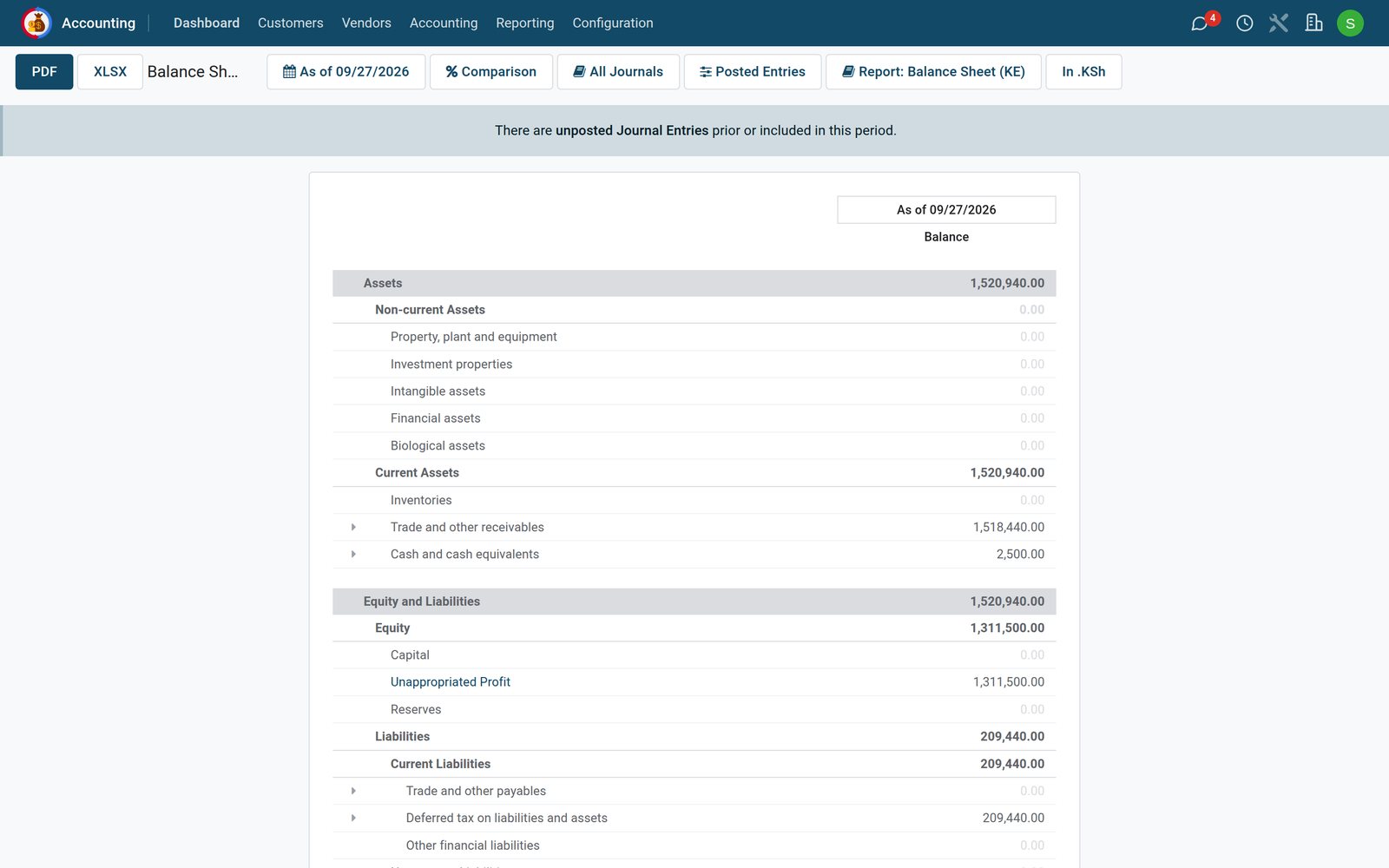
Balance sheet
The balance sheet is a picture at one date (As of): assets on one side, liabilities and equity on the other, and the two always balance. This year's profit sits in equity (here as Unappropriated Profit) until the year is closed.
- PDF and XLSX export the report as you see it.
- Posted Entries decides whether drafts count. The notice "There are unposted Journal Entries" means some entries of the period are still drafts and are left out of the figures.
Check what you learned
Loading the quiz…
These lessons were recorded on a working BridgeERP. Start a free trial and follow them on your own.