

CRMlesson 2 of 4
Written lesson
Everything on an opportunity: revenue, probability, priority, the stage bar, and the Won and Lost buttons.
Read the lesson →Work an opportunity
Course contentslesson 2 of 4
Lead Management13 min
Performance Analysis5 min
What Lead Management gets you to
- Work an opportunity to won or lost, and keep a next step planned on every deal
Click a card to open the opportunity.
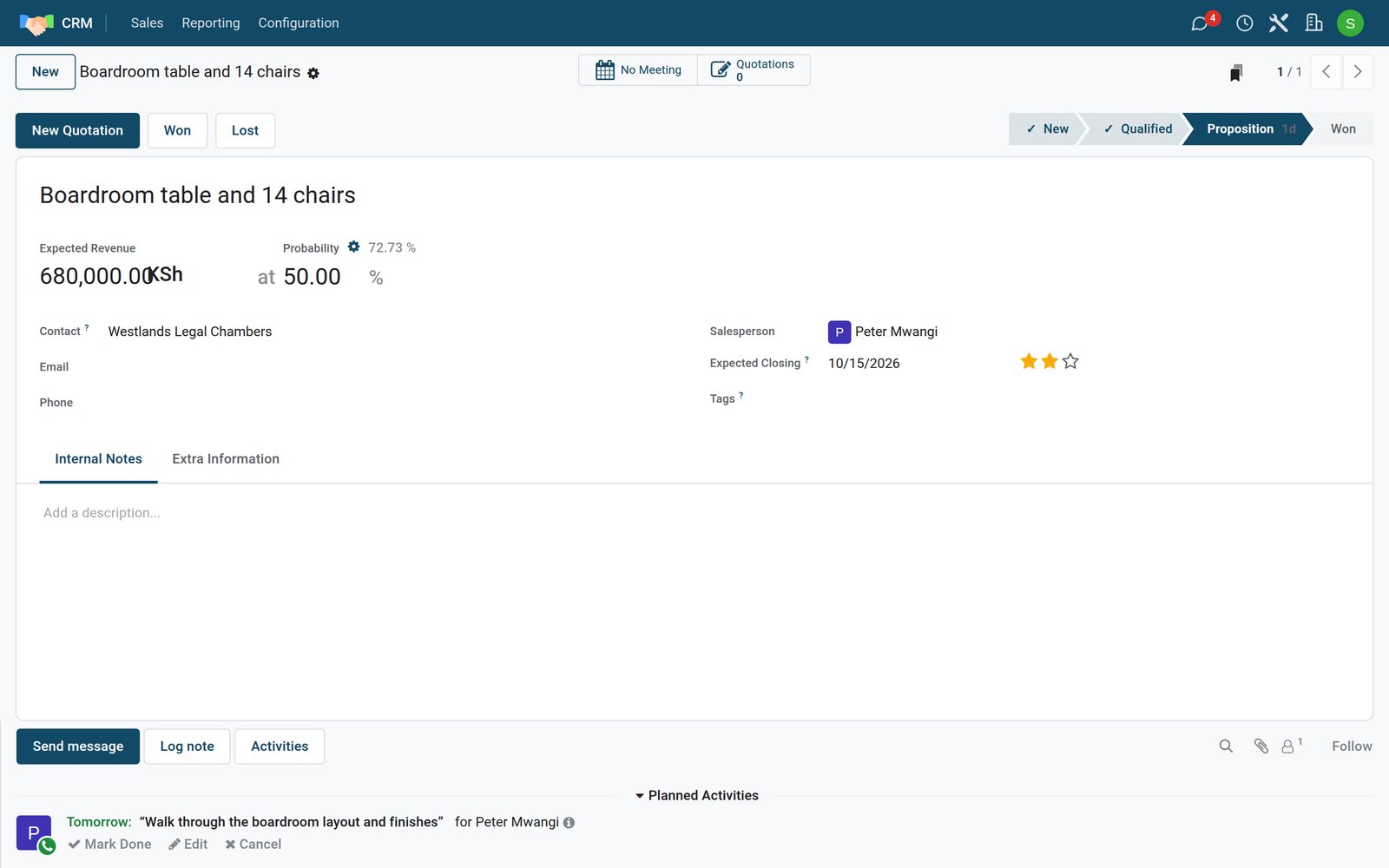
The fields that matter
- Expected Revenue: what the deal is worth.
- Probability: BridgeERP predicts a chance of winning from your past wins and losses (the figure beside the gear). The figure after at is the one used; type your own to override the prediction, and click the gear to go back to it.
- Contact: the customer. Email and phone come from their contact card.
- Salesperson and Expected Closing: who owns it, and when you expect a decision.
- Stars for priority and Tags for your own labels.
Moving it along
- Click the next stage in the status bar when the deal moves on.
- New Quotation starts a quotation for this customer, linked to the opportunity; the Quotations button at the top counts them.
- Won closes it as won: it moves to the Won stage at 100%.
- Lost asks why.
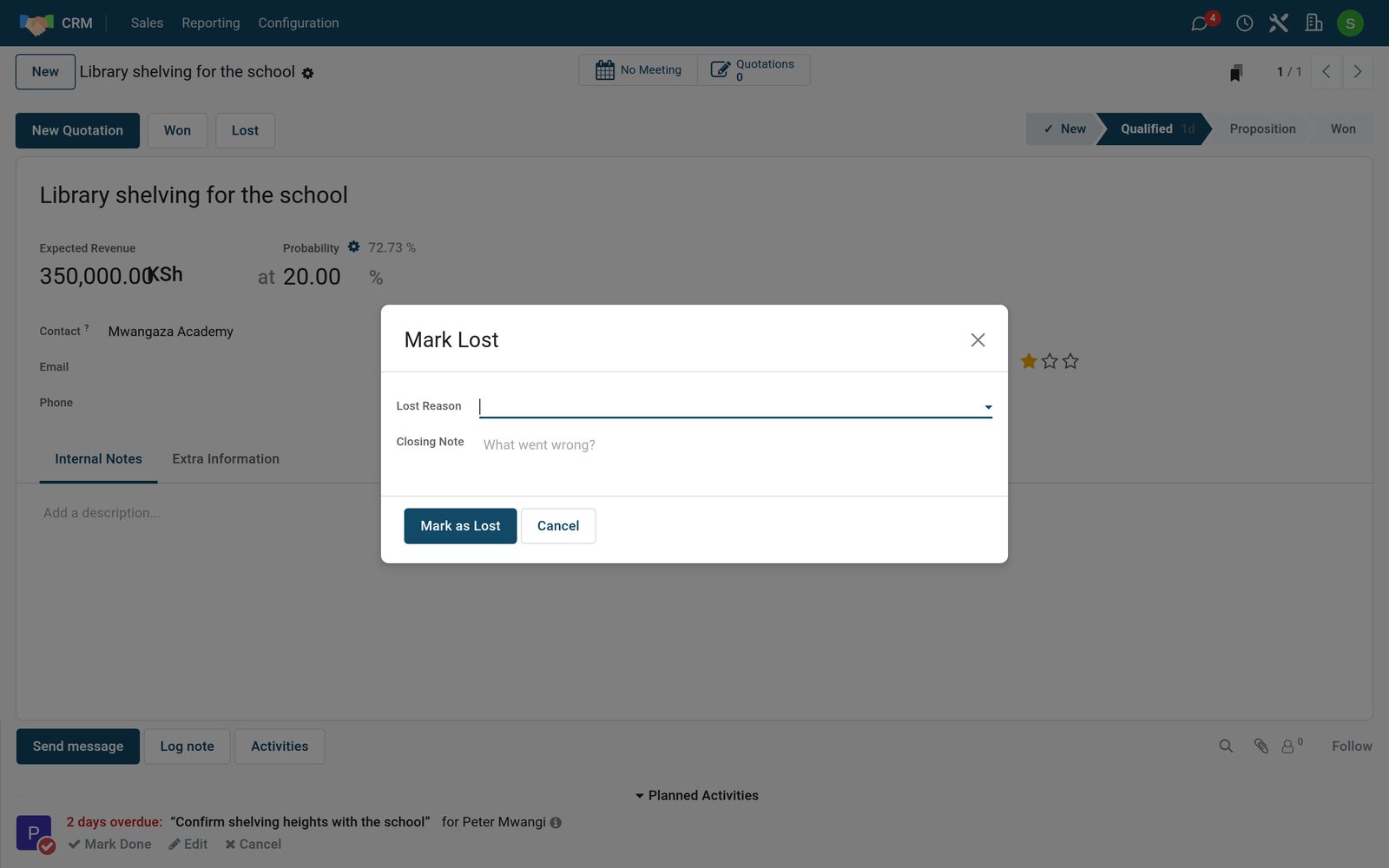
A lost opportunity leaves the pipeline: it is archived with its reason, so your reports can show why deals are lost. The Lost filter in the search finds it again, and Restore on the opportunity brings it back.
Check what you learned
Loading the quiz…
These lessons were recorded on a working BridgeERP. Start a free trial and follow them on your own.