







Courier Core: Parcel booking, shipments, branches, zones, routes, service types and corporate accounts

The network your parcels move through — branches, zones, services and the rules that govern them.

Included in every plan. Free instant access, no credit card required.

Works with
  • BridgeERP Core
Courier Core in the Bridge Courier: Parcel booking, shipments, branches, zones, routes, service types and corporate accounts
01

Book it, price it, print it

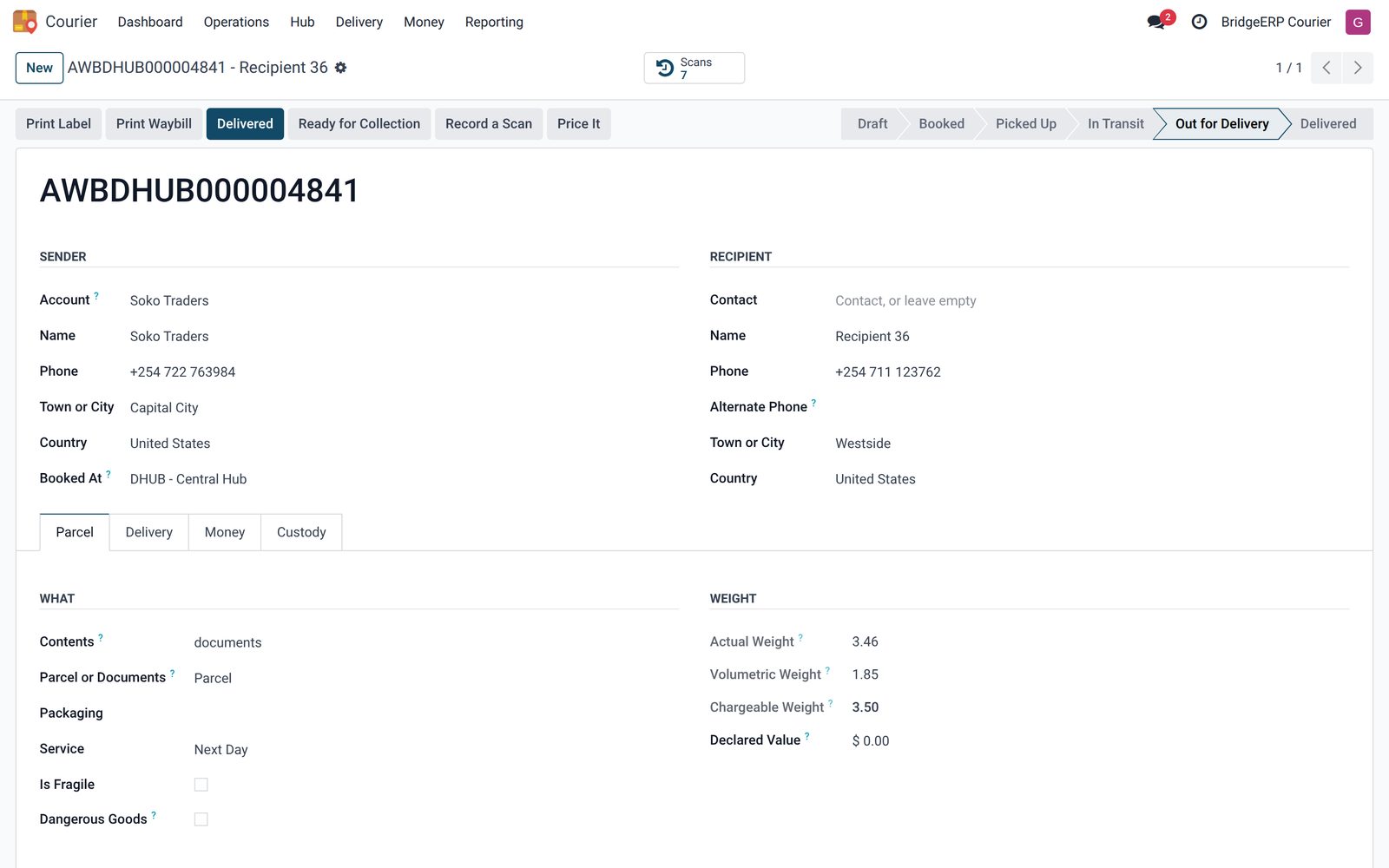
A waybill in one screen, priced off your rate card with weight breaks, volumetric weight and surcharges. Quote first with the calculator, then book: every parcel gets its number, its promise and its own scan trail from the counter onwards.
Courier Core: Book it, price it, print it
02

Your network, drawn once

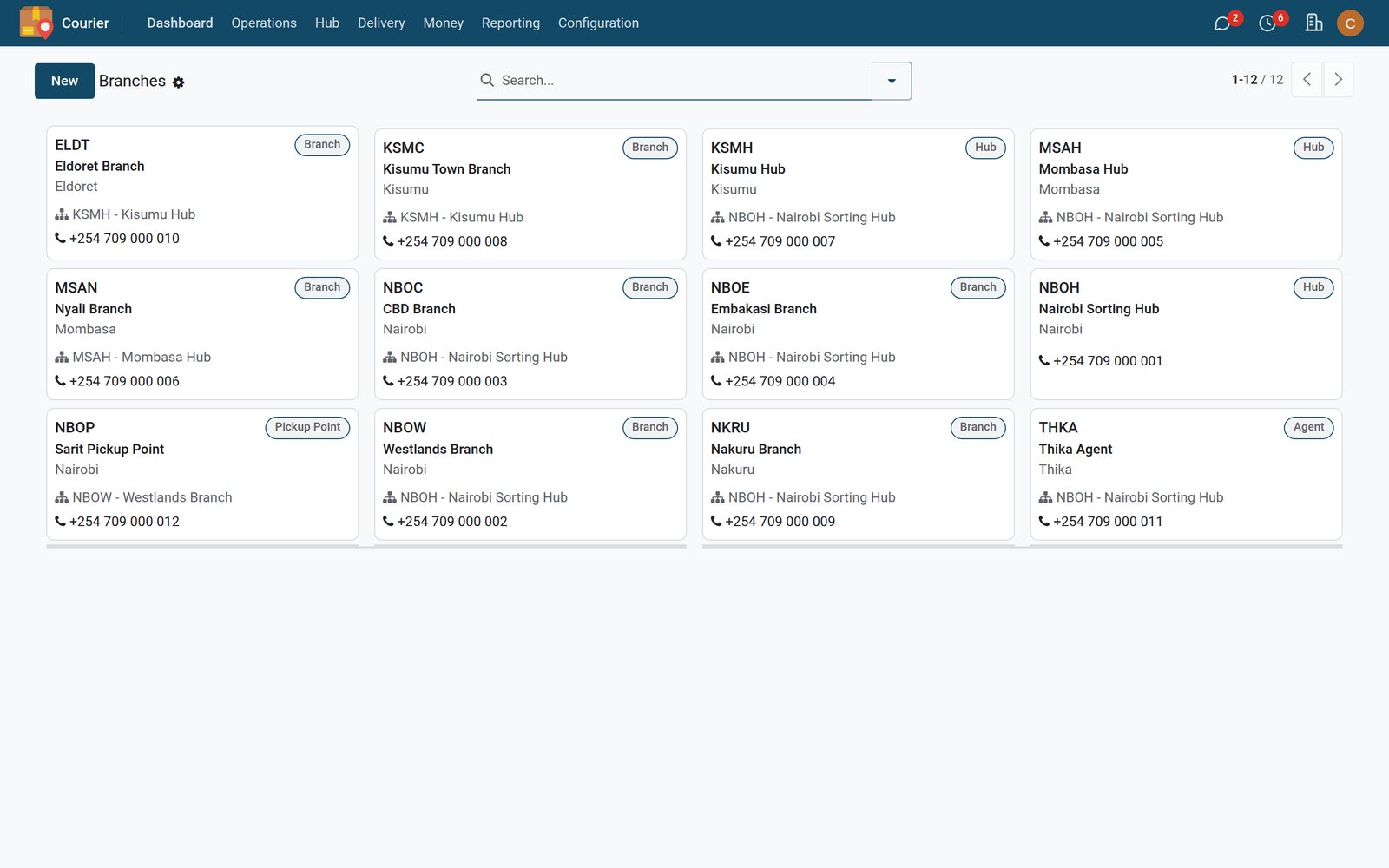
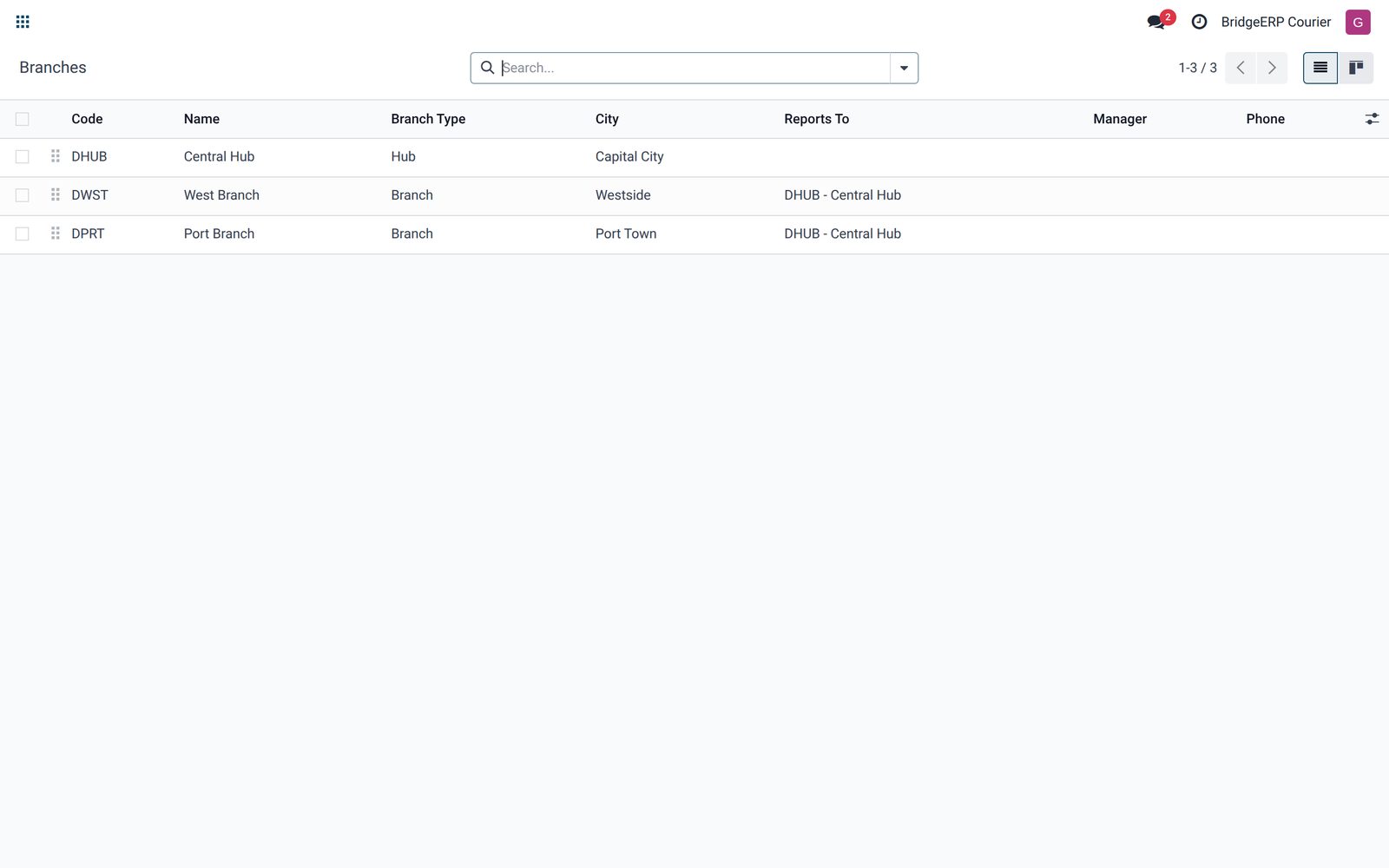
Hubs, branches, agents and pickup points, which hub each one reports to and the zones it serves. Routing and missort detection come out of that alone, and the settings switch on only what your operation needs.

Courier Core: Your network, drawn once
03

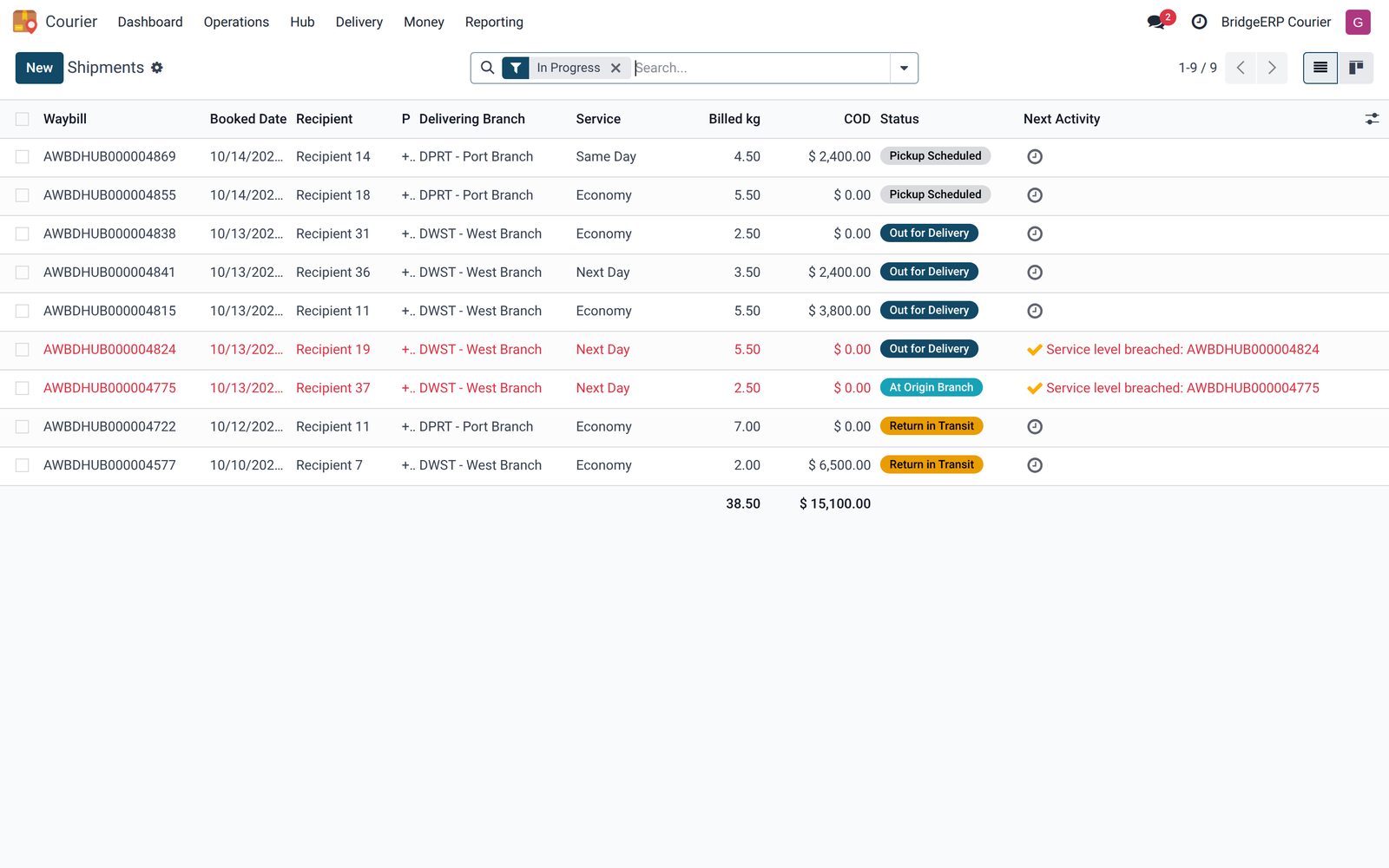
Parcels

The register, filterable every way you work.

Courier Core: Parcels
04

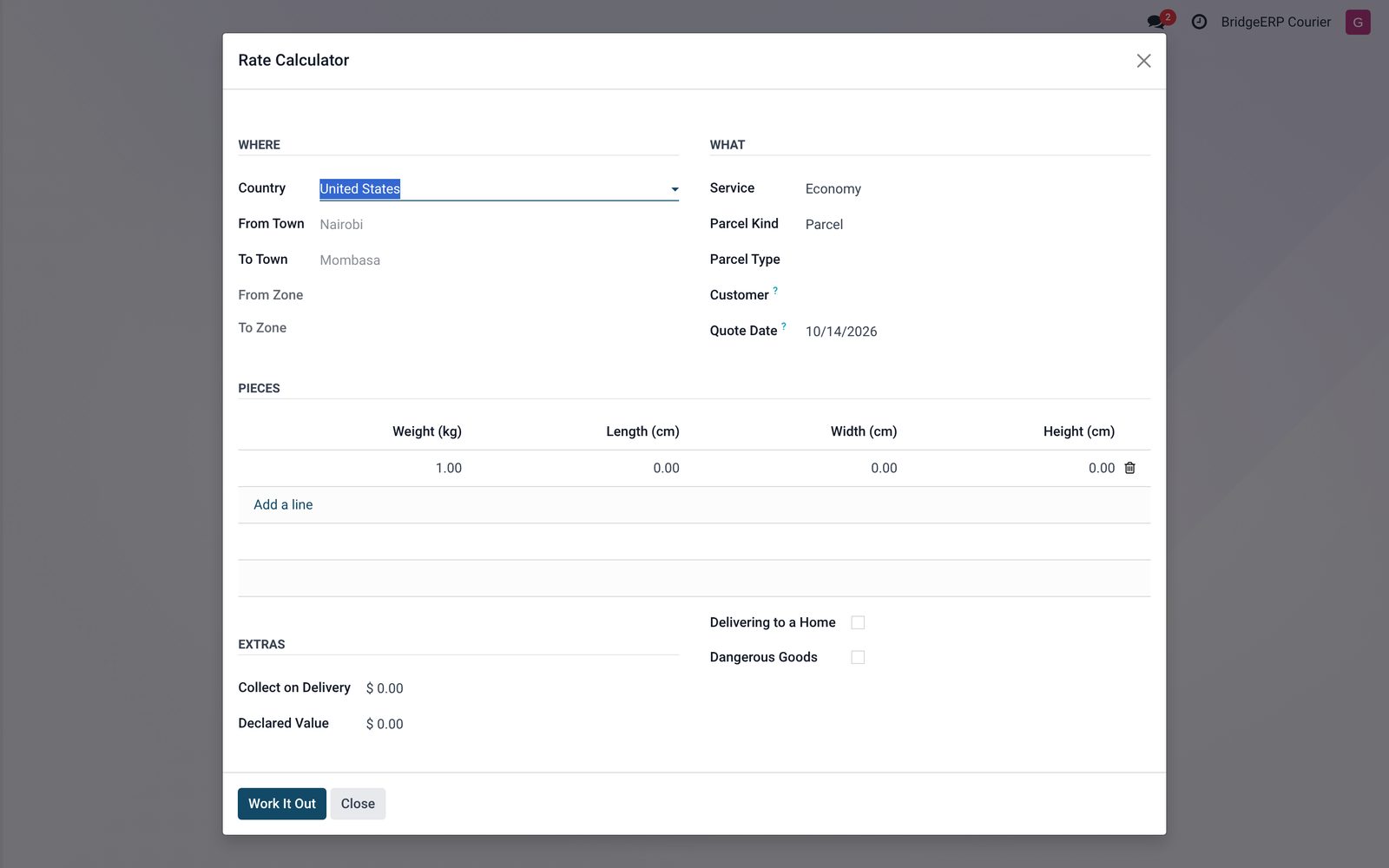
Rate calculator

Quote before you book.

Courier Core: Rate calculator
05

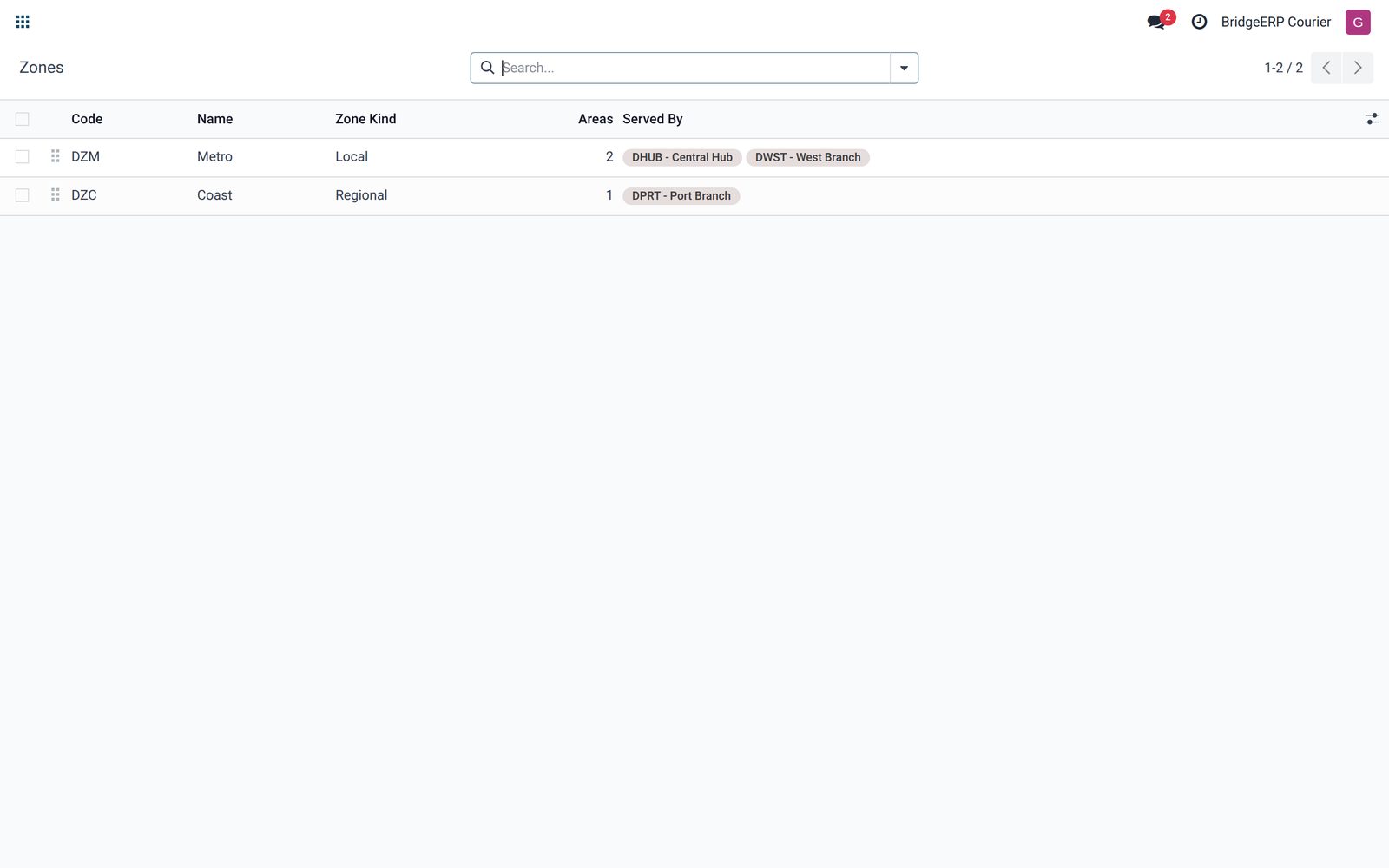
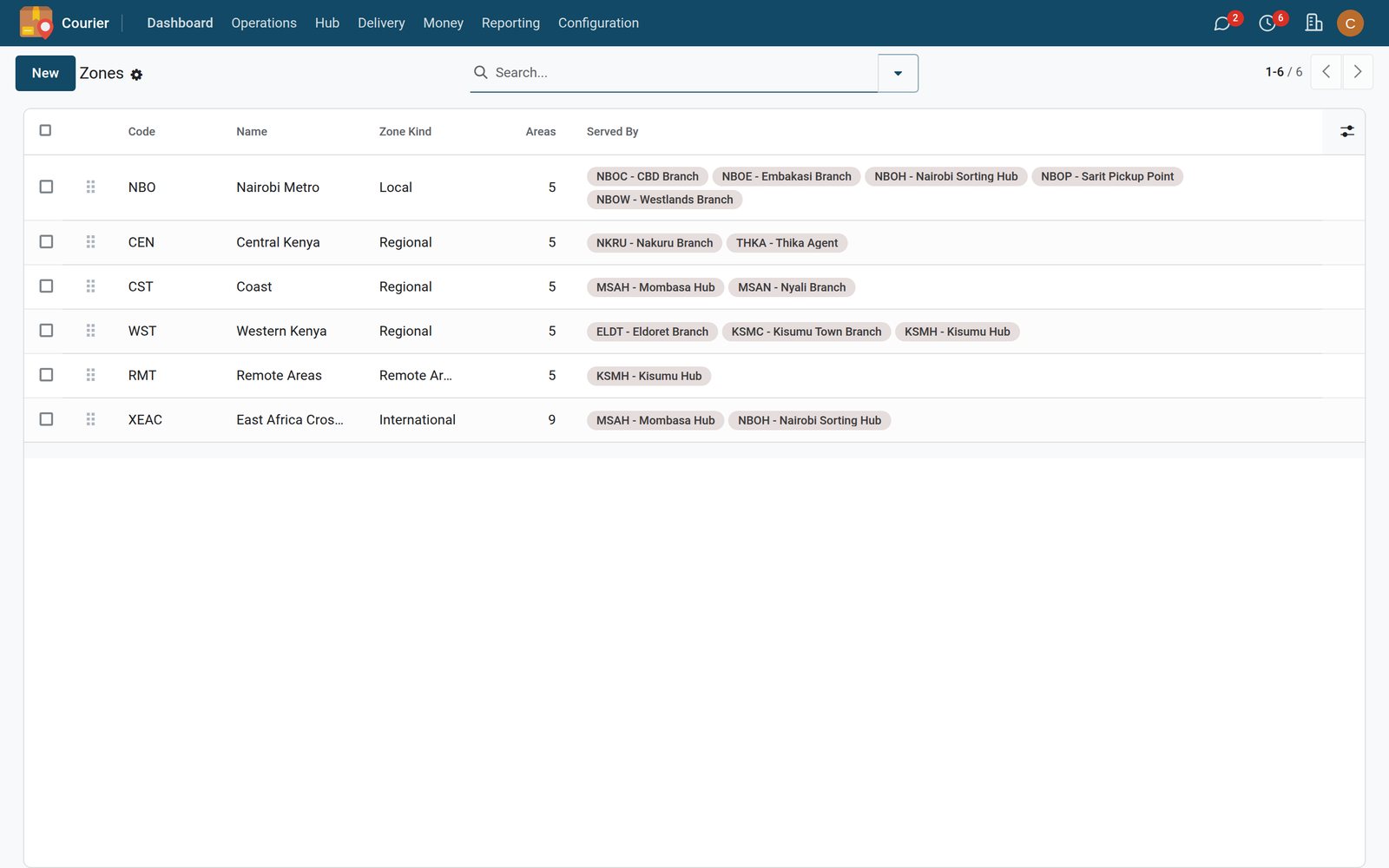
Zones

The zones each branch serves, which drive routing and pricing.

Courier Core: Zones

What's inside

Everything in Courier Core

34 items in 8 areas, every one shipping with the app today.

  • Everything in the app

    • WaybillOne screen: sender, recipient, pieces, price, proof.
    • ParcelsThe register, filterable every way you work.
    • Rate calculatorQuote before you book.
    • BranchesHubs, branches, agents and pickup points.
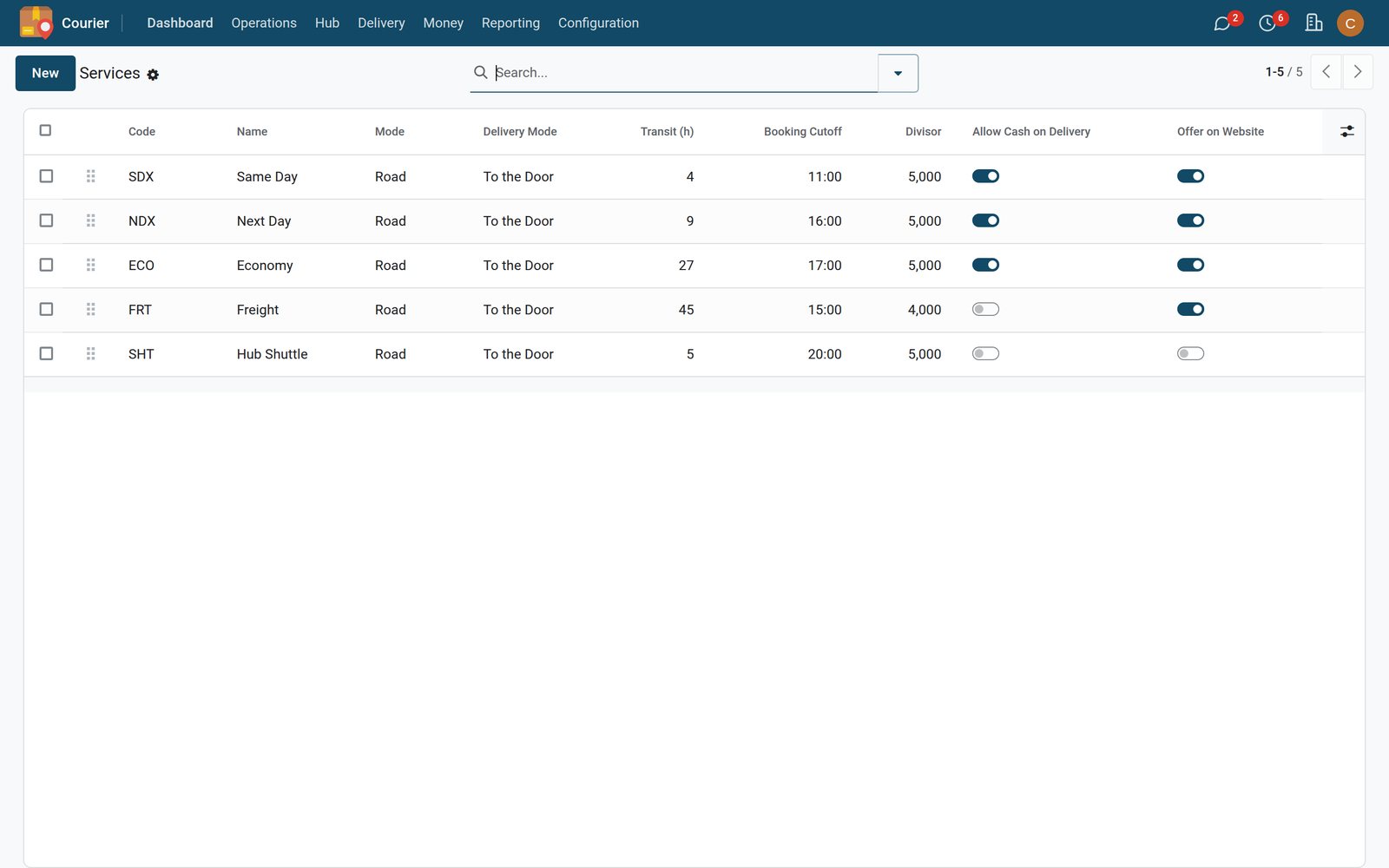
    • Service levelsTransit hours and cut-off times.
  • Branch and hub network

    • Branches, hubs and agentsOne tree of locations typed as branch, hub or agent, each with its own code and parent, so a parcel's route through the network is explicit.
    • Daily capacityEach location carries the volume it can take in a day, so dispatch stops overloading a hub that is already full.
    • Franchise commissionsA location can be marked franchise and carry its own booking and delivery commission rates.
    • Opening hours and contactPhone, email, city and opening hours travel with the location — the tracking page shows them without a second system.
    • Map coordinatesLatitude and longitude on the record, so routing and the customer-facing map read the same source.
    • Published to the websiteAny location can be published, which puts it on the public branch finder.
  • Service levels

    • Transit time and cut-offEach service carries its promised transit hours and daily cut-off time — the two numbers every SLA argument comes down to.
    • Volumetric weight rulesDivisor, threshold, minimum chargeable weight and rounding are per service, so chargeable weight is computed, not negotiated.
    • Weight and piece ceilingsMaximum weight and maximum pieces stop a booking that the service cannot legally carry.
    • What the service allowsCash on delivery, insurance, international and dangerous goods are per-service switches.
    • Proof requirementsA service can demand a signature, an OTP, or both, at the door.
    • Claim windowsSeparate claim windows for damage and for loss, plus the maximum delivery attempts before the parcel returns.
    • Storage termsFree storage days and maximum holding days decide when a parcel at a hub starts costing the customer money.
  • Zones and coverage

    • Zone kindsZones are typed, so pickup coverage, delivery coverage and rating zones can differ without duplicating data.
    • Areas inside a zoneEach zone holds its own list of areas, with a live count on the zone record.
    • Postcode ranges and prefixesAn area matches by city, by a from–to postcode range, or by prefix — whichever your market actually uses.
  • Parcel types

    • Dimensions and volumeLength, width, height and computed volume on every packaging type, feeding the volumetric calculation.
    • Tare and maximum weightEmpty weight and the ceiling for the type, so gross and chargeable weight are both defensible.
    • Price and publicationEach type carries its price and can be published to the public booking page.
  • Non-delivery reasons

    • Fault attributionEvery reason is attributed — courier, sender or recipient — which is what the monthly performance argument needs.
    • Re-attempt rulesA reason decides whether a re-attempt is allowed and whether it counts toward the attempt limit.
    • Automatic return and holdReasons can auto-return the parcel or hold it at the hub instead of sending it back out.
    • Evidence requirementsA reason can require a photo, a note, or both, before the scan is accepted.
    • Who gets toldNotification of sender and recipient is per reason, so the customer hears about the ones that matter.
    • SLA pauseReasons outside your control can pause the SLA clock instead of burning the promise.
    • Chargeable exceptionsA reason can be marked chargeable, so re-delivery is billed where the contract allows it.
  • Company and user setup

    • Company-level courier settingsNetwork-wide defaults live on the company record, so a multi-country operator can differ by entity.
    • Staff and their branchUsers are tied to the branch they work in, which scopes what they see and where their scans land.
  • More in this app

    • Your rules for the day it goes wrongParcel types with their dimensions, the non-delivery reasons your riders choose from, who is at fault for each, and the messages that go out on their own at every step.

Works with

What Courier Core works with

Courier Core shares one database with the rest of the Bridge Courier and BridgeERP: these are the apps it already talks to, with nothing to buy in between.

Builds on

Courier Core needs these to run; they come with it in the same plan.

Put Courier Core to work

Add it to your Bridge Courier plan, priced per shipment, or start a free trial and see it running first.