

 Appraisals: Staff reviews planned, written and followed up
BridgeERP Appraisals plans each employee's review, collects their feedback and their manager's, and follows the goals agreed until the next one.
Free instant access. No credit card required.
Both sides of the conversation
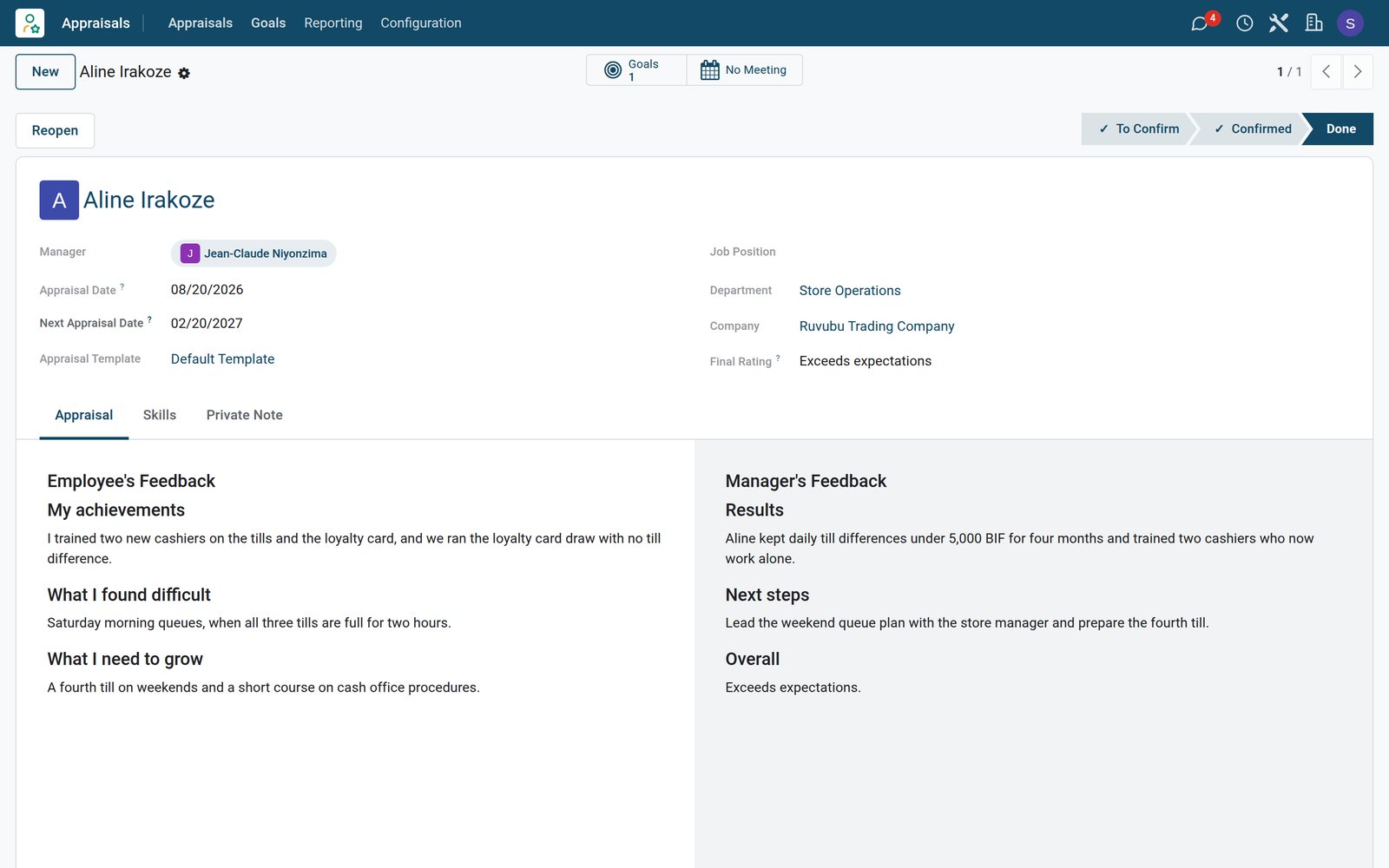
The employee and the manager each write their part, and publish it when ready.
 appraisals
A completed appraisal
Aline Irakoze's review holds the employee's feedback and the manager's, with the final rating: exceeds expectations.
Explore appraisals →By the numbers
What ships inside the Appraisals app
Counted in the product and on the demo database.
- 4
- levels on the evaluation scale, from needs improvement to strongly exceeds expectations
- 5
- progress steps for a goal: 0, 25, 50, 75 and 100 percent
- 9
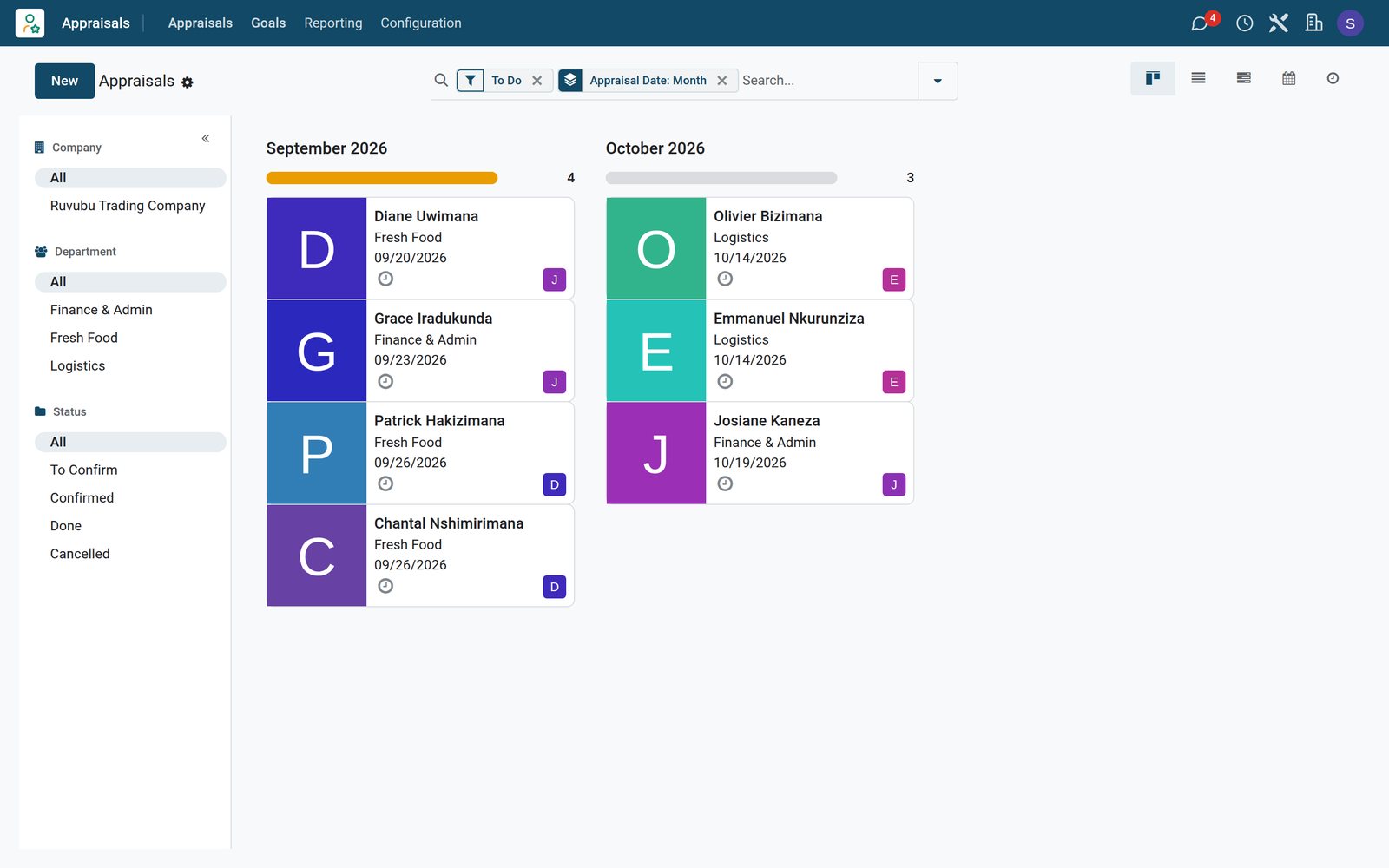
- appraisals on the demo supermarket: two done, four confirmed and three to confirm
Inside the app
What is inside
The parts of the Appraisals app, grouped by what they do for managers and staff.
Review plan
Appraisals are created on their own after the first months of employment, then at the interval you set.
Feedback templates
Standard questions for the employee and the manager, so every review covers the same ground.
Two-sided feedback
Employee and manager write separately and publish when ready, so neither is influenced.
Final rating
Close the review with a rating from the evaluation scale and a private note.
Goals
Agree goals with a deadline and move their progress from 0 to 100 percent.
Review meetings
Book the review meeting from the appraisal and keep its date on the record.
Skills
Update the employee's skills and levels during the review, and follow how they evolve.
History
Every past appraisal stays on the employee, with the date of the last and the next one.
Step by step
From plan to next year's goals
How a review runs in BridgeERP, and which app does each step.
- Step 1
Plan
The appraisal is created for the employee with a deadline and their managers.
appraisals - Step 2
Write
Employee and manager answer the template questions and publish their feedback.
appraisals - Step 3
Meet
They meet to talk it through, booked from the appraisal.
appraisals - Step 4
Rate
The manager closes the review with a rating from the evaluation scale.
appraisals - Step 5
Set goals
New goals are agreed and followed until the next appraisal.
Employees

Goals followed between reviews
Goals keep what was agreed visible, with the progress of each.
 appraisals
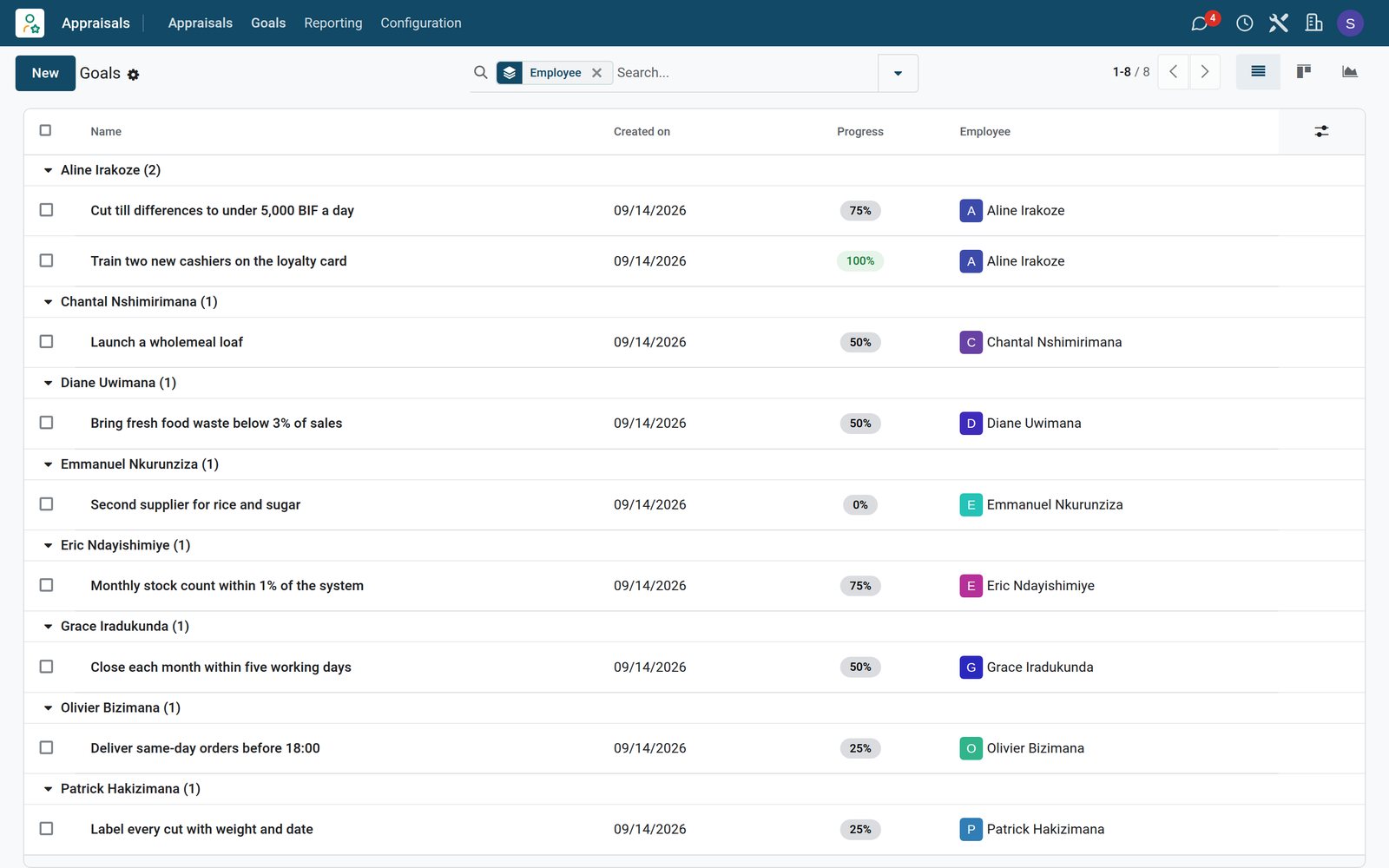
Goals by employee
Goals grouped by employee show when each was set and how far along it is, from cutting till differences to launching a new loaf.
Explore appraisals →Reviews that plan themselves
The appraisal plan creates the next reviews on time, without anyone keeping a calendar.
 appraisals
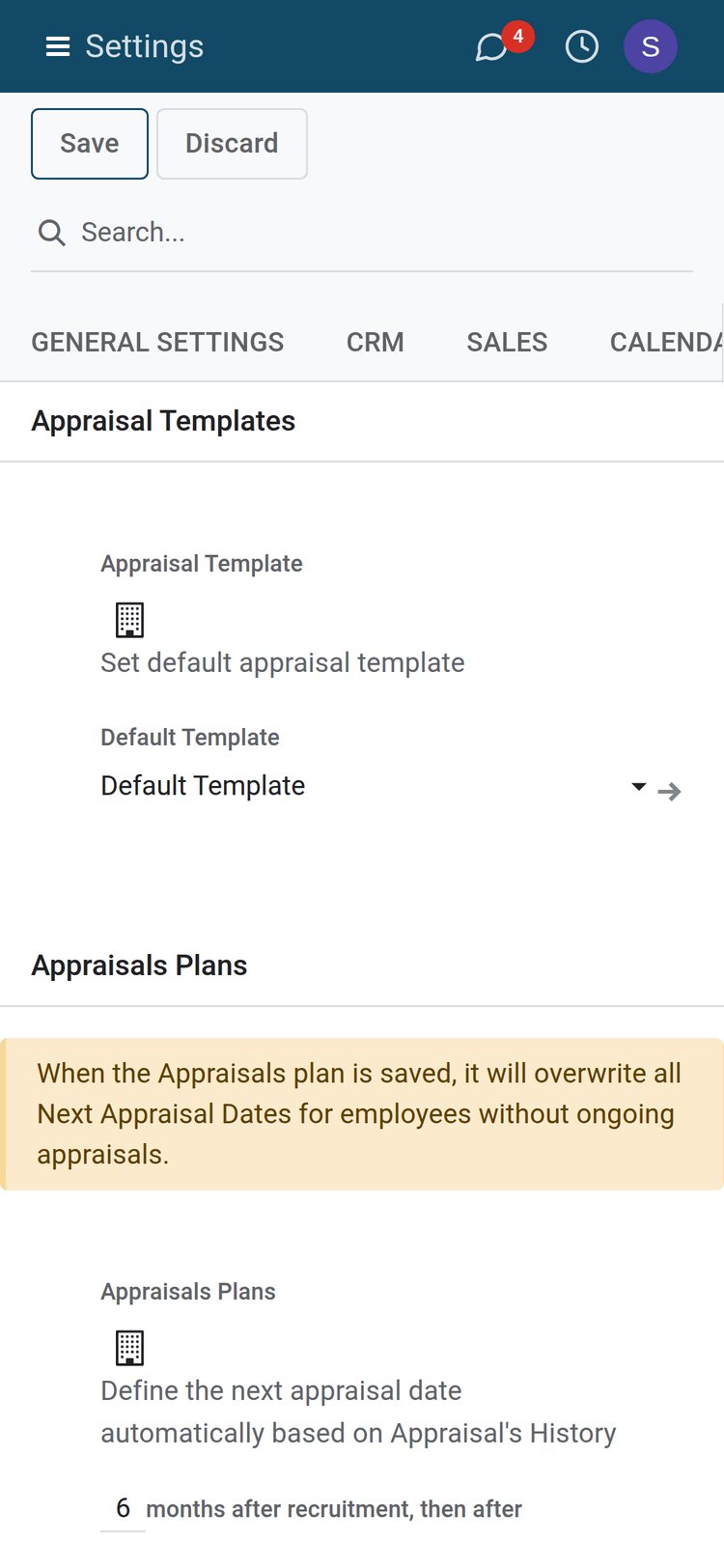
The appraisal plan
A new employee's first appraisal is planned 6 months after recruitment, the next ones follow at a set interval, and each one starts from the default template.
Explore appraisals →Who uses it
Who uses it, and what they see
Appraisals is used by every employee once or twice a year.
Employee
Writes their own feedback on what went well and what they need, then publishes it.
Manager
Reviews the team's appraisals, writes feedback, rates and agrees the next goals.
HR officer
Plans the reviews, keeps the templates and follows which appraisals are late.
Owner
Sees the ratings across the business and who is ready for more responsibility.
Works with
Runs with the rest of BridgeERP
Apps that appraisals draw on or feed.


In your country
Built for businesses in any country
What changes when reviews stop depending on paper forms and memory.
Reviews for shop-floor staff
Cashiers, butchers and drivers get the same structured review as office staff, without a form to print.
Goals in local terms
Goals are written the way the team talks, in your currency, such as till differences under 5,000 BIF.
One plan for every branch
The appraisal plan applies to every branch of the company, so no store falls behind.
Getting started
Getting started
How a business runs its first review round on BridgeERP.
Set the plan
Choose when the first appraisal comes after hiring and how often reviews follow.
Keep the template short
Three questions each for employee and manager are enough for a first round.
Agree two or three goals
Close each review with a few goals that have a deadline.
Try it on the demo
The demo supermarket has nine staff appraisals and their goals, ready to open.
Questions
Questions about Appraisals
Not covered here? Contact us.
Can appraisals be created automatically?
Yes. The appraisal plan creates them after the first months of employment and then at the interval you set.
Can the employee and the manager write separately?
Yes. Each writes their own feedback and publishes it when ready.
How is performance rated?
The manager closes the review with a level from the evaluation scale.
Can I follow goals between reviews?
Yes. Goals have a deadline and a progress from 0 to 100 percent.
Do past reviews stay on file?
Yes. Each employee keeps their appraisals, with the last and next appraisal dates.
Can managers see skills?
Yes. Skills can be reviewed during the appraisal, and their evolution is reported.
Put Appraisals to work
Add it to your plan and pay only for what you use, or see it running on your own demo first.