

Handyman Services: Jobs, crews and invoices for handyman services
BridgeERP gives handyman and repair businesses job scheduling, time and materials on every visit, quotes and invoices in one place.
Free instant access. No credit card required.
 Invoicing
 CRM
CRM Sales
Sales Field Service
 Projects
 Inventory
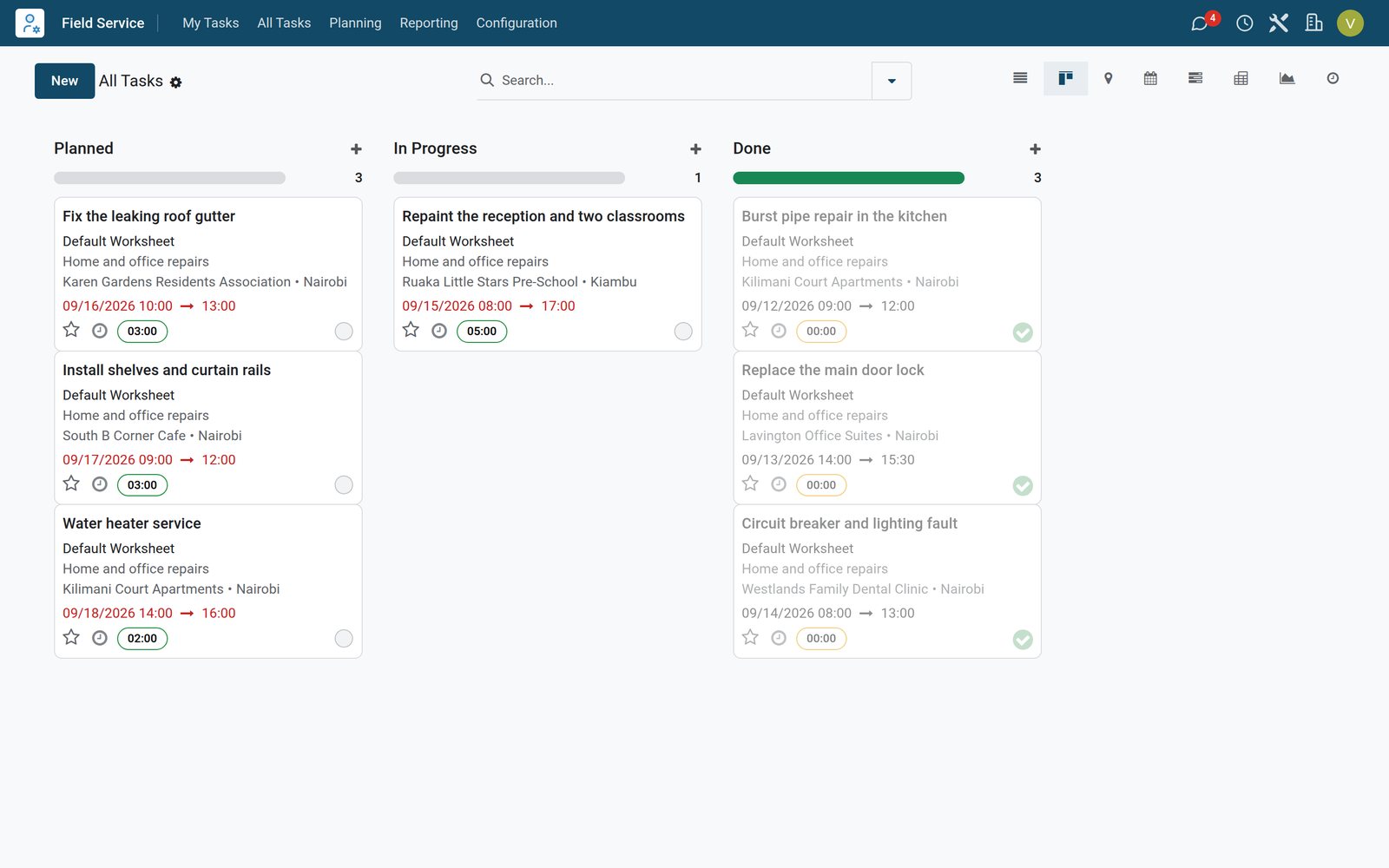
Every visit with its time and materials
The technician logs hours and adds the parts used on the job, and the order follows.
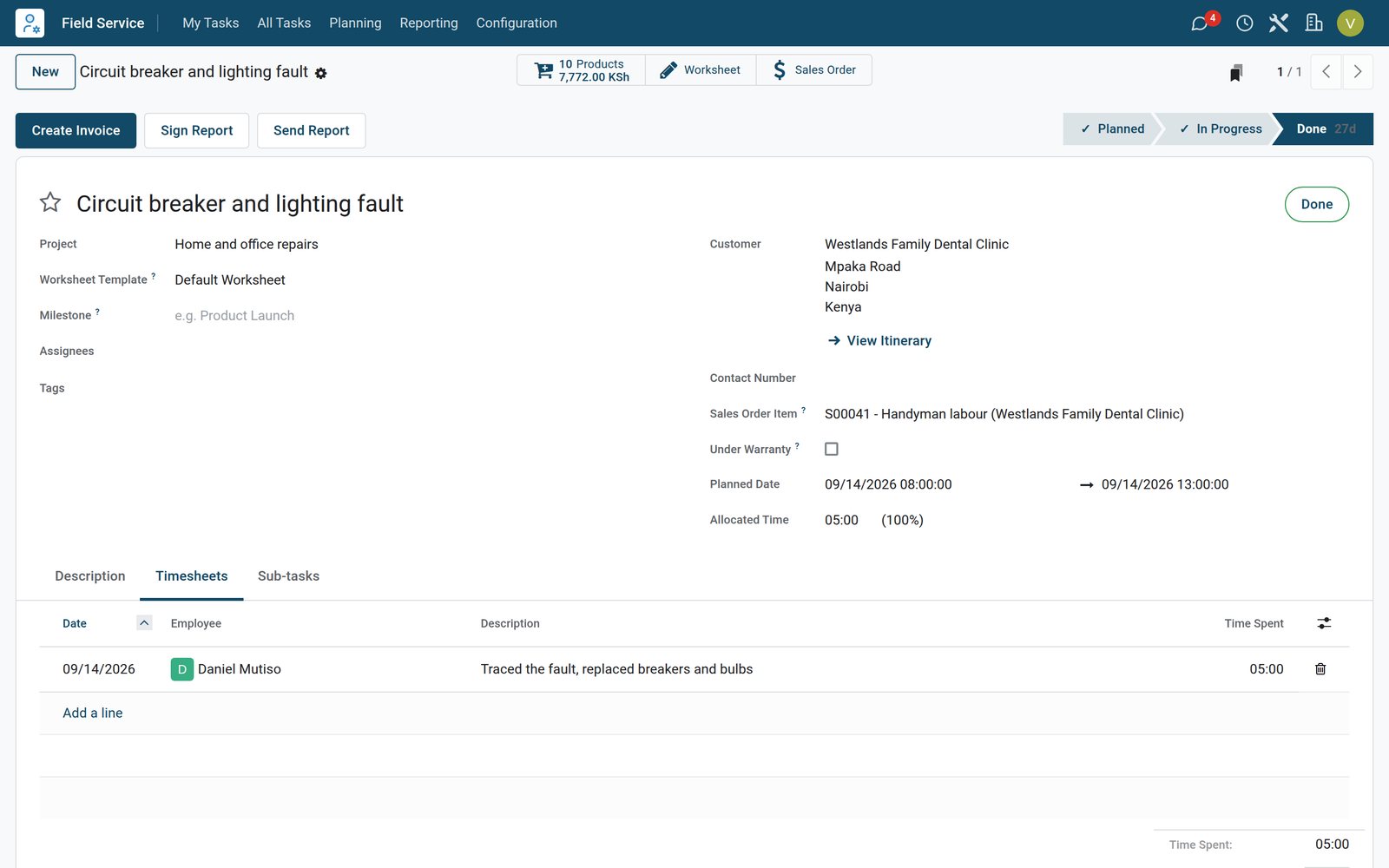 Field Service
A finished electrical job
The lighting fault job at a dental clinic shows the planned visit, the five hours logged by the electrician and the parts used on site.
Explore Field Service →By the numbers
What ships inside
Counted in the product.
- 4
- things a sold service can create: nothing, a task, a project, or a project with its tasks
- 5
- ways to count what was delivered, from timesheets and milestones to manual quantities
- 9
- billing types on a timesheet line, from billed on timesheets to non-billable
Inside the app
What is inside
The apps a handyman business runs on, and what each does for a job.
Jobs
Each repair is a field service job with the customer, the address and the planned visit time.
Crew planning
Shifts put the plumber, electrician, painter or carpenter on the right job each day.
Time on site
Technicians log the hours of each visit on the job with a note on the work done.
Parts used
Taps, pipes, breakers or paint used on a job are added to it and delivered from stock.
Orders from jobs
Finishing a job confirms its order with the labour, the call-out fee and the parts.
Quotes for bigger work
Repaints and larger repairs are quoted with labour hours and materials before the work starts.
Invoices
Finished jobs are invoiced with the hours and parts exactly as recorded on the visit.
Enquiries
Requests for maintenance contracts and larger jobs are followed in the pipeline until won.
Step by step
From call to invoiced job
How a repair runs in BridgeERP, and which app does each step.
- Step 1
Request
A customer calls about a leak, a fault or a repaint, and the job is created with the address.
Field Service - Step 2
Schedule
The job gets a visit time and the right technician is put on it in the week plan.
Shift Planning - Step 3
Visit
On site the technician logs the hours and adds the parts used to the job.
Timesheets - Step 4
Done
Marking the job done confirms its order and delivers the parts from stock.
Sales - Step 5
Invoice
The labour, call-out fee and parts are invoiced to the customer in KES with VAT.
Invoicing

The week plan of the crew
Shifts show who is on which job each day, by role.
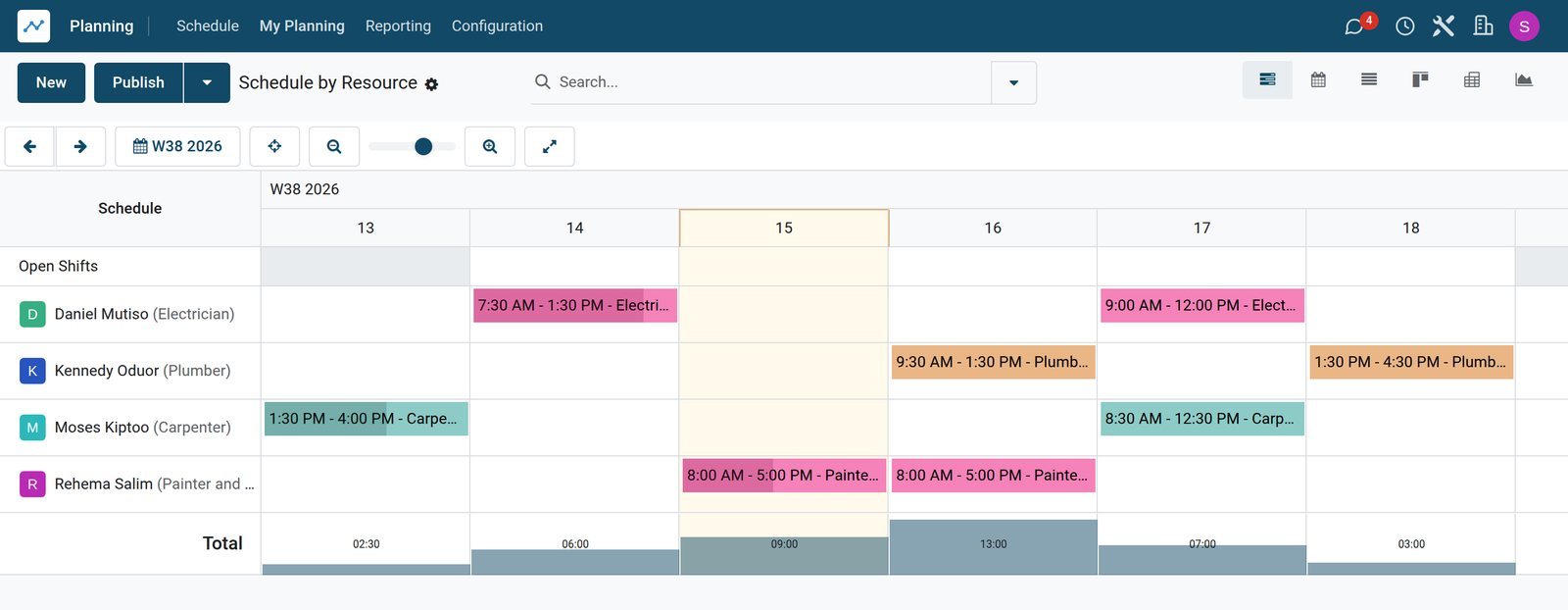
 Shift Planning
Crew shifts for the week
Plumber, electrician, painter and carpenter shifts across the week, each linked to its job, so double bookings are easy to spot.
Explore Shift Planning →Labour and parts ready to invoice
The order made by the job counts the hours and each part delivered.
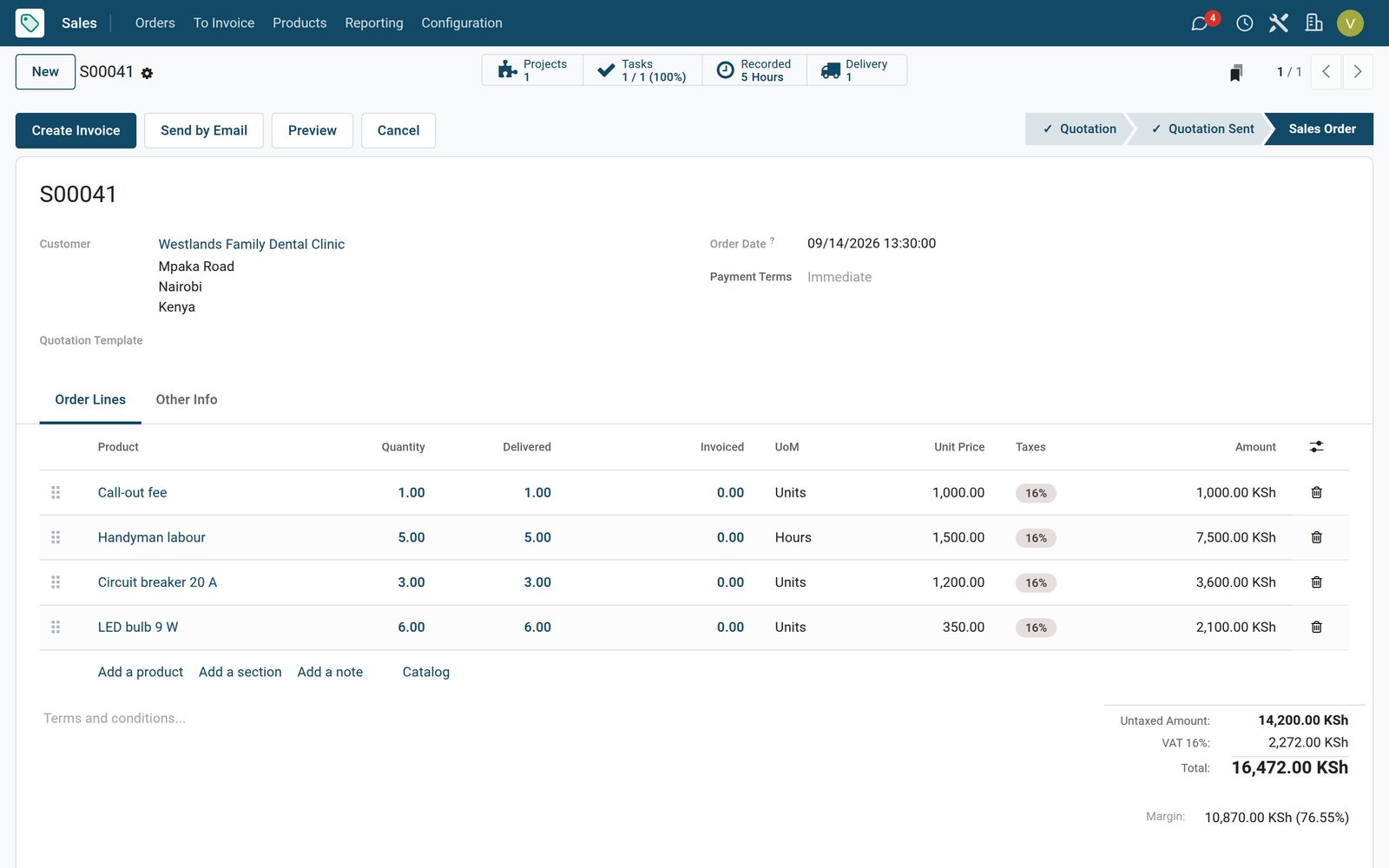 Sales
SalesThe order of a finished job
The dental clinic job order lists the call-out fee, three circuit breakers, six LED bulbs and five hours of labour, all delivered.
Explore Sales →Quotes for larger work
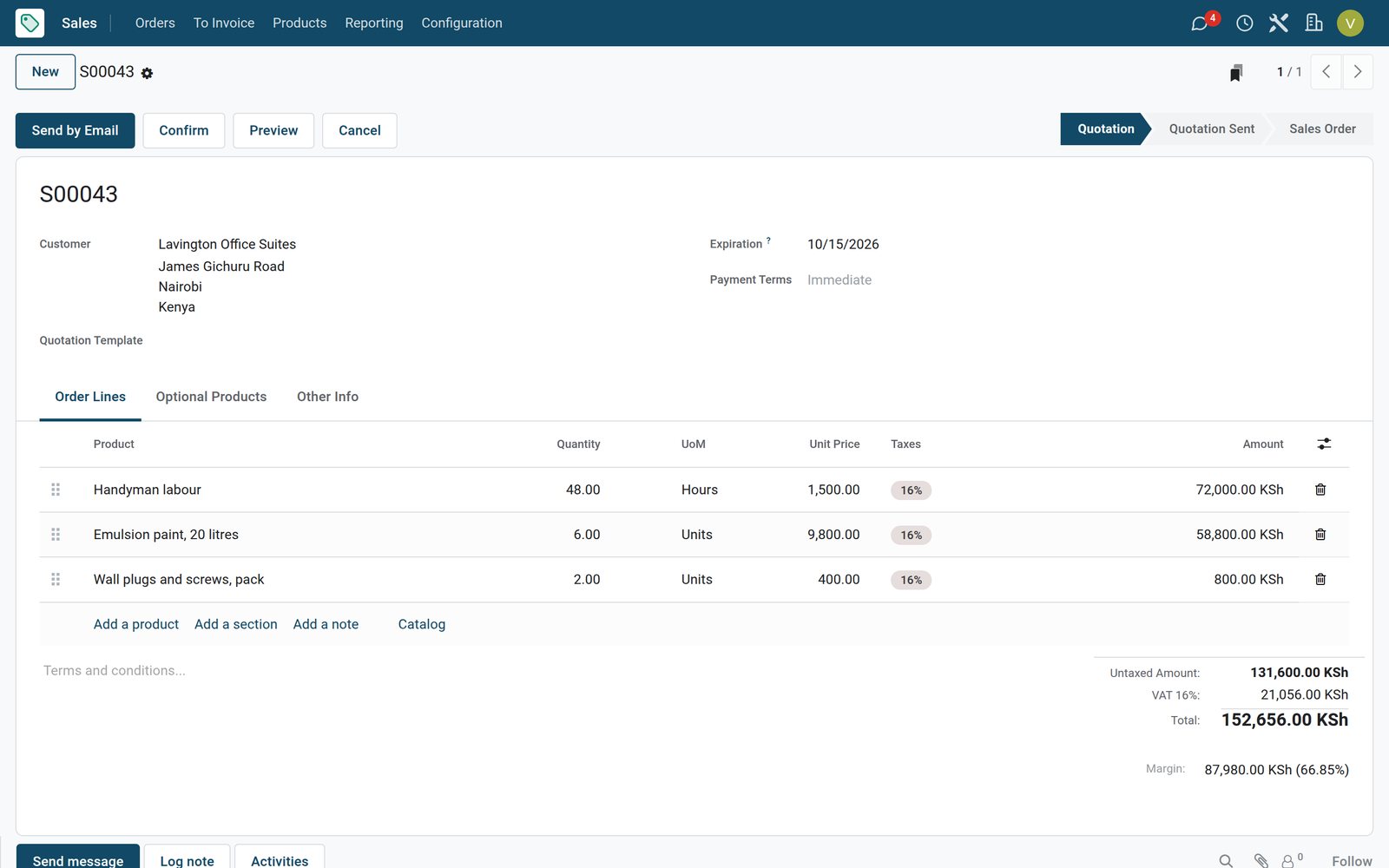
Bigger jobs are priced with labour hours and materials first.
 Sales
SalesA repaint quote for an office block
The six-room office repaint is quoted with 48 hours of labour, six 20-litre tins of emulsion paint and wall plugs.
Explore Sales →Who uses it
Who uses it, and what they see
One system for the office, the crew and the owner.
Owner
Follows enquiries and quotes, and sees which jobs are done and waiting to be invoiced.
Operations lead
Books visits, assigns technicians in the week plan and moves jobs when plans change.
Technician
Opens the job, logs the hours, adds the parts used and marks the visit done.
Office and billing
Sends quotes to customers, invoices finished jobs from their orders and follows the payments still due.
Works with
Runs with the rest of BridgeERP
Apps a handyman business draws on.

In your country
Built for repair businesses in any country
What changes from country to country, shown on the demo's Kenyan handyman business.
Prices in your currency
Labour rates, call-out fees, parts and invoices are in the company currency, KES on the demo.
E-invoicing connectors
Country e-invoicing modules send invoices to the tax authority; the demo has Kenya's eTIMS connector installed, ready for the company to register.
Jobs across the city
On the demo, visits in Kilimani, Westlands, Karen, South B and Ruaka carry the customer street and town.
Getting started
Getting started
How a handyman business moves onto BridgeERP.
Set your prices
Create the labour rate, the call-out fee and the parts you use most, with their costs.
Add the crew
Enter technicians as employees with their roles so they can be planned and log hours.
Load open jobs
Enter booked visits with the customer address, the planned time and the expected hours.
Invoice finished jobs
Mark jobs done after each visit and create the invoices from their orders.
Questions
Questions about Handyman Services
Not covered here? Contact us.
Can technicians add the parts they used?
Yes. Parts are added to the job during the visit and delivered from stock when the job is marked done.
Is labour billed from the hours logged?
Yes. The hours logged on the job are billed with the labour rate of the field service project.
Does a job need a quote first?
No. Small jobs can go straight to a visit; larger work can be quoted before it is scheduled.
Can I see who works where this week?
Yes. The planning schedule shows every shift by technician and role, linked to the jobs.
Can I charge a call-out fee?
Yes. A call-out fee is a service added to the job like any part and invoiced with it.
Is there an e-invoicing connector for our tax authority?
E-invoicing modules exist for countries such as Kenya, India, Mexico and Saudi Arabia. On the demo, Kenya's eTIMS connector is installed and needs the company registration to send invoices.
Tax compliance
Invoices your tax authority accepts
In Kenya, Uganda, Rwanda, Burundi and Zambia, each invoice, receipt and stock movement goes to the tax authority's own system when you post it. Ghana and Pakistan come next, and we connect 73 more countries on request.
- KenyaReady
eTIMS KRA
Invoices, credit notes, POS receipts and stock movements
- UgandaReady
EFRIS URA
Invoices, POS receipts and stock
- RwandaReady
EBM RRA
Invoices, POS receipts, stock and imports
- BurundiReady
EBMS OBR
Invoices, POS receipts, stock and manufacturing
- ZambiaReady
Smart Invoice ZRA
Invoices, POS receipts, stock and imports
Handyman Services, app by app
One connected flow instead of separate systems — the work moves from one team to the next without re-typing anything.
Every stop is a real app in your plan, and the hand-offs between them are the product.
- Customers & sales
- Operations
- Finance
CRM
Leads, opportunity pipeline, activities and sales forecasting.
CRM →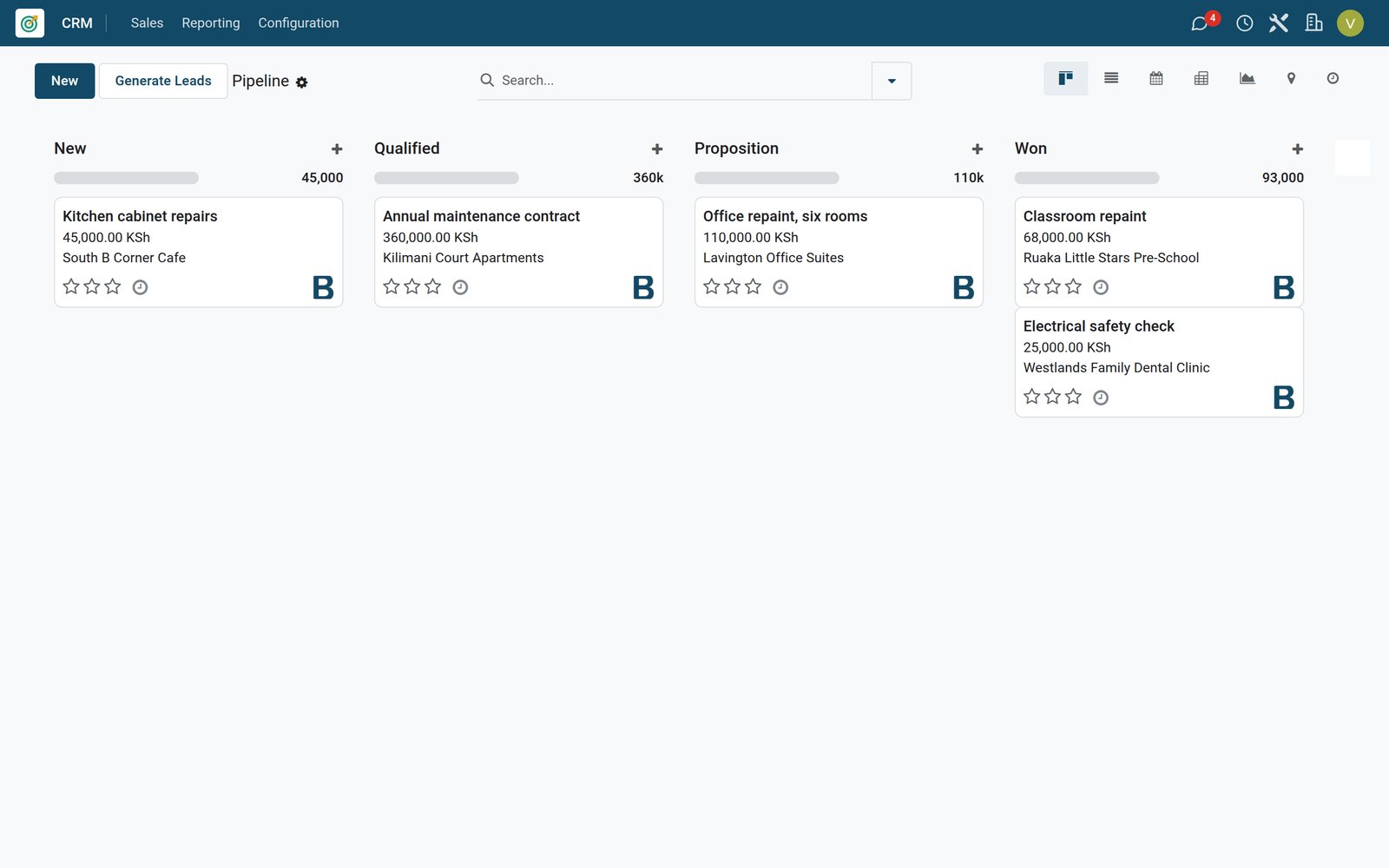
Ready when you are
Open the plan builder with the right apps for this industry already selected, or see it running first.